Log In

Free gifts available with your purchase
Retro Delay With Freeze
Modelled Retro Dual Delay with 'Freeze' for Lo-Fi Pitch Warped Loops and Delays
Whether you’re looking for a studio delay that’s full of 80s characters, or a performance tool that responds to knob tweaking with mind-bending sounds, PrimalTap is a must!
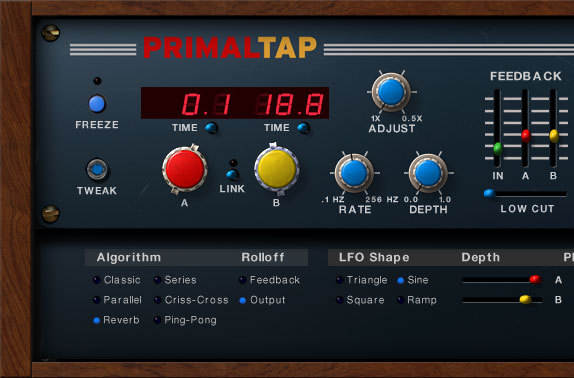
PrimalTap is an emulation and re-imagining of the unique sound and features of the Prime Time delay, a classic digital delay with some powerful performance and sound design capabilities. Like the original hardware, PrimalTap is a hybrid of digital and analog sound - it packs a surprising amount of grit, vibe, and character for a digital delay. In true Soundtoys fashion, they have also evolved and enhanced some of the unique features of the original hardware to give you even more control and creative possibilities.
Multiply
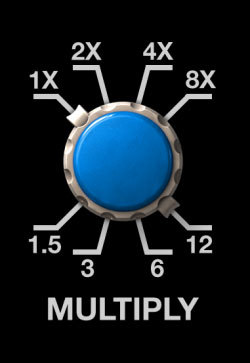
In PrimalTap, the Multiply control doubles the delay time and halves the sample rate with each turn of the rotary switch. This is an emulation of the old Prime Time units - back in the early 80s the memory needed for the delay circuit was really expensive, so the designers cleverly let you choose longer delay times at the expense of audio quality.
But this limitation turned out to be one of the effect’s greatest creative features. You can dial in gritty lo-fi echoes or, If you’re looking for something more unconventional, try turning or automating the knob while audio is playing and you’ll create some really unusual pitch jumps. Combine that with PrimalTap’s VCO modulation, and you’ve got some really wild sounds on your hands.
Modulate
Like the original hardware, PrimalTap includes a VCO (voltage-controlled oscillator) section that lets you add variation and motion to your echoes. Use it to create lush chorused effects, tape-like flanging, and echoes that drift gently in pitch. It’s perfect for dialling up those great shimmering guitar sounds of the 80s, or for creating more wild and unstable modulations. Unlike the original, PrimalTap’s Rate control lets you take the VCO up into the audio frequency range, so you can even create robotic ring modulation effects.
For more hands-on tweakability, grab the Adjust knob which lets you manually sweep the VCO section for smooth, glitch-free warping of the delayed signal. Try tweaking the Rate and Adjust controls and you’ll find yourself creating warbling sci-fi sounds in no time. And, of course, you can record or draw automation in your favourite DAW to capture and fine-tune all of these weird modulation effects. PrimalTap really comes alive when you automate it!

Freeze
Ready to move into even weirder territory? Tap the Freeze button to grab a slice of incoming audio. At its most basic, the Freeze feature lets you loop audio, either synced to tempo or at a length you choose. But the real madness begins when you start to adjust the Time, Freeze and VCO settings - you can quickly warp and modulate a sliver of audio into weird and beautiful soundscapes.
Twist the time knobs to create zippering sweeps. Tweak the VCO controls for ray gun barrages. And dive bomb to a lower octave with the Multiply knob. Freeze is capable of producing some truly otherworldly sounds when you start experimenting with PrimalTap’s other controls.

History
The original Prime Time unit, initially released in 1978, was a favourite of some highly creative sonic pioneers like Daniel Lanois (who’s still rocking his Prime Time today), Brian Eno, David Byrne, Pat Metheny, and Peter Gabriel. Some creative users even started using it as an instrument, tweaking knobs and pressing buttons while processing live audio.
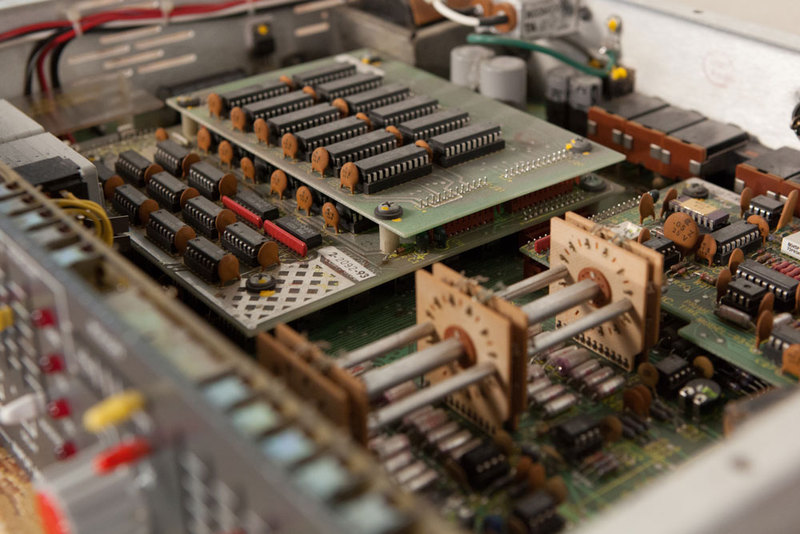
The unusual lo-fi and pitch-glitching effects were literally one of a kind at the time. It came stock with 128 milliseconds of delay and could be optionally upgraded to 256 (for a substantial fee). Like many classic pieces of audio gear, over time, the limitations or imperfections are often what create the character that people come to love. In the case of the Prime Time, RAM was expensive, so in an attempt to get the most from the least, the engineers came up with the multiply function to increase delay time at the expense of sonic quality. That limitation is what was exploited to make this a highly sought-after sound, and that sound is what drove us to create PrimalTap.
A New Direction
While PrimalTap faithfully emulates the original Prime Time, Soundtoys couldn’t resist bringing this classic unit into the 21st century by adding new features and enhancements:
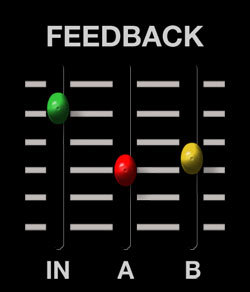
Input Drive
Oh, and, it wouldn’t be Soundtoys if they didn’t give you a way to abuse it, so they also added an “IN” amount so you can get the sound of pushing that old hardware too hard. It’s actually a very unique break-up saturation you can use to give sounds a little more or a lot more bite and attitude.
Sync to Host
By locking to your DAW’s tempo, you can tame the beast. Or, if you want, just let it run wild! Both delay lines can be independently synced to a note value or set to a millisecond value for maximum flexibility.
Host Automation
Capture the mind-altering sounds of PrimalTap knob tweaks by automating with your favourite DAW. Whether you’re recording your frenzied knob moves or drawing directly into your host, automation really unlocks the creative potential of this effect!
Upgraded Memory
While the original was limited to 128 milliseconds of delay time (or 256 with a very pricey upgrade!) PrimalTap maxes out at a comparatively massive 2500 milliseconds. Create extra-long echos, or sample and loop up to 2.5 seconds of audio with the Freeze feature.
Expanded VCO
The original just had one modulation VCO shape; PrimalTap gives you four different options. Soundtoys also lets you push the VCO rate far beyond the original - you can move it way up into the audio range for ring modulation effects. You can even independently control the VCO depth for each of the two delay taps, and flip the phase of each to have modulation moving in two different directions.
New Feedback Algorithms
PrimalTap’s feedback section offers four new feedback types not found in the original: parallel and series modes, ping-pong modes for creative stereo effects, and a special reverb mode that excels at lush washes of echo.
Ken’s Spin
“I’m always looking for quirky gear with unique character and vibe. I had recently been watching YouTube videos of Daniel Lanois live mixing with Black Dub. It was so interesting and inspiring to see the way that he used both the H3000 and the Prime Time in real-time while he was mixing – using the Prime Time’s hold button to capture ambient loops, and the Multiply knob to create octave shifts. That got me going, and I immediately fired up a Prime Time delay from the Soundtoys collection. It instantly put a smile on my face. It was so weird, cool, and musical, that I knew this was the next thing for me to work on. It took months of work to bring that same level of grit, character, and musicality into this plugin, but I think that it definitely paid off. It’s my favourite Soundtoys plugin right now.”
Ken Bogdanowicz, CEO and lead designer of Soundtoys.
PrimalTap also includes Little PrimalTap, a simpler, single-delay-line model. Don’t be fooled, it’s no slouch and can get used to echo, loop, warp, distort and mangle in endless ways.
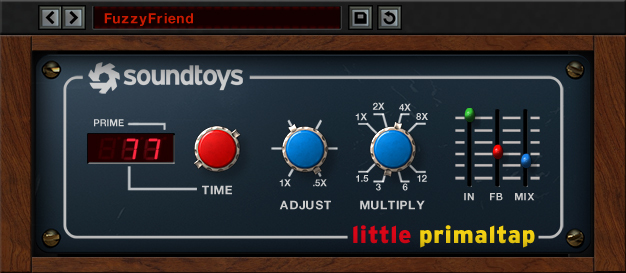
PrimalTap also includes Little PrimalTap, a simpler, single-delay-line model. Don’t be fooled, it’s no slouch and can get used to echo, loop, warp, distort and mangle in endless ways.
Features
- Get vintage digital delay sounds inspired by the quirky Prime Time echo
- Create complex delay effects and modulations with 2 independent delay taps
- Create insane pitch jumps with the Multiply knob
- Create everything from lush chorus to sci-fi warbles with the VCO section
- Sample, loop and warp incoming audio using the unique Freeze control
- Go beyond the original hardware with expanded memory and creative new features
System Requirements
Mac
- macOS 10.12 Sierra and later (Intel / M1 / M2 Apple Silicon supported) (64-bit only)
- VST2, VST3, AU, AAX Native, AAX AudioSuite
Windows
- Windows 7 and later (64-bit only)
- VST2, VST3, AAX Native, AAX AudioSuite
Supported Sample Rates:
- Minimum - 44.1 kHz
- Maximum - 192 kHz
Important Notes:
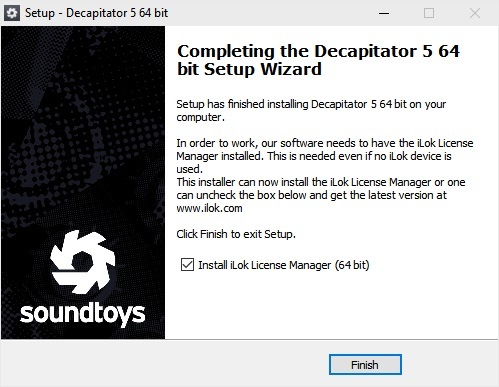
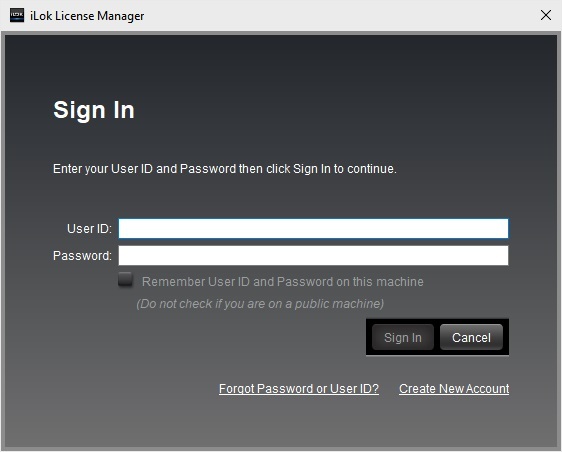
- A FREE account at ilok.com is required (a physical USB iLok is not required)
- This software is 64-bit only and is not compatible with 32-bit systems.
Officially Supported Host Applications:
All version 5 Soundtoys products come in 64-bit VST2, VSt3, AU and AAX Native plugin formats.
Supported DAWs:
- Pro Tools: 12 or higher (Mac & PC: AAX Native and AudioSuite)
- Logic Pro X: 10.7 or higher (Mac: AudioUnits)
- Ableton Live: 10.0 or higher (Mac: AudioUnits, VST2 & VST3; Windows: VST2 & VST3)
- Studio One: 4.5 or higher (Mac: AudioUnits, VST2 & VST3; Windows: VST2 & VST3)
- Cubase: 9.5 or higher (Mac & PC: VST3)
- Nuendo: 8 or higher (Mac & PC: VST3)
- Reaper: 6 or higher (Mac: AudioUnits, VST2 & VST3; Windows: VST2 & VST3)
- Bitwig: 4 or higher (Mac & PC: VST2 & VST3)