Log In
Get this refined, no–cost stereo goniometer plug-in!
GŌN :: Cross-Platform Plugin
A free, universal visualization plug-in for stereo bus masters.
Introduction
Available for all major plug-in formats, including VST 2, VST 3 and AAX for macOS and Windows plus Audio Units for macOS, GŌN (rhymes with “lone”) is a free software goniometer that authentically replicates an analog oscilloscope experience while keeping complexity at bay.
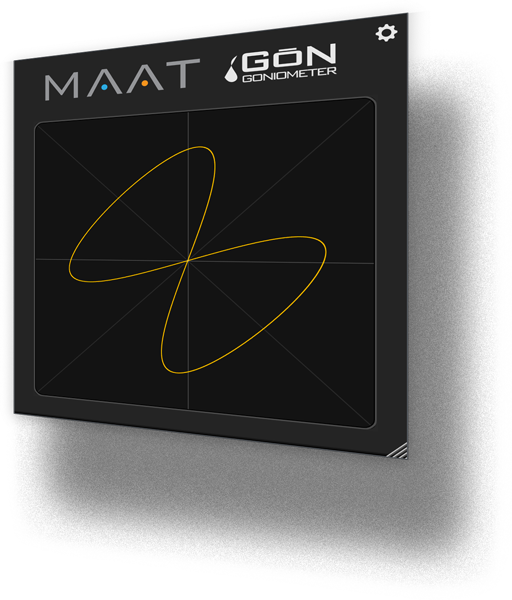
This “phase scope” plugin quickly conveys global trends and troubles, with a visual out-of-phase warning built-in. Plus, an optional autogain feature ensures that you’ll see an understandable display with a very wide range of input amplitudes.
Usable metering is essential for any engineer, and GŌN’s options are equally practical, with a notable absence of controls. Unlike an oscilloscope, GŌN’s lack of any knobs or switches means its straightforward user interface contains only a single button, the preference’s gear icon at upper right. Control over gain, focus, “phosphor” colour, drawing style and persistence are all there in the preferences, and everything can be saved as a personal preset.
All of GŌN’s functionality is wrapped in an information-rich yet visually unobtrusive user interface that occupies only a small slice of screen real estate. Likewise, the plug-in is very "lightweight" demanding an absolute minimum of CPU resources so it won´t slow down your host.
Features
- Essential - GŌN delivers indispensable visual monitoring.
- Light Weight - GŌN is economical of both screen real estate and host computer resources.
- Universal - GŌN works on macOS and Windows, across all modern plug-in formats.
- Low Cost - GŌN is free! That's right! It’s another way of introducing you to all the good stuff that is being built at MAAT…
System Requirements
- macOS 10.9 or newer (64-bit only)
Windows 7 and newer (32 & 64-bit)
Supported Formats
- AAX Native (Pro Tools 10.3.10 and newer)
- AU, VST 2 & VST 3
- Sample rates from 44.1 to 384 kHz