/ Phaser / CHOW Phaser
ChowDSP

CHOW Phaser

4.6 (136 Reviews)
FREE
Chow DSP - CHOW Phaser Stereo
Chow DSP - CHOW Phaser Mono
ChowDSP CHOW Phaser - CHOW Phaser Demo gallery thumbnail
Product information

CHOW Phaser is an open-source phaser effect, based very loosely on the classic Shulte Compact Phasing "A". CHOW Phaser also has both a Stereo and Mono version.

CHOW Phaser Mono is designed to accept a mono signal as input and generate a stereo signal as output. Any stereo input to the plugin will first be summed to mono before applying any processing.

CHOW Phaser Stereo accepts a stereo signal and processes each channel entirely separately. To link the controls between the left and right channels, hold the SHIFT key while moving one of the knobs.

The phaser's processing is broken up into two stages: feedback and modulation. The amount of processing done by each stage can be controlled separately with the "feedback" and "modulation" knobs. Both stages share the same LFO, which is controlled by the "depth" and "frequency" parameters, as well as the "skew" knob. The "10x" parameter simply multiplies the LFO frequency by 10. The "stages" parameter controls filter stages are used in the modulation section, while "drive", "dirt", and "thrash" add various styles of nonlinear processing to the feedback stage.

CHOW Phaser is currently available in the following plugin formats:

  • VST
  • VST3
  • AU
  • Standalone plugin

System Requirements

Mac

  • macOS 10.12 Sierra or newer (Intel / M1 Apple Silicon supported)
  • Minimum 4 GB of RAM
  • VST-compatible or AU-compatible plugin host

Windows

  • Windows 7 or newer
  • Minimum 4 GB of RAM
  • VST-compatible plugin host
Installation Instructions

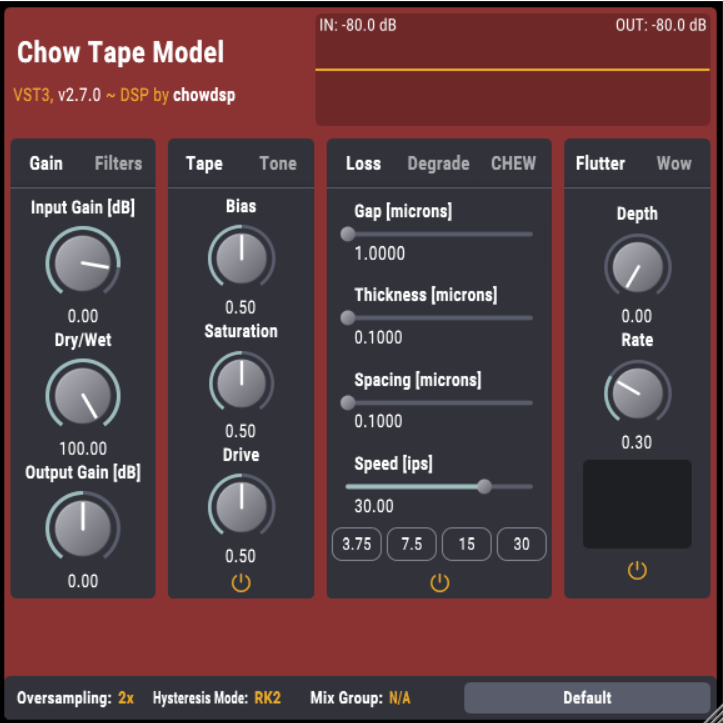
Please Note: CHOW Tape Model has been used as an example.

Windows

Installation

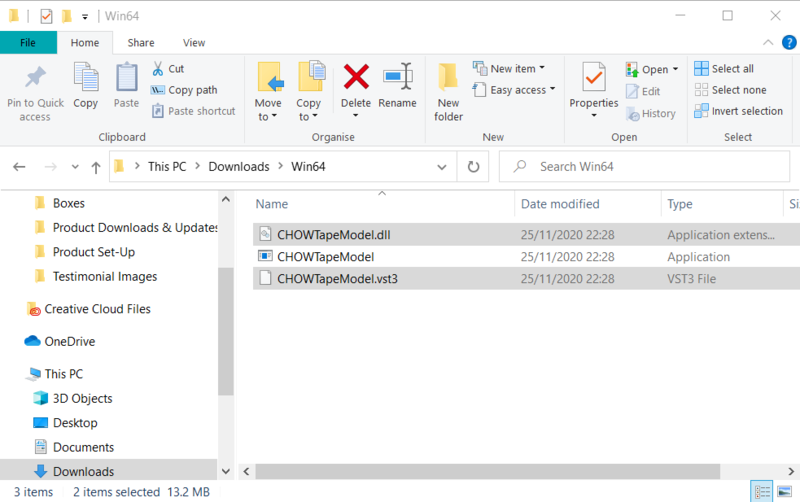
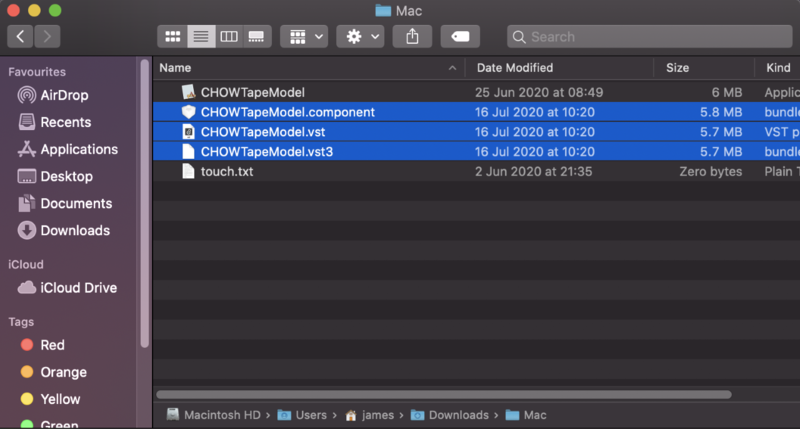
1. Download the .zip file from within your Plugin Boutique User Account > Double-click it to extract the contents.

2. Navigate to the folder with the .dll and .vst3 files > copy the necessary files.

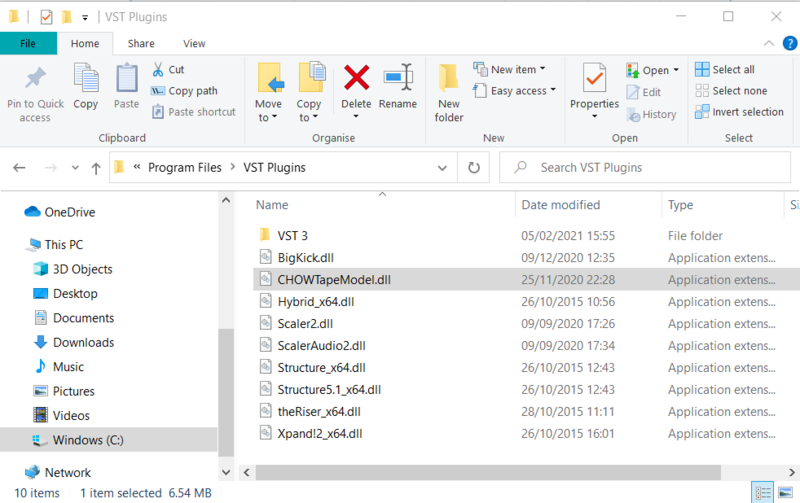
3. Navigate to the file path C:\Program Files\VST Plugins > Paste the .dll file in this folder.

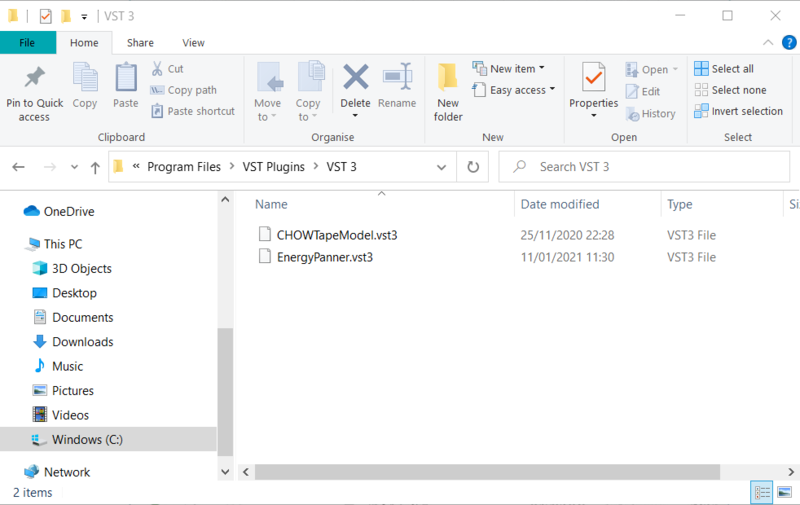
4. Navigate to the file path C:\Program Files\VST Plugins\VST 3 > Paste the .vst3 file in this folder.

Your software is now ready to use within your DAW.

Mac

Installation

1. Download the .zip file from within your Plugin Boutique User Account > Double-click it to extract the contents.

2. Navigate to the folder that contains the AU and VST components > copy the necessary component.

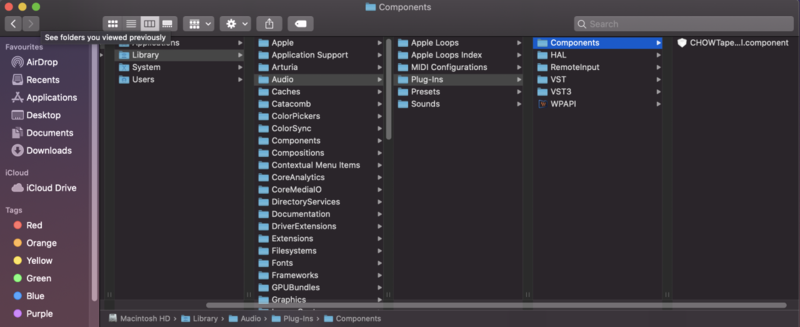
3. Navigate to the file path Macintosh HD:/Library/Audio/Plug-Ins/Components/ > Paste the component in this folder.

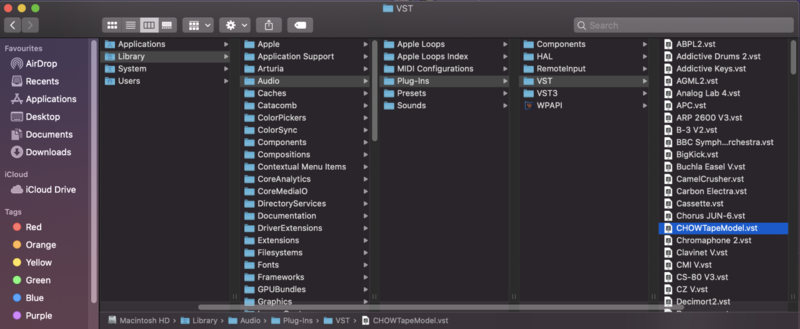
4. Navigate to the file path Macintosh HD:/Library/Audio/Plug-Ins/VST > Paste the .vst file in this folder.

5. Navigate to the file path Macintosh HD:/Library/Audio/Plug-Ins/VST 3 > Paste the .vst3 file in this folder.

Your software is now ready to use within your DAW.

Plugin Boutique Rewards

Discover the most rewarding loyalty programme among all plugin retailers.

  • Free Loopmasters Samplepacks
  • Discounts on products and courses
  • Extra Virtual Cash claimed immediately at checkout
Find out more

Follow us:

X (Twitter) Facebook YouTube Instagram
Logo Logo

Plugin Boutique Limited, Part of the Beatport Group LLC.

Copyright © 2011-2025 Plugin Boutique. All rights reserved