


 Log In
.jpg)
Free gifts available with your purchase

Looking for a creative boost to your next project? Look no further, as the innovative minds at FabFilter have packaged their best and most well-respected creative plugins into one convenient bundle!
With the Creative Bundle, You Get FabFilter's Inspiring Distortion/Saturation, Stereo Delay, Filter Effect and Synthesizer Plug-ins, all of which are tried-and-tested by some of the world's leading sound designers and engineers and are trusted the world over. If you're stuck for creativity in your audio creation and processing, and are after something intuitively designed for increased productivity and beautiful sound by one of the world's most highly-respected plugin design companies, then this is the bundle for you.
Saturn 2
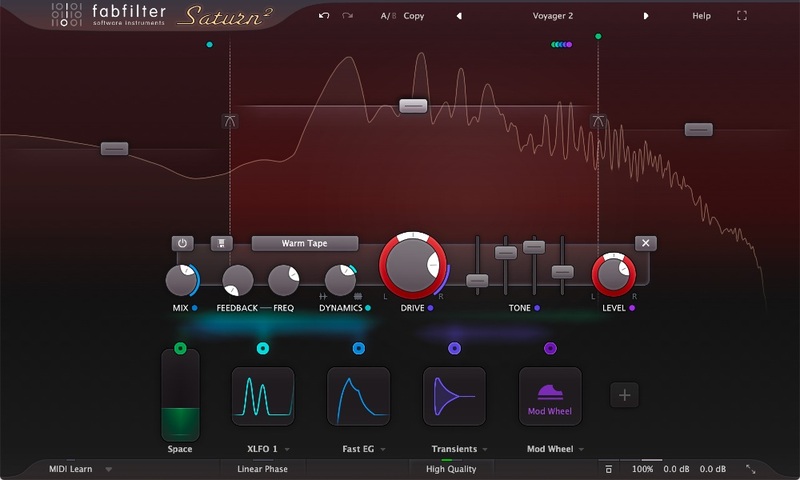
Take your music to the outer limits...
Distortion and saturation play a very important role in music production. From subtle, clean and warm tube or tape saturation to the wildest multiband guitar amp effects: FabFilter Saturn 2 delivers.
Saturn 2 introduces a host of new features such as a redesigned interface with modulation visualization, new subtle saturation and linear phase processing for mastering, many new distortion styles, and more.
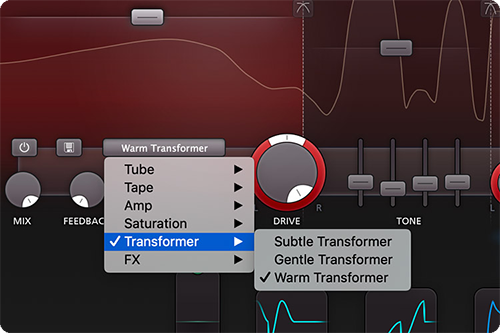
FabFilter Saturn 2 offers a range of different high quality distortion models, inspired by the vintage sound of tubes, tape, transformers and guitar amps. In addition, you get five creative FX distortion styles to mangle your sounds in weird and unexpected ways.
With its multiband design and per-band feedback, dynamics, drive, tone and modulation options, Saturn 2 will bring a unique flavor to your music.
Features
- 28 different distortion styles, from subtle tube saturation to heavy guitar amps and bit crushing
- Multiband processing (up to 6 bands), with optional linear phase processing
- Adjustable slope for the crossovers, offering 6, 12, 24 and 48 dB/oct options
- Per-band drive, mix, feedback, dynamics, tone and level controls
- Live modulation visualization for targets and sources
- Optional HQ modes: Good (8x oversampling) and Superb (32x oversampling)
- Fully redesigned, easy-to-use interface, including a new design of modulation sources and floating slot panel
- Interactive multiband display
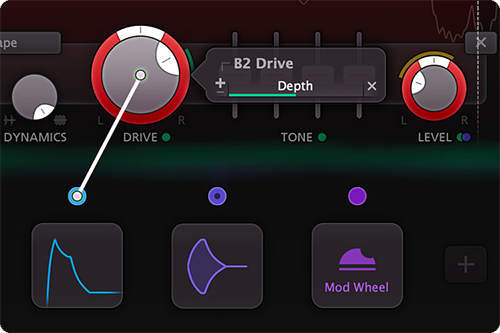
- Endless modulation options, with all the 16-step XLFOs, XY controllers/sliders, envelope generators, envelope followers, and MIDI sources you will ever need
- Curve control in EGs and transient detection in EFs
- Easy drag-and-drop modulation with 50-slot modulation matrix
- Supports common Pro Tools hardware control surfaces
- Mid/side processing
- Various interface sizes and Full Screen mode
- GPU-powered graphics acceleration
- Unique per-component presets
- Interactive MIDI Learn
- Carefully designed and curated Factory Presets, plus support of V1 presets
- Per-band solo and mute options
- Smart Parameter Interpolation
- Extensive help file with interactive help hints
- Undo, redo and A/B switch features
Learn more about FabFilter Saturn 2.
Twin 3
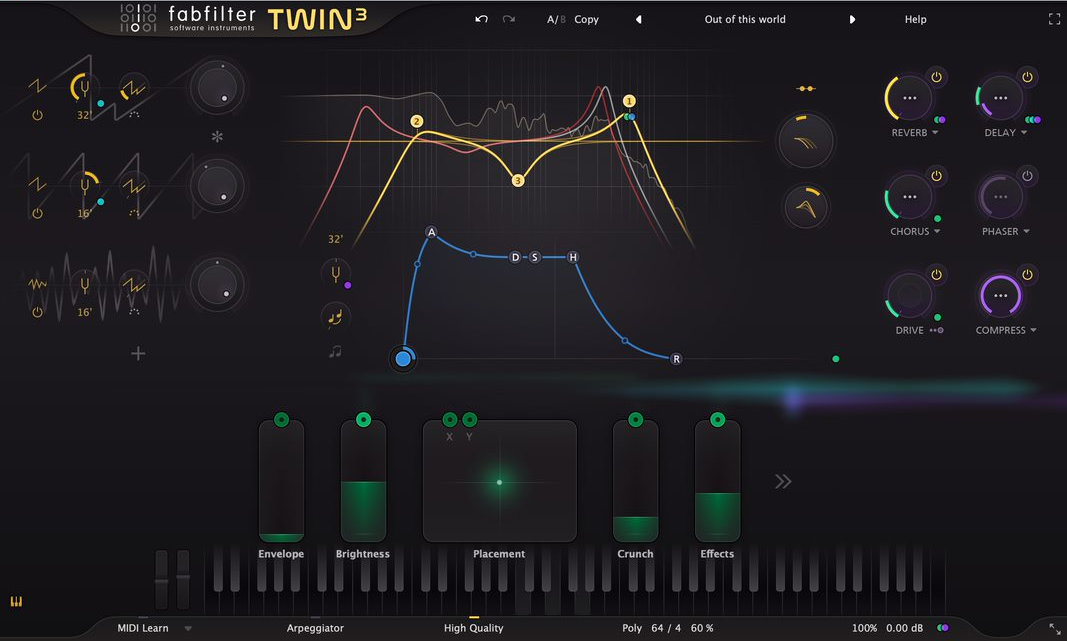
Amazing Oscillators, Unique Filters
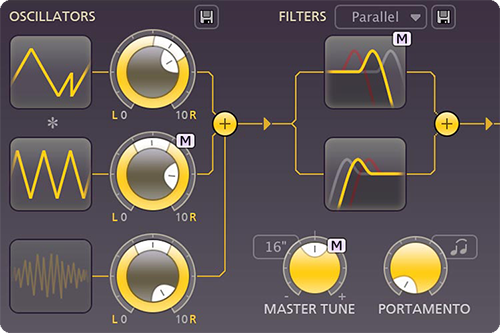
FabFilter Twin 3 is equipped with the best possible oscillators, award-winning filters and an innovative interface that makes sound design a breeze! Rather use presets? Twin 3 comes with more than 1600 quality sounds that you can use right away.
Programming Twin 3 is easy and fast. The what-you-use-is-what-you-see interface shows only what you are actually using, and the graphic component buttons give you direct access to the most important settings from the impressive list of features.
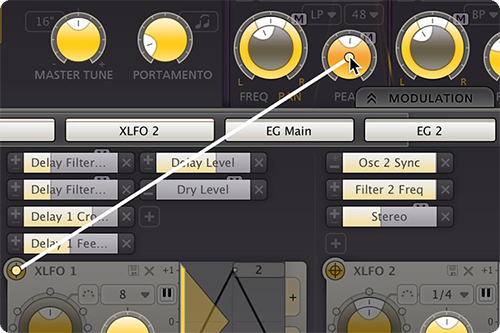
With all the XLFOs, EGs, XY controllers, envelope followers and MIDI sources you will ever need, Twin 3 offers practically unlimited modulation possibilities. Creating new modulation connections could not be easier: just drag and drop.
Features
- Three high-quality oscillators with PWM, hard sync, and phase sync
- Four state-of-the-art multimode filters with filter panning and 11 characteristics
- Extensive delay section with feedback and filter section
- Over 1600 presets
- Revolutionary new interface, using our innovative what-you-use-is-what-you-see concept
- Normal and wide interface layouts, with an option to show or hide the modulation section at the bottom
- Endless modulation options, with all the 16-step XLFOs, XY controllers, envelope generators, envelope followers and MIDI sources you will ever need
- Easy drag-and-drop modulation with 50-slot modulation matrix
- Modulation source signal visualization
- Ring modulation
- GPU-powered graphics acceleration
- Side chain input
- Polyphonic portamento
- 32-voice polyphony and unison
- Highly improved MIDI Learn
- Unique per-component presets
- Smart Parameter Interpolation
- Extensive help file with interactive help hints
- Undo, redo and A/B switch features
Learn more about FabFilter Twin 3.
Timeless 3
From everyday echos to lush modulation
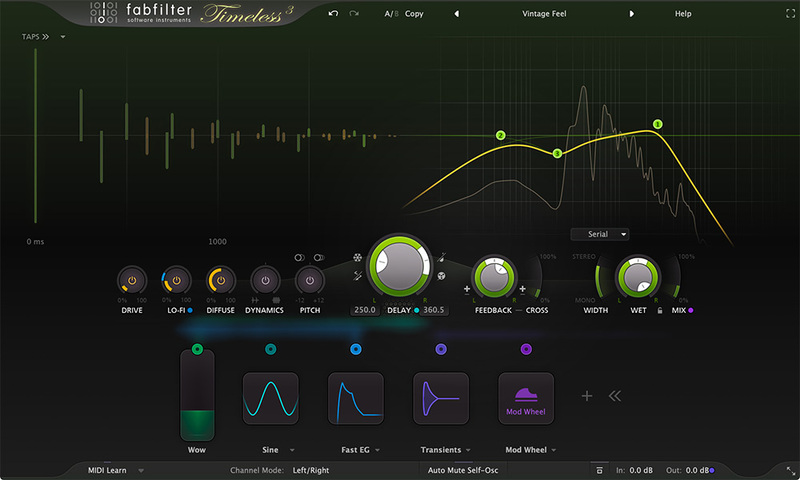
FabFilter Timeless 3 is a versatile, vintage-sounding tape delay, which will fully satisfy your everyday delay needs. And with its unique effects, filters, tap patterns and unlimited modulation options, you can just as easily turn it into the ultimate sound-mangling machine!
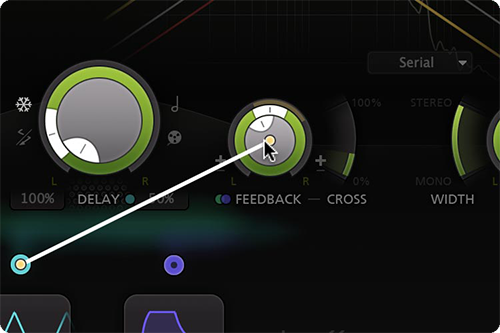
The stereo delay signal is routed through five unique effects and up to six analog-sounding filters and then routed back to the input with adjustable feedback. Easily program your own delays using the well-laid-out controls and interactive delay and filter displays.
Easily setup ducking, wow and flutter, dynamic diffusion or more creative effects, using Timeless's unique and versatile modulation system. Creating new modulation connections could not be easier: just drag and drop.
Features
- Fully redesigned, highly simplified interface, with an easy workflow and new modulation engine
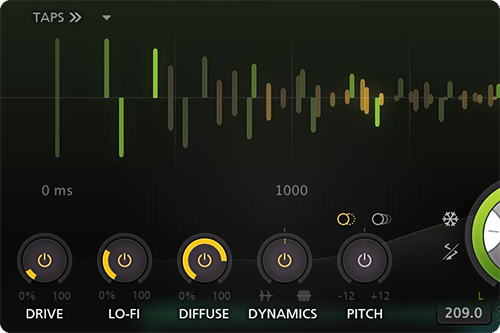
- Optional Drive, Lo-Fi, Diffuse, Dynamics and Pitch effects to creatively color the feedbacked delay sound
- Analog tape delay or smooth time-stretching behavior when changing the delay time
- Up to 6 filters, which can be either the original, vintage LP/HP/BP filters or Bell/Shelving/Notch EQ filters
- Create rhythmic patterns using up to 16 delay taps, which can be controlled and modulated individually
- Improved the sound quality of overall feedback, the filters, and internal saturation
- Feedback and cross-feedback, and modulatable freeze option
- Mid/side processing
- Ping-pong modes
- Live modulation visualization for targets and sources
- Carefully designed and curated factory presets, plus support for earlier Timeless presets
- Interactive delay and filter displays
- GPU-powered graphics acceleration
- Various interface sizes and Full Screen mode
- Curve control in EGs and transient detection in EFs
- Easy drag-and-drop modulation with 50-slot modulation matrix
- Supports common Pro Tools hardware control surfaces
- Interactive MIDI Learn
- Extensive help file with interactive help hints
- Unique per-component presets for modulation sources and tap patterns
- Endless modulation options, with all the 16-step XLFOs, XY controllers, envelope generators, envelope followers and MIDI sources you will ever need
- Smart Parameter Interpolation
- Undo, redo and A/B switch features
Learn more about Timeless 3.
Volcano 3
Erupting with character and vintage quality
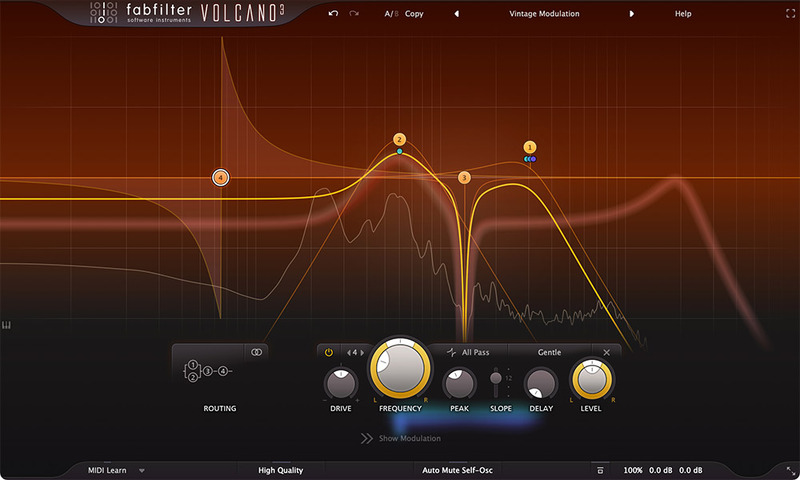
Nothing beats a vintage sounding, gritty and creamy cut-off filter. That's exactly what FabFilter Volcano has been known for since its first release in 2005. Today, Volcano 3 continues to deliver the best in creative filtering with new non-linear filter shapes and a completely redesigned interface that is an absolute delight to work with.
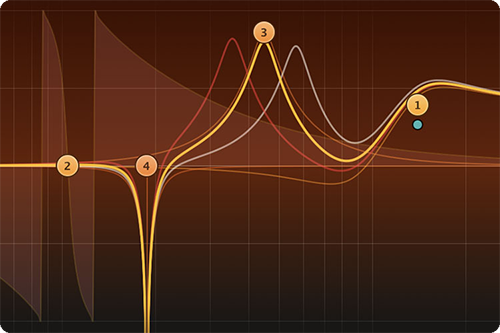
Volcano 3 contains four analog-sounding filters with flexible routing, each offering many filter shapes including non-linear bell and shelf filters. Different filter styles offer saturation and self-oscillation at high peak settings, just like classic, vintage filters.
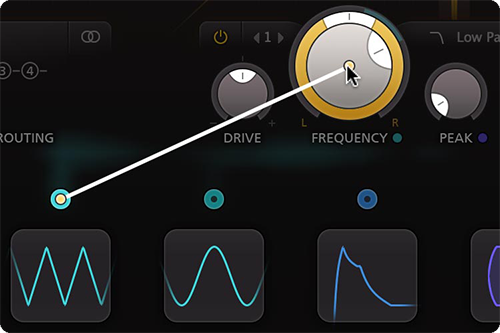
With all the XLFOs, envelope generators, envelope followers and MIDI sources you will ever need, Volcano 3 offers endless modulation possibilities. Setting up new modulation connections could not be easier: just drag and drop.
Features
- Fully redesigned, highly simplified interface, with an easier workflow, including a new design of modulation sources and floating slot panel
- Added new, vintage-sounding EQ-type filter shapes with the internal drive and non-linearities: bell, low/high shelf, notch and all-pass
- Ultra-flexible filter routing, including per-channel and mid/side modes
- Various interface sizes and full screen mode
- Endless modulation options, with all the 16-step XLFOs, XY controllers, envelope generators, envelope followers and MIDI sources you will ever need
- Introduced Drive setting per filter, adjusting the internal filter saturation, which allows for much more variety in sound and smoothness
- Improved the sound quality of overall feedback, the filters, and internal saturation
- Live modulation visualization for targets and sources
- High Quality option, enabling maximum internal oversampling for the best results
- Level/Pan per filter, which is especially useful when using parallel filter routings
- 6 dB/oct filter slope option
- Stereo and mono plug-ins available
- Undo, redo and A/B switch features
- Carefully designed and curated factory presets, plus support for earlier Volcano presets
- Large interactive filter display with optional piano display
- Interactive MIDI Learn
- Extensive help file with interactive help hints
Learn more about FabFilter Volcano 3.
System Requirements
Mac
- macOS 10.12 or higher (Intel or M1 Apple Silicon processor) (64-bit only)
- VST2, VST3, AU, AAX Native, AudioSuite
- AU or VST 2/3 compatible host or Pro Tools
Windows
- Windows 10, 8, 7, or Vista (32 or 64-bit)
- VST2, VST3, AAX Native, AudioSuite
- VST 2/3 compatible host or Pro Tools
Awards


Armin van Buuren
Four times #1 in DJ Mag Top 100
"I like all FabFilter plug-ins and I've used all of them in my tracks. The main lead of my track with Sophie Ellis Bextor for example was done with the FabFilter Twin 3!"
Damien Lewis
Grammy-nominated mixer, engineer, and producer.
"FabFilter Saturn is my new favorite plug-in. I love distortion and I'll put it on everything from vocals to 808's."
Noisia
World-famous drum & bass trio.
"The FabFilter Timeless 2 modular delay and Fabfilter Volcano 2 modular filter have been our favourite delay and filter plug-ins for a while now."
FabFilter Creative Bundle Effects & Synth Plug-ins [Mac & PC] FabFilter’s powerful plug-in suite brings us advanced modulation possibilities, filters with multiple personalities, and plenty of overdrive. FabFilter’s Creative range comprises three plug-ins. Timel...
Read MoreFabfilter - Saturn Fans of distortion are really getting spoiled these days aren't they? It seems like it was just yesterday that we took a close look at Audio Damage's newest offering, and now another major plugin maker is getting into the game. We're referring to FabFilter, the Dutch cre...
Read More


