Log In

Free gifts available with your purchase

BFD and Dan Foord (Sikth, Krokodil) teamed up to produce a BFD3 Groove Pack loaded with progressive, modern and technical metal grooves. Dan Foord Polyrhythmic Metal contains more than enough grooves and fills for any songwriter to quickly create fully authentic technical metal drum tracks.
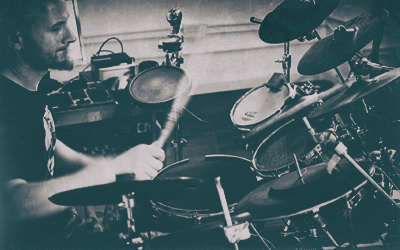
"I wanted to create a BFD Groove Pack that would be instantly identifiable as modern tech metal. Polyrhythms in particular form the basis of this style and 3 over 4 most of all. I can honestly say you won't find a more comprehensive set of 3 over 4 polyrhythmic grooves and fills anywhere." Dan Foord.
With over 500 grooves in total, each of the included 26 palettes contains related grooves and fills to help you construct drum tracks quickly and efficiently. Each groove features techniques Dan regularly uses, including:
- Beat displacement and modulation
- Related tempo and time signatures
- Varied orchestration
- Ghost note grooves
- Paradiddle and linear fills
- Single stroke rolls
Features
- Performed by Dan Foord (Sikth, Krokodil)
- Progressive, modern and technical metal
- Over 500 grooves & fills arranged over 26 palettes
- Tempos ranging from 90 BPM to 135 BPM
System Requirements
- A registered copy of BFD3 is required to run this expansion pack
- Internet connection is required for product download
Please note: BFD3 (v2.1 or higher) is required to run this Expansion Pack.