


Buy FabFilter One, get a free gift with purchase:
Amazing Oscillators, Unique Filters
For FabFilter One, FabFilter have put tremendous effort in creating the best cut-off filter ever. Their new design approach has resulted in the fattest and smoothest self-oscillating digital filter you have ever heard. It has been tuned carefully to achieve the character and warmth of a classic analog synthesizer. FabFilter One’s filter sounds raw but never cheap or ‘digital’, even at full resonance.
The filter is fed by an equally high-quality solid-sounding oscillator, developed from scratch to be completely aliasing-free. It features sawtooth, triangle, and square waveforms with pulse width modulation.
The oscillator and the filter can be modulated by the LFO and the EG. The LFO offers triangle and square wave forms, with adjustable wave balance so any wave form between sawtooth and triangle can be selected. The tempo can be synchronized to the host. The EG has the usual ADSR knobs, but with a perfectly fine-tuned feel. Also, it has an additional Hold setting that extends the time keys are held down.
What FabFilter One excels at is the attention to detail and fine-tuning that is visible throughout the plug-in. For example, the portamento feature doesn't just slide from one note to another but uses a carefully selected algorithm to make your playing more lively and give it just that little extra bit of magic.
Smart Parameter Interpolation handles changes to any of FabFilter One's parameters, ensuring both responsiveness and smooth transitions. There are no annoying digital clicks and zipper effects, and even MIDI controller changes are handled perfectly smooth.
Naturally, the FabFilter One plug-in handles all parameter changes at sample accuracy and it can be used with arbitrary sample rates. All parameters are fully automatable within your favourite host and via MIDI Learn. The included help file describes all features of FabFilter One in detail, together with overviews and tutorials to create various types of sounds.
... need more options?
Need more sound design options? Try FabFilter Twin 2! With all the XLFOs, envelope generators, envelope followers and MIDI sources you will ever need, Twin 2 offers endless modulation possibilities. Setting up new modulation connections is easy with the drag-and-drop modulation matrix.
Features
- Aliasing-free high-quality oscillator with triangle, sawtooth, and square waveforms
- Fat and ultra-smooth self-oscillating low-pass filter
- LFO with tempo sync, triangle and square waveforms, and adjustable wave balance
- Fine-tuned EG with additional Hold setting
- Frequency and filter cut-off modulation
- Pulse width modulation
- Filter keyboard tracking
- Velocity sensitivity
- 10-voice polyphony
- White/pink noise generator
- Smooth portamento
- Over 100 presets
- Undo and redo
- MIDI learn
- Smart Parameter Interpolation
- Sample-accurate automation of all parameters
- Parameter value display
- Extensive help file
System Requirements
Mac
- macOS 10.12 or higher (Intel or M1 Apple Silicon processor) (64-bit only)
- VST2, VST3, AU, AAX Native
Windows
- Windows 11, 10, 8, 7, or Vista (32 or 64-bit)
- VST2, VST3, AAX Native
Formats
All FabFilter plug-ins are available in VST, VST3, Audio Units, AAX Native and AudioSuite formats.
Awards


Chris Lake
"I was really impressed with the cutting sound [of FabFilter One]! It seems perfect for my in-your-face style of music, with plenty of scope for tweaking sounds to create mayhem!"
Celldweller
"I was a little surprised because the filter actually lived up to the hype - They were warm, rich and squealed like a stuck pig if I wanted them to."
FabFilter One Soft Synth Posted on July 6, 2004 by synthhead FabFilter One is a new virtual synth for the PC that offers basic monosynth functionality, but does it exceptionally well. FabFilter One is the first release from FabFilter Software Instruments. FSI is a Dutch...
Read MoreMac
1. Navigate to https://www.fabfilter.com/activate > Enter your 12-letter activation code and complete the remainder of the form > Click 'Activate'.
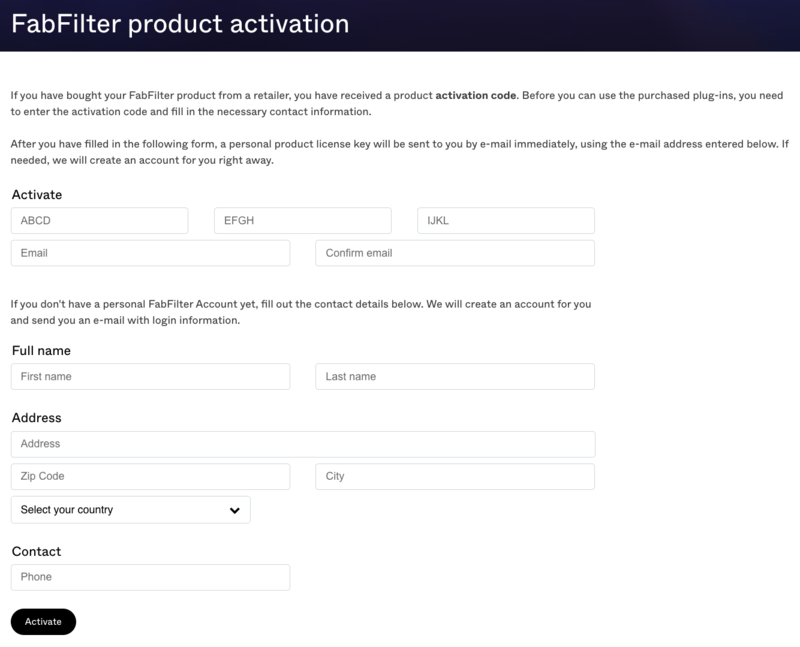
2. Download the installer from your Plugin Boutique User Account > Run the downloaded .dmg file > Launch the .pkg installer.

3. Click 'Continue'.
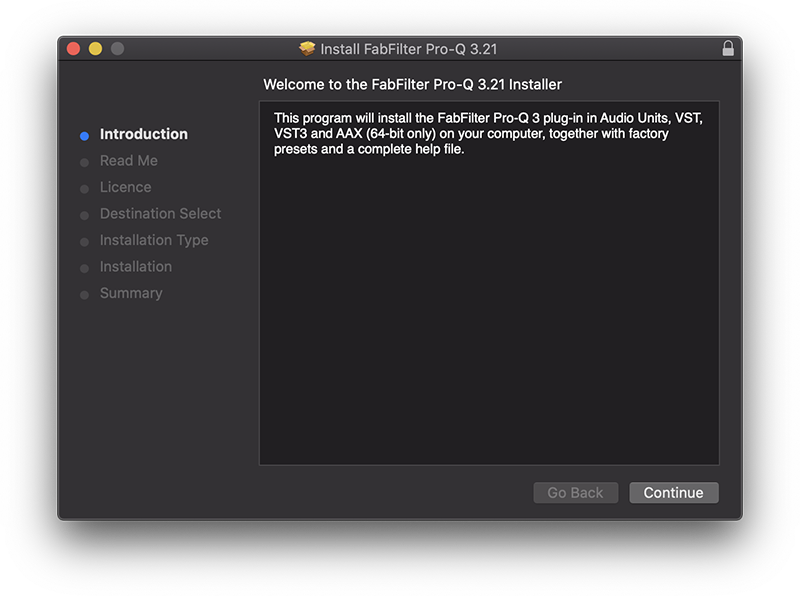
4. Click 'Continue'.
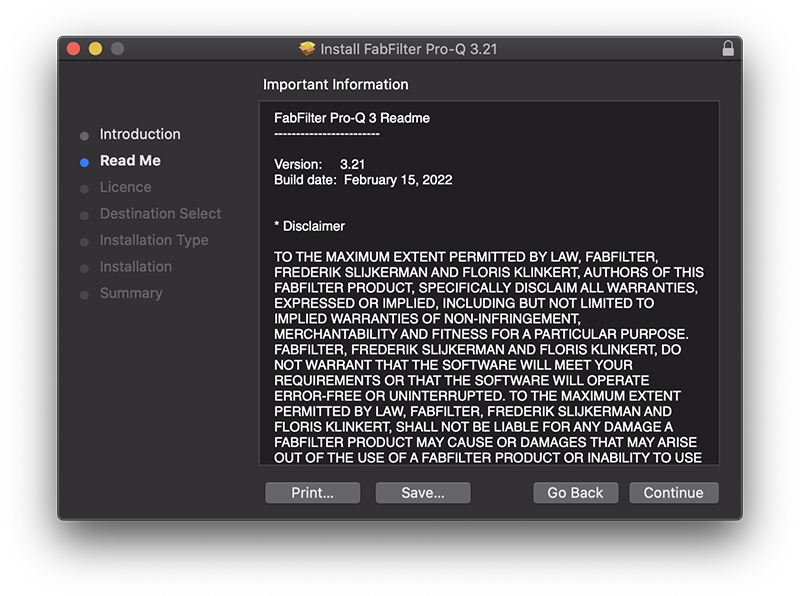
5. Click 'Continue'.
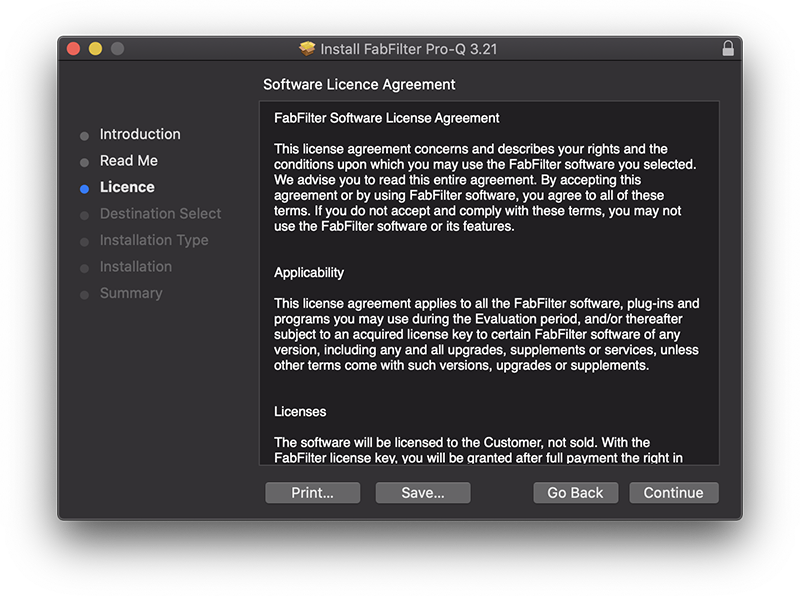
6. Click 'Agree'.
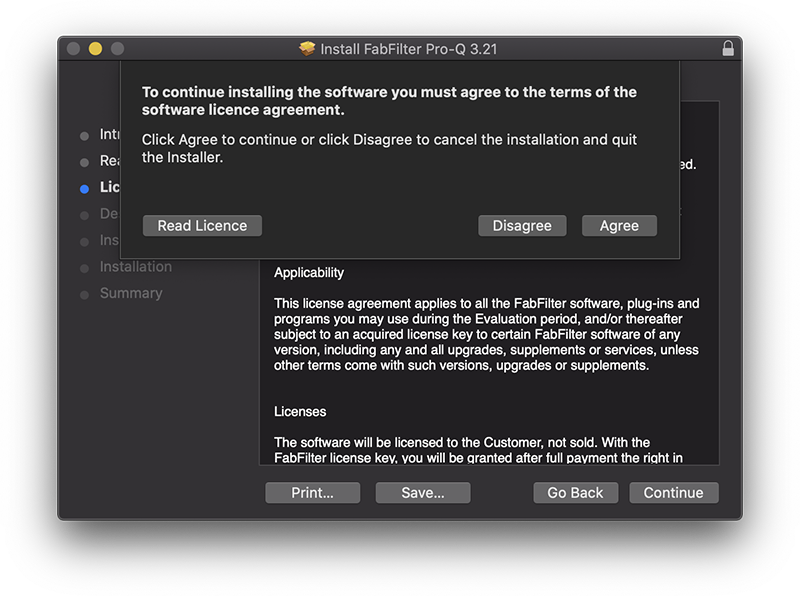
7. Click 'Install'.
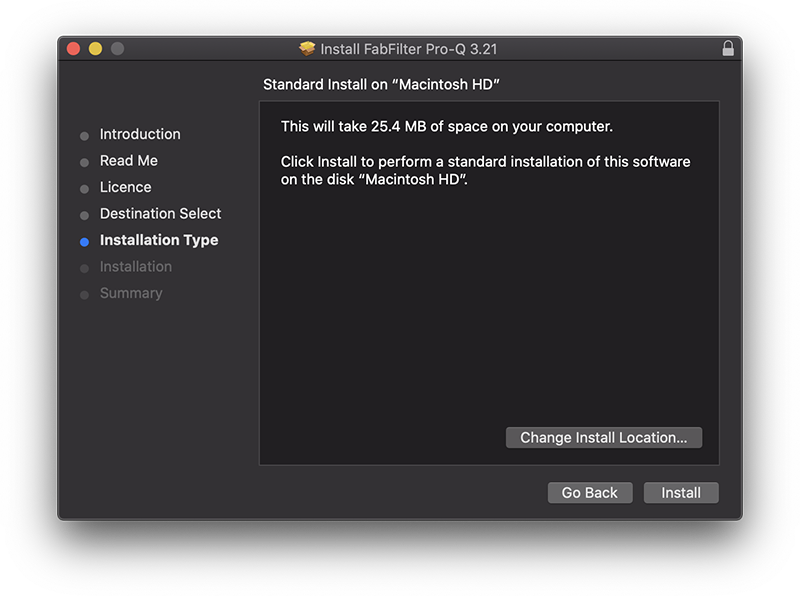
8. Enter your system password > Click 'Install Software'.
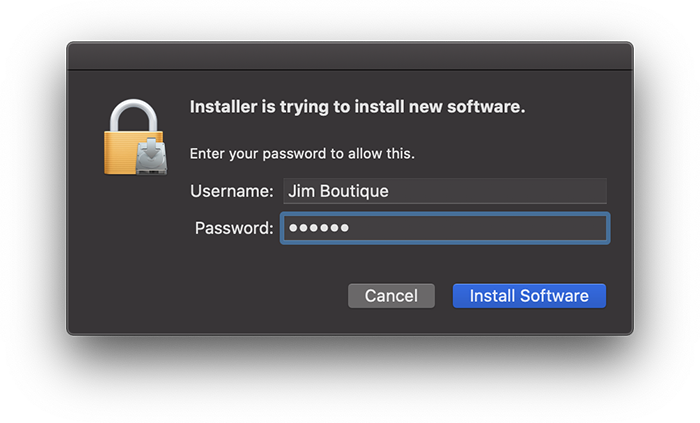
9. Click 'Close'.
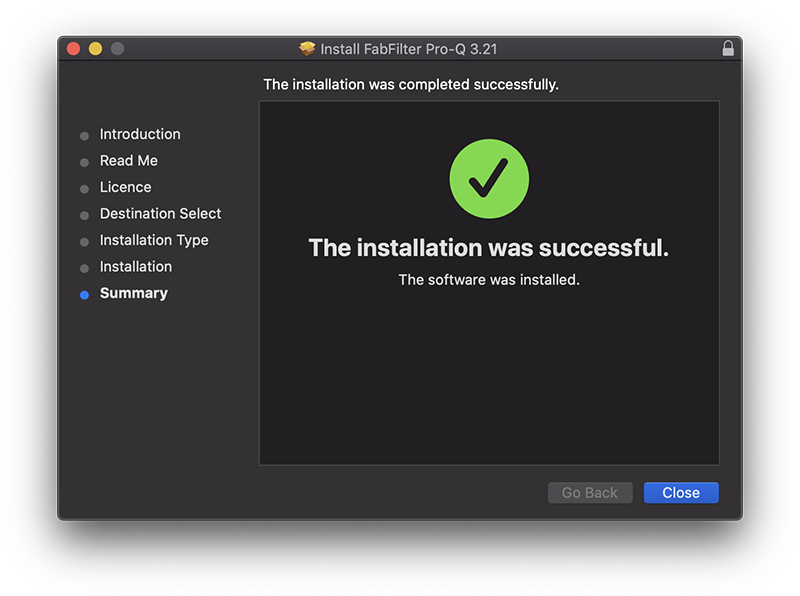
10. Launch your DAW > Insert Pro-Q 3 on a new track > Click 'Enter License'.
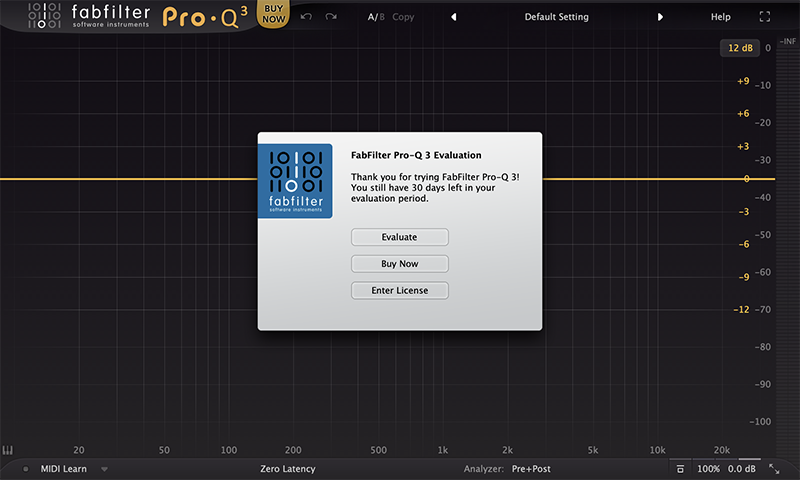
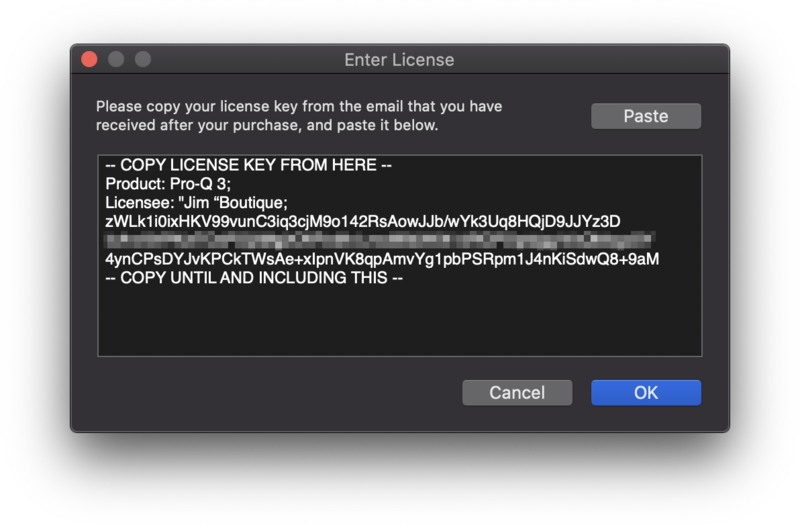
11. Navigate to your email inbox > Locate the email from FabFilter which contains your License Key (not your Activation code supplied by Plugin Boutique) > Right-click and copy the entire License Key, including -- COPY LICENSE KEY FROM HERE -- until -- COPY UNTIL AND INCLUDING THIS -- > Paste the License Key into the text box > Click 'OK'.
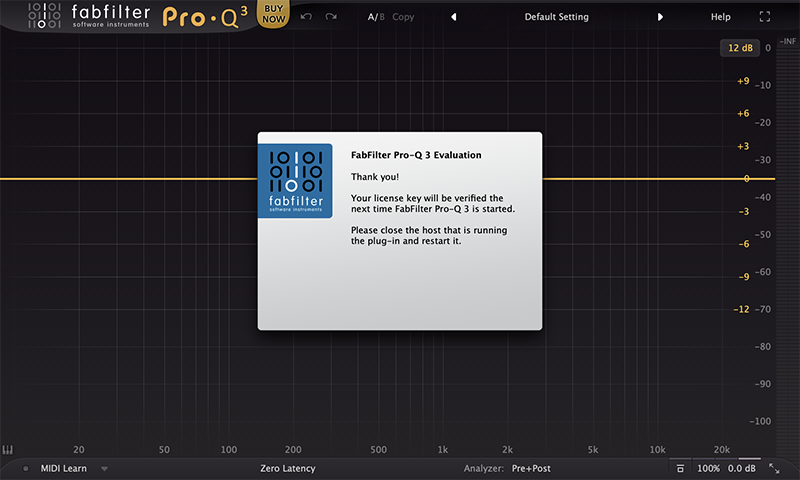
12. Close and restart your DAW > Insert Pro-Q 3 on a new track.
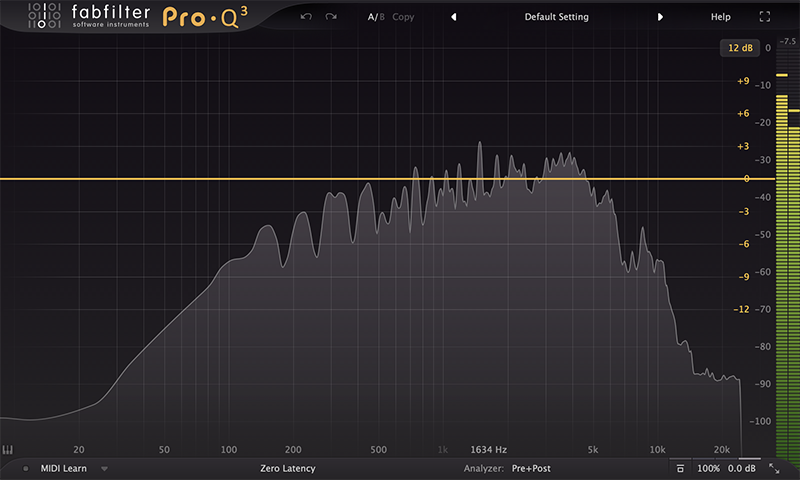
Pro-Q 3 is now installed, activated and ready to use.
Windows
1. Navigate to https://www.fabfilter.com/activate > Enter your 12-letter activation code and complete the remainder of the form > Click 'Activate'.
2. Download the installer from your Plugin Boutique User Account > Extract the .zip folder > Run the .exe installer.

3. Click 'Next'.

4. Click 'Yes'.

5. If installing VST 2 click 'Browse' and locate your VST 2 folder > Click 'Next'.

6. Click 'Next'.

7. Click 'Next'.

8. Click 'Install'.

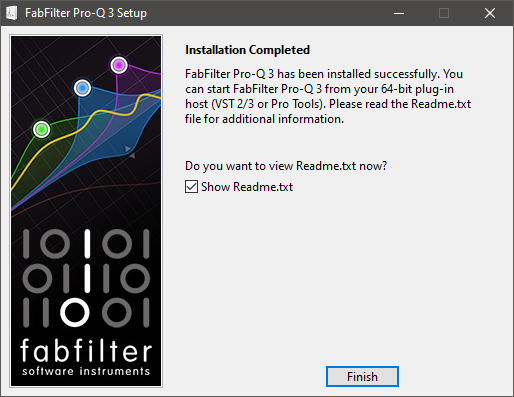
9. Click 'Finish'.
10. Launch your DAW > Insert Pro-Q 3 on a new track > Click 'Enter License'.
11. Navigate to your email inbox > Locate the email from FabFilter which contains your License Key (not your Activation code supplied by Plugin Boutique) > Right-click and copy the entire License Key, including -- COPY LICENSE KEY FROM HERE -- until -- COPY UNTIL AND INCLUDING THIS -- > Paste the License Key into the text box > Click 'OK'.

12. Close and restart your DAW > Insert Pro-Q 3 on a new track.
Pro-Q 3 is now installed, activated and ready to use.


