/ Sampler / Zampler // RX
Plugin Boutique

Zampler // RX

4.3 (2786 Reviews)
FREE
Zampler - Main Image
Zampler RX Free Edition Soft Sampler - Tour & Review - With Rob Jones gallery thumbnail
Product information

A Powerful Sample Workstation for VST & AU - FREE!

We've teamed up with guys at Beat.de and are happy to present you with Zampler // RX.

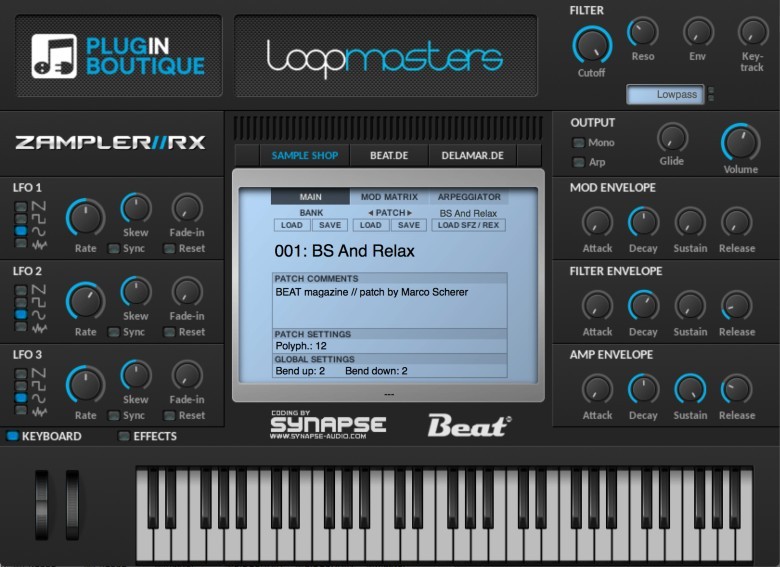
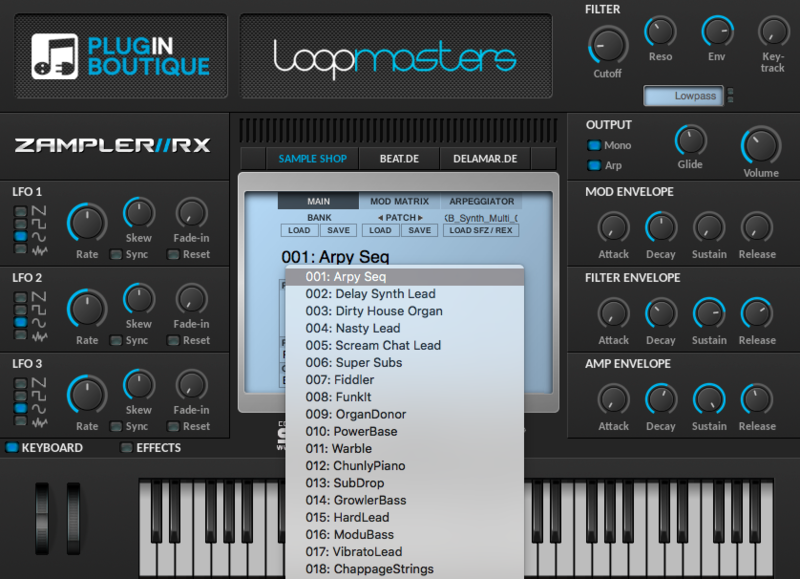
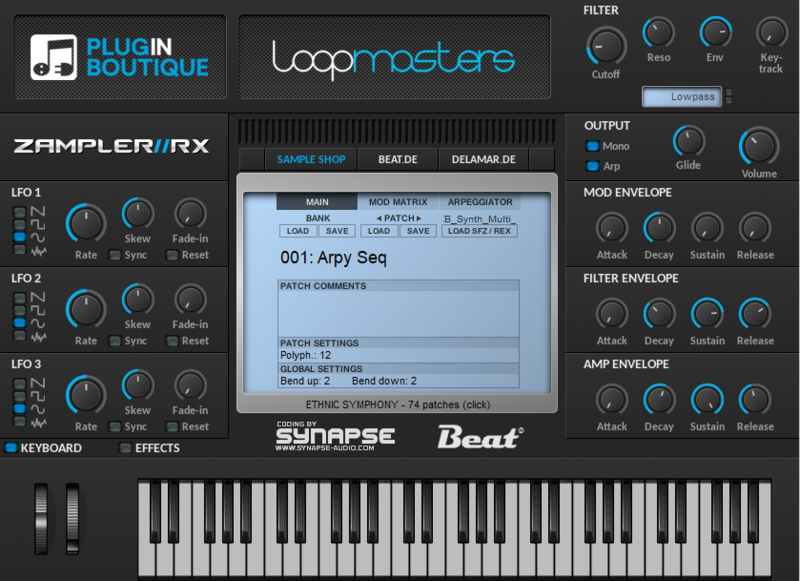
Zampler // RX is a free sample workstation that includes a variety of ways to sculpt and manipulate sounds and it includes features you would expect in any current soft-sampler. For finest sound shaping: the integrated multi-mode filter offers the types low, high, band pass and band stop as well as various combinations of these. Three LFOs, three ADSR envelopes and a complex modulation matrix bring life to the sounds. The range of functions is rounded off by an extensive effects section, in which tube saturation, two equalizers, phaser, chorus, delay and reverb refine every sound.

With Zampler // RX 2.0, Beat updates the professional sample workstation for Windows and OS X, which can easily keep up with the big players in the industry in terms of sound and sampling capability. Thanks to the clever step sequencer, particularly complex, full and lively sounds are a specialty of the Zampler. Finally, the well-known algorithms of the Dune inventor Synapse-Audio work under the hood.

The plug-in is available for the VST and AU interfaces and impresses with its well-thought-out features. In addition to REX loop compatible sample oscillators, the Zampler is capable of supporting the .sfz format which makes it a perfect fit with the sample libraries from our sister site Loopmasters.

The free installer download comes with 2 free banks and selection of sounds curated from various Loopmasters packs for you to enjoy:

  • "Dance Production Sounds" - The pack is a total of 332Mb and includes 30 Multi-Samples, 1 bank file,  and 333 Multi Samples. 
  • ''MainRoom and EDM DrumKits'' - The pack is a total of 111Mb and includes 30 patches/kits, 1 bank file,  and 457 Multi Samples. 

Expansion Packs and Bundles made by Beat and Loopmasters are also available to purchase. 

Features

  • The plug-in comes in both VST and AU formats. File types supported are REX loop and SFZ.
  • The plugin's sample oscillators make Zampler a great tone-shaping tool
  • In the integrated multimode, lowpass, highpass, bandpass and bandstop filters, as well as various combinations are available 
  • Three LFOs, three ADSR envelopes and a complex modulation matrix, bring life to the sound.
  • An extensive effects section is available including tube saturation, two equalizers, phaser, chorus, delay and reverb.
  • The clever step sequencer allows for especially complex, full and vibrant sounds - a speciality of Zampler.
  • Uses the valent algorithms of "Dune" inventor Synapse Audio

More Detail:

  • Samples of any bit-depth (8/16/24/32-bit), mono or stereo are supported
  • Multiple sample rates supported (eg 44.1k, 48k, 88.2k, 96k, 176.4k, 192k, 384k)
  • Up to 128 keyboard splits
  • Up to 128 velocity splits

System Requirements

Windows

  • Windows 7 or higher
  • VST (64-bit only)

Mac

  • Mac OS X 10.7 or higher.
  • VST/AU (64-bit only)

Please Note: 

  • The AU version is NOT compatible with Mac OS X 10.15 Catalina and cannot guarantee that Zampler will work on Big Sur and Mac ARM processors.
  • This product is NOT compatible with Reaper.
Installation Instructions

Mac

Install Zampler // RX AudioUnit on OS X (64 bit)

1. Download the .zip file from the Free Products section of your Plugin Boutique User Account.

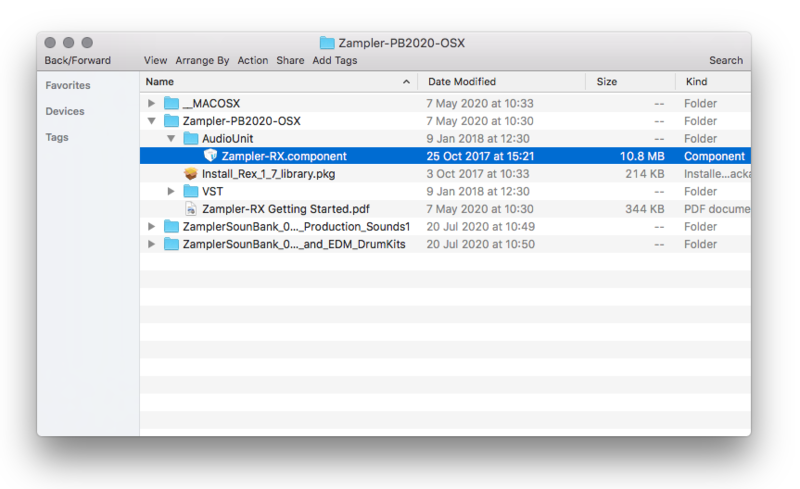
2. Double click the .zip file to open it > Navigate to Zampler-PB2020-OSX/AudioUnit/Zampler-RX.component

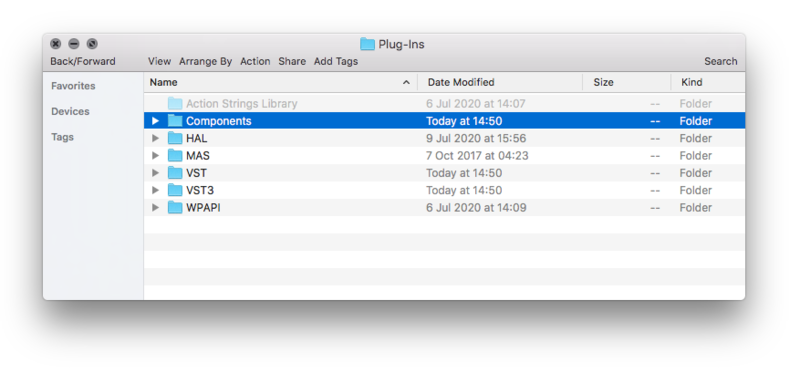
3. Copy the Zampler-RX.component file to your AudioUnit folder which is located at MacintoshHD/Library/Audio/Plug-Ins/Components.

Note: If you have a previous Zampler // RX AudioUnit (zampler.component) installed, remove it and restart your DAW.

4. Open Zampler // RX inside of your DAW.

Zampler // RX is now installed and ready for use inside of your DAW!

Install Zampler // RX VST on OS X (64 bit)

1. Download the .zip file from the Free Products section of your Plugin Boutique User Account.

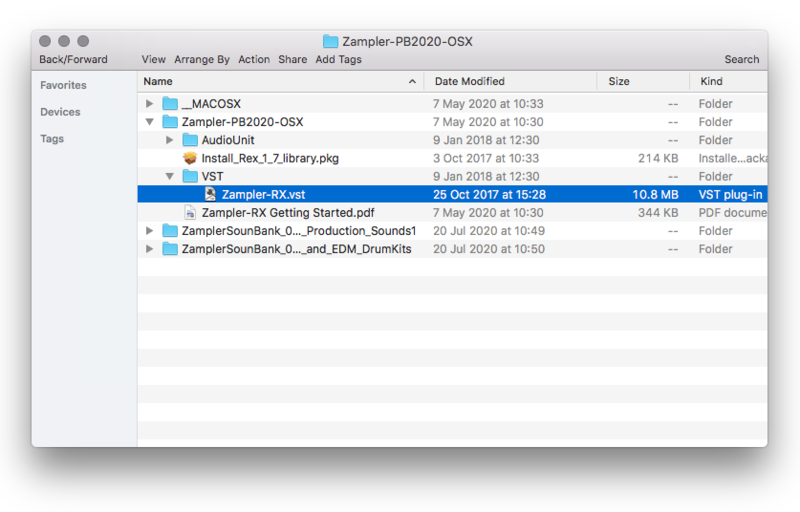
2. Double click the .zip file to open it > Navigate to Zampler-PB2020-OSX/VST/Zampler-RX.vst

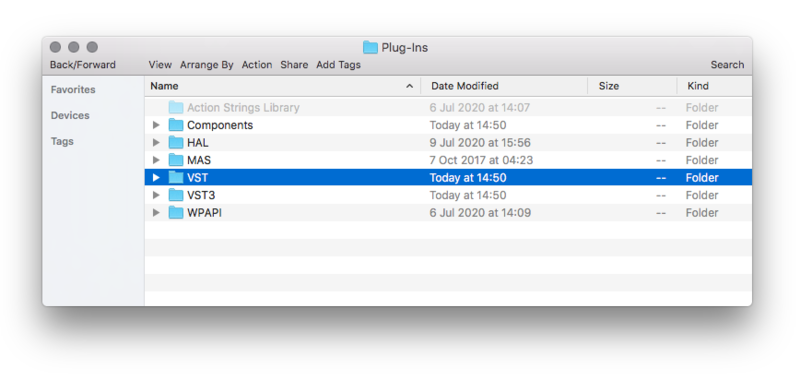
3. Copy the Zampler-RX.vst file to your VST folder which is located at MacintoshHD/Library/Audio/Plug-Ins/VST.

Note: If you have a previous Zampler // RX VST plug-in (zampler.vst) installed, remove it and restart your DAW.

Zampler // RX is now installed and ready for use inside of your DAW!

Install REX Shared Library on Mac

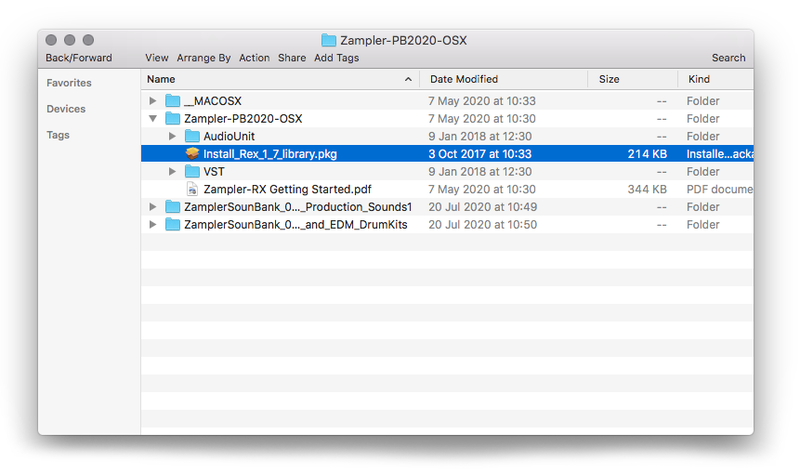
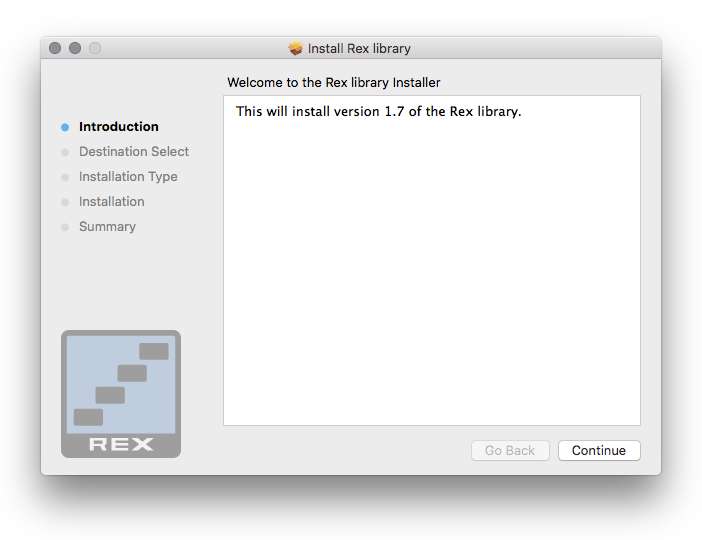
1. Find Install_REX_1.7_library.pkg inside of the download folder > Double-click the installer.

2. Click 'Continue'.

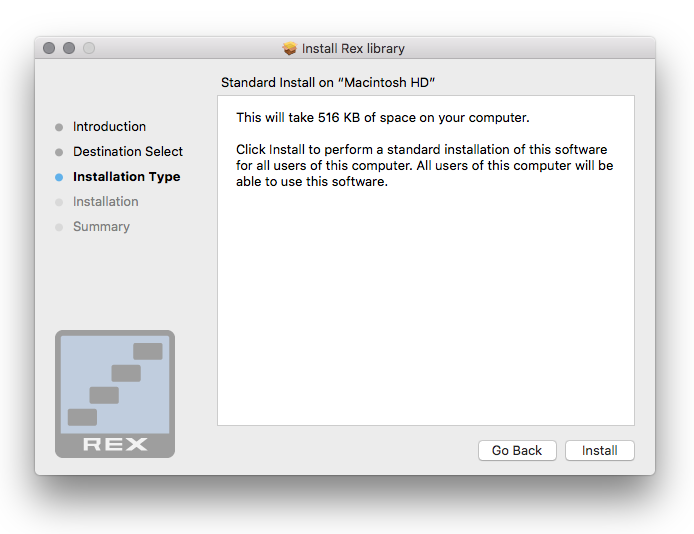
3. Click 'Install'.

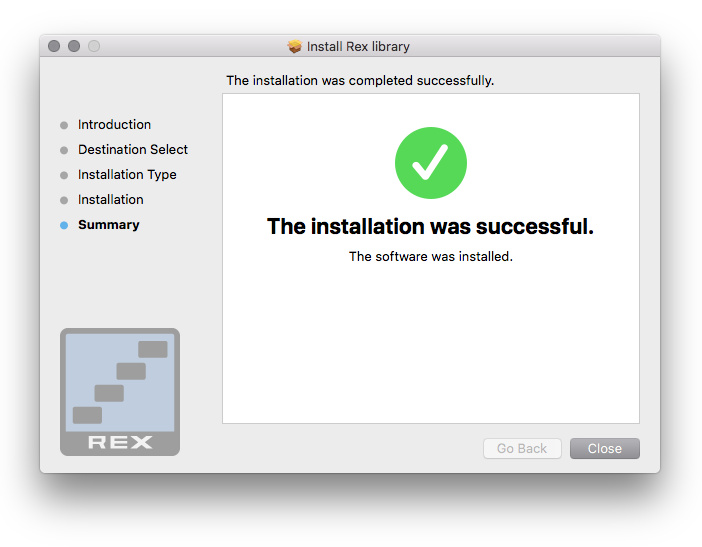
4. Click 'Close'.

Load Soundbank

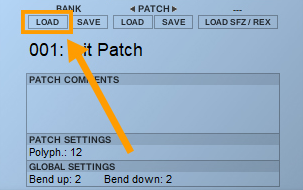
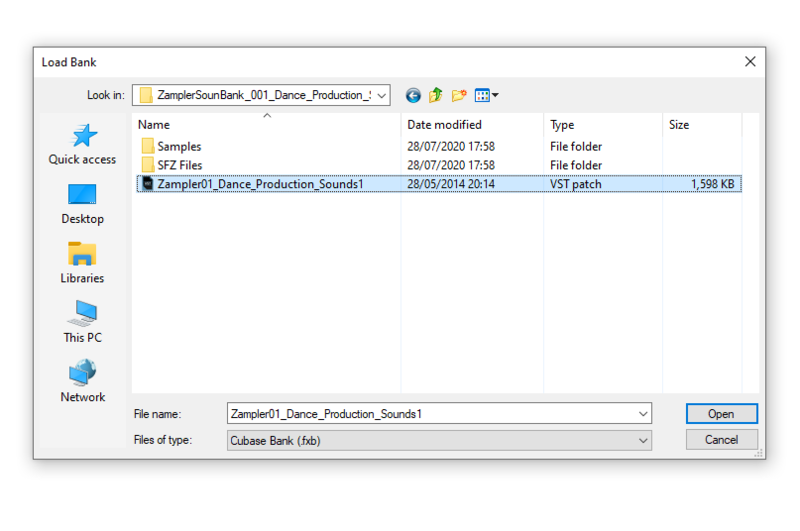
1. Open the plug-in > Click LOAD BANK.

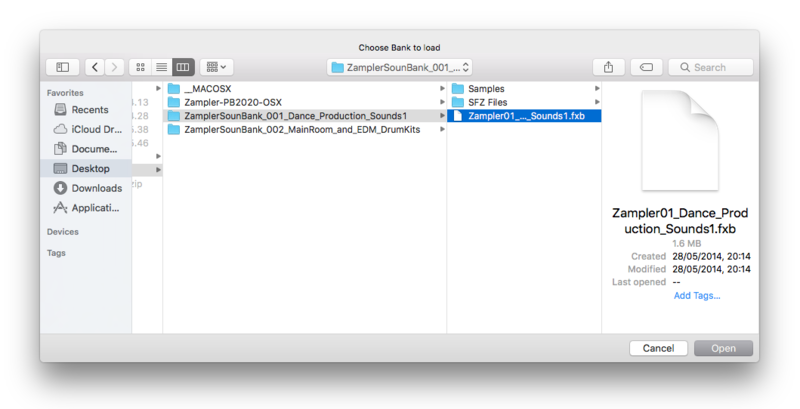
2. Navigate to any Zampler soundbank file ending with .fxb > Click 'Open'.

Note: You can also load your own .sfz files and REX loops via LOAD SFZ/REX.

Your .fxb sound bank is loaded and ready to use!

Windows

Install Zampler // RX VST on Windows (64 bit)

1. Download the .zip file from the Free Products section of your Plugin Boutique User Account.

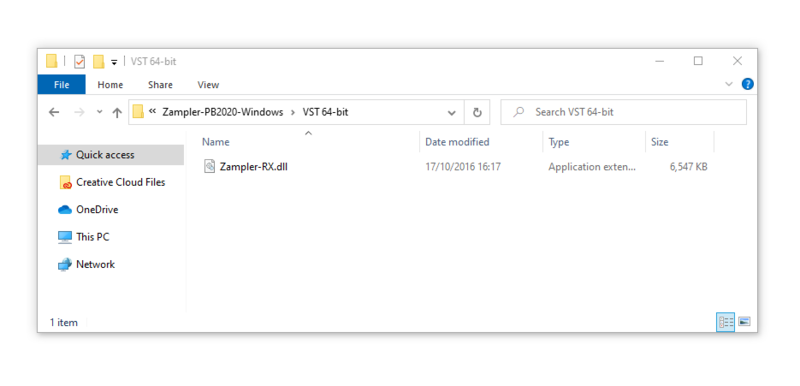
2. Double click the .zip file to open it. Navigate to > Zampler-PB2020-Windows\VST 64-bit

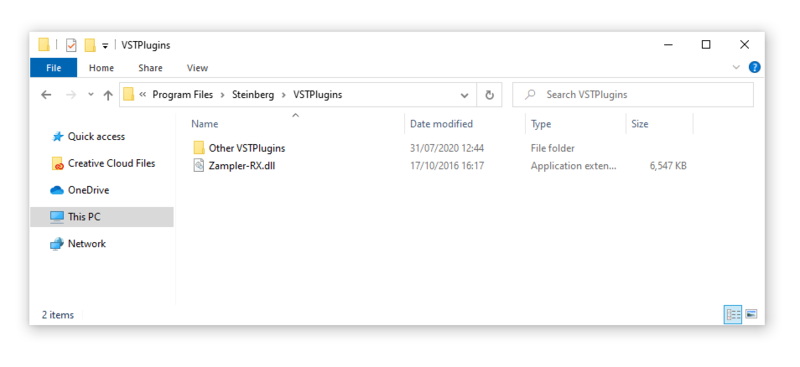
3. Copy Zampler-RX.dll to the VST folder on your harddisk. This folder could be located at C:\Program Files\Steinberg\VST Plugins\ or C:\Program Files\VST Plugins\. (Otherwise check the VST Folder preferences of your DAW.)

Note: You must remove any previous versions of Zampler // RX installed on your hard drive.

4. Open Zampler // RX inside of your DAW.

Zampler // RX is now installed and ready for use!

Install Zampler // RX VST on Windows (32 bit)

1. Download the .zip file from the Free Products section of your Plugin Boutique User Account.

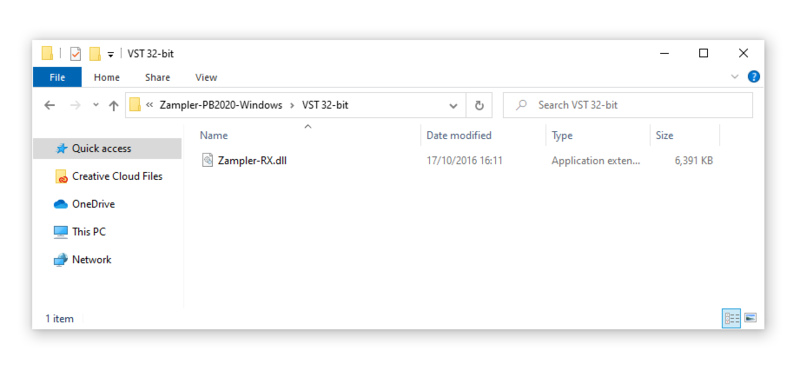
2. Double click the .zip file to open it. > Navigate to Zampler-PB2020-Windows\VST 32-bit

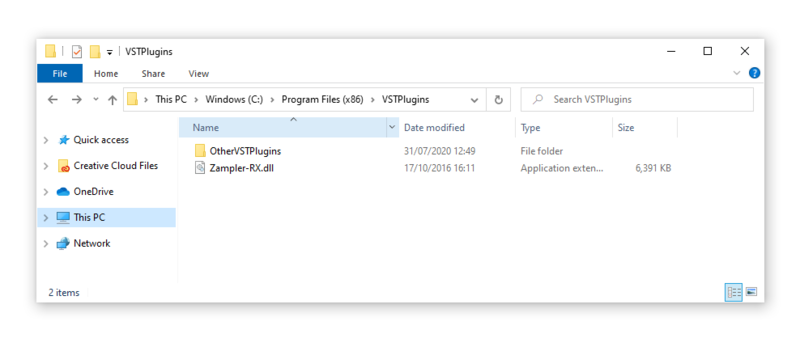
3. Copy Zampler-RX.dll to the VST folder on your harddrive. This folder could be located at C:\Program Files (x86)\VST-Plugins\ or C:\Program Files (x86)\Steinberg\VSTPlugins\. (Otherwise check the VST Folder preferences of your DAW.)

Note: You must remove any previous versions of Zampler // RX installed on your hard drive.

4. Open Zampler // RX inside of your DAW.

Zampler // RX is now installed and ready for use!

Install REX Shared Library on Windows

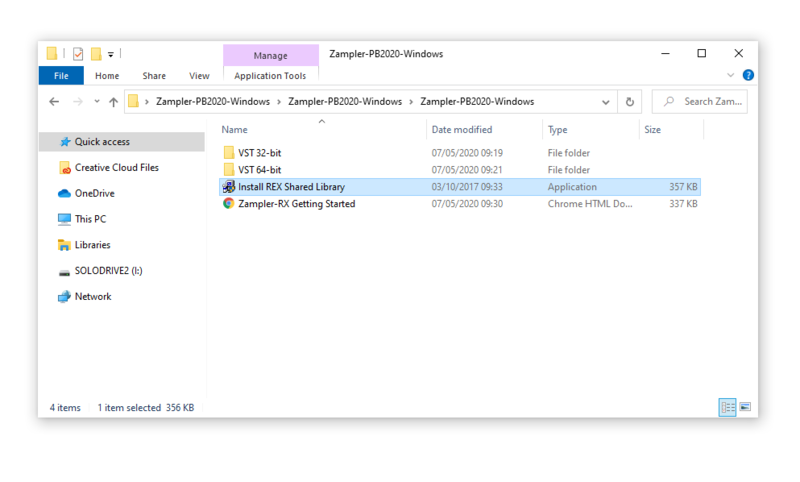
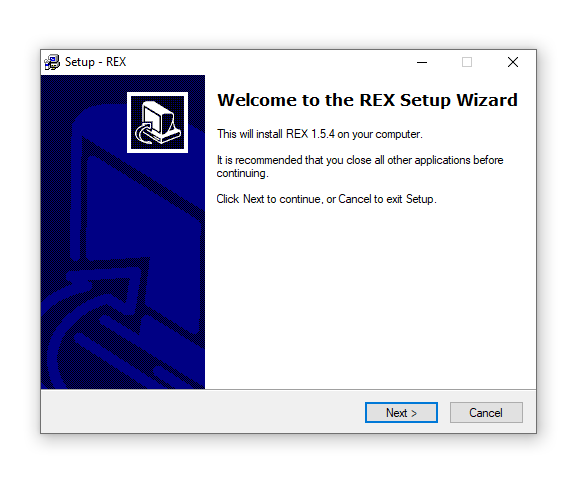
1. Find the Install REX Shared Library.exe inside of the download folder > Double-click the installer.

2. Click 'Next'.

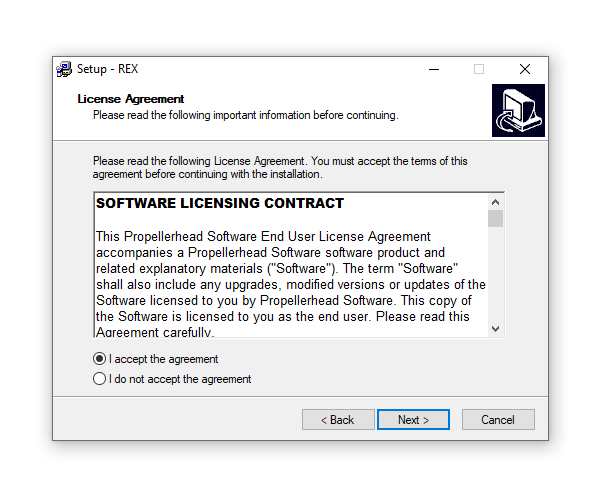
3. Select "I accept the agreement" > Click 'Next'.

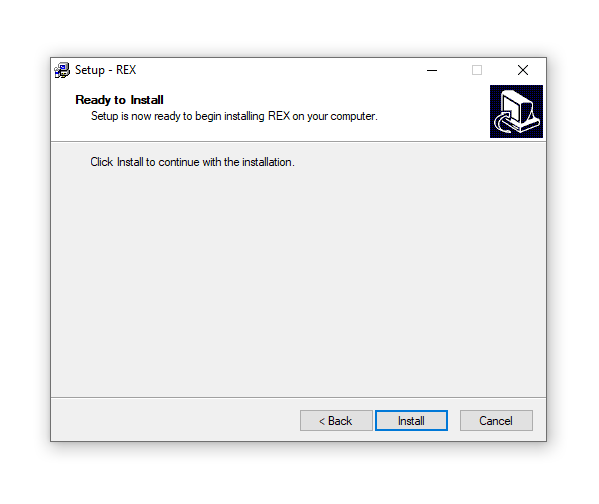
4.Click 'Install'.

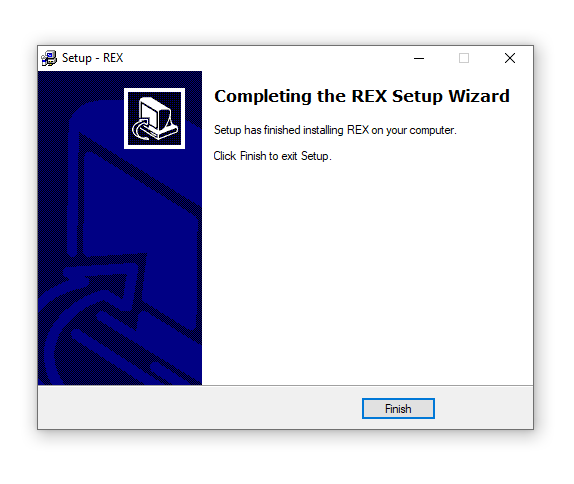
5. Click 'Finish'.

Load Soundbank

1. Open the plug-in > Click LOAD BANK.

2. Navigate to any Zampler // RX soundbank file ending with .fxb > Click 'Open'.

Note: You can also load your own .sfz files and REX loops via LOAD SFZ/REX as well as load and save presets with the PATCH LOAD and SAVE buttons.

Your .fxb sound bank is loaded and ready to use!

Plugin Boutique Rewards

Discover the most rewarding loyalty programme among all plugin retailers.

  • Free Loopmasters Samplepacks
  • Discounts on products and courses
  • Extra Virtual Cash claimed immediately at checkout
Find out more

Follow us:

X (Twitter) Facebook YouTube Instagram
Logo Logo

Plugin Boutique Limited, Part of the Beatport Group LLC.

Copyright © 2011-2025 Plugin Boutique. All rights reserved