


 Log In

Free gifts available with your purchase

Multiband dynamics redefined
Multiband compression and expansion are powerful tools, but notoriously difficult to set up and control. Enter FabFilter Pro-MB: making multiband dynamics processing intuitive yet powerful at the same time.
A new approach
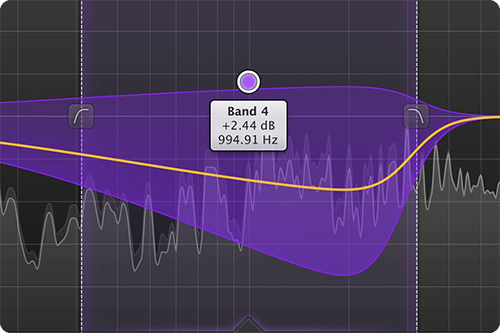
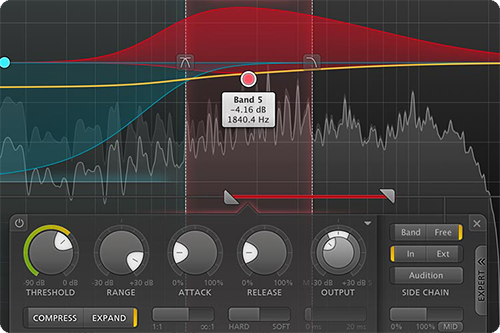
Instead of conventionally splitting the entire spectrum with crossovers, Pro-MB enables you to directly create a new band at the frequency range you want to work on. Think bands, not crossovers.
The interactive multiband display clearly shows that the rest of the spectrum stays untouched. And if desired, you can easily snap bands together to recreate a traditional crossover system.
Lifesaver and timesaver
FabFilter Pro-MB introduces a unique Dynamic Phase processing mode. It has virtually the same frequency response as traditional multiband processing, but doesn't introduce latency or pre-ringing, and only introduces minor phase changes when the gain actually changes. Of course, FabFilter have also included an excellent Linear Phase mode and a traditional Minimum Phase mode.
The powerful combination of high quality processing, optimized workflow using the interactive multiband display and all the expert features you need, makes Pro-MB both a lifesaver and timesaver!
FabFilter goodies
Of course, you also get all the usual FabFilter goodies: perfectly tuned knobs, MIDI Learn, Smart Parameter Interpolation for smooth parameter transitions, an excellent help file with interactive help hints, SSE optimization and much more.
Features
- Up to six processing bands, freely placed anywhere in the spectrum
- Bands can be easily snapped together to form a traditional crossover system
- Handles any form of dynamics processing, from highly transparent compression, limiting and expansion to pumping upward compression and punchy gating
- Unique Dynamic Phase processing mode featuring zero latency, no static phase changes and no pre-ringing artifacts
- Excellent Linear Phase processing mode, eliminating audible artifacts when quickly changing crossover frequencies
- Minimum Phase processing mode
- Up to four times linear-phase oversampling
- Fully customizable per band: threshold, range, attack, release, output gain, ratio, variable knee, lookahead (up to 20 ms), variable stereo linking, mid- or side-only processing, external side chain input, triggering on a separate frequency range
- Steepness of each crossover slope can be freely adjusted between 6 dB/oct and 48 dB/oct
- Intelligent, highly program- and frequency-dependent attack and release curves
- Global dry/wet mix from 0% to 200% to easily scale the total effect of the plug-in
- Beautiful Retina interface with unique interactive multiband display, designed for an optimal workflow
- Accurate and smooth real-time frequency analyzer with pre- and post-processing options and 'freeze' feature
- High-quality audio processing algorithms with 64-bit internal processing where needed
- Band solo/mute and bypass options
- Precise output metering
- GPU-powered graphics acceleration
- Double-click text entry of parameter values
- Stereo and mono plug-ins available
- Supports common Pro Tools hardware control surfaces
- MIDI Learn
- Undo/redo and A/B comparison
- Smart Parameter Interpolation
- Sample-accurate automation of all parameters
- Extensive help file with interactive help hints
System Requirements
Mac
- macOS 10.12 or higher (Intel or M1 Apple Silicon processor) (64-bit only)
- VST2, VST3, AU, AAX Native
Windows
- Windows 11, 10, 8, 7, or Vista (32 or 64-bit)
- VST2, VST3, AAX Native
Formats
All FabFilter plug-ins are available in VST, VST3, Audio Units, AAX Native and AudioSuite formats.
Awards


Dana Nielsen
"FabFilter Pro-MB is hands down the most versatile multi-band dynamics processor ever. I love it!"
Over the last few years, multiband dynamics - particularly multiband compression - has become a standard tool in the modern producer's toolkit. Once you've got to grips with the basics of EQ and compression, the ability to manipulate the dynamics of specific frequency ranges seems like the inevit...
Read MoreFabFilter Pro-MB Multi-band Dynamics Plug-in For Mac OS & Windows FabFilter are on a mission to rethink familiar effects and processors. What does their take on the multi-band compressor have to offer? Whereas many plug-in developers seek to ape both the sound and t...
Read MoreA lot of big Plugin manufacturers are really starting to take the reigns of multiband dynamics. Last review we took a look at HOFA IQ-EQ, which incorporated multiband dynamics, so why not keep the ball rolling with FabFilter’s latest creation, Pro-MB. So far, FabFilter have proven an incredibl...
Read MoreMac
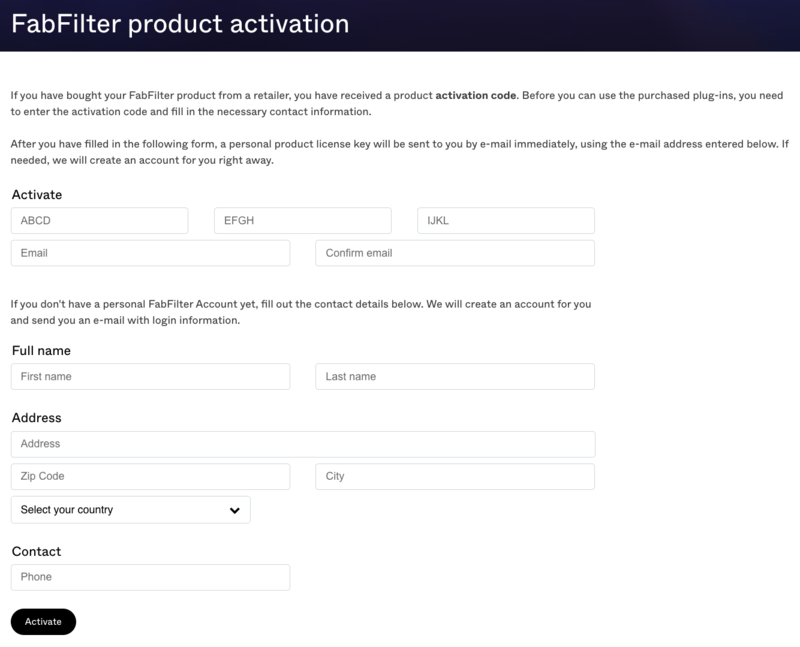
1. Navigate to https://www.fabfilter.com/activate > Enter your 12-letter activation code and complete the remainder of the form > Click 'Activate'.
2. Download the installer from your Plugin Boutique User Account > Run the downloaded .dmg file > Launch the .pkg installer.

3. Click 'Continue'.
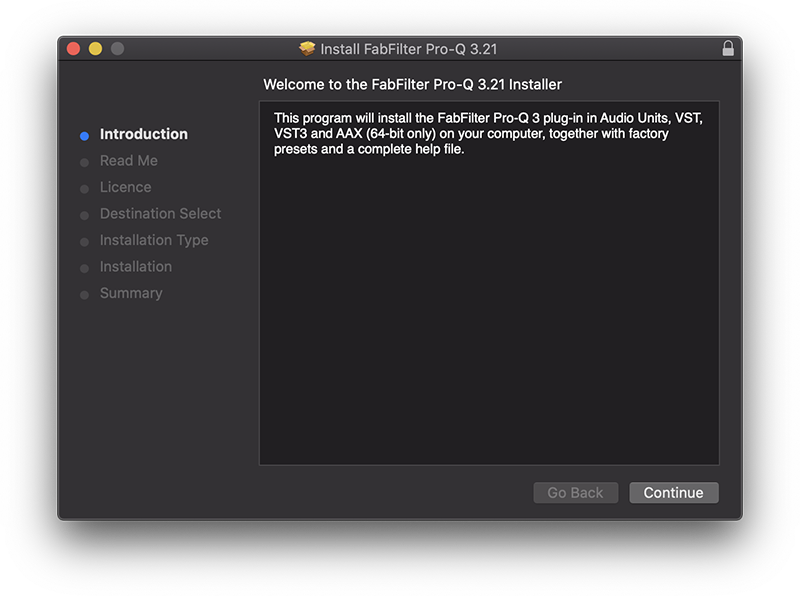
4. Click 'Continue'.
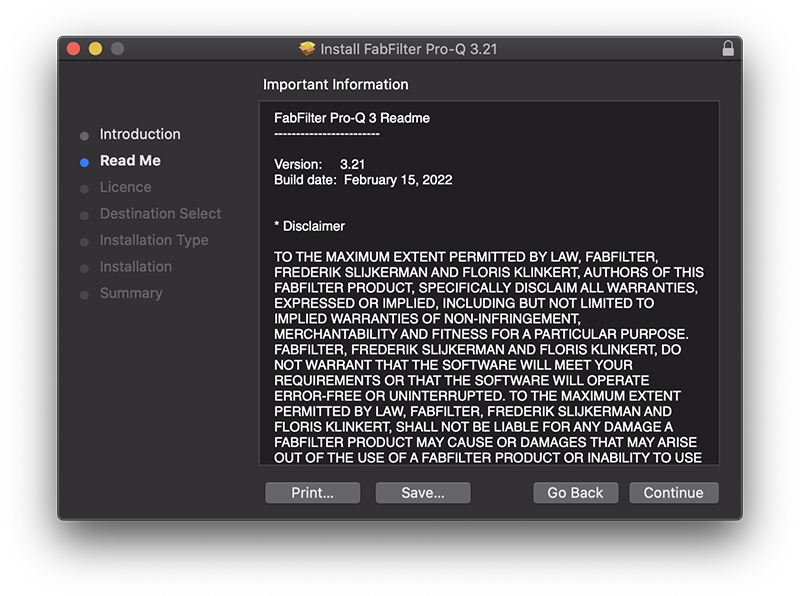
5. Click 'Continue'.
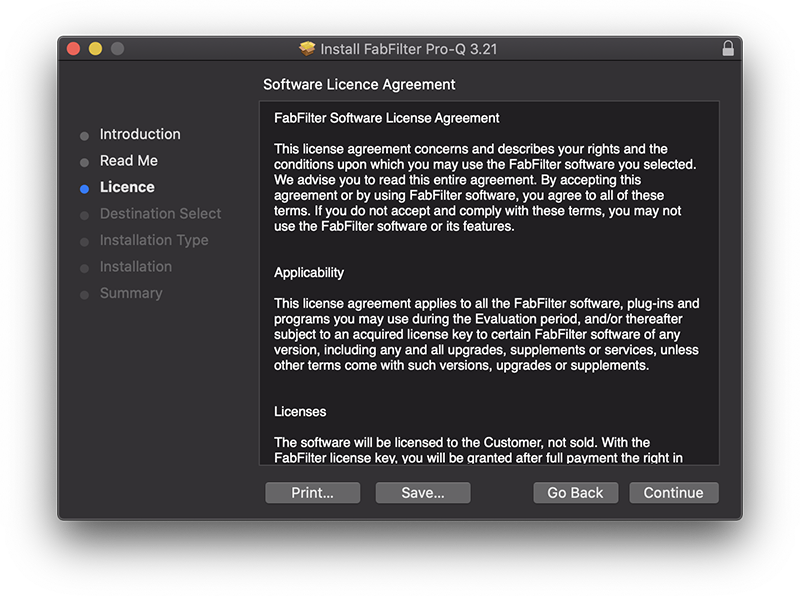
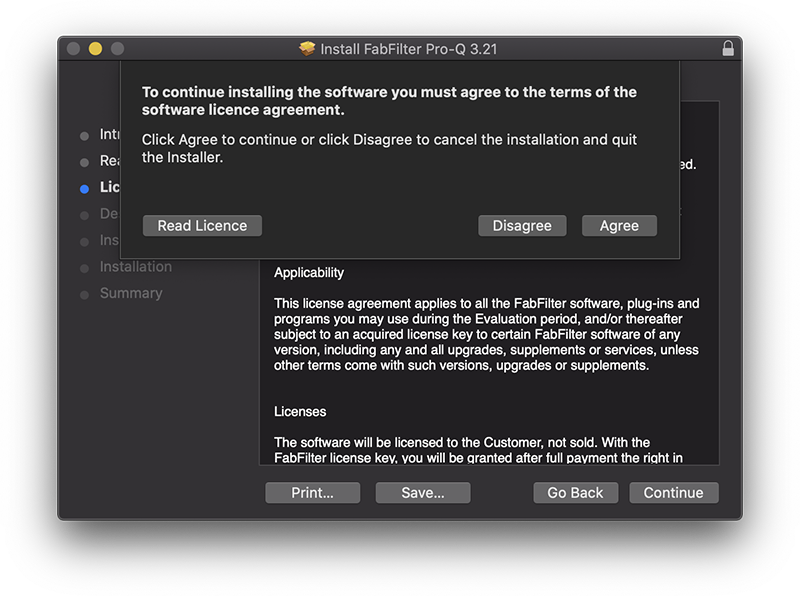
6. Click 'Agree'.
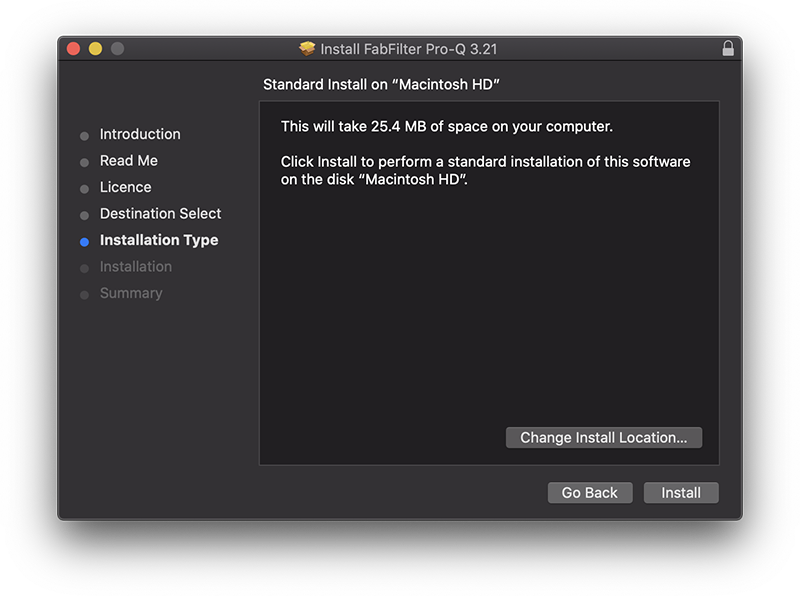
7. Click 'Install'.
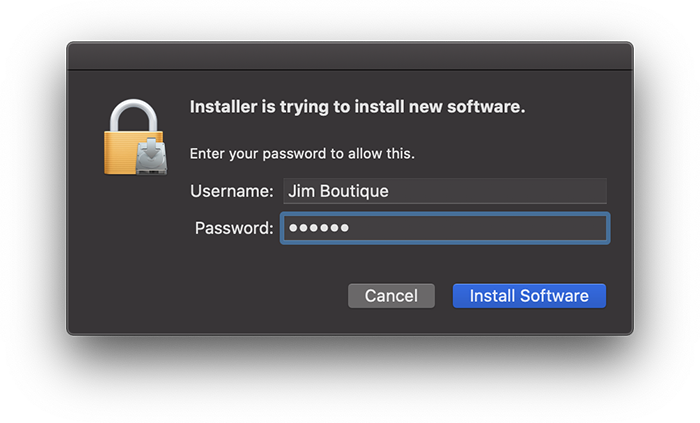
8. Enter your system password > Click 'Install Software'.
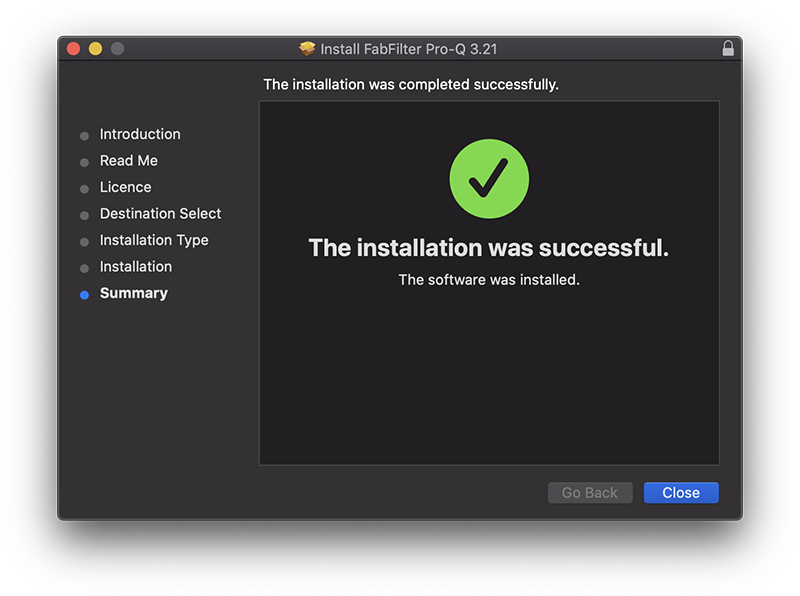
9. Click 'Close'.
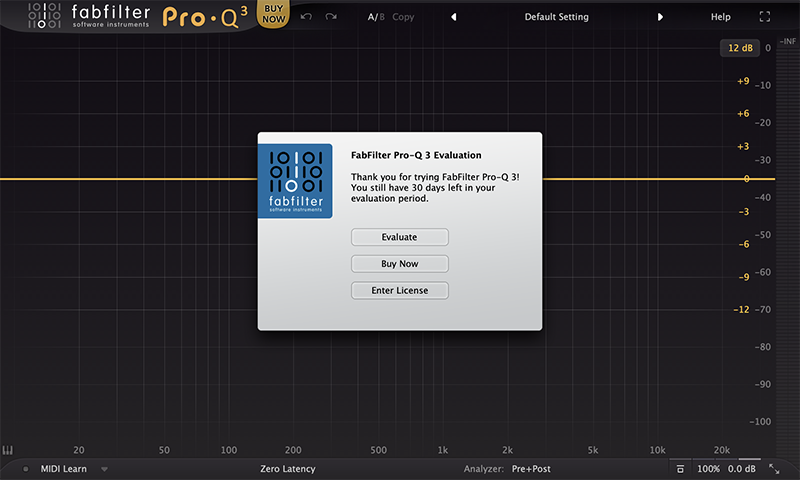
10. Launch your DAW > Insert Pro-Q 3 on a new track > Click 'Enter License'.
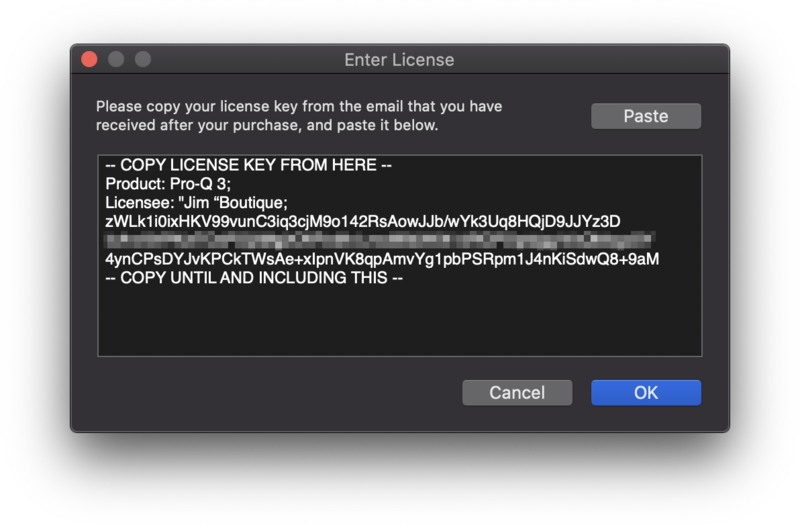
11. Navigate to your email inbox > Locate the email from FabFilter which contains your License Key (not your Activation code supplied by Plugin Boutique) > Right-click and copy the entire License Key, including -- COPY LICENSE KEY FROM HERE -- until -- COPY UNTIL AND INCLUDING THIS -- > Paste the License Key into the text box > Click 'OK'.
12. Close and restart your DAW > Insert Pro-Q 3 on a new track.
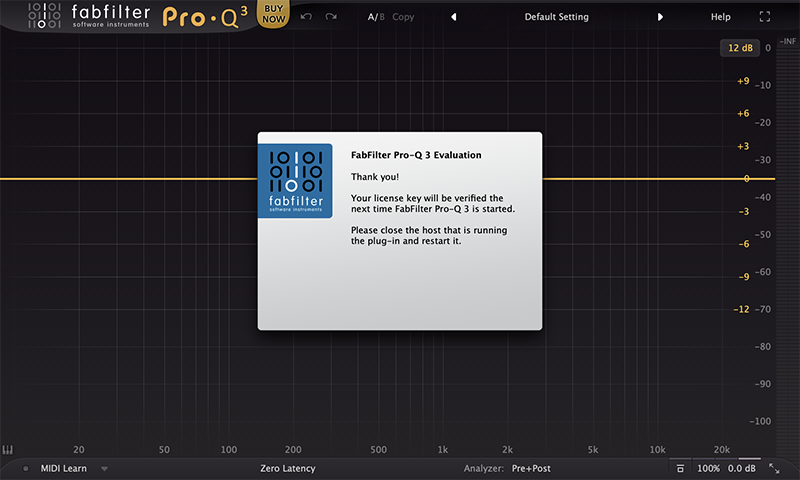
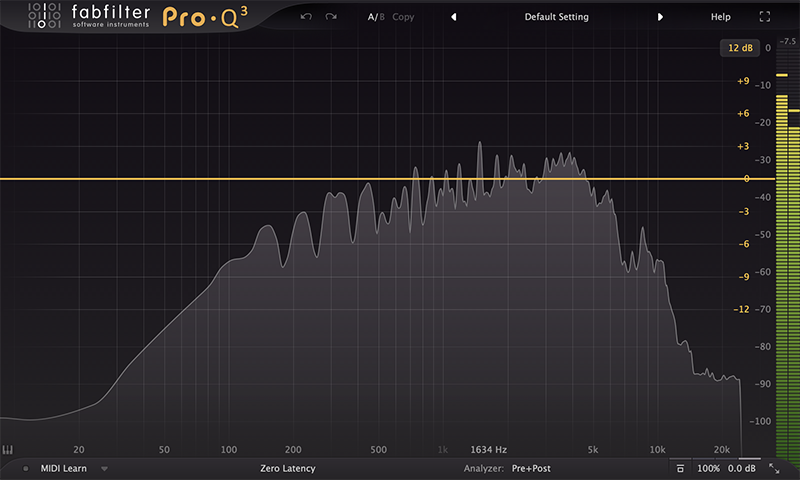
Pro-Q 3 is now installed, activated and ready to use.
Windows
1. Navigate to https://www.fabfilter.com/activate > Enter your 12-letter activation code and complete the remainder of the form > Click 'Activate'.
2. Download the installer from your Plugin Boutique User Account > Extract the .zip folder > Run the .exe installer.

3. Click 'Next'.

4. Click 'Yes'.

5. If installing VST 2 click 'Browse' and locate your VST 2 folder > Click 'Next'.

6. Click 'Next'.

7. Click 'Next'.

8. Click 'Install'.

9. Click 'Finish'.
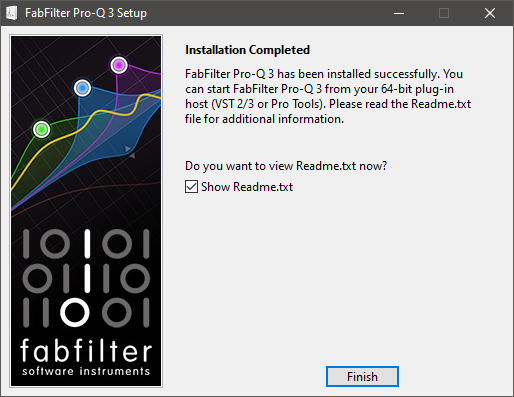
10. Launch your DAW > Insert Pro-Q 3 on a new track > Click 'Enter License'.
11. Navigate to your email inbox > Locate the email from FabFilter which contains your License Key (not your Activation code supplied by Plugin Boutique) > Right-click and copy the entire License Key, including -- COPY LICENSE KEY FROM HERE -- until -- COPY UNTIL AND INCLUDING THIS -- > Paste the License Key into the text box > Click 'OK'.

12. Close and restart your DAW > Insert Pro-Q 3 on a new track.
Pro-Q 3 is now installed, activated and ready to use.


