


Buy FabFilter Pro-C 2, get a free gift with purchase:

Professional compression for everyone
FabFilter Pro-C 2 is a high-quality compressor plug-in for the most demanding engineers. Whether you need subtle mastering compression, an upfront lead vocal, that magic drum glue or deep EDM pumping: Pro-C 2 gets the job done with style.
Everything you need
Pro-C 2 offers eight different, program-dependent compression styles with beautiful sound and character. But there's more! Apart from the classic compressor controls, you also get smooth lookahead, up to 4x oversampling, intelligent auto-gain and auto-release, a variable knee, hold, range, external side-chain triggering, variable stereo linking and mid/side processing, all packed in a beautiful Retina user interface.
Beautiful interface and optimized workflow
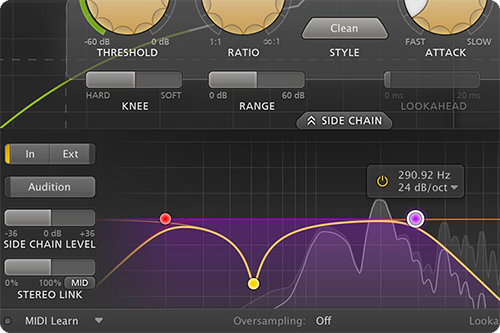
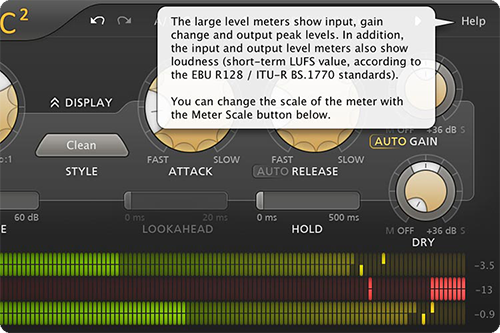
The fully redesigned interface in FabFilter Pro-C 2 offers insightful metering with real-time displays that will greatly improve workflow. The large animated level/knee display visualizes exactly when, why and how compression is applied to incoming audio. Accurate level meters show the exact peak and loudness values, while the circular side-chain input meter turns finding the perfect threshold setting into a trivial task. And the large side-chain EQ controller makes it easier than ever to filter the trigger signal any way you like.
FabFilter goodies
Of course, you also get all the usual FabFilter goodies: perfectly tuned knobs, interactive MIDI Learn, undo/redo and A/B switch, Smart Parameter Interpolation for smooth parameter transitions, an extensive help file with interactive help hints, sample-accurate automation, advanced optimization and much more.
Features
- Eight different compression styles, of which five are new in version 2: Vocal, Mastering, Bus, Punch and Pumping
- Range setting, which limits the maximum applied gain change
- Gorgeous Retina interface, with (optional) animated level knee displays and accurate peak/loudness metering
- Mix setting, which scales the gain change from 0% to 200%
- Side-chain EQ section, with customizable HP and LP filters, plus an additional freely adjustable filter
- Full-Screen mode, offering a large level display and side-chain EQ controller
- Program-dependent attack and release curves
- Accurate, large level and gain change meters, with peak and loudness level visualization. The loudness level complies with the Momentary mode of the EBU R128 / ITU-R 1770 standards
- Smooth lookahead (up to 20 ms), which can be enabled/disabled to ensure zero-latency processing
- Retina support on OS X and High DPI support on Windows
- Intelligent Auto Gain
- External side-chain triggering
- Hold (up to 500 ms)
- GPU-powered graphics acceleration
- Custom knee, variable from hard knee to a 72 dB soft knee (to enable saturation-like effects)
- Stereo and mono plug-ins available
- Auto Release
- Optional MIDI triggering
- Super-fast attack times
- Supports common Pro Tools hardware control surfaces
- Up to 4x oversampling
- MIDI Learn
- Variable stereo linking and mid/side processing, with mid-only, side-only, M > S and S > M processing.
- Undo/redo and A/B comparison
- Audition Triggering option, which enables users to hear which parts of the audio Pro-C 2 are triggering and how much compression is taking place
- Smart Parameter Interpolation
- Multiple interface sizes: Small, Medium and Large
- Sample-accurate automation of all parameters
- Extensive help file with interactive help hints
System Requirements
Mac
- macOS 10.12 or higher (Intel or M1 Apple Silicon processor) (64-bit only)
- VST2, VST3, AU, AAX Native
Windows
- Windows 11, 10, 8, 7, or Vista (32 or 64-bit)
- VST2, VST3, AAX Native
Formats
All FabFilter plug-ins are available in VST, VST3, Audio Units, AAX Native and AudioSuite formats.
Awards


Tony Maserati
"The way the Pro-C shows you the compression is ingenious. All of the FabFilter plug-ins seem to be designed to be simple to use and easy to get results while sounding incredible."
Mac
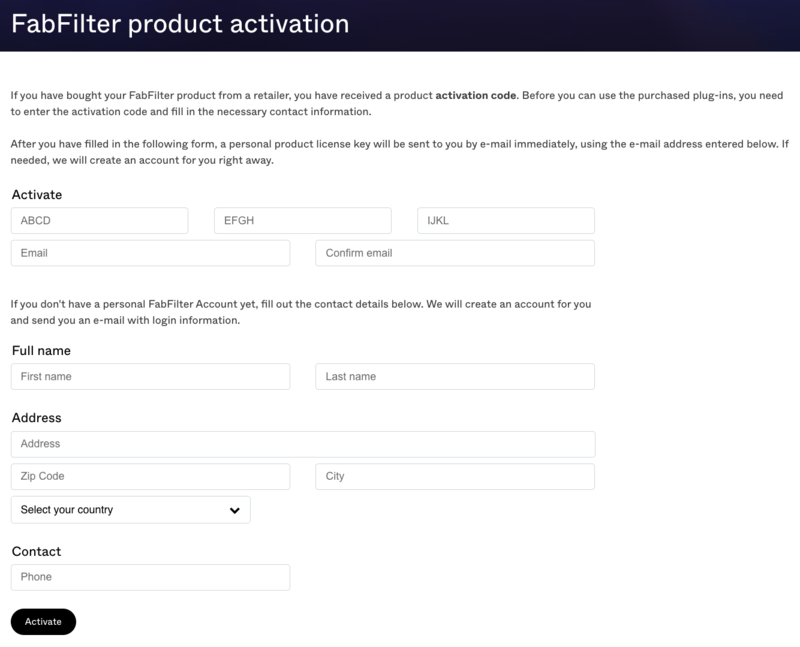
1. Navigate to https://www.fabfilter.com/activate > Enter your 12-letter activation code and complete the remainder of the form > Click 'Activate'.
2. Download the installer from your Plugin Boutique User Account > Run the downloaded .dmg file > Launch the .pkg installer.

3. Click 'Continue'.
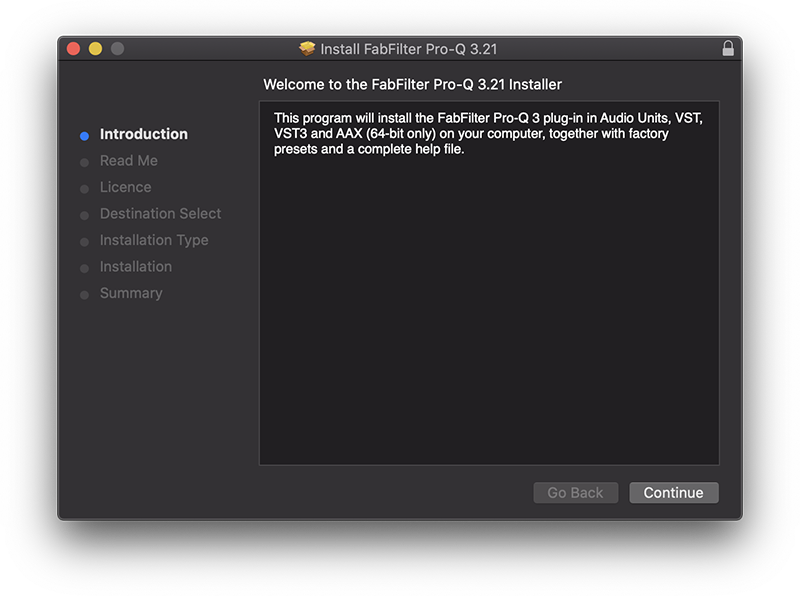
4. Click 'Continue'.
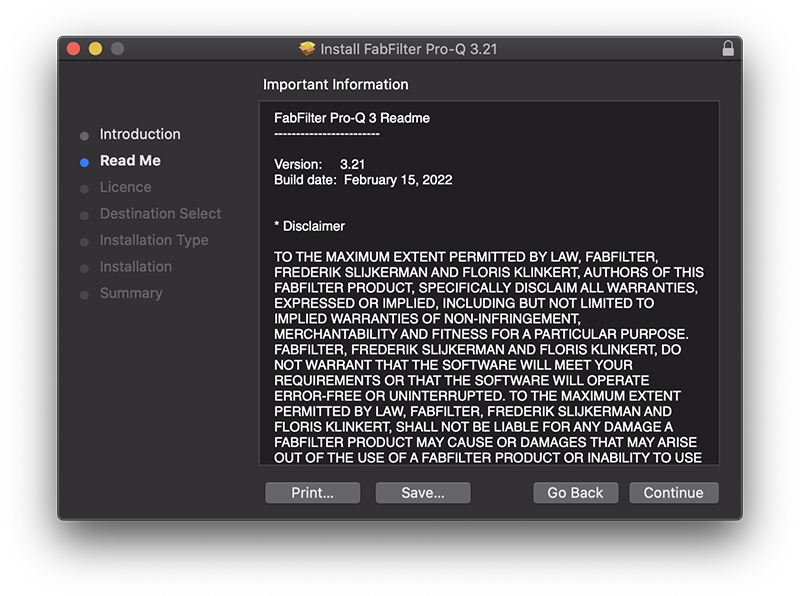
5. Click 'Continue'.
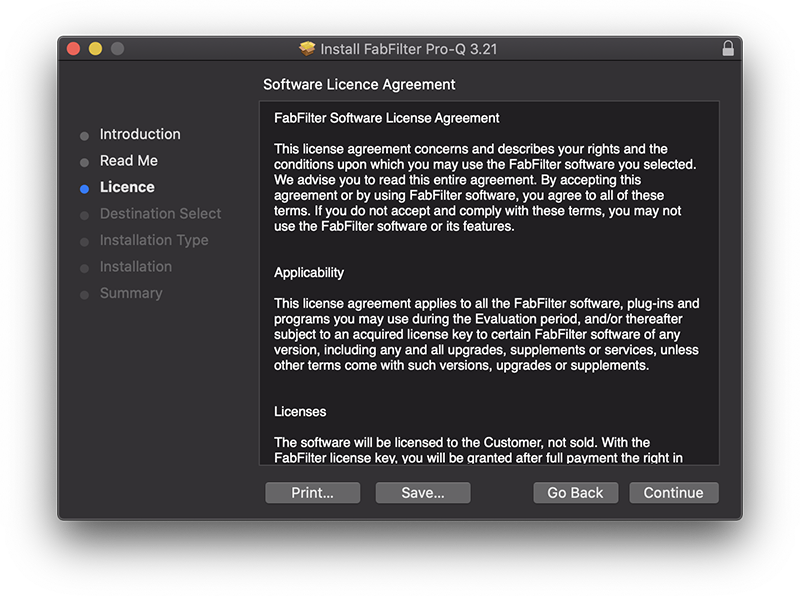
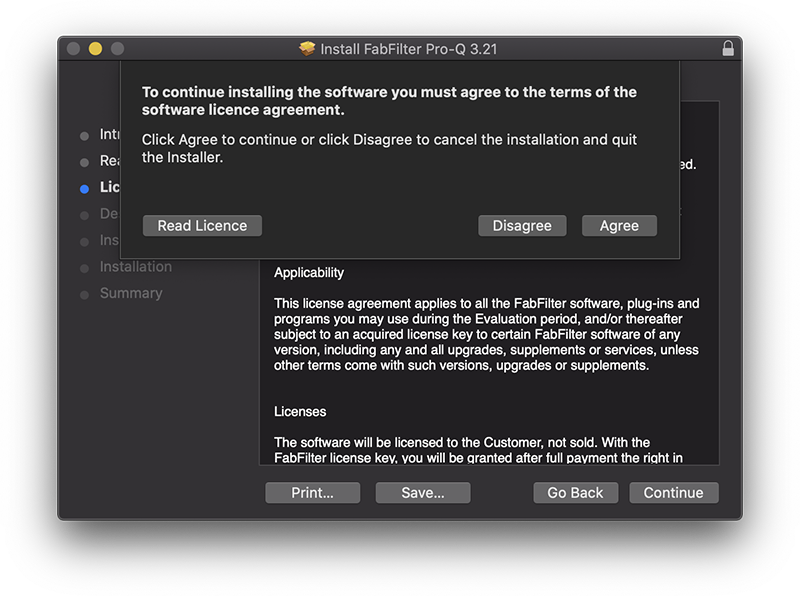
6. Click 'Agree'.
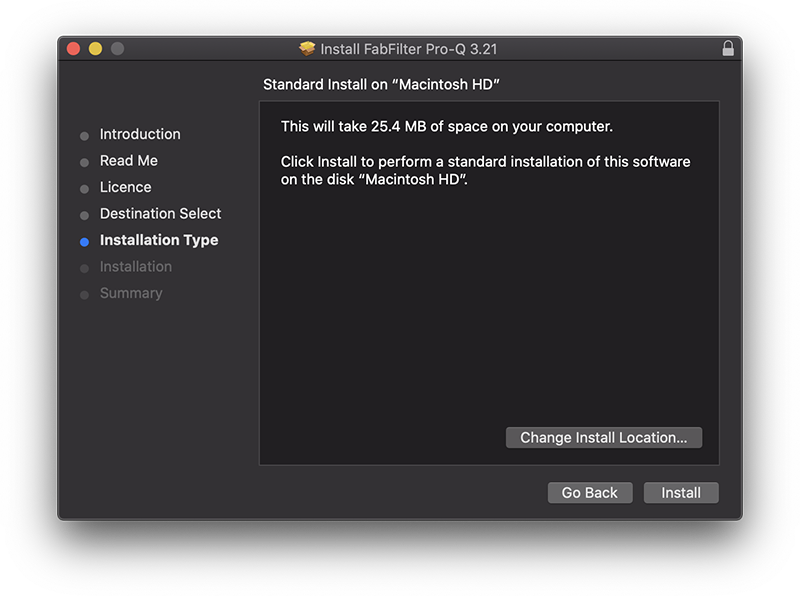
7. Click 'Install'.
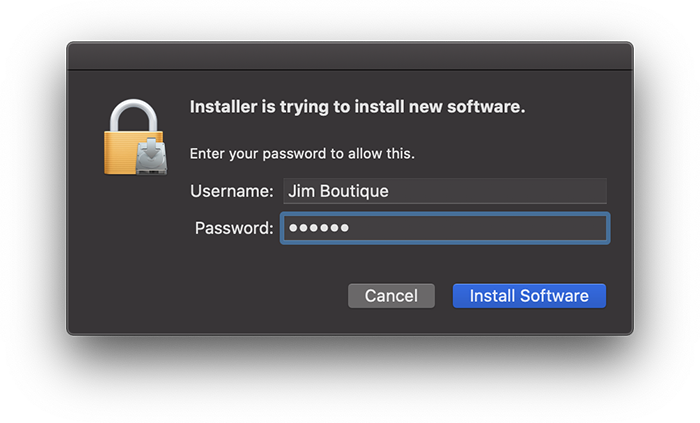
8. Enter your system password > Click 'Install Software'.
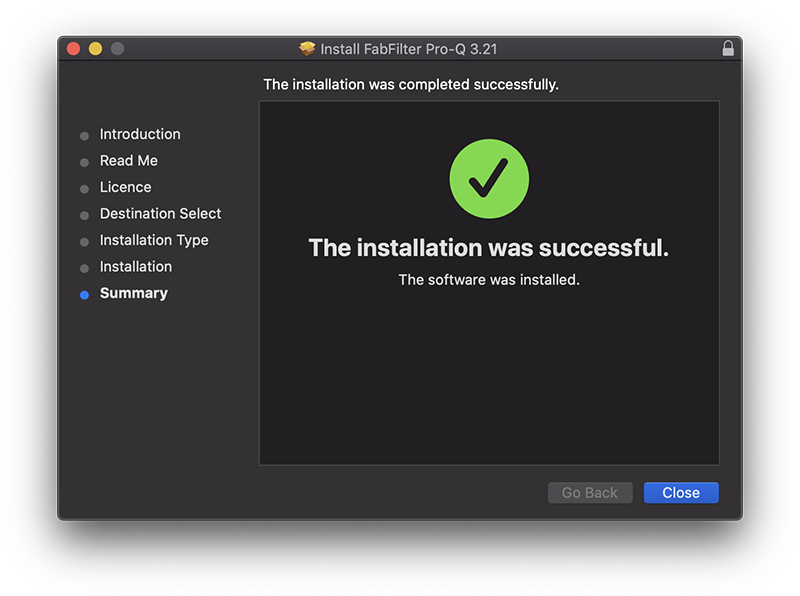
9. Click 'Close'.
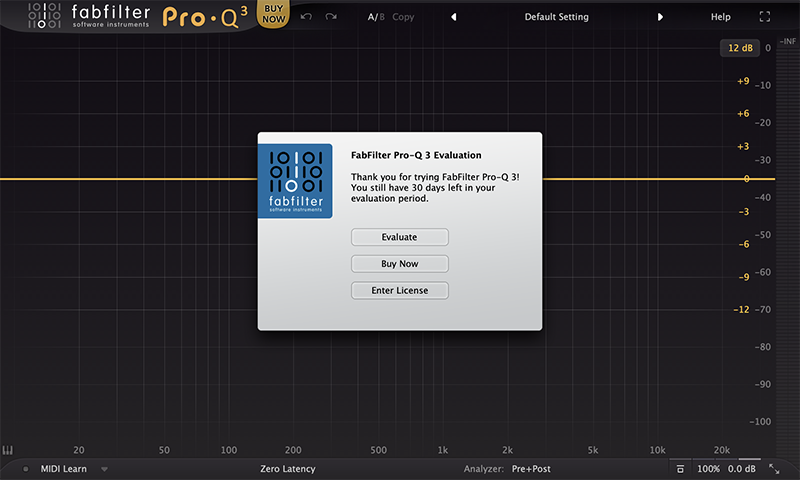
10. Launch your DAW > Insert Pro-Q 3 on a new track > Click 'Enter License'.
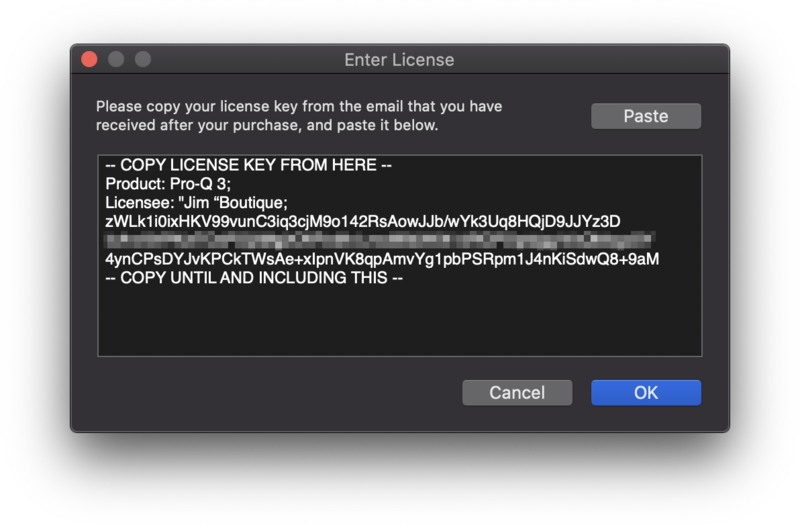
11. Navigate to your email inbox > Locate the email from FabFilter which contains your License Key (not your Activation code supplied by Plugin Boutique) > Right-click and copy the entire License Key, including -- COPY LICENSE KEY FROM HERE -- until -- COPY UNTIL AND INCLUDING THIS -- > Paste the License Key into the text box > Click 'OK'.
12. Close and restart your DAW > Insert Pro-Q 3 on a new track.
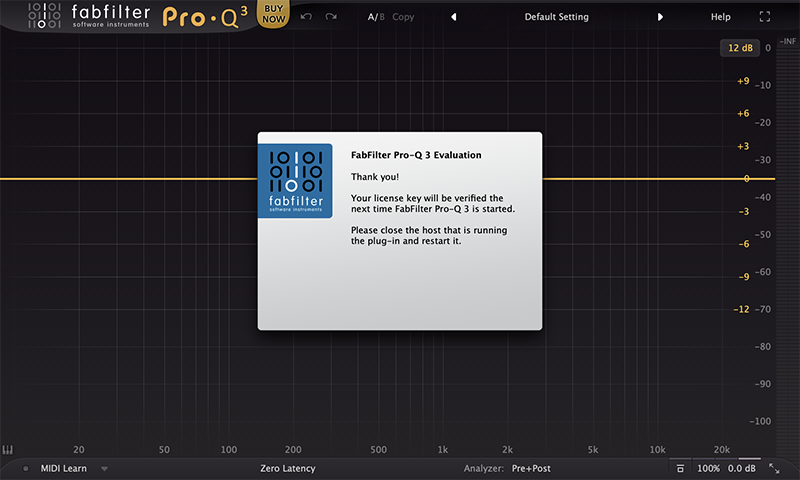
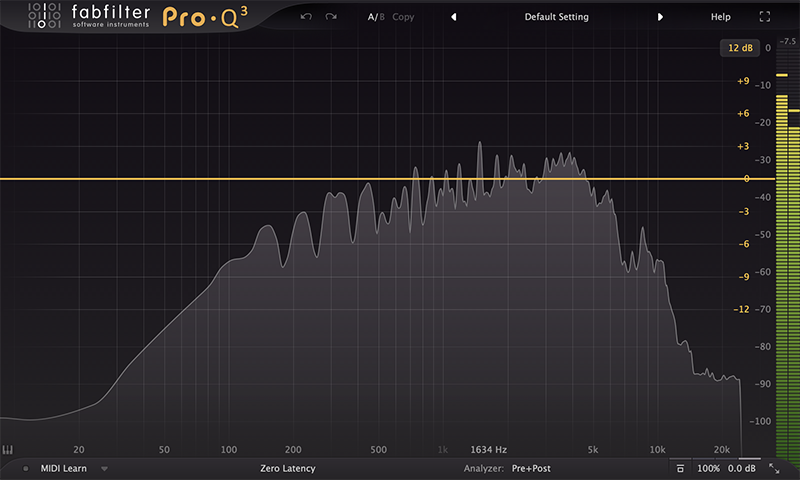
Pro-Q 3 is now installed, activated and ready to use.
Windows
1. Navigate to https://www.fabfilter.com/activate > Enter your 12-letter activation code and complete the remainder of the form > Click 'Activate'.
2. Download the installer from your Plugin Boutique User Account > Extract the .zip folder > Run the .exe installer.

3. Click 'Next'.

4. Click 'Yes'.

5. If installing VST 2 click 'Browse' and locate your VST 2 folder > Click 'Next'.

6. Click 'Next'.

7. Click 'Next'.

8. Click 'Install'.

9. Click 'Finish'.
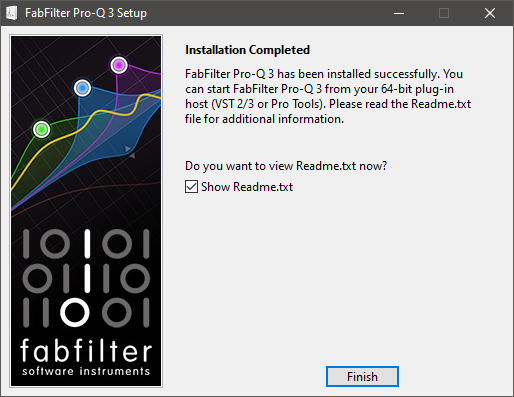
10. Launch your DAW > Insert Pro-Q 3 on a new track > Click 'Enter License'.
11. Navigate to your email inbox > Locate the email from FabFilter which contains your License Key (not your Activation code supplied by Plugin Boutique) > Right-click and copy the entire License Key, including -- COPY LICENSE KEY FROM HERE -- until -- COPY UNTIL AND INCLUDING THIS -- > Paste the License Key into the text box > Click 'OK'.

12. Close and restart your DAW > Insert Pro-Q 3 on a new track.
Pro-Q 3 is now installed, activated and ready to use.


