


 Log In
.jpg)
Free gifts available with your purchase
Experience the Legendary American Synth Sound
Get The Classic American Synth Sound Inside Your DAW
Mini D unlocks a world of stunning sounds based on one of the most iconic synths ever made – but with updated features that bring modern flexibility and new possibilities. Everything you’ll expect is here – classic warm and punchy sounds, served up with a stunning interface and 300 modern and retro presets to bring new sonic class to your productions.
Classic Oscillator Shapes for Classic Sounds
With 8 authentically modeled oscillator shapes, the Mini D synth is a powerhouse of rich, vibrant tone. Stack three oscillators per voice (Max of 4 Voices) with pitch detune on voices 2 and 3 to make massive pads, drone basses, or searing leads. Each Oscillator can be devoted as a mod source and includes traditional wave pitch ranges from 32'-2'.
A Custom Effects Rack Built-In
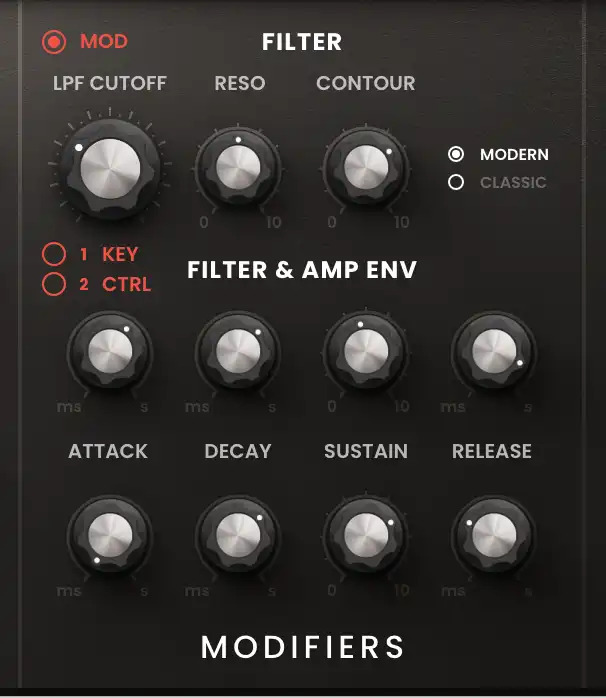
Sculpt Your Sound With Rich Filter Harmonics
Mini D includes the “Classic” ladder style filter model with painstaking attention paid to the feedback section to create a truly remarkable emulation of the original. The filter can be tied to a key start or a second mod control source for sounds that morph and sweep over time, creating instant energy in your sound. In addition to the Ladder filter, Mini D synth also includes a “modern” style filter that emulates the more recent style of feedback filters to give your synth sound a more modern vibe.
Add Depth And Character With Effects- No Pedals Needed!
Unlike the original, the Mini D comes with three effects already on the end of the signal chain, perfect for adding color to your sounds without the need of outboard gear or using additional effects after the plugin. EQ with Low/Mid/High bands and gain control Stereo chorus effects to widen the sound with spread and mix controls Delay with tempo sync, high pass, stereo width, feedback and more.
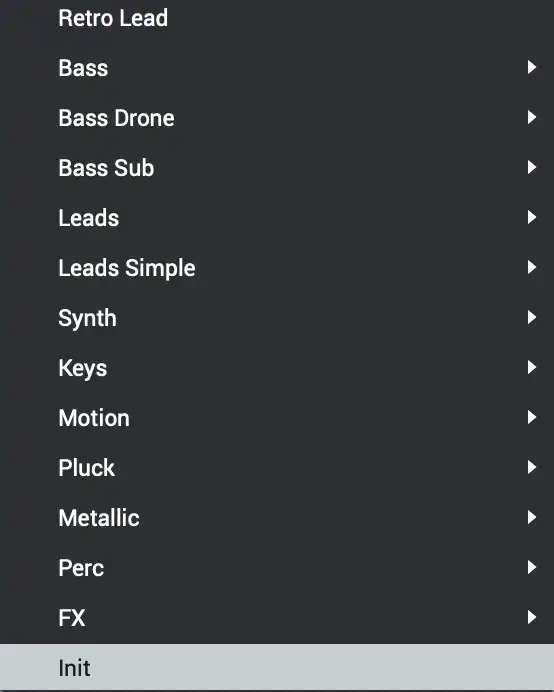
Easy To Find Bass, Lead, And Synth Tones
Built by the world-renowned Air Music team in Germany, the pre-sets in Mini D will inspire you! With over ten categories ranging from Bass to leads to Synth FX, you will surely find sounds that can be used immediately in your next track or great starting points for experimenting and customizing your own tones.
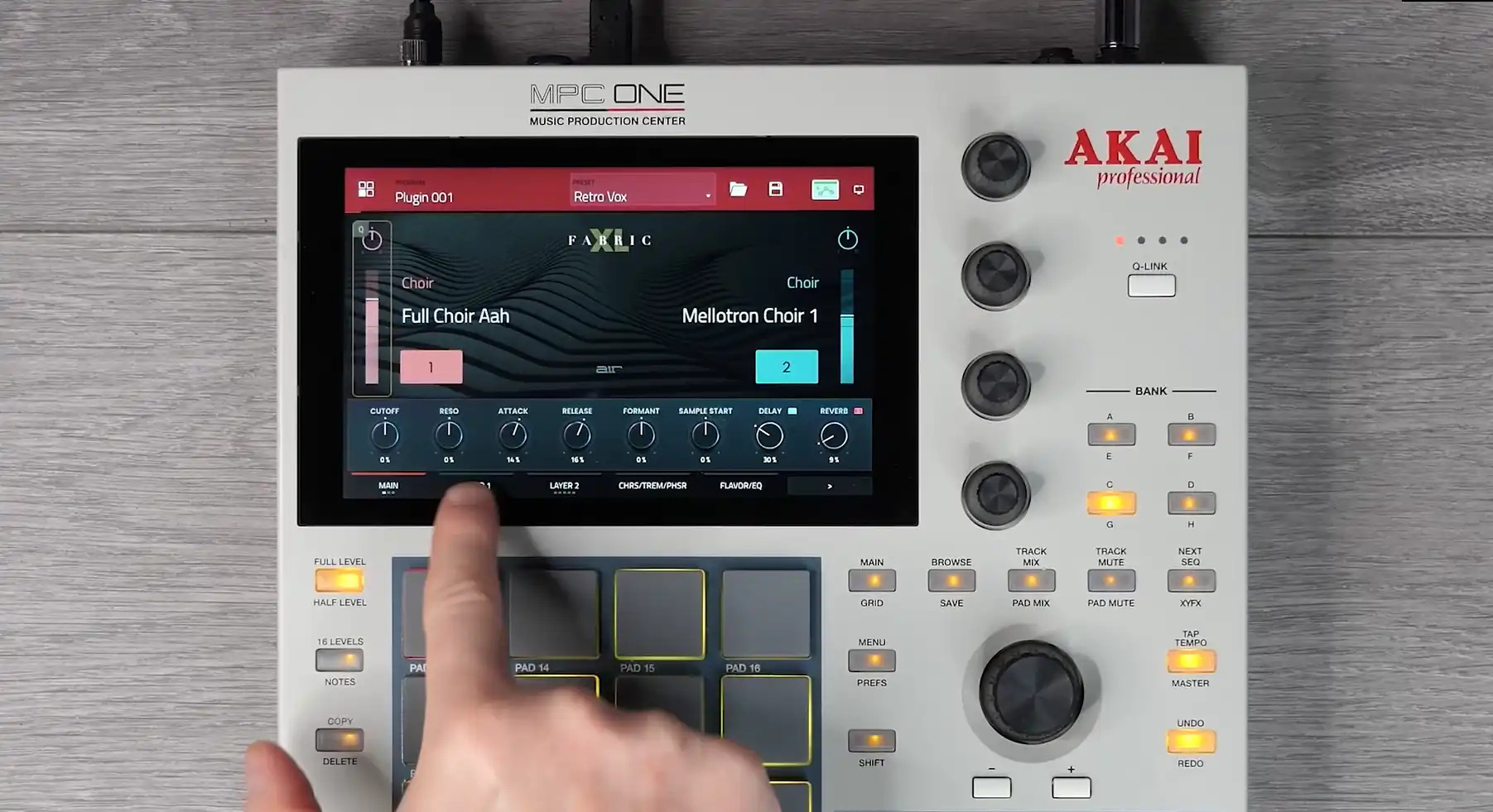
Unlock These Sounds In Akai MPC/FORCE For FREE
Purchase this plugin and you’ll get the ability to unlock it within your Akai Professional MPC / FORCE Standalone hardware as well as using within your favorite DAW. Seamlessly move productions from standalone hardware to your DAW with the same great sounds.
Features
- A 4 Voice Poly Synth based on the classic American synthesizer legend
- Painstakingly modeled oscillator section includes 8 authentic oscillator waveforms Multiple LFO shapes with 19 selections including ramps, sine, square, triangle, random, and steps
- Over 400 Presets ranging from Basses, Leads, Percussion, and Synth FX
- Two filters included- “Ladder” and “Modern” with Cutoff, Reso, Contour, and a dedicated feedback path
- Built-in creative effects chain including EQ, Chorus, and Delay
- Purchase unlocks plug-in on three devices including PC, MAC (VST, AU, AAX) and Standalone (MPC & FORCE)
System Requirements
- macOS 12, 13, 14, 15 (Intel & Apple Silicon)
- 2GB free disk space (20GB for all content)
- 4GB RAM (8GB recommended)
- Dual-core 2.5GHz CPU
- VST 2/3 Plugin compatible host
- AAX plugin compatible host
- AU plugin compatible host
Windows
- Windows 10 - Windows 11
- 2GB free disk space (20GB for all content recommended)
- 4GB RAM (8GB recommended)
- Dual-core 2.5GHz CPU
- VST 2/3 compatible host
- AAX plugin compatible host
Important notes:
- An internet connection is required to authorise this software.



















