/ Virtual Instruments / Tenebrae
MNTRA Instruments

Tenebrae

4.7 (65 Reviews)
$39.00 $79.00

50% off until Dec 09

Main Image
Main Image
Tenebrae: Exhumed synthetic textures from SNAKES OF RUSSIA | Walkthrough with the Artist gallery thumbnail
Tenebrae | Walkthrough of a composition by SNAKES OF RUSSIA gallery thumbnail
Tenebrae: Exhumed synthetic textures from SNAKES OF RUSSIA | ATELIER Selected Presets gallery thumbnail
Tenebrae Music Demo | Kortiko - "Over The Mountains" gallery thumbnail
Tenebrae Demo Reel | Laura Katic - Domina Luna gallery thumbnail
Prepare for the arrival of an immensely dark and potent force⚡️🐍💀 gallery thumbnail
MNDALA 2 - An introduction to the engine gallery thumbnail
GIF 1
Image 2
Image 3
Image 4
Image 5
Buy Now
Product information

Exhumed synthetic textures from SNAKES OF RUSSIA

Enveloped in the essence of deep sonic exploration, Tenebrae, a collaboration with LA-based artist Joseph Holiday, alias SNAKES OF RUSSIA, delves into his dark, apocalyptic sound. In these texturally rich playable soundscapes, complex modular synth patches, heavy analog subs, and gritty drum samples converge, all intricately processed through chains of unobtanium outboard and tape, unleashing a unique world of dirt and darkness.

This inaugural entry into MNTRA's Artist Series is a chasm into the depths of his distinctive sonic palette. Together they imagined Tenebrae not just as an instrument; but as an exhumed creature, buried for over a century and now resurfaced, bringing the dark mystery of the depths of the earth. Analog outboard processing and gritty tape infuse instant textural vibe into modular and analog synths, screeching bowed instruments, and noisy percussion, bringing forth the unique sonic darkness encapsulated within Tenebrae.

With the transformative power of MNDALA 2, the ever-evolving acoustic synthesis engine, SNAKES OF RUSSIA has brought his sound sculpting expertise to design a inspiring set of 79 bespoke artist presets, alongside the MNTRA collection of 70 Elements presets, and 27 Atelier presets to get you started.

With creative processing being an essential part of the SNAKES OF RUSSIA sound, they also worked with Joseph to create two exclusive effect processors modelling his signature signal chains: BESTIAE (destructive Filters, Drive and Compression in either parallel or series), and DIRTY BUCKETS (a series of gritty Bucket Brigade Delay based reverbs), allowing you to shape the sound dynamically in real time.

Features

  • 170+ Presets
  • 79 Presets crafted by SNAKES OF RUSSIA
  • 70 Instrument Sound Sources crafted from analog origins, meticulously processed using rare and unobtanium hardware
  • Up to 13 Round Robins
  • Recorded at 24-bit, up to 96 kHz
  • No fuss copy protection, simply install and the instrument is uniquely encrypted to be used within your system.
  • Seamless download, updates, and installation within MNDALA 2 with a registered MNTRA account

System Requirements

  • 12 GB installed, 24 GB recommended for setup
  • Minimum 8GB of RAM and an i5 or better CPU required, SSD drive recommended
  • Supported by all popular VST/AU/AAX compatible DAWs
  • MacOS 10.11+ (64-bit only) (Silicon processor supported)
  • Windows 10+
Installation Instructions

Please note: Huracan is used as an example. You will need to install the MNDALA 2 engine to use Mirage.

Mac

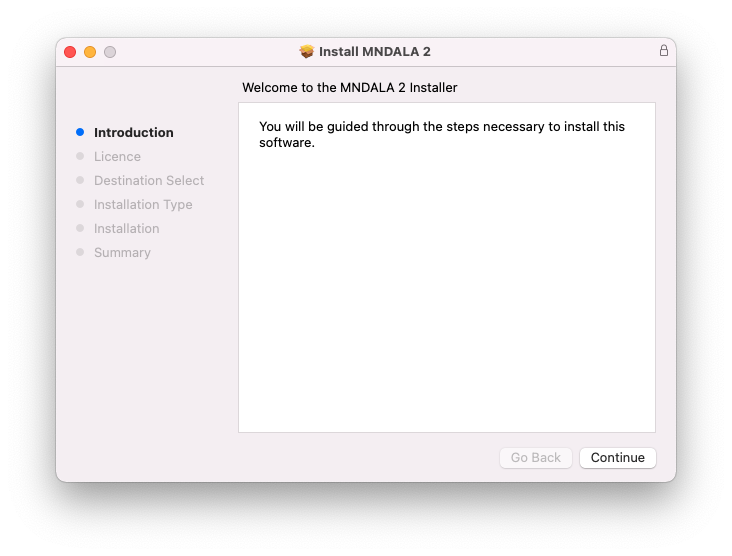
1. Download the MNDALA 2 Engine installer from your Plugin Boutique User Account > Extract the .zip archive > Launch the .pkg installer.

2. Click 'Continue'.

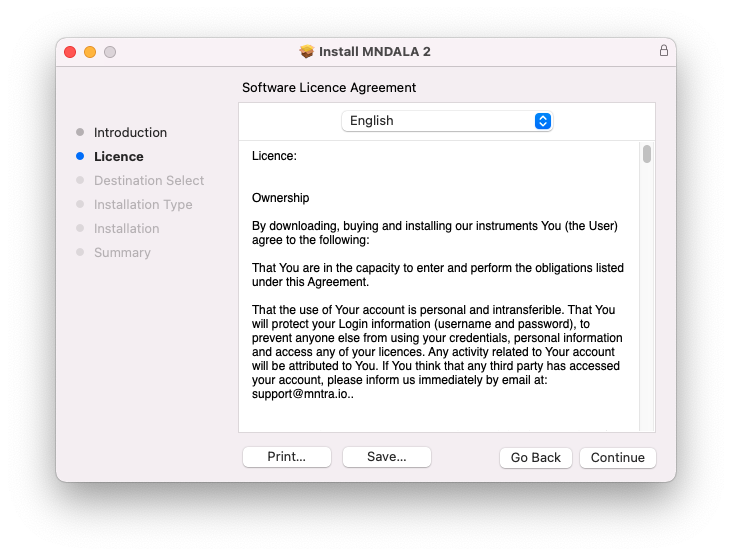
3. Click 'Continue'.

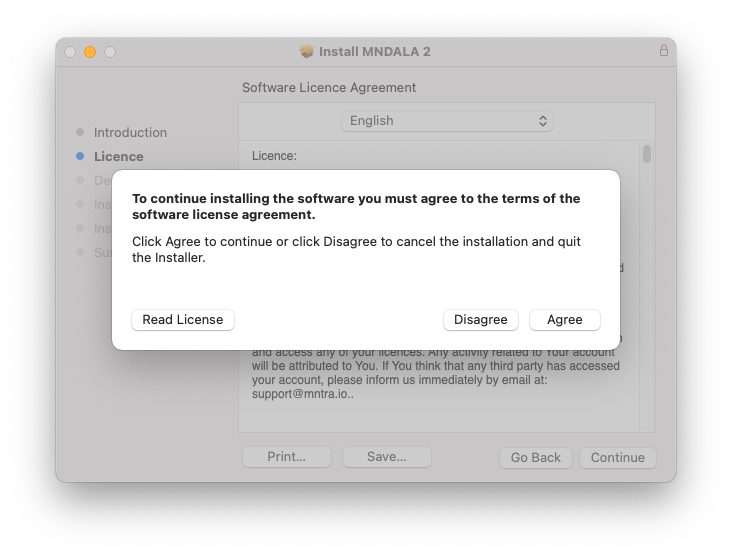
4. Click 'Agree'.

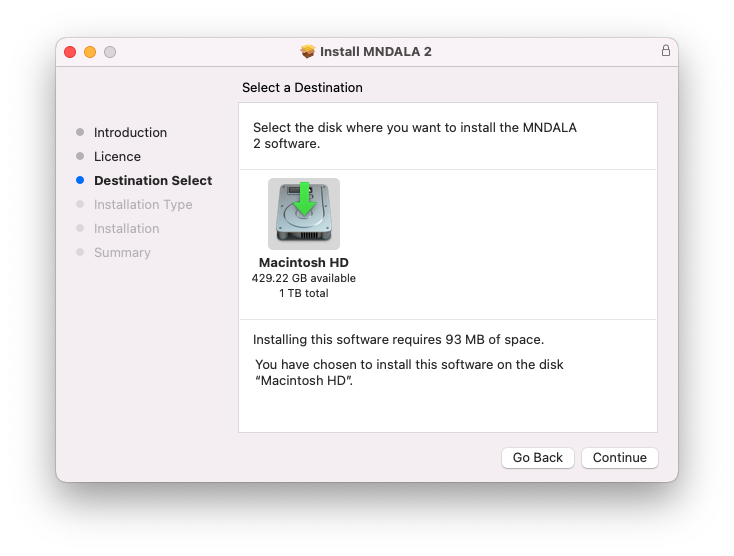
5. Click 'Continue'.

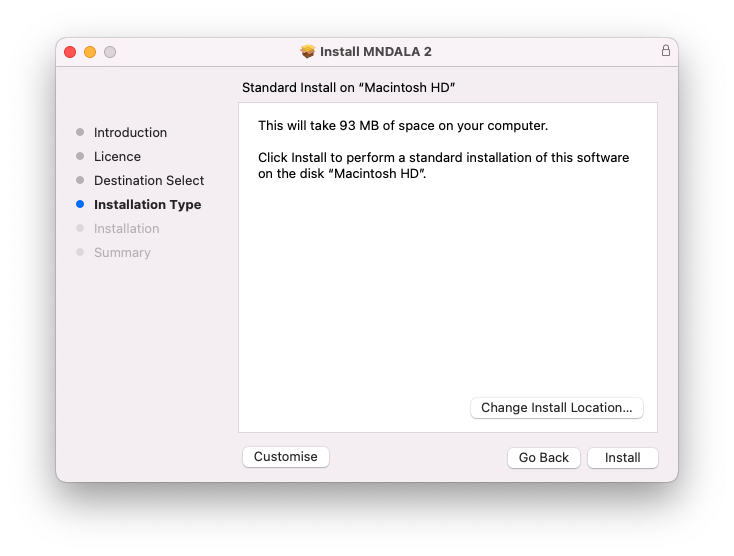
6. Click 'Install'.

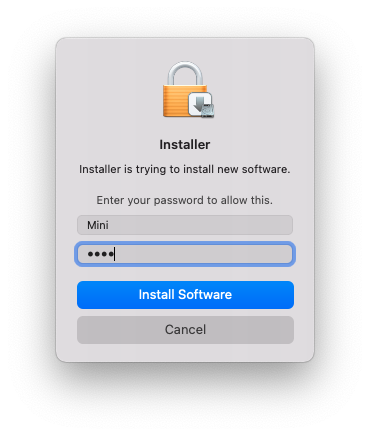
7. Click 'Install Software'.

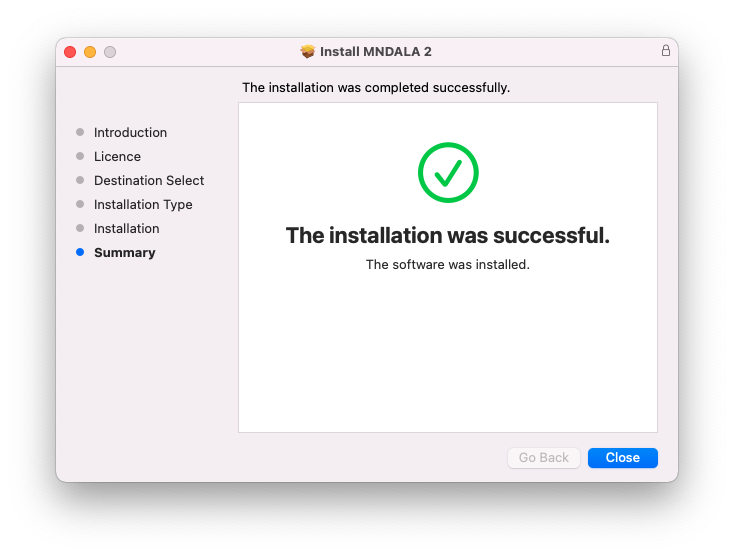
8. Click 'Close'.

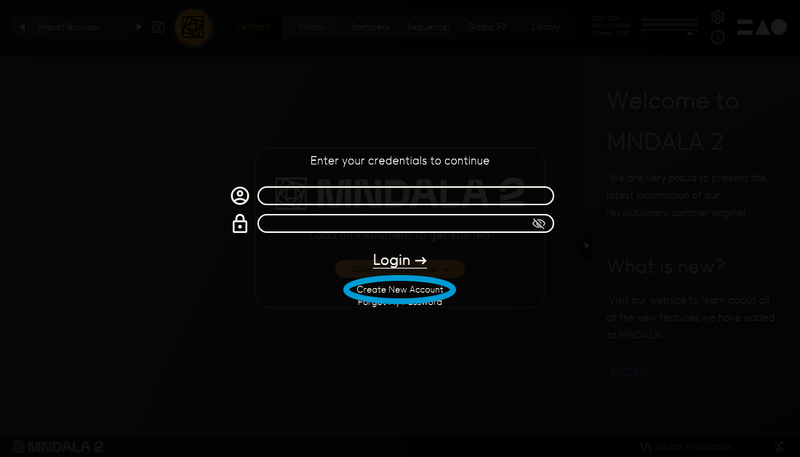
9. Launch your DAW > Insert MNDALA 2 on a new instrument track > Click 'Create New Account' (If you have an existing MNTRA Instruments log in and skip to step 15).

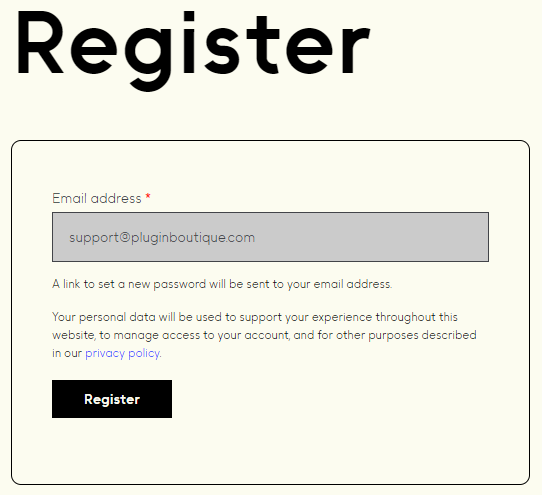
10. Enter your email address and click 'Register'.

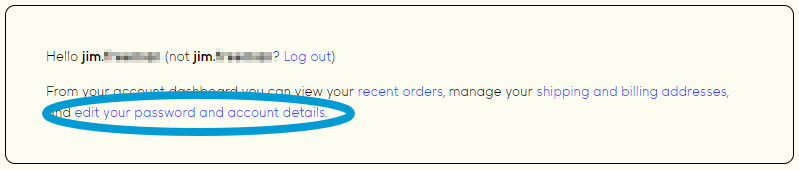
11. A MNTRA account has now been created > Click 'edit your password and account details' to create a password for your MNTRA account.

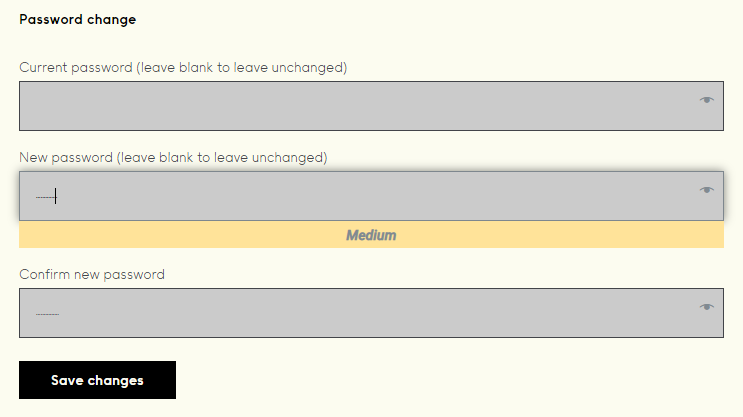
12. Enter your chosen password into the 'New password' box > Enter your password again into the 'Confirm new password' box > Click 'Save changes'.

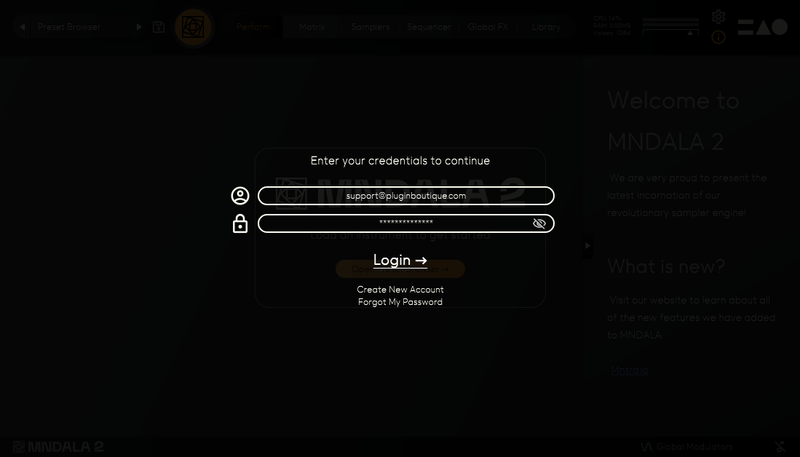
13. Enter your MNTRA account details > Click 'Login'.

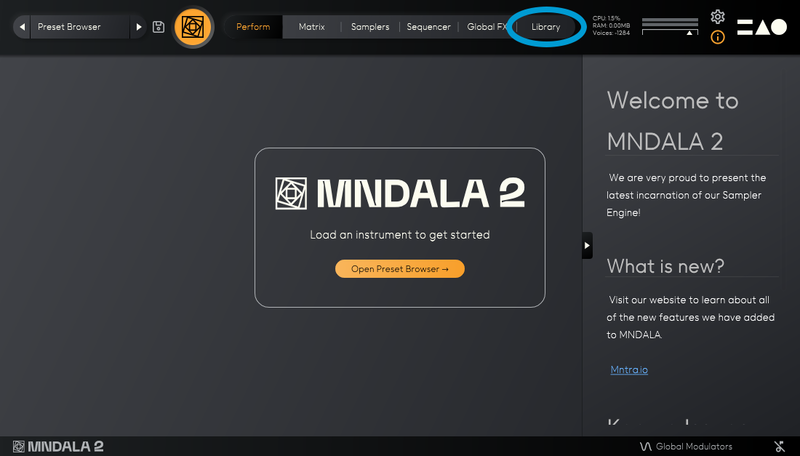
14. You are now logged into the MNDALA 2 Engine > Click 'Library' to continue to activate Huracan.

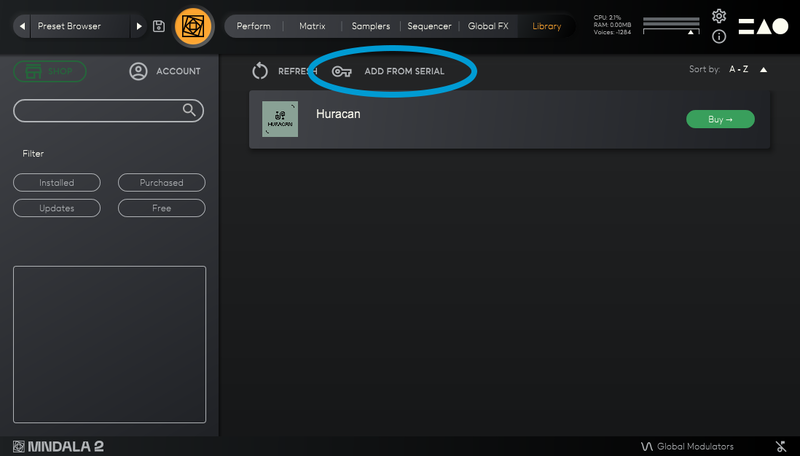
15. Click 'Add From Serial'.

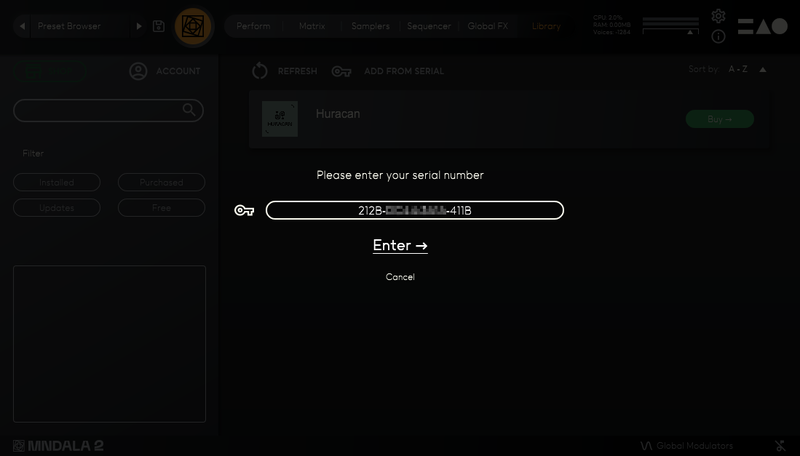
16. Enter your serial number found within your Plugin Boutique User Account > Click 'Enter'.

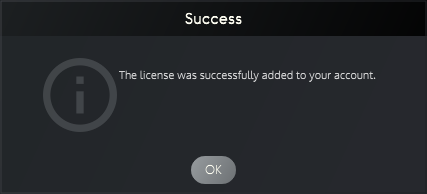
17. Click 'OK'.

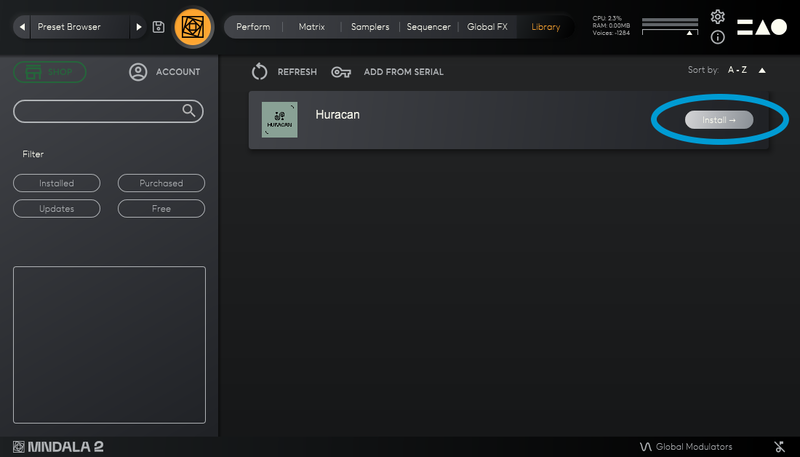
18. Click 'Install'.

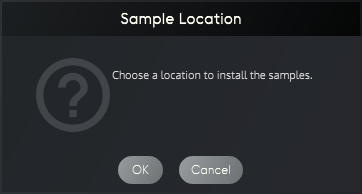
19. Click 'OK' > Choose a location to store the instruments samples.

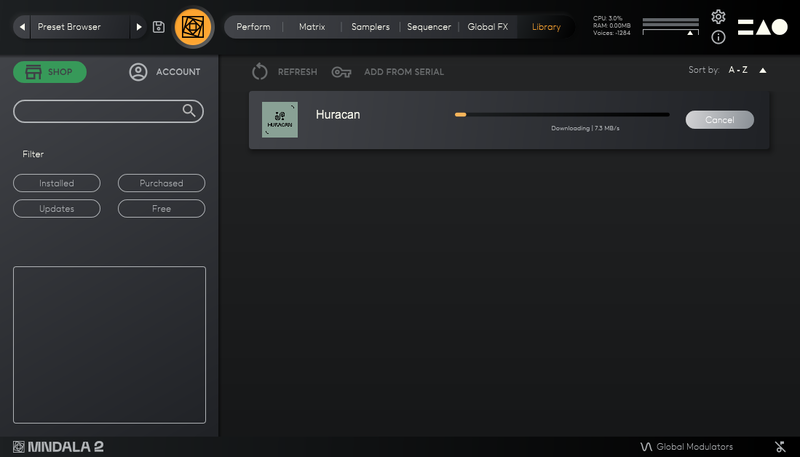
20. Huracan is now downloading (this may take a few minutes).

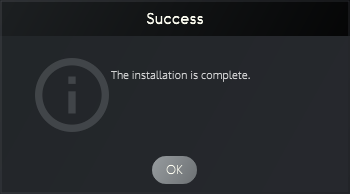
21. Click 'OK'.

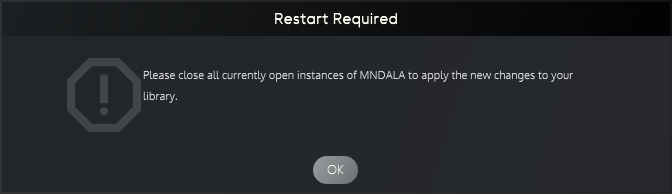
22. Click 'OK' > Close and relaunch your DAW.

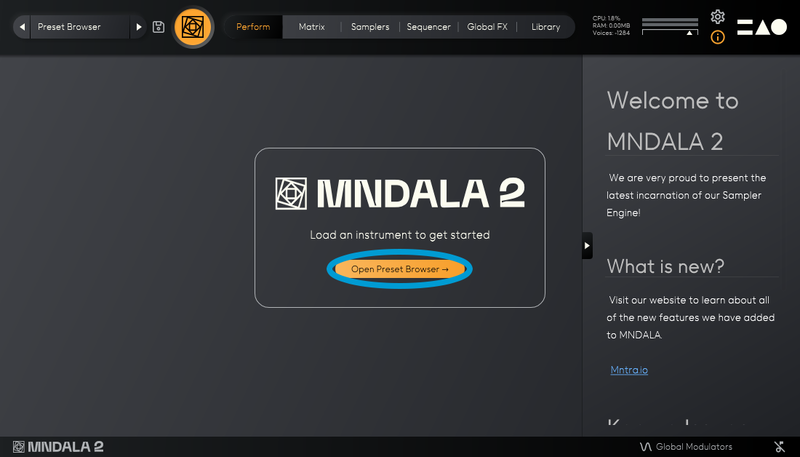
23. Insert MNDALA 2 on a new instrument track > Click 'Open Preset Browser'.

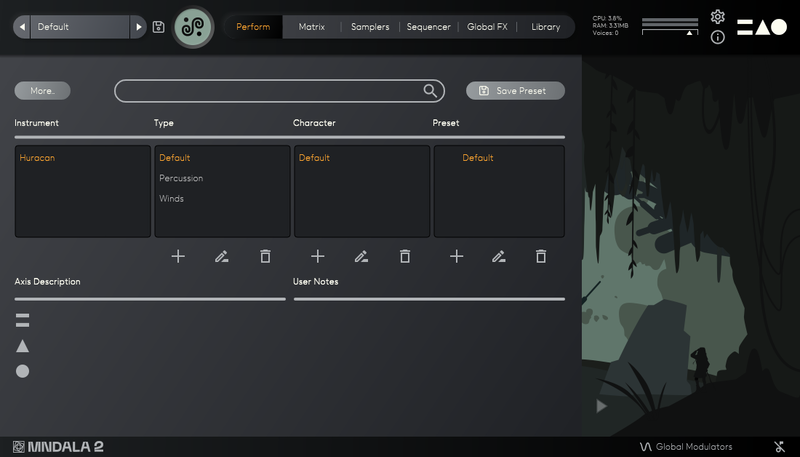
24. Select 'Huracan' then choose a preset.

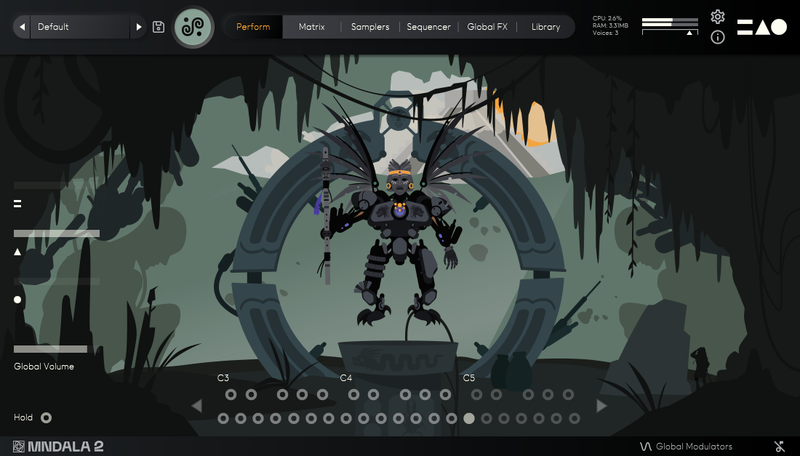
Huracan is now installed, activated, and ready to use.

Windows

1. Download the MNDALA 2 Engine installer from your Plugin Boutique User Account > Extract the .zip archive > Launch the .exe installer.

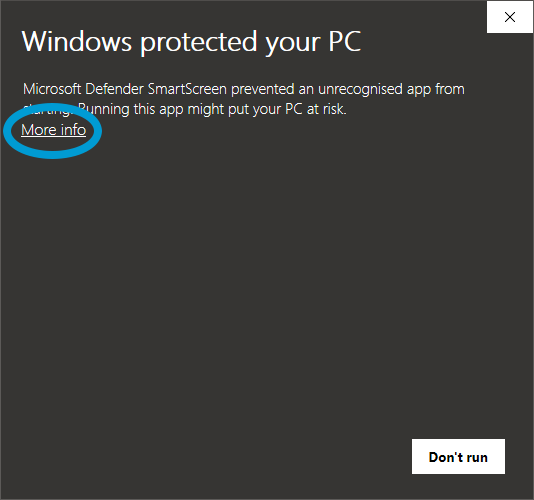
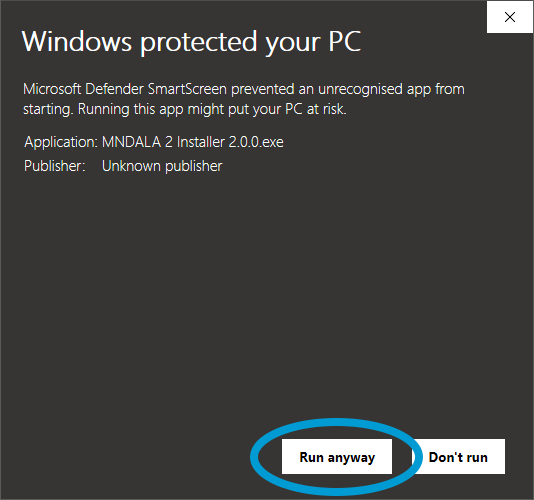
2. Click 'More info'.

3. Click 'Run anyway'.

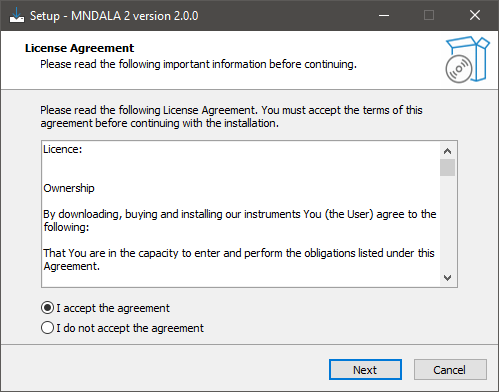
4. Accept the license agreement > Click 'Next'.

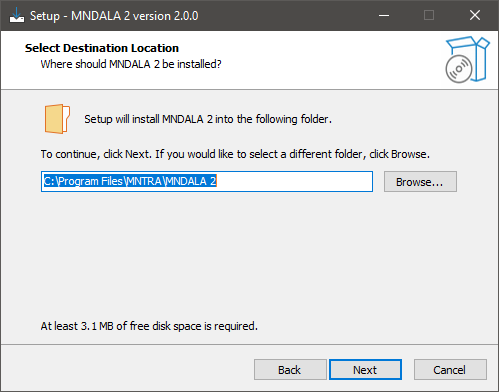
5. Click 'Next'.

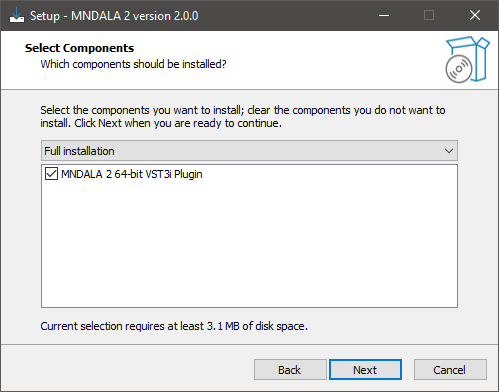
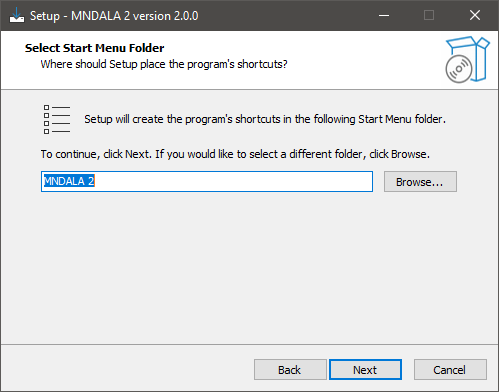
6. Click 'Next'.

7. Click 'Next'.

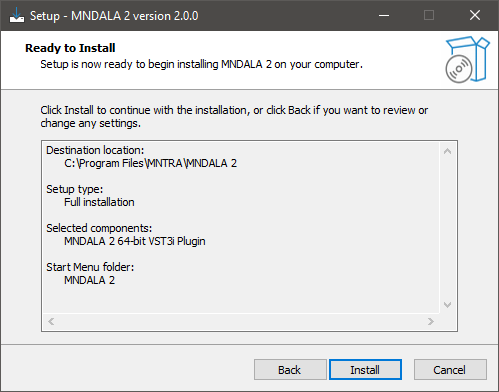
8. Click 'Install'.

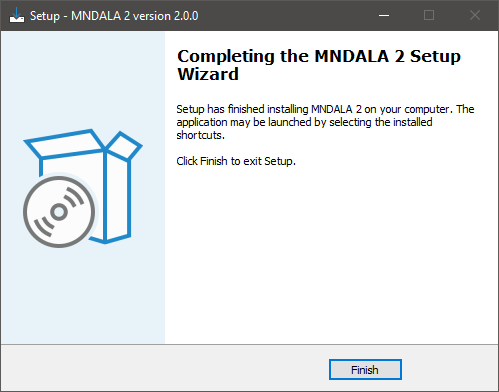
9. Click 'Finish'.

10. Launch your DAW > Insert MNDALA 2 on a new instrument track > Click 'Create New Account' (If you have an existing MNTRA Instruments log in and skip to step 15).

11. Enter your email address and click 'Register'.

12. A MNTRA account has now been created > Click 'edit your password and account details' to create a password for your MNTRA account.

13. Enter your chosen password into the 'New password' box > Enter your password again into the 'Confirm new password' box > Click 'Save changes'.

14. Enter your MNTRA account details > Click 'Login'.

15. You are now logged into the MNDALA 2 Engine > Click 'Library' to continue to activate Huracan.

16. Click 'Add From Serial'.

17. Enter your serial number found within your Plugin Boutique User Account > Click 'Enter'.

18. Click 'OK'.

19. Click 'Install'.

20. Click 'OK' > Choose a location to store the instruments samples.

21. Huracan is now downloading (this may take a few minutes).

22. Click 'OK'.

23. Click 'OK' > Close and relaunch your DAW.

24. Insert MNDALA 2 on a new instrument track > Click 'Open Preset Browser'.

25. Select 'Huracan' then choose a preset.

Your software is now ready to use!

Bundle & Save

Strange Synths Bundle
$199.00

Plugin Boutique Rewards

Discover the most rewarding loyalty programme among all plugin retailers.

  • Free Loopmasters Samplepacks
  • Discounts on products and courses
  • Extra Virtual Cash claimed immediately at checkout
Find out more

Follow us:

X (Twitter) Facebook YouTube Instagram
Logo Logo

Plugin Boutique Limited, Part of the Beatport Group LLC.

Copyright © 2011-2025 Plugin Boutique. All rights reserved