


 Log In

Free gifts available with your purchase

Dynamic Distortion Modulation
Motion: Harmonic opens up new frontiers in distortion, filtering and bitcrushing, placing you at the centre of a dynamic and responsive sound-shaping experience.
What can Motion: Harmonic do?
- Transform loops into evolving phrases.
- Produce expressive filter sweeps for tension.
- Distort drum hits with unique character.
- Enhance harmonics of 808's, kicks, and basses.
- Create morphing textures and atmospheres.
- Energize guitar and synth melodies.
- Add movement and rhythm to pads.
- Experiment with sound design using your mouse.
- Visualize audio with the 3D reactive object.
Transforming your audio signal is now an animated, visually-led and creative experience with the innovative and reactive Hexagon controller.
From subtle warming and shaping to intense modulated signal destruction, Motion: Harmonic puts everything you need at your fingertips. A comprehensive selection of presets for distortion, bitcrushing and filtering take these effects into new creative territory, with tools like the multipeak filter and dynamic distortion giving you new ways to play with sound.

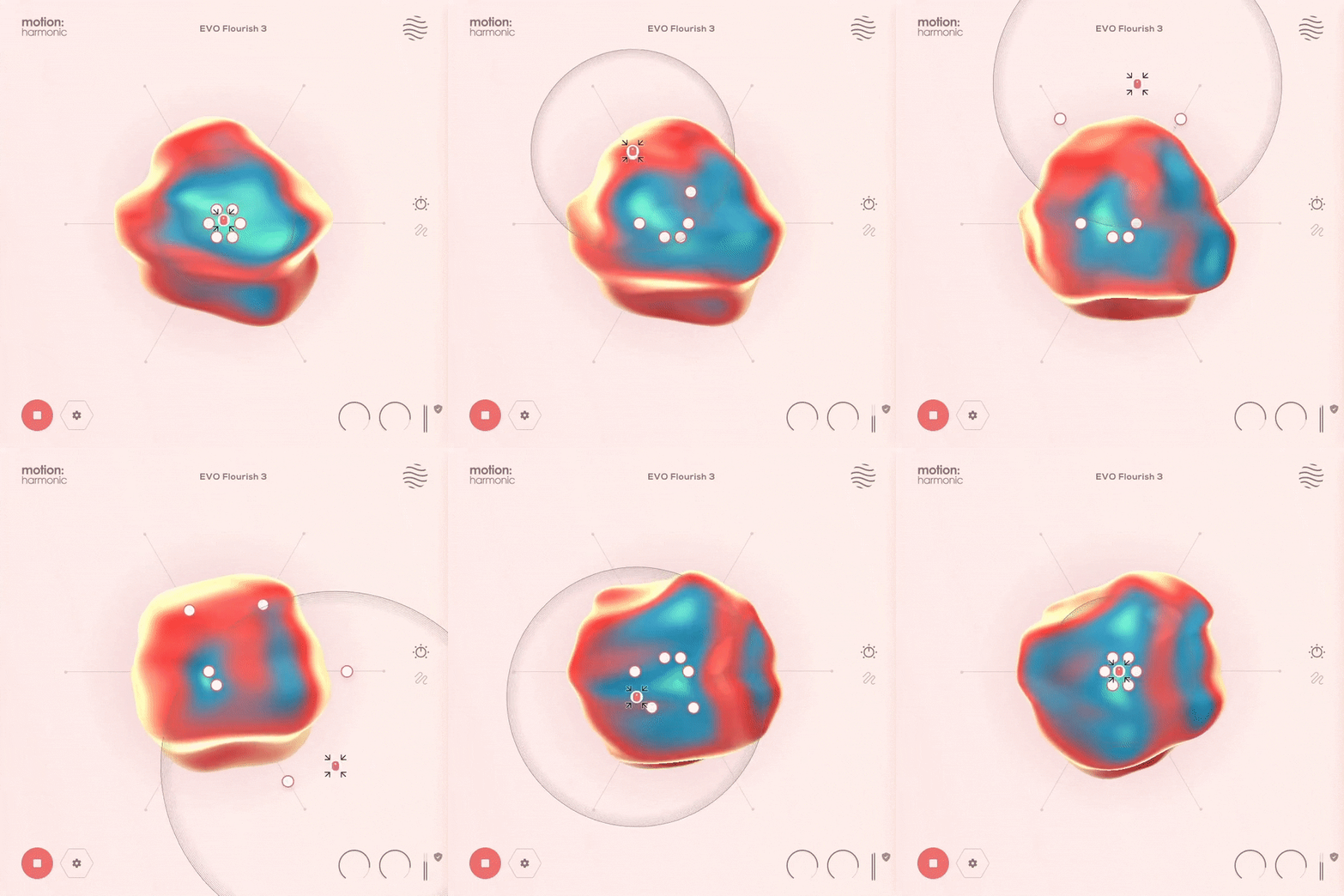
The Hexagon, alongside a pulsating and reactive 3D object in the main view, offers six macro sliders that control the distortion, bitcrushing and filter parameters under the hood. These sliders then react to a ‘magnetic’ cursor whose path can be determined by any of the presets.
The Hexagon: Reactive Animation
Improving upon the concept of the traditional XY pad, the hexagon provides new automation possibilities, allowing six macro sliders to be pushed and pulled together by a magnetic field surrounding your mouse cursor.
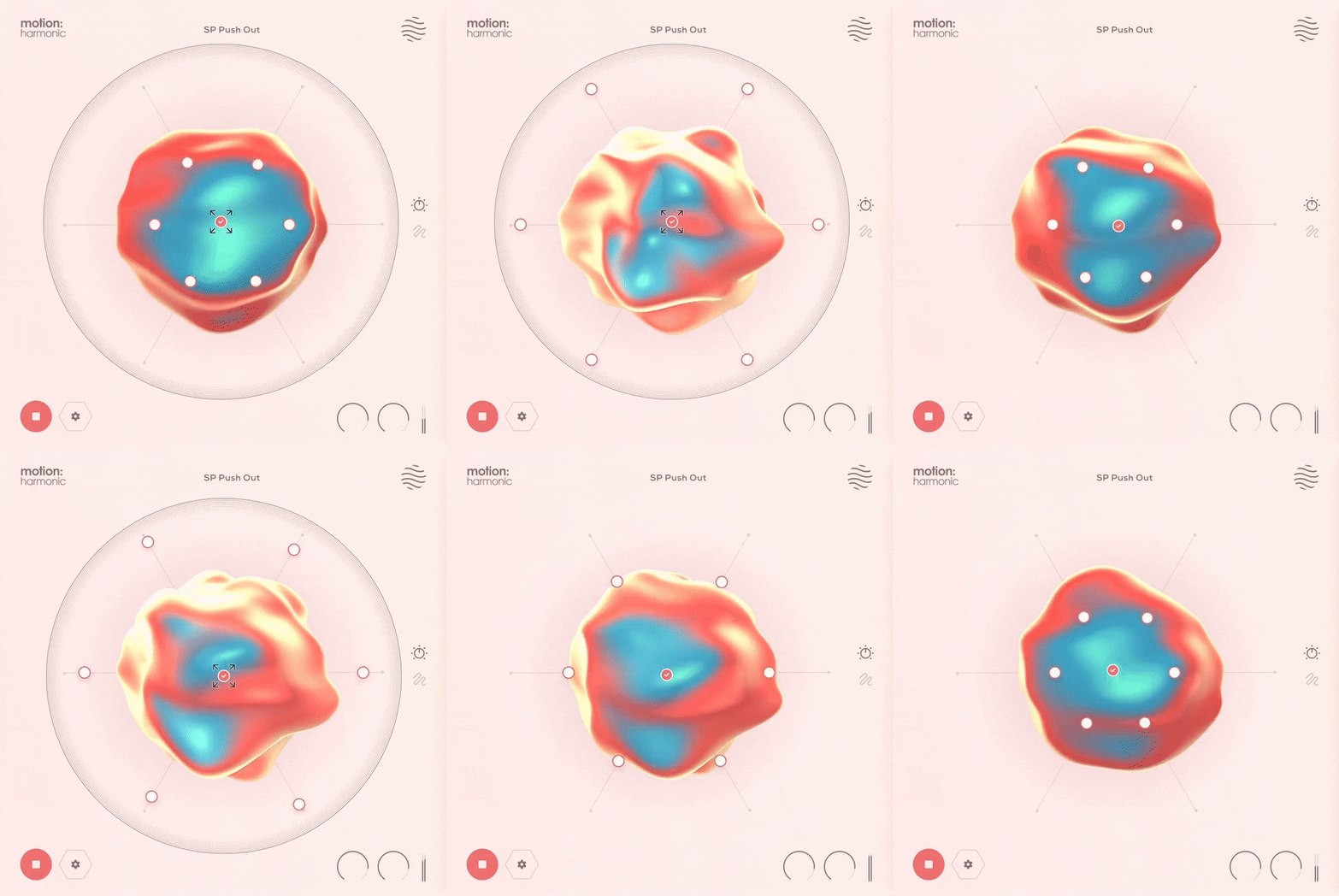
The six sliders act as macro controls for any distortion, filtering or modulation parameter in the plugin. The sliders themselves are then moved by a magnetic field surrounding the mouse cursor.
Your cursor movements can be played live or pre-programmed and its motions within the Hexagon can attract or repel macro sliders. In addition, effect parameters assigned to the centre of the hexagon mean the incoming audio level will be modulating their properties.
Features
- Reactive 3D Visualiser
- 6 Macro Sliders
- Magnetic Cursor control
- Input/Output Gain controls
- Safety Limiter toggle
- Global Bypass
- Step-by-step interactive tutorial
- 75 Presets
- 35 Dual Presets
- 30 FX & Mapping Presets
- 10 Path & Cursor Presets
Cursor & Hexagon
- Attract & Repel modes
- Magnet On/Off Mouse settings
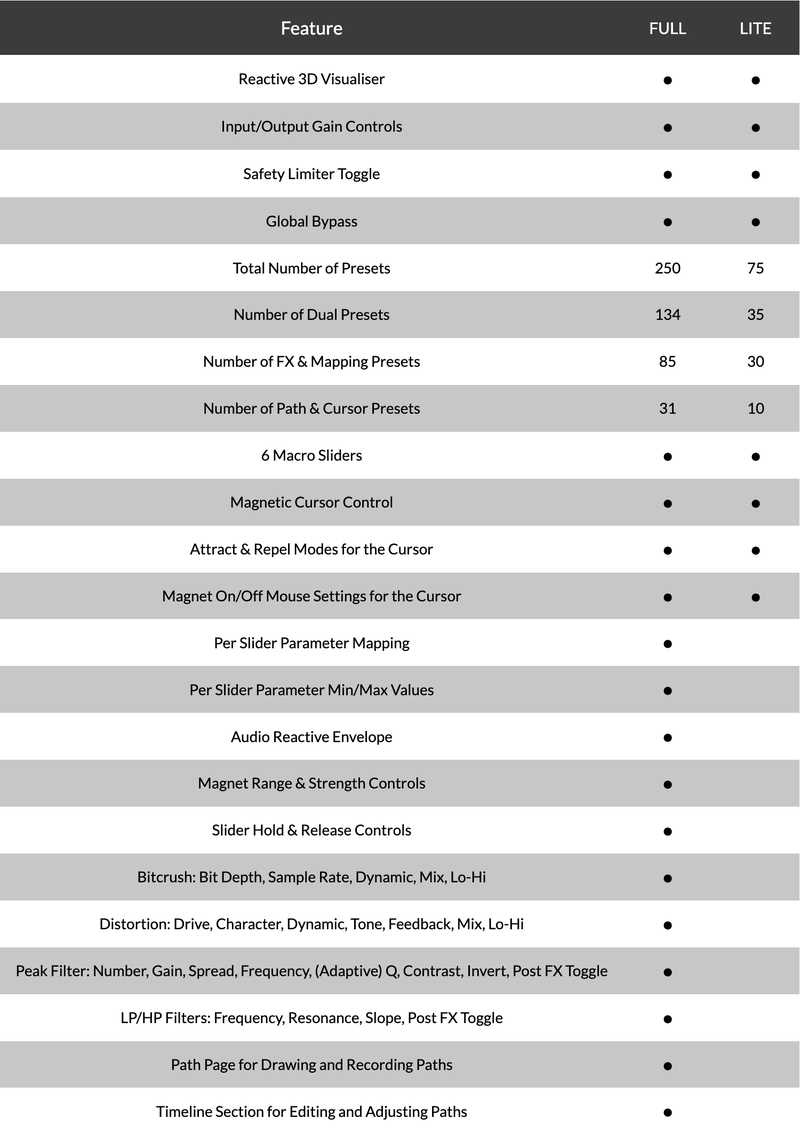
Version Comparison
System Requirements
macOS
- macOS 10.15 or higher (Intel / Native Apple Silicon supported).
- Plugin Formats: VST, VST3, AU, AAX, Standalone
- DAW's Supported: Ableton Live, Pro Tools, Logic Pro, FL Studio, Cubase, Nuendo, Reaper, Reason + more.
- Compatibility: 64-bit compatible only.
Windows
- Windows 7 or higher
- Plugin formats: VST, VST3, AAX, Standalone
- DAWs supported: Ableton Live, Pro Tools, FL Studio, Cubase, Nuendo, Reaper, Reason + more.
- Compatibility: 64-bit compatible only.
Please Note: An internet connection is required to authorise this software.
Evil Nine
UK electronic duo
"Motion Harmonic is great for adding movement to stagnant synths and samples, sounds incredible and its interface is a lot of fun."
Dam Swindle
Dutch duo providing the world with club-ready grooves for over a decade. Collaborations include Tom Misch, Kerri Chandler, Mayer Hawthorne, Mark de Clive-Lowe, Hercules & Love Affair and Seven Davis Jr.
"Motion: Harmonic is such a playful and interesting way to capture motion in sound!"
Sanjay C
Trusted music production gear reviews and tutorials on YouTube with over 35,000,000 views.
"Motion: Harmonic offers such a unique way to automate movement - I hope Excite Audio make more like this!"
Reviews Summary
While it aims to provide a helpful overview, it may not capture every perspective or detail. We encourage you to read individual reviews to make an informed decision.
Users generally praise the plugin as a creative, unique, and fun tool for generating dynamic distortion, movement, and experimental textures in their mixes. However, some reviewers note that it is highly CPU-intensive and may not be essential for every workflow.


