


 Log In
![Tape Cassette 2 v1.1 Plugin UPDATE - Video Demo [AU, VST3] gallery thumbnail](https://www.pluginboutique.com/rails/active_storage/blobs/redirect/eyJfcmFpbHMiOnsibWVzc2FnZSI6IkJBaHBBMFR0Qmc9PSIsImV4cCI6bnVsbCwicHVyIjoiYmxvYl9pZCJ9fQ==--8009717c70775b01f43e6218883f0c5594503cc5/TC2_Screenshot-pluginboutique.jpg)

Nostalgic Saturation
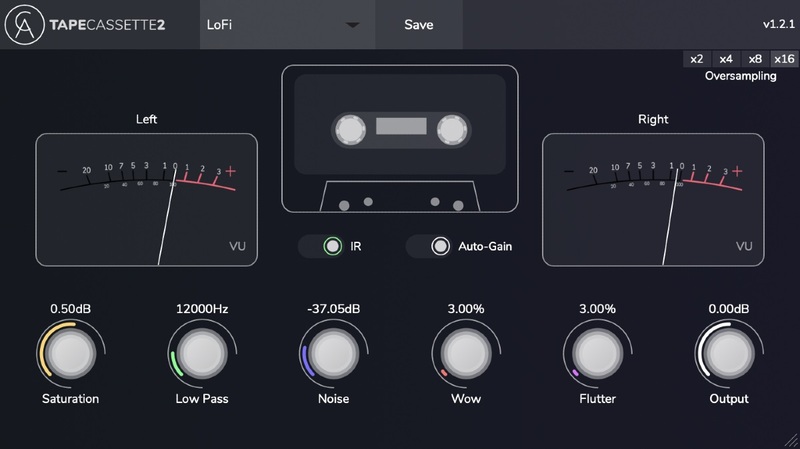
Tape Cassette 2 is an audio plugin that emulates the warmth, noise and character of old tape cassettes. Following up from Caelum Audio's well-received Tape Cassette 1, Caelum Audio have updated the plugin with a sleek interface and more changes under the hood too.
Along with a brand new selectable Type 1 Cassette Impulse Response (IR), Caelum Audio have improved the saturation algorithm, wow & flutter engine and implemented real sampled tape noise, all which results in a wonderfully warm and more accurate vintage sound. In addition to this, you now have two VU meters to monitor your audio as well as selectable oversampling.
Now you can easily add that classic sound to an entire track or use it directly on individual channels for added movement, texture, and warmth. Alternatively, you can take it further than the material limitations of tape and push the parameters into a far more experimental soundscape, as a sound design tool.
Powerful and Simple Parameters:
- Saturation +/-24dB
- Low Pass Filter 5-22KHz
- Noise -80 to 0 dB
- Wow 0 - 100%
- Flutter 0 - 100%
- IR On/Off
- Oversampling (2x, 4x, 8x, 16x)
- Output +/-24dB
- Auto-Gain On/Off
Features
- Selectable Type 1 Cassette Impulse Response (IR)
- Dynamic saturation curve algorithm implementing hysteresis and including oversampling
- Wow & Flutter engines rebuilt to focus on smoother emulation
- Real sampled noise from a Type 1 Cassette
- Low Pass range increased down to 5kHz
System Requirements
Mac
- OSX 10.11 and above
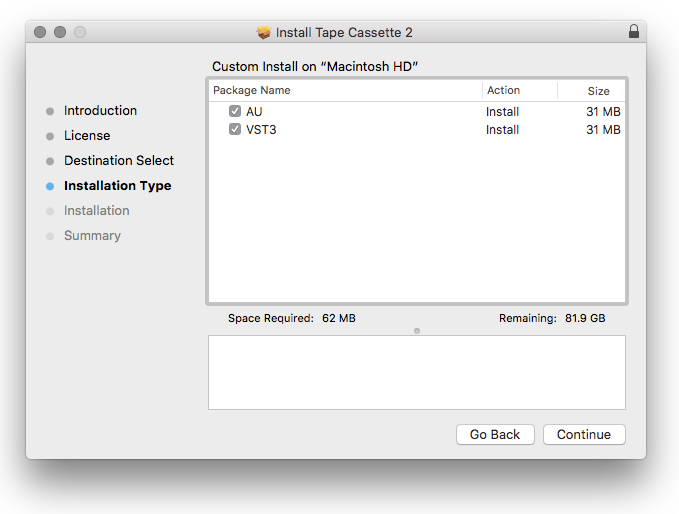
- AU and VST3
- 64-bit only
PC
- Windows 7 and above
- VST3
- 32 & 64-bit
Reviews Summary
While it aims to provide a helpful overview, it may not capture every perspective or detail. We encourage you to read individual reviews to make an informed decision.
Users highly praise this free Lo-Fi tape cassette plugin, describing it as a wonderful and effective alternative to RC-20 that significantly enhances mixes and is perfect for Lo-Fi production.


