Log In
Save $97.02 compared to buying products individually
Free gifts available with your purchase

The Trinity of Trivium Tones
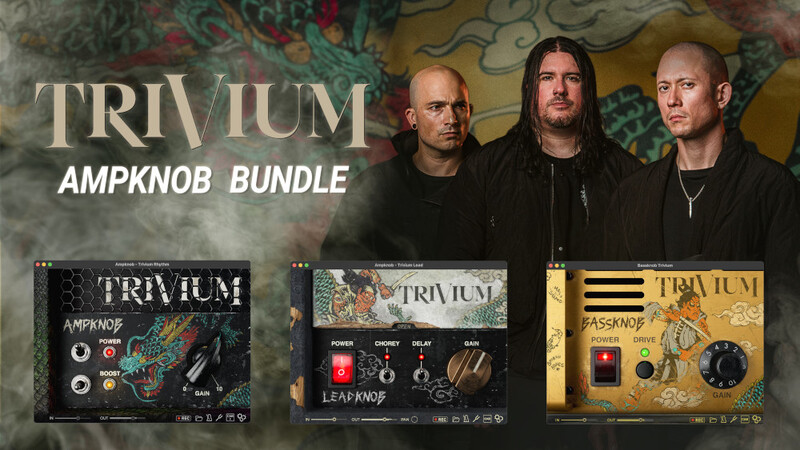
Add Trivium's crushingly powerful and intensely precise sound to your own productions. The Trivium Ampknob Bundle includes three amp sim plugins, each covering its own specific ground — rhythm, lead, and bass guitars.
The plugins were developed by producer Jens Bogren in close collaboration with Trivium’s axe-wielders Matt Heafy, Corey Beaulieu, and Paolo Gregoletto.
This ensures that the Trivium Ampknob Bundle meets the band’s high standards, delivers precisely the sound the band wants, and that the three plugins work nicely together to create a powerful effect.
AmpKnob Trivium Rhythm

A Feast of Fire
A Versatile Beast
Green Boost gives you a sparkly clean tone that can be pushed into a wonderful edge-of-breakup sound. This mode also features a beautiful, lush reverb.
Orange Boost starts at crunch but can deliver a unique flavor of huge distortion with the gain turned up.
Red Boost breathes fire, with an uncompromising high-octane tone with a ton of clarity for ultra-fast picking.
Two Cabs
The rhythm amp comes with two, perfectly matched cabinets captured at Fascination Street Studios: Modern, and Vintage.
Learn more about AmpKnob Trivium Rhythm.
AmpKnob Trivium Lead

Watch the World Burn
Built from the ground up for blistering leads and soaring melody parts, the Trivium Ampknob Lead delivers a tonal character that makes your guitar solos sit right on top of the rhythm guitars.
But the Trivium Ampknob Lead is much more than just an amplifier model. It also includes a chorus/doubler effect Bogren Digital call Chorey, and a delay — essential effects for great Trivium lead tones.
To top it off, the effects can be used in stereo for wide, attention-grabbing sounds.
Dial It In
The "open" button reveals additional settings that let you fine-tune the effects for your track.
Learn more about AmpKnob Trivium Lead.
BassKnob Trivium

Ember to Inferno
Paolo Gregoletto prefers a bright bass tone that lets string noise and snarl poke through the wall of guitars while still delivering an uncompromisingly solid low-frequency foundation.
The Trivium Bassknob has been designed to deliver just that. Use a bass with bright, clean bass strings and clear pickups, run it through the Trivium Bassknob plugin, and you’ll find yourself nailing Paolo’s signature tone in seconds.
Is the amp too clean for you? Kick it into overdrive with the Drive button.
Learn more about BassKnob Trivium.
Capture Your Ideas
When inspiration strikes, every second counts before that golden riff is gone forever.
With Ampknob, you can capture your ideas quickly and easily without even starting a DAW. The standalone version of Ampknob includes a built-in recording functionality that makes it effortless to always stay creative.
A scratch book has never been this inspiring!
Stay In Time, Stay In Tune
The standalone version of Ampknob now comes with a built-in metronome for you to stay sharp at your guitar playing skills.
Change meter, accent, or set automatic speed increments so you can focus on practicing without even taking your hands off the guitar.
The excellent built-in tuner means you're always ready to jam!
The Perfect Tone
The perfect speaker cabinet, microphones, and recording chain have been expertly chosen and dialed in by producer Jens Bogren to capture the tone with outstanding detail.
If you feel like experimenting, you can disable the cab or even load your favorite impulse response right from the plugin.
The Future Of Speaker Modeling

Bogren Digital's IRDX (Impulse Response Dynamix) technology breathes life into the guitar sound by adding dynamic and true-to-life speaker behavior to static impulse responses.
IRDX technology, developed by producer Jens Bogren, uses advanced machine learning methods to reconstruct the difference between a real cab and an impulse response.
The end result is a guitar amp sim that reacts like a real amp, easily fits in a mix without sounding stale, and feels great when playing through.
Impulse Responses are excellent at capturing the tonality and resonance of a guitar cabinet, but by nature they are only a static snapshot in time.
By itself, an impulse response has the tonal characteristics of a real cab but without dynamics, it creates a lifeless, fatiguing sound.
Real-life guitar speakers react dynamically to the input from the amplifier. They move air, compress, and break up depending on how hard they are being pushed by the amp.
Trivium
Known for their musicianship, melodic sensibilities, and razor-sharp sound, Trivium has established itself as one of the leading metal bands in the last 20 years.
The band has sold over one million albums worldwide and was Grammy nominated for Best Metal Performance in 2019.
Trivium continuously inspires musicians and fans worldwide.
System Requirements
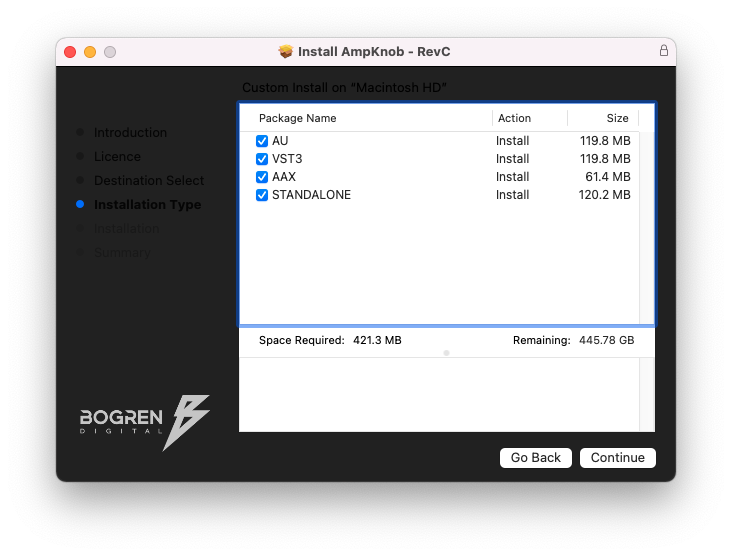
- Available as Standalone / VST3 / AU / AAX
- Windows 10 or newer
- Mac OS 10.13 or newer (Intel & Apple Silicon Native)