/ Various Category / Studio Classics Collection
Waves

Studio Classics Collection

$164.99 $1,099.00

84% off until Dec 07

Waves Studio Classics Collection
Introducing Waves SSL EV2 Channel – The SSL Sound. Elevated gallery thumbnail
How to Turn Your Computer into an SSL Mixing Console gallery thumbnail
Waves SSL EV2 Channel – See the All-New Features gallery thumbnail
Parallel Compression on the Whole Mix – the ‘Rear Buss’ Technique gallery thumbnail
Mixing Drums for Film with Junkie XL gallery thumbnail
Mixing Punchy Bass with Junkie XL gallery thumbnail
Eddie Kramer on Modeled Plugins and Waves V-Series gallery thumbnail
How to Give Vocals a Smooth Console Tone gallery thumbnail
The Making of the SSL Plugins – Reproducing a Sonic Legend gallery thumbnail
Dweezil Zappa on Waves Studio Classics Tutorial - Part 1 gallery thumbnail
Buy Now
Product information

Studio Classics Collection
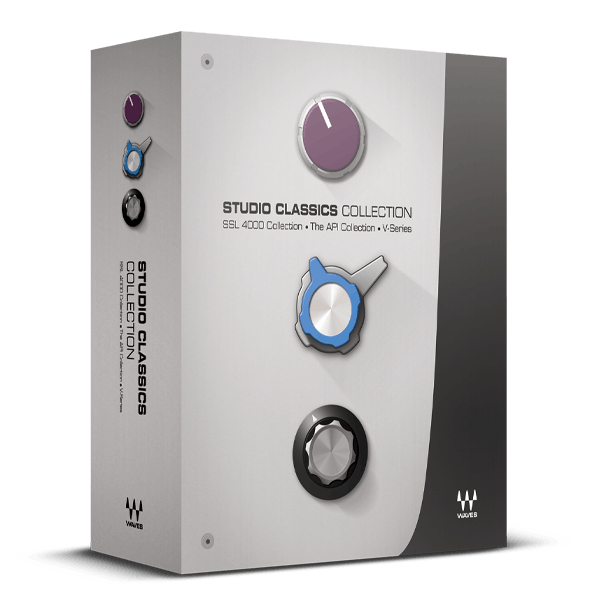
First-Class Studio Processing featuring SSL, API, and More

Experience the big-budget sound of SSL’s legendary 4000 E and G consoles, the renowned API processors, and the colorful, character-driven tones of the 1066, 1073, and 1081 mic pre/EQs, along with the iconic 2254 compressor. Choose your era, choose your sound, and seamlessly integrate these timeless analog recording tools into your digital productions.

Once unattainable to all but a select few, Waves’ meticulous modeling now brings you these classic sounds that have been the go-to choice of world-class engineers for decades, delivering hit after hit.
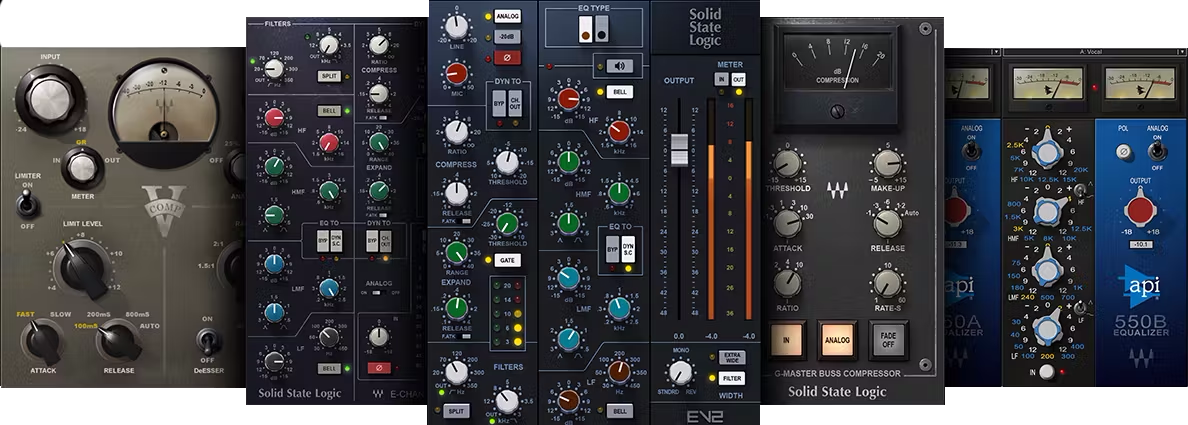
Included plugins:

  • API 550A - 3-band Equalizer
  • API 550B - 4-band Equalizer
  • API 560 - 10-band Graphic EQ
  • API 2500 - Stereo Compressor
  • SSL Master Buss Compressor
  • SSL G-Equalizer
  • SSL E-Channel
  • SSL G-Channel
  • V-EQ4 4-band equalizer
  • V-Comp compressor
  • V-EQ3 3-band equalizer

Features

  • Mix with the kings of consoles—SSL’s 4000 E-series or G-series
  • Experience API’s emphasis on musicality and transparency
  • Inject color with the Vintage V-Series EQs and compressor
  • Choose from three distinctly different compressor technologies
  • Multiple EQ designs handle a wide variety of applications
  • All processors include presets from top producers and mix engineers

System Requirements

Mac

  • macOS Monterey 12, Ventura 13, Sonoma 14, Sequoia 15
  • VST / AU / AAX

PC

  • Windows 10+
  • VST / AAX
Installation Instructions

1. Head to https://www.waves.com/create-account

2. Enter your email and choose a password to create an account (if you already have a Waves account, choose Log in, enter your details and head to Step 5) > click 'Submit'

3. Open your email inbox > click the activation link in the email from Waves

4. Click 'Log in here' > Log in to your Waves account

5. Click 'Register New Products'

6. Enter the Serial Number found in your Plugin Boutique user account > click 'Submit'

7. Click download in your Plugin Boutique user account or head to https://www.waves.com/downloads/central > download the Waves Central app for your operating system

8. Install Waves Central > Open Waves Central

9. Click 'Log in' > enter your log in details

10. Click the 'Install Products' tab

11. Tick the blue dot on all products you wish to install or click the top dot to install all products > click 'Install & Activate'

12. Click 'OK'

13. Open your DAW > open the Waves plugin

Your Waves plugins are installed and ready to use, enjoy!

Plugin Boutique Rewards

Discover the most rewarding loyalty programme among all plugin retailers.

  • Free Loopmasters Samplepacks
  • Discounts on products and courses
  • Extra Virtual Cash claimed immediately at checkout
Find out more

Follow us:

X (Twitter) Facebook YouTube Instagram
Logo Logo

Plugin Boutique Limited, Part of the Beatport Group LLC.

Copyright © 2011-2025 Plugin Boutique. All rights reserved










