


 Log In
.png)
Free gifts available with your purchase
Product information
Inspire Virtual Instruments Collection

Make Music with Inspiring Sounds
Discover your ideal instrument sound within this comprehensive collection. Whether you seek the timeless elegance of a premium acoustic piano, the warmth of analog synthesis, the nostalgic charm of vintage electric pianos, or cutting-edge high-tech sounds, it’s all here.
Waves combines expert modeling to faithfully capture the essence of the past, digital innovation to explore new frontiers, and intuitive interfaces designed to spark creativity and musical inspiration.
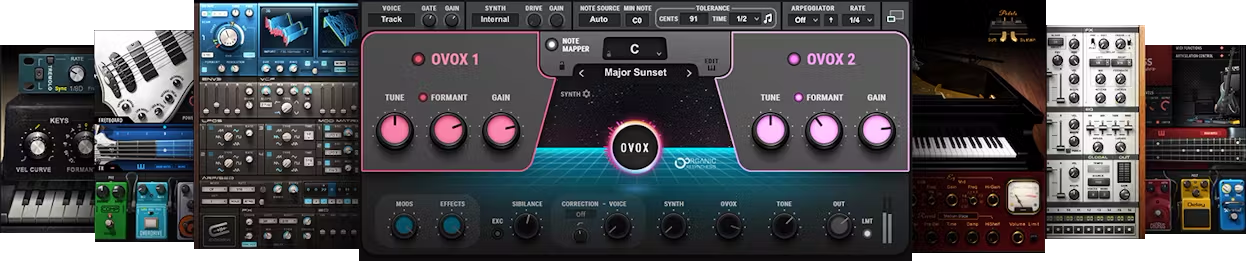
Included plugins:
- Bass Fingers
- Bass Slapper
- Clavinet
- Codex Wavetable Synth
- COSMOS Sample Finder
- CR8 Creative Sampler
- Electric 200 Piano
- Electric 88 Piano
- Electric Grand 80 Piano
- Element 2.0 Virtual Analog Synth
- Flow Motion FM Synth
- Grand Rhapsody Piano
- Morphoder
- OVox Vocal ReSynthesis
Features
- State-of-the-art virtual instruments
- Includes innovative synths, vintage modeled keyboards, and more
- Transform vocals into synth sounds with OVox
- Includes plugin versions plus app versions for live performance
- Includes the CR8 sampler + COSMOS AI sample finder
- Over 2500 royalty-free samples included with COSMOS
- Instruments include additional, high-quality effects
- Vintage modeled instruments prioritize realism and feel
- Includes both high-definition and stand sample libraries
- NKS-ready for NI Komplete Kontrol and Maschine
System Requirements
Mac
- macOS Monterey 12, Ventura 13, Sonoma 14, Sequoia 15
- VST / AU / AAX
PC
- Windows 10+
- VST / AAX
Installation Instructions














