


 Log In

Free gifts available with your purchase
Product information
JJP Analog Legends Bundle

Rare, Coveted EQ and Dynamics Processors
Jack Joseph Puig (U2, Green Day, Lady Gaga) is one of the world's top mixing engineers. Over the years, he has curated the finest examples of the Fairchild 660/670 compressors and Pultec EQP-1A/MEQ-5 equalizers, incorporating them into his personal collection.
Now, with Waves’ meticulous modeling, you can access these iconic pieces of audio history. Modeled from impeccably maintained units hand-selected by JJP, these plugins capture every nuance of the original gear, offering you their unparalleled sound quality.
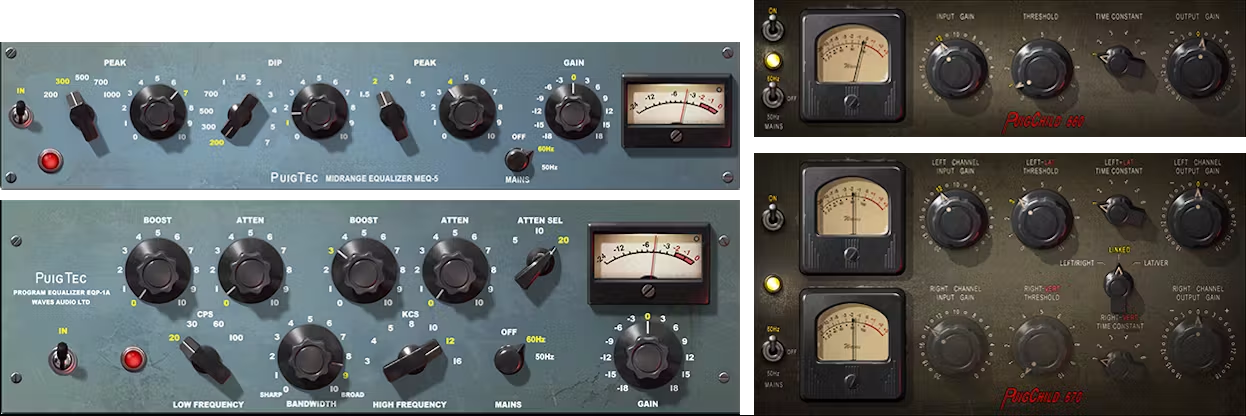
Included plugins:
- PuigChild Compressor
- PuigTec EQs
Features
- Created in close collaboration with Grammy® winner Jack Joseph Puig
- Suitable for processing both masters and individual tracks
- All plugins feature the unequaled sound of tubes and transformers
- Models the same units used on countless hit records and streams
- The standard set by these units remains unchallenged to this day
- Includes a well-rounded collection of exquisite presets
System Requirements
Mac
- macOS Monterey 12, Ventura 13, Sonoma 14, Sequoia 15
- VST / AU / AAX
PC
- Windows 10+
- VST / AAX
Installation Instructions














