/ Various Category / Manny Marroquin Signature Series
Waves

Manny Marroquin Signature Series

5.0 (2 Reviews)
$69.99 $399.00

82% off until Dec 07

Manny Marroquin Signature Series
Manny Marroquin on the Waves Manny Marroquin Signature Series Plugins gallery thumbnail
Mixing Tight Electric Guitars with Manny Marroquin’s Plugins gallery thumbnail
How to Boost Rap Vocals with Manny Marroquin’s Plugins gallery thumbnail
Heavy Hitting Drums with Manny Marroquin’s Plugins gallery thumbnail
Waves Manny Marroquin Plugins: Tutorial 1 of 6 – EQ gallery thumbnail
Waves Manny Marroquin Plugins: Tutorial 2 of 6 – Reverb gallery thumbnail
Waves Manny Marroquin Plugins: Tutorial 3 of 6 – Delay gallery thumbnail
Waves Manny Marroquin Plugins: Tutorial 4 of 6 – Triple D gallery thumbnail
Waves Manny Marroquin Plugins: Tutorial 5 of 6 – Distortion gallery thumbnail
Waves Manny Marroquin Plugins: Tutorial 6 of 6 – Tone Shaper gallery thumbnail
Buy Now
Product information

Manny Marroquin Signature Series
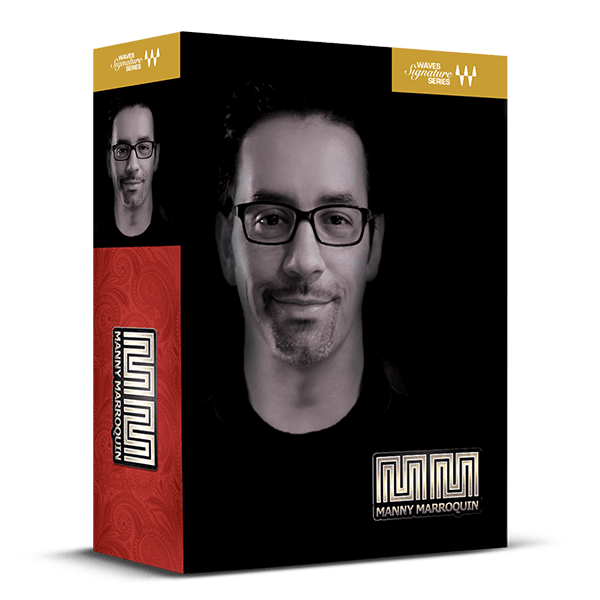
Easy Access to the Mixing Techniques of Rihanna, Lizzo, The Weeknd Mixer

10-time Grammy® winner Manny Marroquin is the go-to mixer for hip hop, pop, and R&B legends like Rihanna, Post Malone, Lizzo, The Weeknd, Ed Sheeran, Beyoncé, Alicia Keys, John Mayer, and Lorde.

Designed in collaboration with Manny, these plugins provide easy access to his signature compression, EQ, delay, reverb, saturation, and vocal cleaning effects—enabling you to achieve professional, polished sounds swiftly and effortlessly.
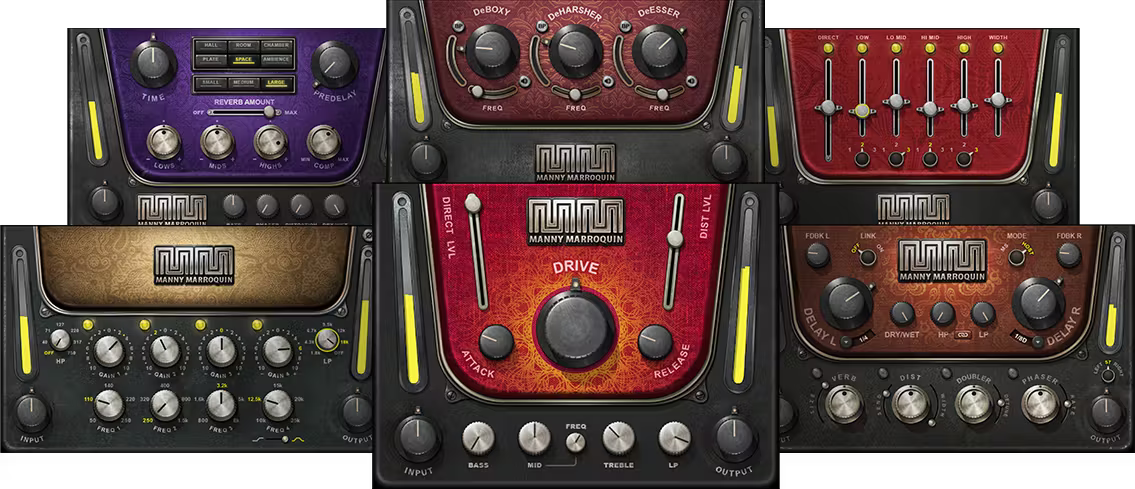
Included plugins:

  • MM Reverb
  • MM Delay
  • MM Triple D
  • MM Tone Shaper
  • MM Distortion
  • MM EQ

Features

  • Created in close collaboration with Manny Marroquin
  • Manny’s advanced techniques packed into easy-to-use plugins
  • 6 plugins for compression, EQ, reverb, delay, saturation, and vocal enhancement
  • Get polished vocals, thick drums, textured instruments—faster than ever
  • Under-the-hood parallel processing create rich textures

System Requirements

Mac

  • macOS Monterey 12, Ventura 13, Sonoma 14, Sequoia 15
  • VST / AU / AAX

PC

  • Windows 10+
  • VST / AAX
Installation Instructions

1. Head to https://www.waves.com/create-account

2. Enter your email and choose a password to create an account (if you already have a Waves account, choose Log in, enter your details and head to Step 5) > click 'Submit'

3. Open your email inbox > click the activation link in the email from Waves

4. Click 'Log in here' > Log in to your Waves account

5. Click 'Register New Products'

6. Enter the Serial Number found in your Plugin Boutique user account > click 'Submit'

7. Click download in your Plugin Boutique user account or head to https://www.waves.com/downloads/central > download the Waves Central app for your operating system

8. Install Waves Central > Open Waves Central

9. Click 'Log in' > enter your log in details

10. Click the 'Install Products' tab

11. Tick the blue dot on all products you wish to install or click the top dot to install all products > click 'Install & Activate'

12. Click 'OK'

13. Open your DAW > open the Waves plugin

Your Waves plugins are installed and ready to use, enjoy!

Plugin Boutique Rewards

Discover the most rewarding loyalty programme among all plugin retailers.

  • Free Loopmasters Samplepacks
  • Discounts on products and courses
  • Extra Virtual Cash claimed immediately at checkout
Find out more

Follow us:

X (Twitter) Facebook YouTube Instagram
Logo Logo

Plugin Boutique Limited, Part of the Beatport Group LLC.

Copyright © 2011-2025 Plugin Boutique. All rights reserved










