/ Various Category / Nx Virtual Studio Collection
Waves

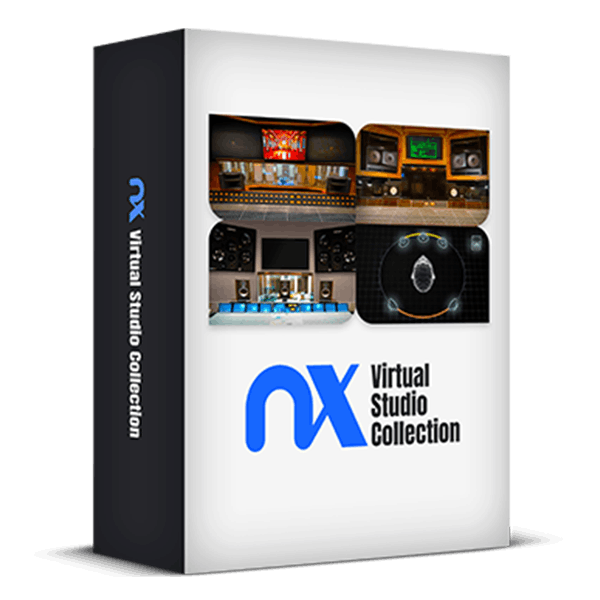
Nx Virtual Studio Collection

5.0 (1 Reviews)
$79.99 $379.00

78% off until Dec 07

Waves Nx Virtual Studio Collection
Waves Nx Virtual Studio Collection | Mixing on Headphones gallery thumbnail
270 Headphone EQ Correction Profiles Added to Waves Nx Plugins 🎧 gallery thumbnail
270 New Headphone Models in Waves Nx Plugins: Walkthrough gallery thumbnail
How to Cross-Check Your Mixes in Nx Studios FREE PRESET gallery thumbnail
Buy Now
Product information

Nx Virtual Studio Collection

Create Better Mixes with the Ultimate Headphone Reference Plugins


Experience the fine-tuned acoustics and monitoring systems of world-renowned mixing rooms on any pair of stereo headphones, allowing you to mix with confidence, wherever you are.

Simply put on your favorite headphones and immerse yourself in the superior acoustics of Ocean Way Nashville, Chris Lord-Alge’s Mix L.A., and Germano Studios New York (formerly the Hit Factory). This ensures your mixes will translate perfectly to any playback system.

Make informed decisions about balance, stereo image, mix depth, low-end response, reverb, and more. Cross-check your mixes in 3D acoustic replications of the world’s top mix rooms, expertly tuned to provide reliable monitoring.
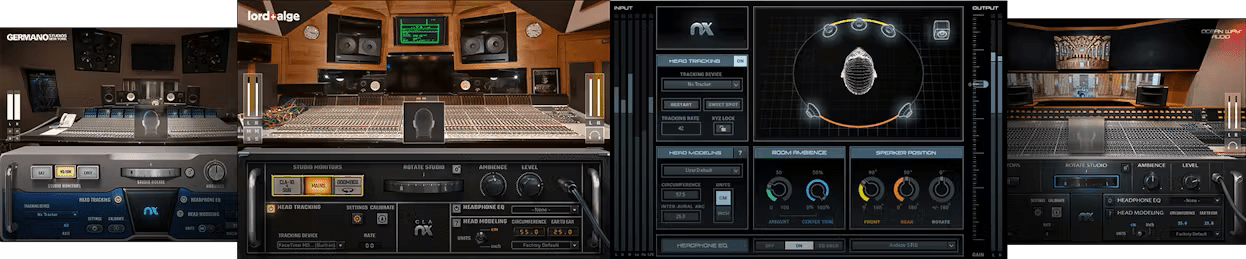
Included plugins:

  • Ocean Way Nashville Virtual Mix Room
  • CLA Virtual Mix Room
  • Germano Virtual Mix Room
  • Nx Virtual Mix Room

Features

  • Stellar acoustic references for your mixes—on any headphones
  • The acoustics and monitoring of world-renowned studios
  • EQ correction curves for over 270 headphone models
  • Reliable reference for mix depth, balance, panning, reverb, low end
  • Mix with confidence, knowing your mixes will translate over speakers
  • Powered by Waves Nx® immersive audio technology
  • Adjustable studio ambience control
  • Personalized head anatomy calibration
  • Stereo and virtual surround components
  • Head tracking for enhanced realism, via webcam of Nx Head Tracker (purchased separately)

System Requirements

Mac

  • macOS Monterey 12, Ventura 13, Sonoma 14, Sequoia 15
  • VST / AU / AAX

PC

  • Windows 10+
  • VST / AAX
Installation Instructions

1. Head to https://www.waves.com/create-account

2. Enter your email and choose a password to create an account (if you already have a Waves account, choose Log in, enter your details and head to Step 5) > click 'Submit'

3. Open your email inbox > click the activation link in the email from Waves

4. Click 'Log in here' > Log in to your Waves account

5. Click 'Register New Products'

6. Enter the Serial Number found in your Plugin Boutique user account > click 'Submit'

7. Click download in your Plugin Boutique user account or head to https://www.waves.com/downloads/central > download the Waves Central app for your operating system

8. Install Waves Central > Open Waves Central

9. Click 'Log in' > enter your log in details

10. Click the 'Install Products' tab

11. Tick the blue dot on all products you wish to install or click the top dot to install all products > click 'Install & Activate'

12. Click 'OK'

13. Open your DAW > open the Waves plugin

Your Waves plugins are installed and ready to use, enjoy!

Plugin Boutique Rewards

Discover the most rewarding loyalty programme among all plugin retailers.

  • Free Loopmasters Samplepacks
  • Discounts on products and courses
  • Extra Virtual Cash claimed immediately at checkout
Find out more

Follow us:

X (Twitter) Facebook YouTube Instagram
Logo Logo

Plugin Boutique Limited, Part of the Beatport Group LLC.

Copyright © 2011-2025 Plugin Boutique. All rights reserved