/ Various Category / Tape, Tubes & Transistors Bundle
Waves

Tape, Tubes & Transistors Bundle

$59.99 $299.00

79% off until Dec 07

Tape, Tubes & Transistors Bundle
Tape Plugin - Eddie Kramer About the Kramer Master Tape gallery thumbnail
Mixing Drum Room Mics: Explosive Tips by Joe Barresi (Soundgarden, QOTSA, Tool) gallery thumbnail
Tips on Mixing Electric Guitars Played Through Virtual Amps gallery thumbnail
Buy Now
Product information

Tape, Tubes & Transistors Bundle
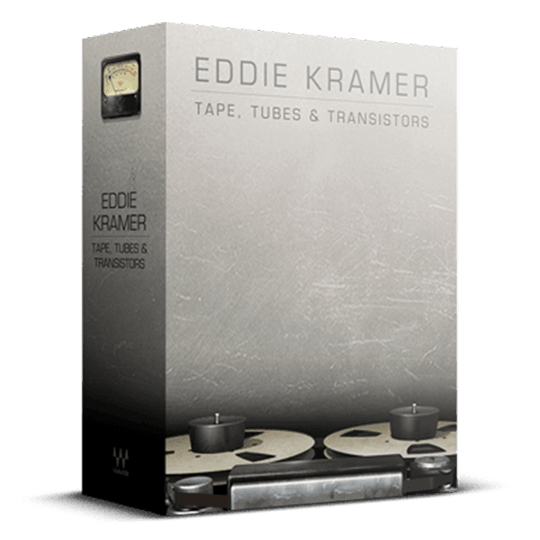
The Golden Sound of the 60s and Early 70s, from Console to Tape

Step into the studio with Eddie Kramer during the golden age of music in the 60s and early 70s, where he shaped iconic tracks for Led Zeppelin, Hendrix, and the Stones. The Helios Console, Pye compressor, and 2-track tape formed a magical signal chain that continues to inspire today.

Relive the warmth and analog richness of Olympic Studios with these meticulously crafted plugins, offering a nostalgic journey into the sonic landscape of classic recordings. Perfectly blending vintage charm with modern convenience, they breathe new life into the digital world of music production.
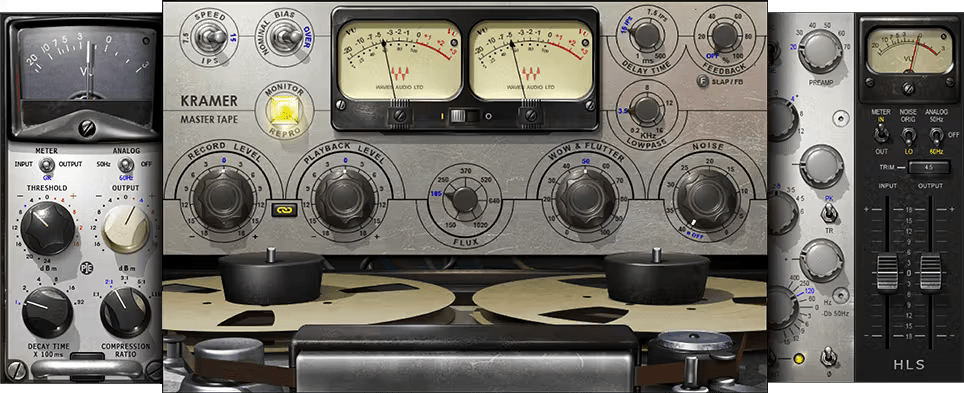
Included plugins:

  • Kramer HLS Channel
  • Kramer Master Tape
  • Kramer PIE Compressor

Features

  • Created in close collaboration with Eddie Kramer
  • Models the classic Olympic Studios signal chain
  • Versatile—process individual vocal tracks to mastering mixes
  • Captures the renowned high-end presence and fat low end
  • HLS Channel models the Rolling Stones mobile truck’s Helios
  • Can optionally include the charm of analog gear’s imperfections

System Requirements

Mac

  • macOS Monterey 12, Ventura 13, Sonoma 14, Sequoia 15
  • VST / AU / AAX

PC

  • Windows 10+
  • VST / AAX
Installation Instructions

1. Head to https://www.waves.com/create-account

2. Enter your email and choose a password to create an account (if you already have a Waves account, choose Log in, enter your details and head to Step 5) > click 'Submit'

3. Open your email inbox > click the activation link in the email from Waves

4. Click 'Log in here' > Log in to your Waves account

5. Click 'Register New Products'

6. Enter the Serial Number found in your Plugin Boutique user account > click 'Submit'

7. Click download in your Plugin Boutique user account or head to https://www.waves.com/downloads/central > download the Waves Central app for your operating system

8. Install Waves Central > Open Waves Central

9. Click 'Log in' > enter your log in details

10. Click the 'Install Products' tab

11. Tick the blue dot on all products you wish to install or click the top dot to install all products > click 'Install & Activate'

12. Click 'OK'

13. Open your DAW > open the Waves plugin

Your Waves plugins are installed and ready to use, enjoy!

Plugin Boutique Rewards

Discover the most rewarding loyalty programme among all plugin retailers.

  • Free Loopmasters Samplepacks
  • Discounts on products and courses
  • Extra Virtual Cash claimed immediately at checkout
Find out more

Follow us:

X (Twitter) Facebook YouTube Instagram
Logo Logo

Plugin Boutique Limited, Part of the Beatport Group LLC.

Copyright © 2011-2025 Plugin Boutique. All rights reserved










