Log In
Product information
IO is a set several effects.
These effects are driven by a sophosticated GUI envelope.
Default time value is in seconds. Duration is theorically infinite
So this envelope can run from 1 nanosecond to several hours.
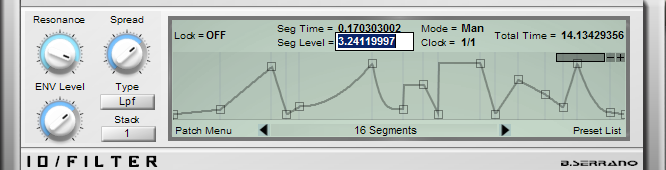
Paraphonic Multifilter
Features
- Multimode filtering: LP, HP, BP, Peak
- Cascade filtering up to 4 stages (stack)
- Advanced GUI envelope up to 32 stages
- Loopable or 1 shot
- Host-Bpm syncable
- Individual curve-type for each segment
- High precison editing
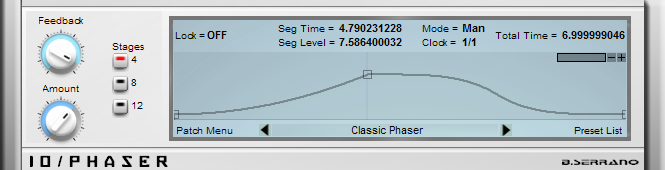
Stereo Phaser
Features
- 4, 8 or 12 stages
- Advanced GUI envelope up to 32 stages
- Loopable or 1 shot
- Host-Bpm syncable
- Individual curve-type for each segment
- High precison editing
Multi Level Adjuster
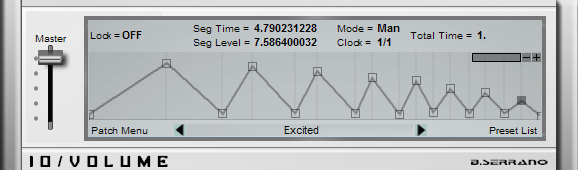
Features
- Advanced GUI envelope up to 32 stages
- Loopable or 1 shot
- Host-Bpm syncable
- Individual curve-type for each segment
- High precison editing
Multi Level Auto-Pan
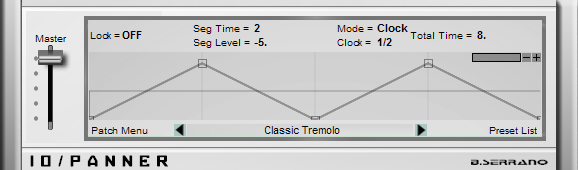
Features
- Advanced GUI envelope up to 32 stages
- Loopable or 1 shot
- Host-Bpm syncable
- Individual curve-type for each segment
- High precison editing
Ring Modulator
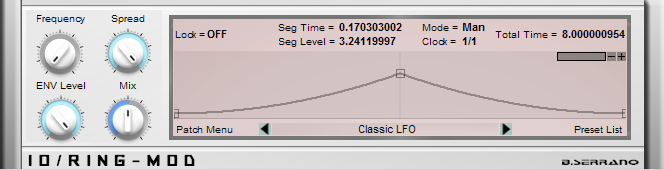
Features
- Advanced GUI envelope up to 32 stages
- Loopable or 1 shot
- Host-Bpm syncable
- Individual curve-type for each segment
- High precison editing
PitchShifter
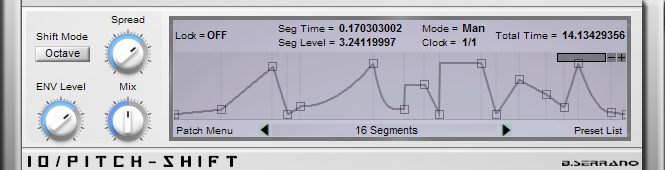
Features
- Advanced GUI envelope up to 32 stages
- Loopable or 1 shot
- Host-Bpm syncable
- Individual curve-type for each segment
- High precison editing
System Requirements
- PC
- VST
- 32 bit
Installation Instructions