/ Various Category / Vocal Production Bundle
Waves

Vocal Production Bundle

$199.99 $1,450.00

86% off until Dec 07

Waves Vocal Production Bundle
10 Tricks for AMAZING Vocal Production gallery thumbnail
Waves Vocal Production Suite - Produce Vocals Start to Finish gallery thumbnail
Buy Now
Product information

Vocal Production Bundle
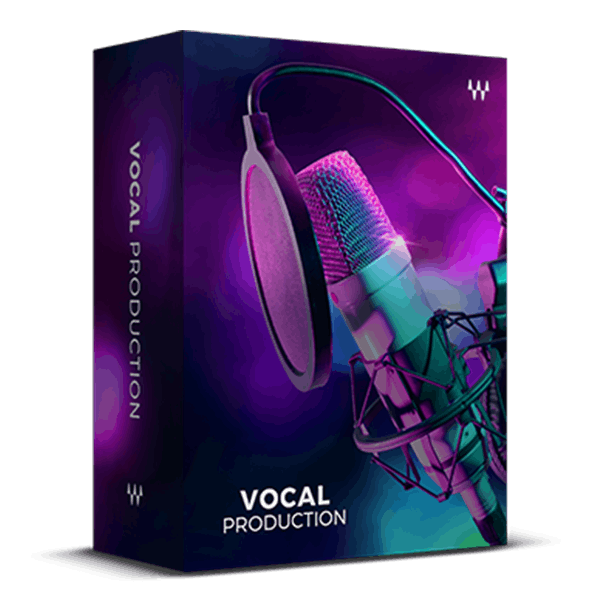
Produce and Mix Pro-Level Vocals With the Music Industry’s Go-To Tools


Vocals are the emotional link between you and your audience, and they must meet today’s high production standards. This collection elevates your vocals to a new level, using the same plugins favored by Drake, Beyoncé, Billie Eilish, and Grammy®-winning artists, producers, and engineers worldwide.

These plugins not only provide superior compression and EQ but also offer advanced features like tuning, harmonizing, warping, synthesizing, fixing, bending, adding ambiance, and transforming vocals into multi-dimensional sonic layers
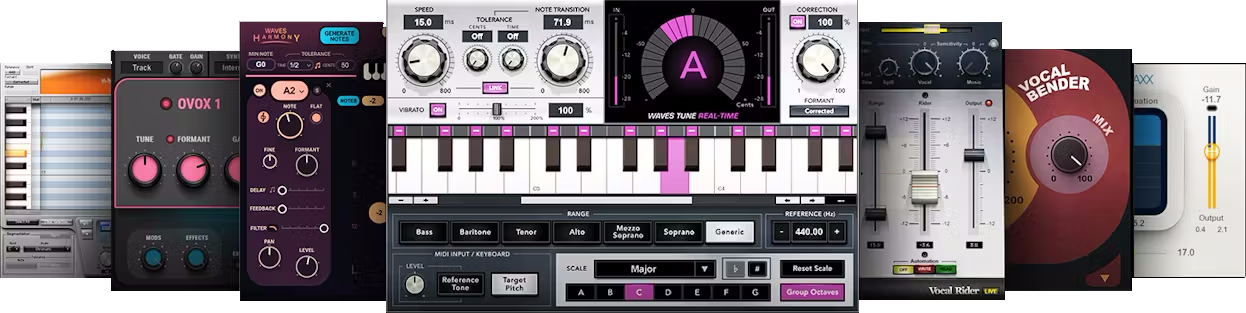
Included plugins:

  • DeBreath
  • Doubler
  • OVox Vocal ReSynthesis
  • Renaissance Axx
  • Renaissance Channel
  • Renaissance DeEsser
  • Renaissance Vox
  • Sibilance
  • SuperTap
  • TrueVerb
  • Vocal Bender
  • Vocal Rider
  • Harmony
  • Tune
  • Tune LT
  • Tune Real-Time
  • Key Detector
  • Silk Vocal

Features

  • Perform creatively with Waves Tune Real-Time pitch correction
  • Bend vocal pitch and formant in real time with Vocal Bender
  • Optimize vocal levels automatically with Vocal Rider
  • Generate lush harmonies and backing vox with Waves Harmony
  • Transform and synthesize your voice with the OVox vocal synth
  • Tune vocals with surgical precision with Waves Tune
  • Compressors include the acclaimed Renaissance Vox
  • De-ess, fix sibilance, correct pitch, and control breath issues
  • Extensive use of MIDI for real-time control
  • Additional world-class reverb, delay, and more effects

System Requirements

Mac

  • macOS Monterey 12, Ventura 13, Sonoma 14, Sequoia 15
  • VST / AU / AAX

PC

  • Windows 10+
  • VST / AAX
Installation Instructions

1. Head to https://www.waves.com/create-account

2. Enter your email and choose a password to create an account (if you already have a Waves account, choose Log in, enter your details and head to Step 5) > click 'Submit'

3. Open your email inbox > click the activation link in the email from Waves

4. Click 'Log in here' > Log in to your Waves account

5. Click 'Register New Products'

6. Enter the Serial Number found in your Plugin Boutique user account > click 'Submit'

7. Click download in your Plugin Boutique user account or head to https://www.waves.com/downloads/central > download the Waves Central app for your operating system

8. Install Waves Central > Open Waves Central

9. Click 'Log in' > enter your log in details

10. Click the 'Install Products' tab

11. Tick the blue dot on all products you wish to install or click the top dot to install all products > click 'Install & Activate'

12. Click 'OK'

13. Open your DAW > open the Waves plugin

Your Waves plugins are installed and ready to use, enjoy!

Plugin Boutique Rewards

Discover the most rewarding loyalty programme among all plugin retailers.

  • Free Loopmasters Samplepacks
  • Discounts on products and courses
  • Extra Virtual Cash claimed immediately at checkout
Find out more

Follow us:

X (Twitter) Facebook YouTube Instagram
Logo Logo

Plugin Boutique Limited, Part of the Beatport Group LLC.

Copyright © 2011-2025 Plugin Boutique. All rights reserved










