


 Log In
Save $124.00 compared to buying products individually
Free gifts available with your purchase
This bundle combines RC-20, a six-module effects processor for adding analog warmth, texture, and vintage character to any track, with XO, a sample-based drum and beat creation environment that organizes one-shots by sonic similarity, enabling fast exploration.
RC-20
Quickly Add Character and Analog Warmth to any Track or Mix
RC-20 Retro Color is a creative effect plugin that easily recreates the warm feeling of vintage recording equipment. It adds life and texture to any recording and also works perfectly in any modern production setting.
RC-20 Retro Color's 6 Effect Modules work great on their own or together:
Noise Generator
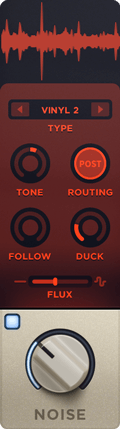
Add life and texture with one of RC-20's many noise types, from subtle vinyl crackle and tape hiss to ambient studio noise, electric circuit hum and stompbox static noise.
Wobble & Flutter

Wobble adds pitch inconsistencies associated with unstable playback on analog gear, like vinyl record players and tape machines.
Saturation & Distortion
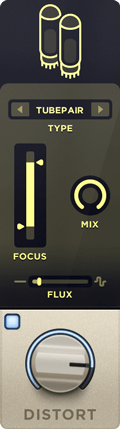
Add everything from mild saturation to raging fuzz with one of RC-20's many distortion types.
Degrader & Bitcrusher

Recreate the sound of vintage digital gear like old-school samplers, and the unmistakable way limited sample rates and bit rate reduction color sound.
Reverb

Add depth and width to your tracks with RC-20's tailored reverb module.
Volume Drops
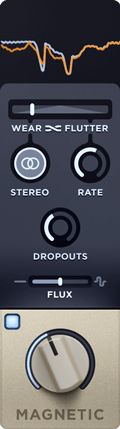
Reproduce the wear, tear and volume loss associated with recording and playback on tape and tape recorders.
Easily Scale All of RC-20's Effect Modules and Controls with a Single Slider
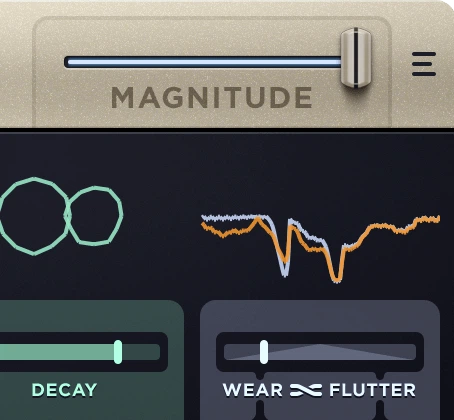
Dial in the perfect amount of your effects, or quickly create intros, outros, drops and transitions to take your mix to the next level.
Presets for any Track or Mix
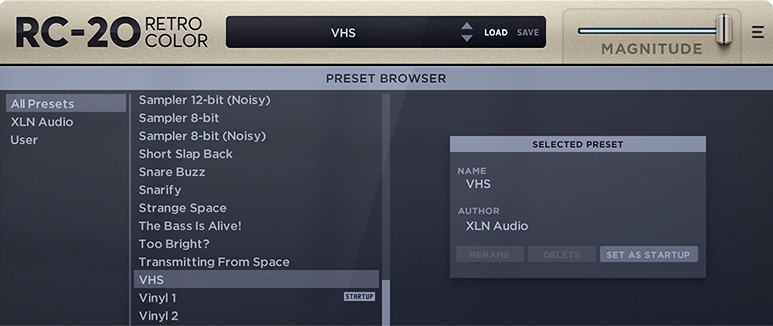
RC-20's tailor-made presets for drums, keys, guitars, bass, full mixes and post-production let you get to work right away.
Learn more about RC-20
XO

A Revolutionary New Way of Exploring Sounds and Making Beats
Your Universe of Sounds
XO collects all your one-shot drum samples and sorts them by similarity in the XO Space.
Explore
Seamlessly sweep through your sounds, regardless of where they are stored.
When you hear something you like, have a look around. You might find something even better close by.
Create
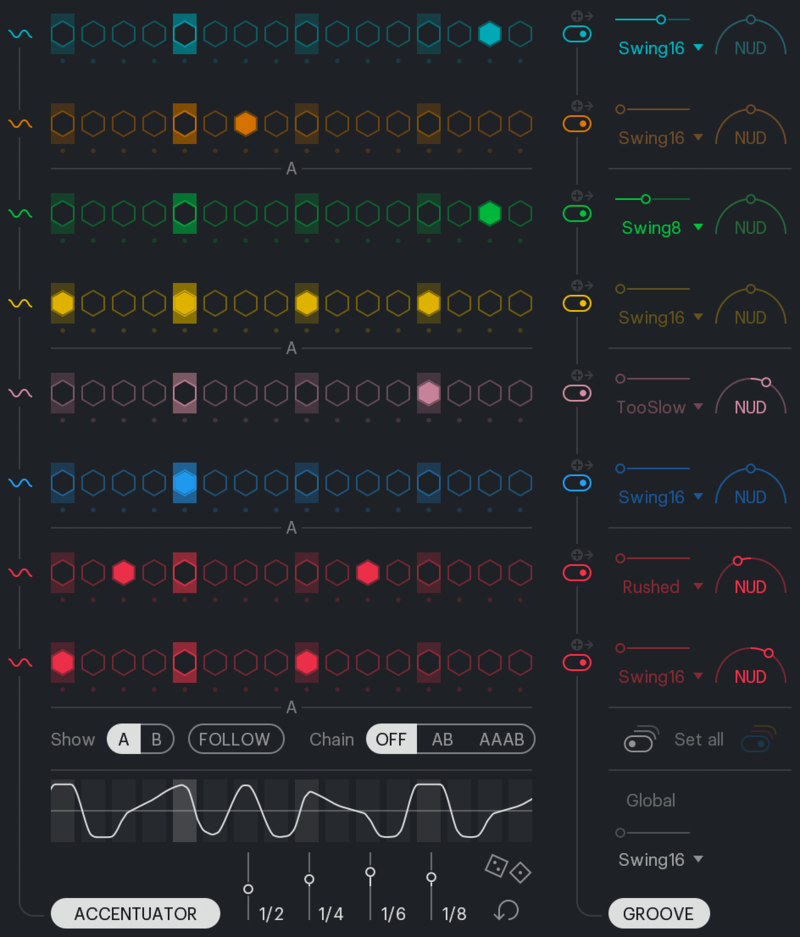
Create your beat with the playful and intuitive sequencer.
Sculpt the perfect groove with the Accentuator and the curated Groove Templates.
Tweak
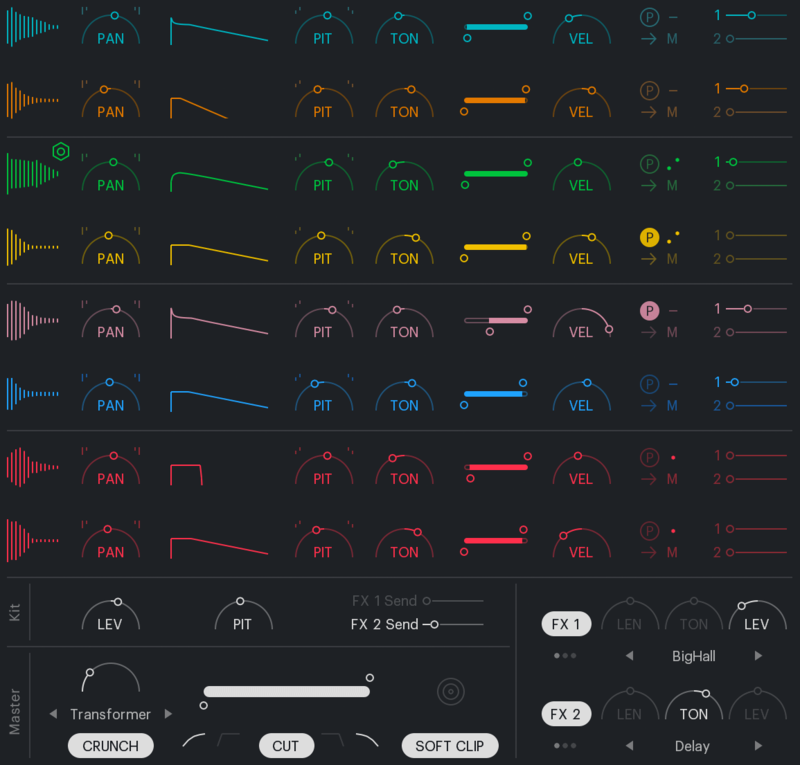
Colour and fine-tune your sounds with essential effects and creative modifiers.
Play
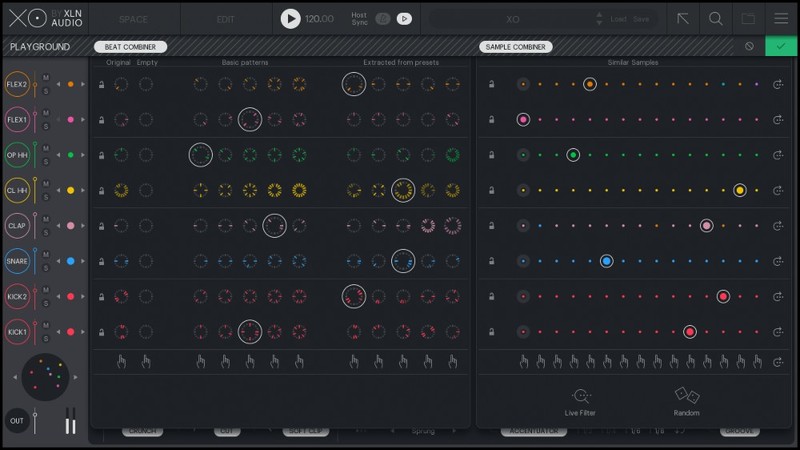
Explore unlimited variations to beats and sounds in Playground Mode.
Tap into an endless source of happy accidents by swapping or randomizing patterns and sounds - one by one, or all at once.
The perfect companion to your workflow
As standalone, or in your favourite host - XO fits your workflow smoothly and seamlessly.
Features
- Load your own samples: Duplicates. Vague file names. Folders in different locations or on external drives. XO sorts them all - regardless of where and how they are stored.
- Find your sound faster: Narrow the scope with XO's powerful filters and search functionalities to find what you're looking for even faster.
- Ready for action: Factory Samples & Presets - Get a flying start to your beatmaking with XO's inspiring presets and 8000+ hand-picked factory samples. No matter the music style or amount of sounds in your current sample collection, XO has you covered.
- Perfect your groove: Sculpt the perfect groove with the curated Groove Templates, Nudge your patterns to boost raw urgency or funky sluggishness, and add life and dynamics to your beat with the powerful Accentuator.
- Drag & drop: Drag and drop with ease into your own workflow. Tweaked or raw. Individual samples or the whole beat. Audio or MIDI.
New features in XO 1.1
- Export stems as WAV: Drag & drop your beat as separated stems. Straight into your DAW or OS as WAV.
- New file formats: Besides the previously supported .wav and .aiff formats, you can now add .flac, .mp3, .ogg, and .wma files to XO.
- Playlists: Create, browse and organize your presets in genre, or project-specific Playlists.
- New factory presets: More than 100 new factory presets.
- Live File System Monitor: The Live File System Monitor notifies you of any changes in the sample folders you've added to XO.
Learn more about XO
Mac
- macOS 10.13 or later (M1 Native & macOS 12 Monterey supported) (64-bit only)
- 2 GB RAM (4 GB recommended)
- Internet connection (during installation only)
Formats:
- VST, AU, AAX (64-bit only)
- Standalone Application (64-bit only)
Windows
- Windows 7 - 11 (64-bit only)
- 2 GB RAM (4 GB recommended)
- Internet connection (during installation only)
Formats:
- VST, AAX (64-bit only)
- Standalone Application (64-bit only)
Hosts:
This product should run on any host supporting 64-bit VST, AU, or AAX plugins. XLN Audio actively tests on the host applications listed below:
- Ableton Live 9 or later
- Apple Logic Pro 9 & 10
- Avid Pro Tools 11 or later (Pro Tools First is not supported)
- Cakewalk by Bandlab
- Propellerhead Reason 10.3 or later
- Reaper 4 & 5
- Steinberg Cubase 8 or later
Please Note: This software is 64-bit only and will not function on 32-bit systems.


