


 Log In
.jpg)
Free gifts available with your purchase
Experience All The Richness, Warmth, and Intricacy of a High-Quality Analogue Filter.
What is FilterShaper Core?
With FilterShaper Core 3, you'll experience all the richness, warmth and intricacy of a high-quality analogue filter. Create amazing modulations and wild patterns in seconds with a drawable LFO and dynamic envelope follower, all in multiband.
Running inside Cableguys' ShaperBox 3 effects plugin, use FilterShaper Core on its own or with other Shapers — they all work in exactly the same way, stacking up to create elaborate, multilayered effects that'll make your productions stand out.
Do All This With FilterShaper Core
- Add movement to loops
- Modulate at audio rate for gritty robot textures
- Create filter movement that reacts to your sounds
- Energise pads with pulsating filters
- Isolate drum hits with targeted filtering
- Filter in multiband
- Funkify basslines
Sounds Like Analogue
Just like a high-quality analogue filter, FilterShaper Core always sounds great no matter how hard or fast you modulate it – all thanks to Cableguys zero-delay feedback (ZDF) filters with resonance compensation and internal saturation.
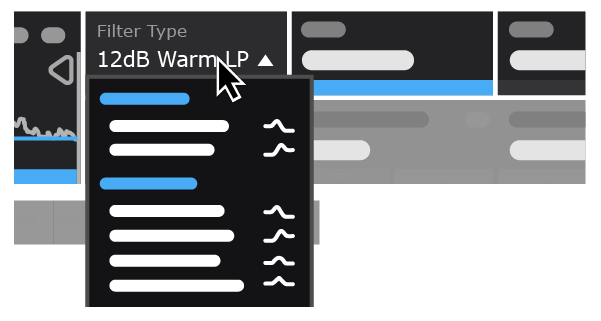
20 Colorful Filter Types
From classic low-pass to notch, peaking and beyond, from clean and clear to fat, warm and driven. For juicy basslines, sweeping synths, modulated percussion, explosive FX, and more.
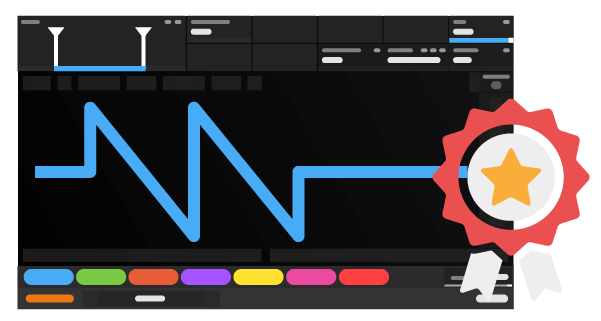
WaveformsThat You Design
Our easiest ever waveform-editing tools make it simple to draw the exact movements you want to hear. Design flowing cutoff patterns and juicy resonance sweeps – any shape you can imagine, just clicks away.
Locks To The Beat
Sync your waveforms to beats and bars so they're always locked to your track. Go from 1/4-note filter pumping to 8-bar resonance risers and beyond, all with sample accuracy.
Follows Any Rhythm
Trigger your filter patterns in any rhythm at all using MIDI. Or use powerful new audio triggering that tightly tracks the rhythm of drums, loops, instruments – even full mixes.
Dynamic Filtering
Use Envelope Followers to dynamically filter synths, basslines, drums, melodies – anything. Increase Cutoff as synths get louder – or boost Resonance as volume decays. Now with analogue-like Adaptive Release.
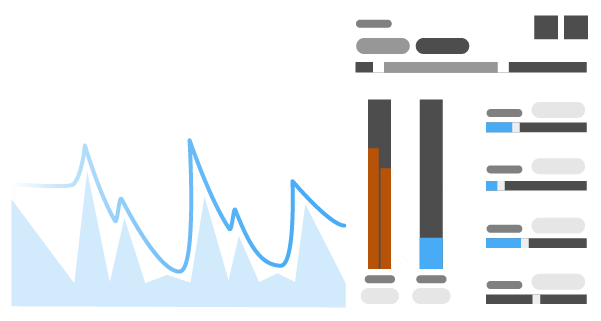
Multiband Creativity
Take control of 3 filters at once! Add a bouncing band-pass to the treble. Stick stereo notches on the mids. Turbo-charge the bass with a juicy resonant low-pass.

Features
- New! Redesigned interface with larger editing areas
- Interface resizable from 75% to 200%
- Retina/HiDPI support for crisp, clear graphics
- Built-in help — hover over any control for description
- Wave Presets covering all common uses
- 9 slots to store Custom Waves, saved with the patch
- Switch User Waves via MIDI
- Dry/wet mix for each band
- New! Master Mix with improved algorithm, for artifact-free creative blends
- New! Smoothed Bypass for click-free switching to the dry signal
- Solo bands for easy setup
- Smooth, accurate spectrum view
- Large, precise oscilloscope view with Magnitude mode and Freeze option
- Trigger Smoothing to reduce clicks when switching/triggering Waves
- Expandable LFO for detailed editing
- Set LFO loop length in beats and bars, or Hertz/ms
- LFO loop length from 1/128 to 32 bars, with sample-accurate sync
- Audio-rate modulation up to 5.24kHz for extreme sound design
- 2x/3x button — double or triple patterns with a click
- Flip/resize/move/randomize wave or selection
- Copy/paste waves between any Shapers
- Unlimited undo/redo for LFO wave edits
- Selection skewing, for easily increasing intensity over time
- 20 diverse filter types
- Clean filters for accurate response
- Warm Sallen-Key filters for a driven analogue sound (based on a famous semimodular synth)
- Zero-delay feedback designs for more analogue-like response
- Low-Pass: 6/12/24dB Clean, 12/24dB Warm
- High-Pass: 6/12/24dB Clean, 12/24dB Warm
- Band-Pass: 12/24dB Clean, 12/24dB Warm
- Peak: 12/24dB Clean, 12/24dB Warm
- Notch: 12dB Clean, 12/24dB Warm
System Requirements
Mac
- Mac OS X 10.13 or later (64-bit only)
- Intel or Apple Silicon processor
- VST 2, VST 3, AU or AAX host DAW
Windows
- Windows 7, 8, 10 or 11 (64-bit only)
- VST 2, VST 3 or AAX host DAW


