Log In

Free gifts available with your purchase
A 1970s Vintage Italian Synth Organ library built for Kontakt
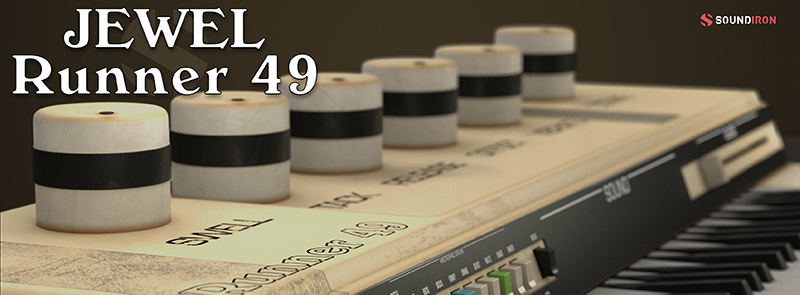
Jewel Runner 49 encapsulates the retro analog vibes of the eccentric Gem Sprinter 49. This Italian synthesizer was introduced to the market by the Galanti Group in 1970. It featured a 49-key keyboard, built-in speaker, and drum/rhythm machine, as well as a variety of buttons and faders to control layer volume, instrument type, automatic accompaniment, and tempo. The library includes synth sustains, staccatos, and 16 tempo-syncable drum machine loops dialed in from the organ.
Soundiron recorded the instrument articulations in wide stereo and direct line in. After that, they crafted 20 evolving ambient pads from the source content to boost usability, and 20 custom FX presets to kickstart your next composition. Jewel Runner 49 presents a tasty sampler platter of a classic combo organ, complete with warm tonal flavors ready to complement any genre of music.
Soundiron has packed the GUI with lots of great sound-shaping controls that give you the flexibility to warp the sound in many ways. You have control over Volume, Attack, Release, Transient Offset, Vibrato, and Octave layering. The "Glide" control slider allows you to play legato and portamento leads. You’ll also find an adaptable LFO system, with selectable LFO shape, modulation target parameter, speed, intensity, tempo-syncing, and fade-in time.
You can also apply your choice of 13 low-pass, high-pass, and FX filter, with assignable modulation control options, including velocity, mod-wheel, expression, after-touch, key position, and step-sequencer table control. You can also use Soundiron's customizable arpeggiator, with a built-in velocity sequencer table and control over arp direction, note timing, swing, randomization, and duration.
This library comes with an adaptable LFO system, with selectable LFO shape, modulation target parameter, speed, intensity, tempo-syncing, and fade-in time. You can also apply your choice of 12 lowpass, high-pass and FX filters, with assignable modulation targets such as velocity, modwheel, expression, after-touch, key position, and step-sequencer table control.
The customizable arpeggiator offers a velocity table and control over arp direction, timing, swing, randomization, and duration. Soundiron has included a key and scale lock system to constrain your notes to common scales and keys for easy melodic composition and live performance.
Features
- 3 main powerful open-format Kontakt .nki instruments
- 20 Ambience patches created from the source content
- Synth Sustains, Staccatos, FX Pads, Vintage Drum Loops in two microphone positions
- 20 Custom Sound-Designed FX and Ambient presets
- 3.8 GB Installed
- 3,444 Stereo Samples
- 24 bit / 48kHz Stereo uncompressed PCM wav audio
- Unlocked wav samples can be directly imported into almost any wav-compatible plugin or DAW
System Requirements
The full retail version of Native Instruments Kontakt version 5.5.2 (or later) is required to use .nki instrument presets included in this library. The free Kontakt "Player" and "Add Library" import process do not support this standard open-format Kontakt library.
- Windows 7 or higher.
- Mac OSX 10.9 or higher.
- Dual-Core CPU, 2 GB System Ram, SATA or SSD hard drive recommended for this library.
Important Notes:
- The FULL Version of Kontakt 5.5.2+ is required in order to use this instrument.
- You will be stuck in DEMO MODE if trying to use this instrument in the FREE Kontakt Player.