/ Synth Presets / WaveOSC Expansion Pack: Mainstage
Plugin Boutique Presets

WaveOSC Expansion Pack: Mainstage

4.8 (15 Reviews)
$5.00 $19.00

73% off until Dec 08

WaveOSC Expansion Pack: Mainstage
Mainstage
Buy Now
Product information

Unleash the Energy. Command the Crowd.

Unleash the power of the dancefloor with Mainstage, the ultimate preset pack for WaveOSC. Designed specifically for Plugin Boutique’s cutting-edge 2023 wavetable synth, this collection is your ticket to crafting chart-topping, festival-ready anthems with ease. Whether you're building energetic drops or atmospheric intros, these expertly designed sounds deliver the high-energy, euphoric vibe you've been searching for.

Bring the energy to new heights and get ready to command the mainstage with sounds that will captivate crowds and keep the vibe peaking. Mainstage for WaveOSC is your go-to toolkit for crafting unforgettable EDM, big room, and progressive house anthems.

Features

  • 20 thunderous bass presets
  • 4 dynamic FX presets
  • 21 soaring lead presets
  • 5 lush pad presets
  • 10 sharp pluck presets
  • 4 gliding transition presets

System Requirements

  • Requires an existing copy of WaveOSC to use.
Installation Instructions
Mac

1. Head to your Plugin Boutique User Account, and download the correct package for your system. Extract the .zip file to your system.

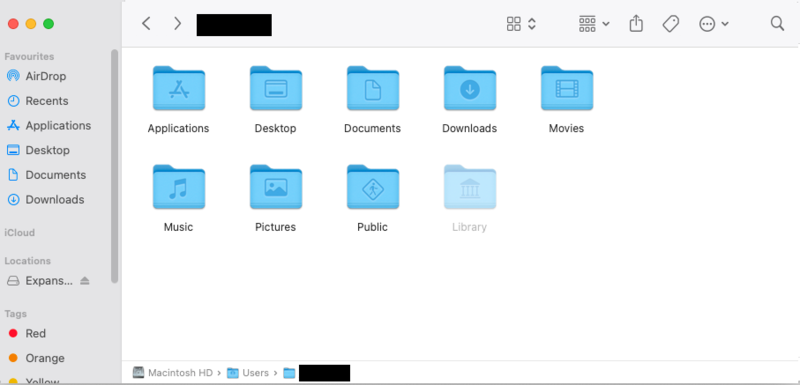
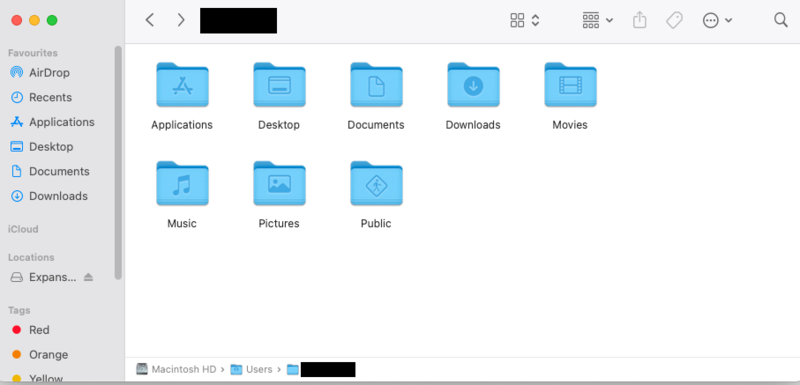
2. Open a new Finder window, and navigate to the following path: 'Macintosh HD > Users > [YOUR USER PROFILE]'.

3. Use the keyboard shortcut 'Command, Shift, . (period)' to expose hidden folders, including 'Library'.

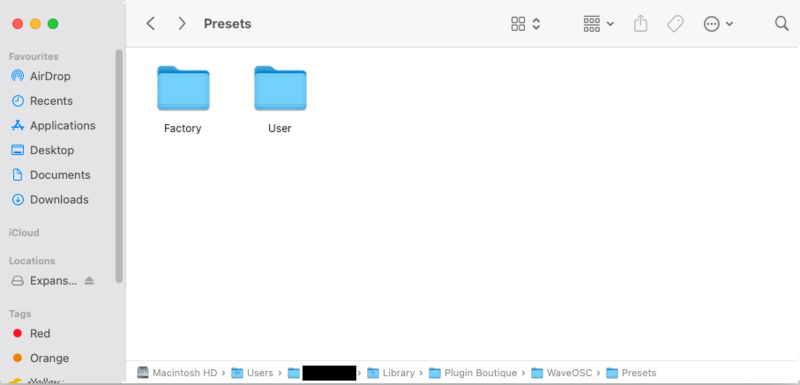
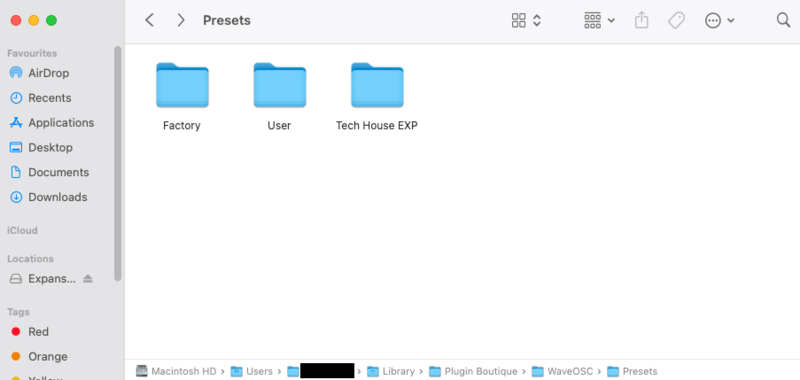
4. Navigate further to the following path: 'Macintosh HD > Users > [YOUR USER PROFILE] > Library > Plugin Boutique > WaveOSC > Presets'.

5. Drag and drop, or otherwise move/copy the Presets folder from within the download package obtained in step 1 to this location.

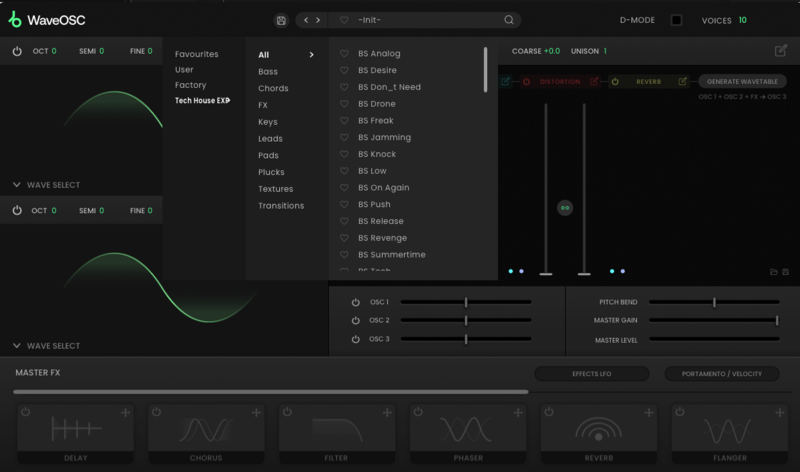
6. Launch WaveOSC within your DAW, and enjoy your presets!

Windows

1. Head to your Plugin Boutique User Account, and download the correct package for your system. Extract the .zip file to your system.

2. Open a new Explorer window, and head to the following path: 'This PC > Windows (C:)'.

3. In the top of your Explorer window, click 'View', and check the tickbox marked 'Hidden items', enabling the viewing of hidden folders.

4. Navigate further to the following path: 'This PC > Windows (C:)' > ProgramData > Plugin Boutique > WaveOSC > Presets'.

5. Drag and drop, or otherwise move/copy the Presets folder from within the download package obtained in step 1 to this location.

6. Launch WaveOSC within your DAW, and enjoy your presets!

Bundle & Save

WaveOSC Expansion Bundle
$12.00
$57.00 (78% off)

Plugin Boutique Rewards

Discover the most rewarding loyalty programme among all plugin retailers.

  • Free Loopmasters Samplepacks
  • Discounts on products and courses
  • Extra Virtual Cash claimed immediately at checkout
Find out more

Follow us:

X (Twitter) Facebook YouTube Instagram
Logo Logo

Plugin Boutique Limited, Part of the Beatport Group LLC.

Copyright © 2011-2025 Plugin Boutique. All rights reserved