Buy AZS Transitions Vol.1 for Diva, get a free gift with purchase:
Using state of the art modeling technology, DIVA offers an incredible hardwarelike sound, great flexibility and impressive effects. It`s remarkable versatility lends itself greatly to contemporary electronic music and sound design.
Transitions goes deep into the many nuances of sound DIVA can produce. With Diva every small tweak yields something new, as a result the sounds on this set are varied and interesting. Besides the less than usual sounds there are also many standard trance and house sounds which DIVA produces with exceptional finesse. A recommended addition to any electronic musicians palette.
Features
- 150 Patches
- Modwheel Allocated
- 35 Basses
- 58 Leads
- 18 Pads
- 13 Plucks
- 14 Sequences
- 12 Texture Patches
System Requirements
- U-He DIVA 1.1 or higher
Mac
1. Download the preset pack from within your Plugin Boutique User Account > double-click the .zip file to extract the contents.
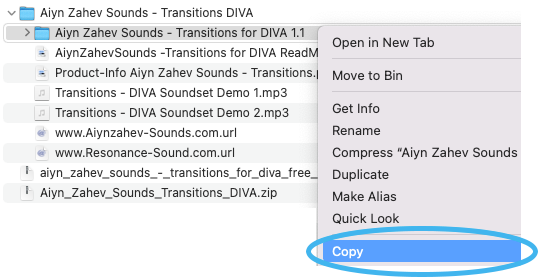
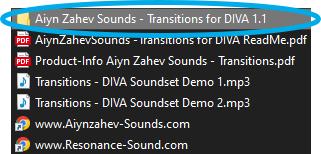
2. Locate the extracted folder that contains the .h2p files > Right-click the folder and click 'Copy'.
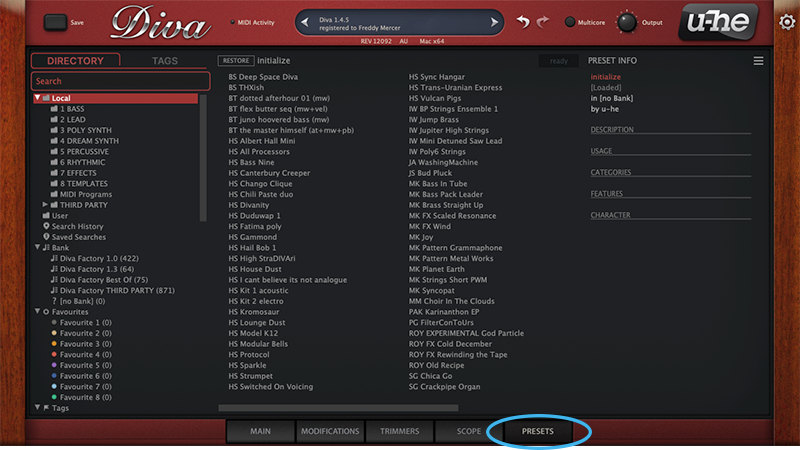
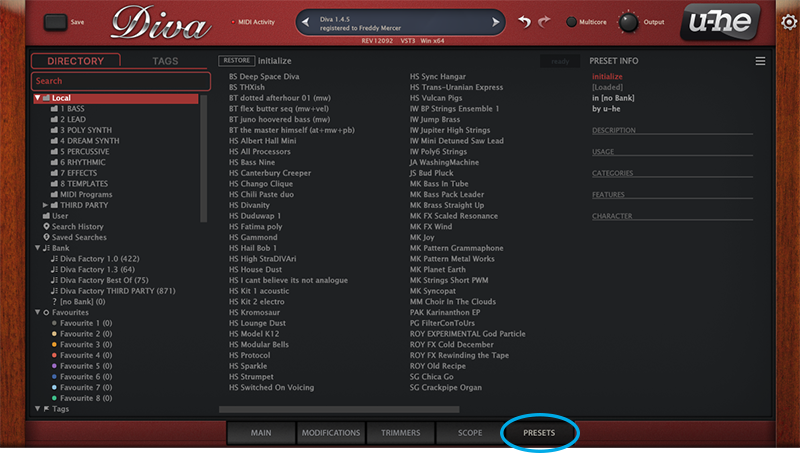
3. Open your DAW > Launch DIVA > Click the 'PRESETS' tab.
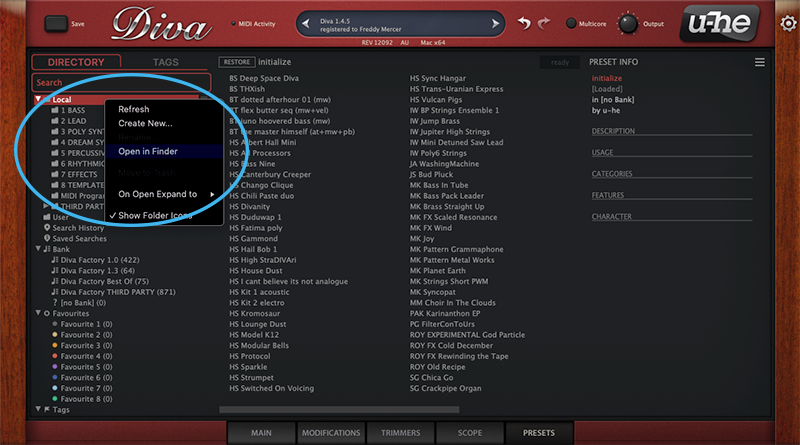
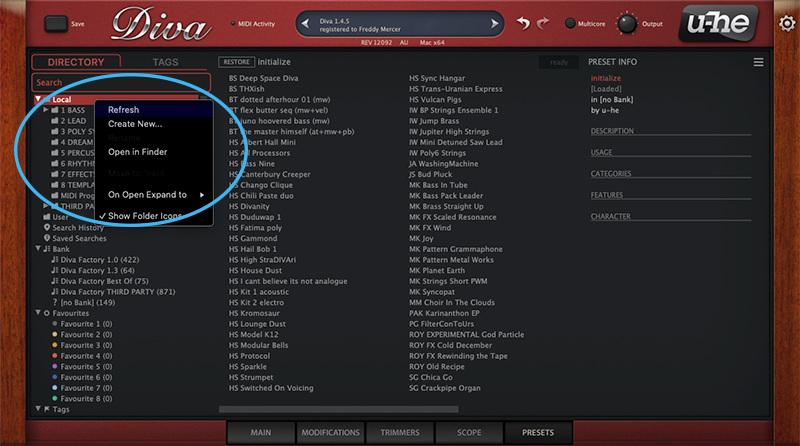
4. Navigate to 'Local' > Right-click the folder > Click 'Open in finder'.
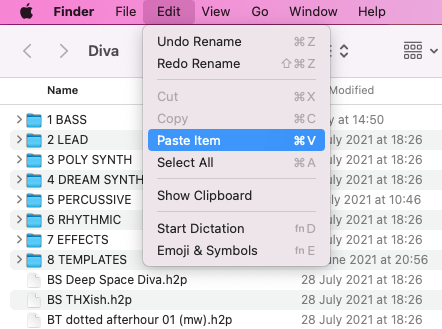
5. The presets folder will be automatically opened > Click 'Edit' from the toolbar > Select 'Paste Item'.
6. Navigate back to DIVA > Right-click 'Local' > Select 'Refresh'.
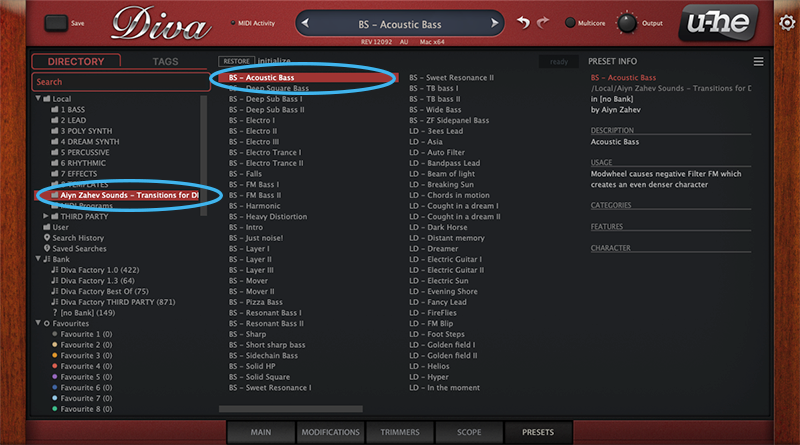
7. The preset pack is now installed > Select the preset pack folder from the left-hand menu > Select your desired patch.
Your presets are now installed and ready to use.
Windows
1. Download the preset pack from within your Plugin Boutique User Account > double-click the .zip file to extract the contents.
2. Locate the extracted folder that contains the .h2p files > Right-click the folder and click 'Copy'.
3. Open your DAW > Launch DIVA > Click the 'PRESETS' tab.
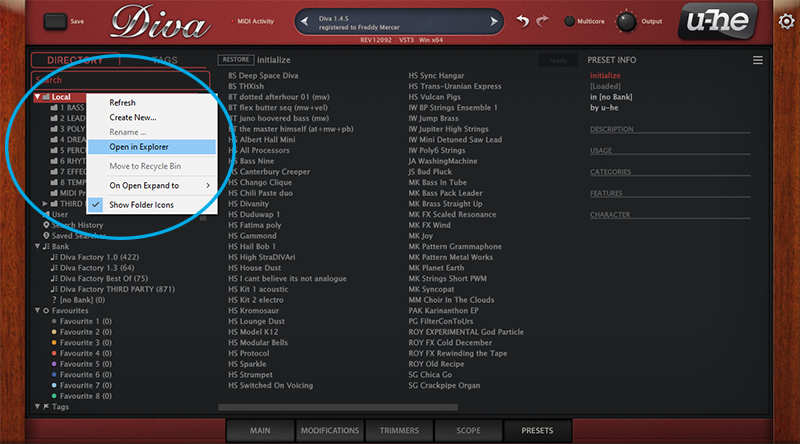
4. Navigate to 'Local' > Right-click the folder > Click 'Open in explorer'.
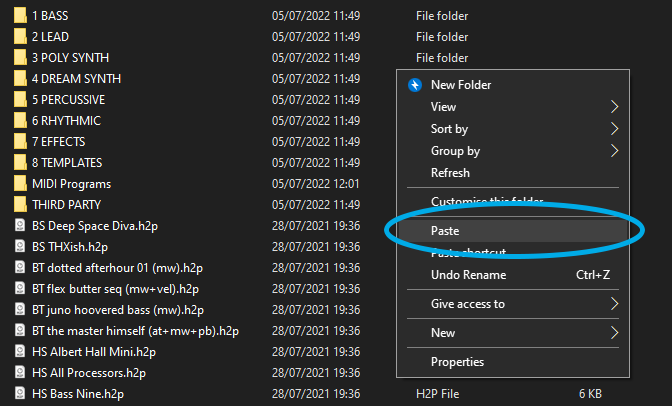
5. The presets folder will be automatically opened > Right-click and select 'Paste'.
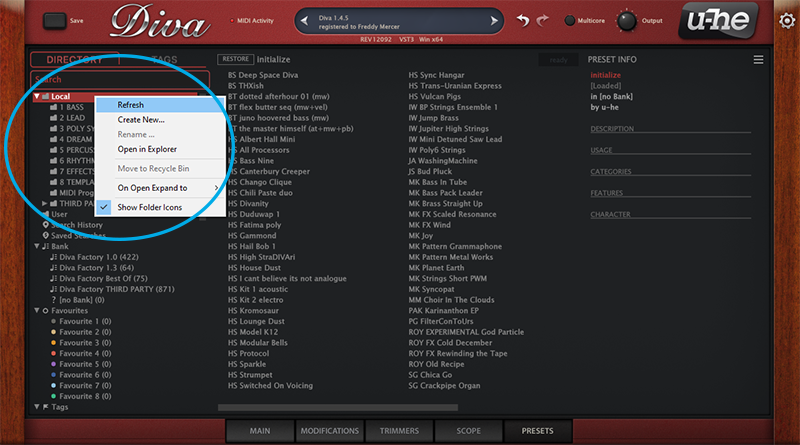
6. Navigate back to DIVA > Right-click 'Local' > Select 'Refresh'.
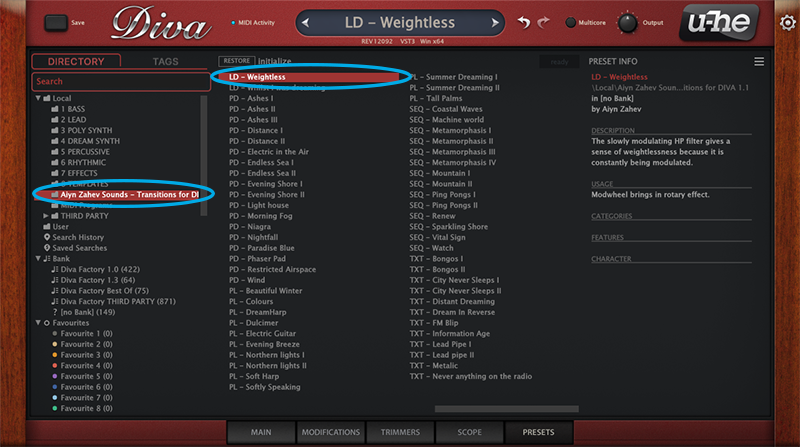
7. The preset pack is now installed > Select the preset pack folder from the left-hand menu > Select your desired patch.
Your presets are now installed and ready to use.