Buy Thorn Preset Pack, get a free gift with purchase:
Producertech presents a mighty expansion pack of classic and cutting-edge sounds for DS Audio’s Thorn, making full use of its spectral-synthesising and glitch-sequencing capabilities. Stabs, drones and developing atmospheric textures all feature in this set of 64 presets, which are a great supplement to the factory library, for producers of any style.
Patch types included are basses, leads, pads, arps and sequences, FX and percussion, so an assortment of one-shot and continuous rhythmic sounds.
For an example of the presets in the pack, check out the demo track, made entirely (excluding drums) with sounds from this essential expansion.
Features
- 20 Bass
- 14 Lead
- 10 Pad
- 8 Arp
- 5 Glitch
- 4 FX
- 3 Perc
Note: Tantra Presets are used as the example.
Mac
1. Download the .zip file from your Plugin Boutique User Account > Double-click it to extract the contents.
2. Copy the following folders:
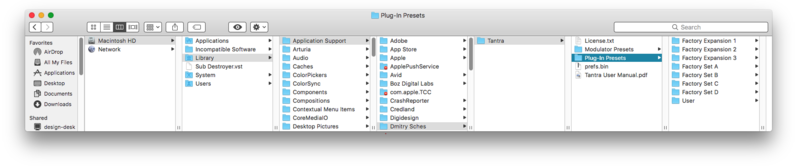
- 'Factory Expansion 1'
- 'Factory Expansion 2'
- 'Factory Expansion 3'
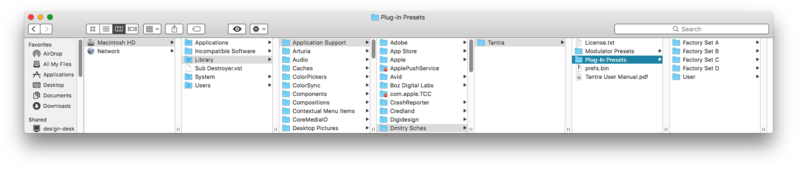
3. Navigate to this file path: Macintosh HD/Library/Application Support/Dmitry Sches/Tantra/Plug-In Presets

4. Paste the presets in this folder.

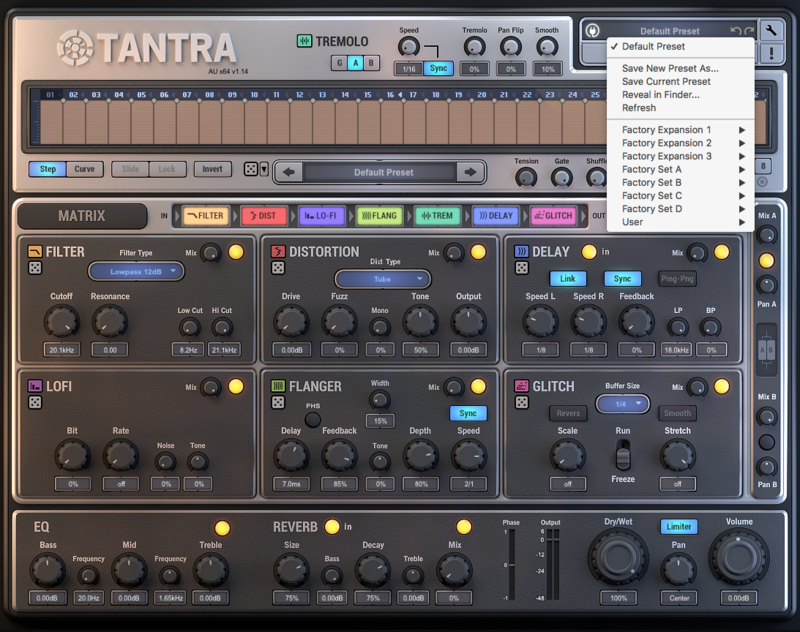
5. Open Tantra in your DAW > click the Presets bar at the top right corner of the plugin to view the newly installed presets.

Your presets are now installed and ready to use!
Windows
1. Download the .zip file from your Plugin Boutique User Account > Double-click it to extract the contents.
2. Copy the following folders:
- 'Factory Expansion 1'
- 'Factory Expansion 2'
- 'Factory Expansion 3'
3. Navigate to this file path: C:\Users\[Your Name]\Documents\Dmitry Sches\Tantra\Plug-In Presets

4. Paste the presets in this folder.

5. Open Tantra in your DAW > click the Presets bar at the top right corner of the plugin to view the newly installed presets.

Your presets are now installed and ready to use!