Buy Cypher2 & ROLI Studio Expansion: Shadow Corrosion, get a free gift with purchase:
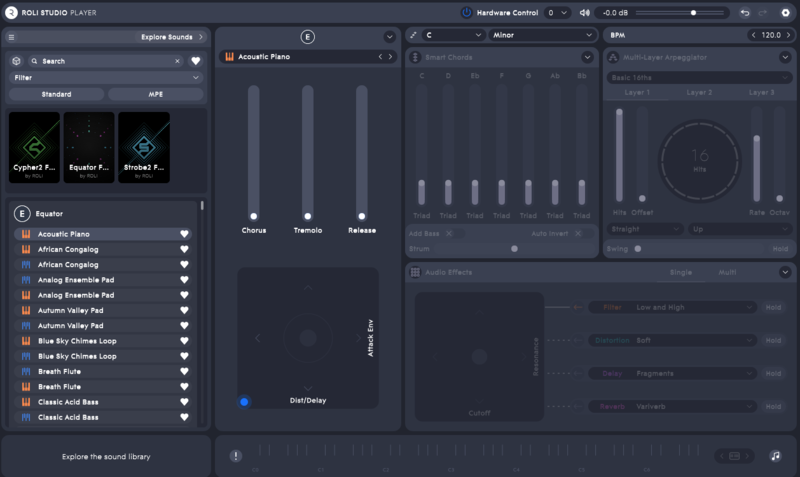
Note: This expansion pack is compatible with both ROLI Studio and the full version of Cypher2.
Shadow Corrosion is the sound of the dark, brooding unknown. From a range of delicate keys and twisted, chaotic effects through to apocalyptic pads and skewed synthesis, this selection of Cypher2 presets is ideal for (but certainly not limited to) industrial, abstract production.
A classic analogue feel is captured in many of the sounds, harking back to sci-fi and horror soundtracks of the 1980s, yet with an unsettling modern twist, where each sound can be distorted and morphed using performance controls.
The designer behind these sounds is Colin Fraser (a.k.a Biomechanoid), who has carefully crafted each preset and created this pack as a complete solution for creating dynamic, atmospheric and unnerving compositions.
Features
- 40 MPE Presets
- 40 Standard Presets
System Requirements
Mac Installation
1. Visit https://roli.com/start > Click 'Download for Mac'.

2. Go to the location of the downloaded .dmg ROLI Connect installer > Double-click it to run.
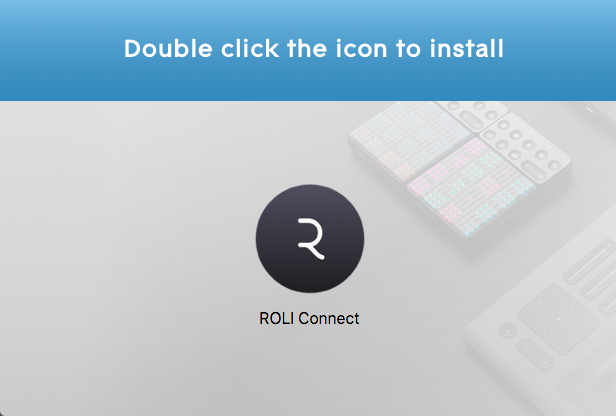
3. Double click the icon to install.

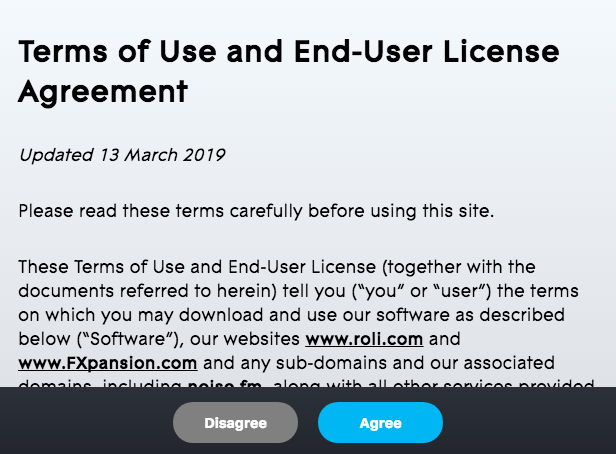
4. Click 'Agree'.

5. Open ROLI Connect > Click 'Sign up'. (If you already have a ROLI account click 'I have a ROLI account', sign in and skip to step 8).

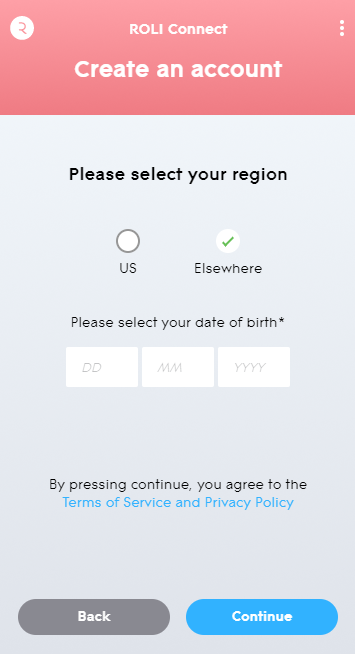
6. Select your region and enter your date of birth > Click 'Continue'.

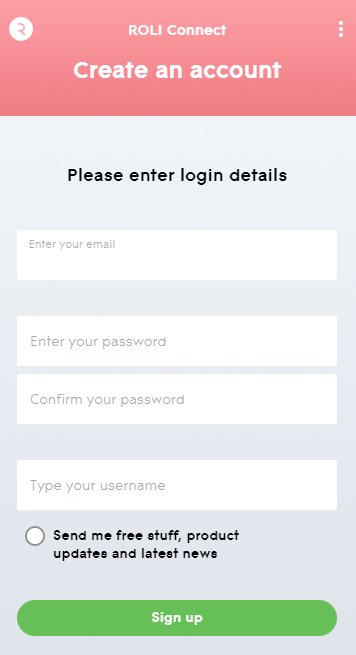
7. Enter your login details > Click 'Sign up'.

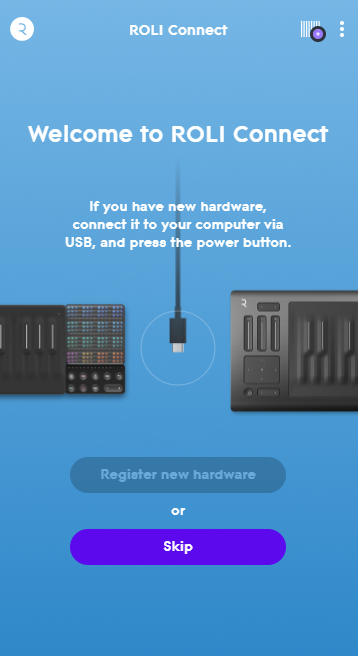
8. Click 'Skip'.

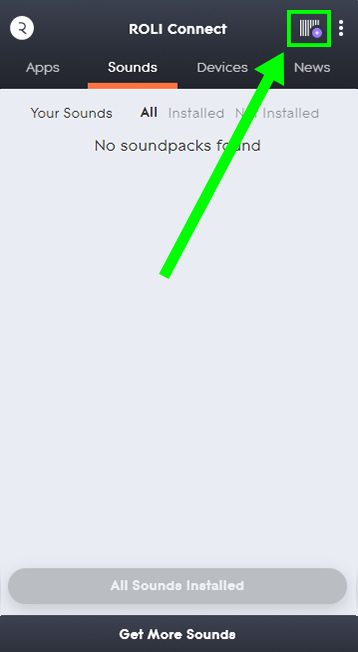
9. Click the Barcode icon at the top right of the display.

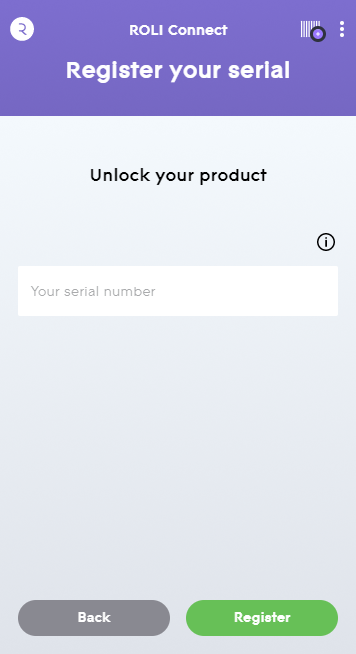
10. Enter the serial number found in your Plugin Boutique User Account.

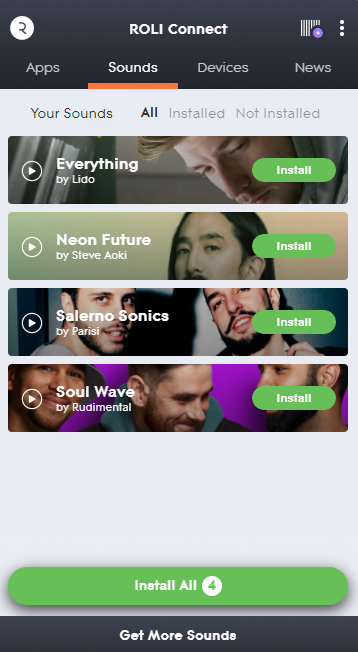
11. Click 'Install' on the product you would like to install.

12. Open ROLI Studio as a standalone or inside of a DAW.
Your synth presets are now activated and ready to use!

Windows Installation
1. Visit https://roli.com/start > Click 'Download for Windows'.

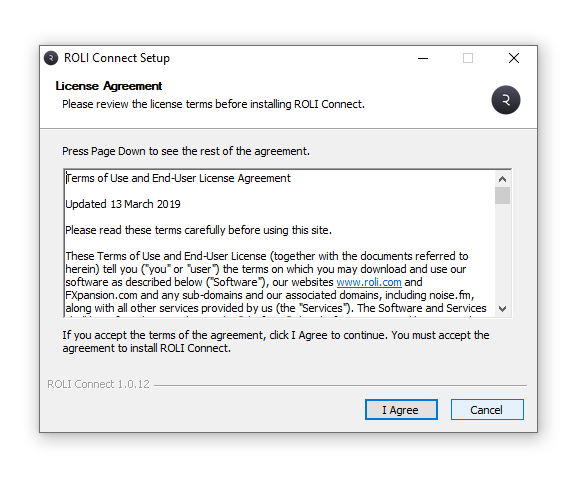
2. Go to the location of the downloaded .exe ROLI Connect installer > Double-click to run.

3. Open ROLI Connect > Click 'Sign up'. (If you already have a ROLI account click 'I have a ROLI account', sign in and skip to step 7).

4. Select your region and enter your date of birth > Click 'Continue'.

5. Enter your login details > Click 'Sign up'.

6. Click 'Skip'.

7. Click the Barcode icon at the top right of the display.

8. Enter the serial number found in your Plugin Boutique User Account.

9. Click 'Install' on the product you would like to install.

10. Open ROLI Studio as a standalone or inside of a DAW.
Your synth presets are now activated and ready to use!