


 Log In
Free gifts available with your purchase
Plugin Boutique presents Diva Expansion Pack: Ambient Depths.
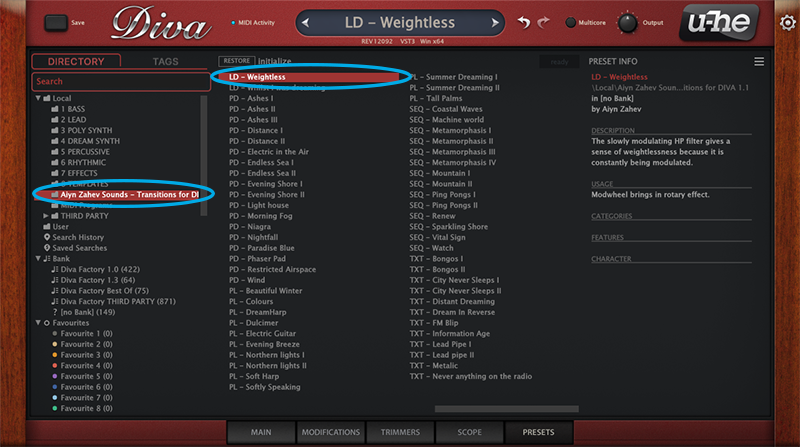
Diva Expansion Pack: Ambient Depths contains 64 expertly crafted presets to allow you to create unique, expressive and colourful shades of ambient music.
This pack will help you build vast epic soundscapes out of evolving pads, earthy basses, chilling keys, spacious arpeggios, powerful leads and cinematic effects.
Features
- 8 Arps
- 12 Basses
- 8 FX
- 10 Keys
- 10 Leads
- 16 Pads
System Requirements
- u-he Diva (latest version) is required.


Reviews Summary
While it aims to provide a helpful overview, it may not capture every perspective or detail. We encourage you to read individual reviews to make an informed decision.
This preset expansion pack for the Diva synthesizer is highly praised by users for its high-quality, well-crafted sounds, particularly for ambient music and atmospheric timbres. While some users wish it included more presets because they are so good, the overall consensus is that it is an excellent, versatile, and high-quality startup pack suitable for various genres.


