/ Synth Presets / Diva Expansion Pack: Ambient Depths
Plugin Boutique Presets

Diva Expansion Pack: Ambient Depths

4.7 (421 Reviews)
$5.00 $19.00

73% off until Dec 08

Main Image
Main Image
Diva Expansion Pack: Ambient Depths - Square
Diva Expansion Pack: Ambient Depths - Main
Buy Now
Product information

Plugin Boutique presents Diva Expansion Pack: Ambient Depths.

Diva Expansion Pack: Ambient Depths contains 64 expertly crafted presets to allow you to create unique, expressive and colourful shades of ambient music.

This pack will help you build vast epic soundscapes out of evolving pads, earthy basses, chilling keys, spacious arpeggios, powerful leads and cinematic effects.

Features

  • 8 Arps
  • 12 Basses
  • 8 FX
  • 10 Keys
  • 10 Leads
  • 16 Pads

System Requirements

Installation Instructions

Please Note: AZS Transitions Vol.1 is used as an example.

Mac

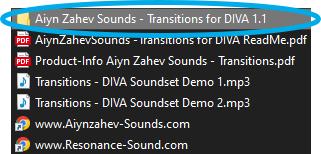
1. Download the preset pack from within your Plugin Boutique User Account > double-click the .zip file to extract the contents.

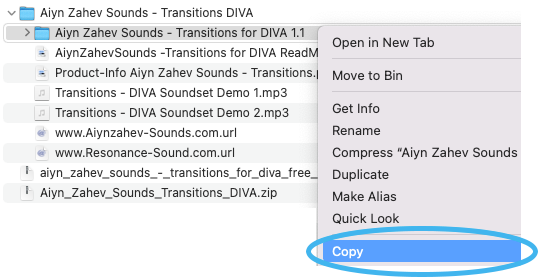
2. Locate the extracted folder that contains the .h2p files > Right-click the folder and click 'Copy'.

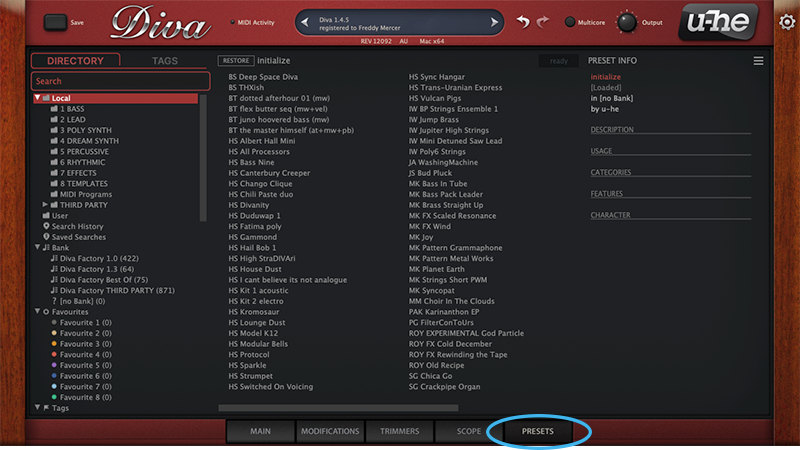
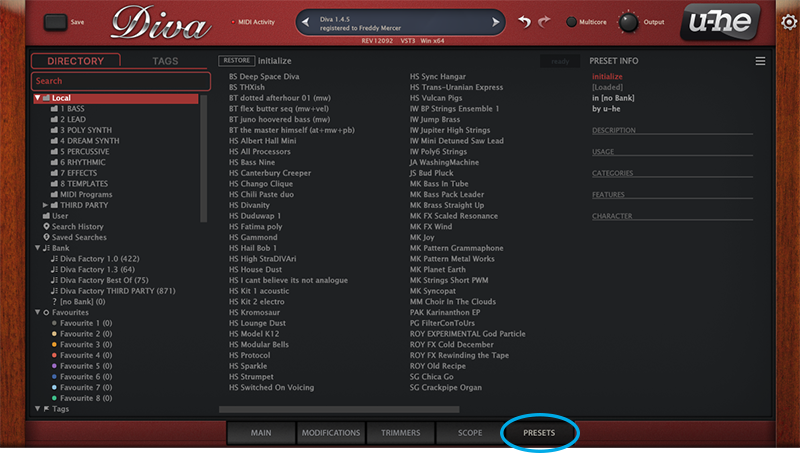
3. Open your DAW > Launch DIVA > Click the 'PRESETS' tab.

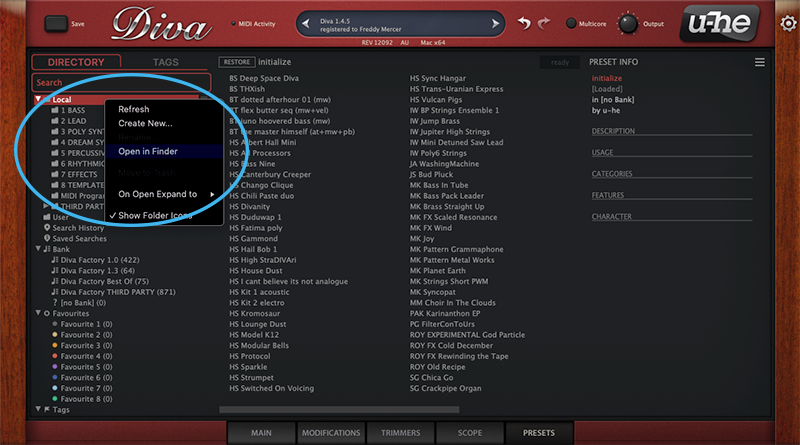
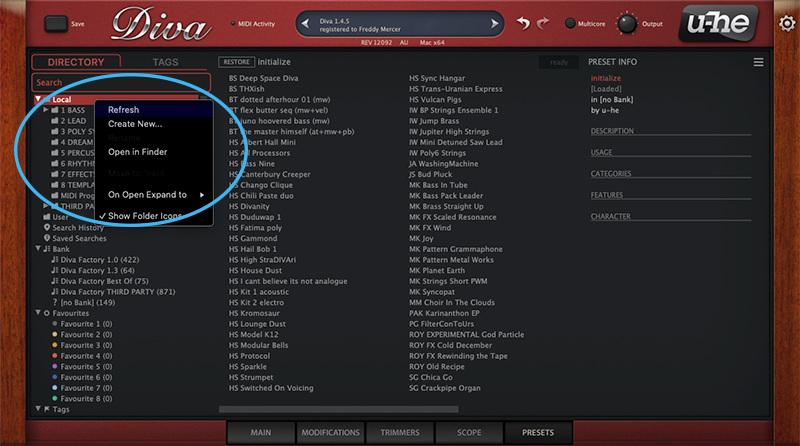
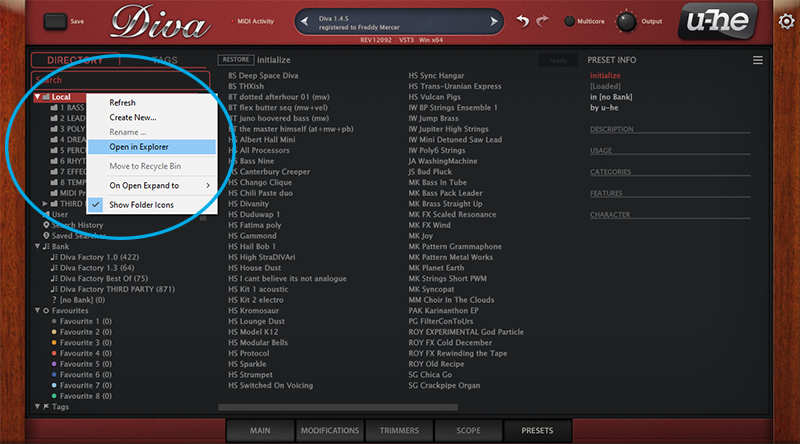
4. Navigate to 'Local' > Right-click the folder > Click 'Open in finder'.

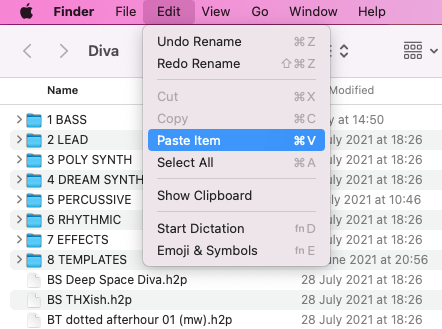
5. The presets folder will be automatically opened > Click 'Edit' from the toolbar > Select 'Paste Item'.

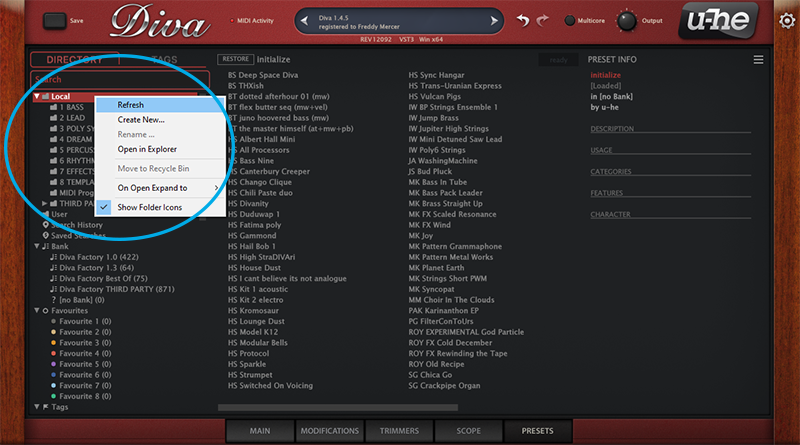
6. Navigate back to DIVA > Right-click 'Local' > Select 'Refresh'.

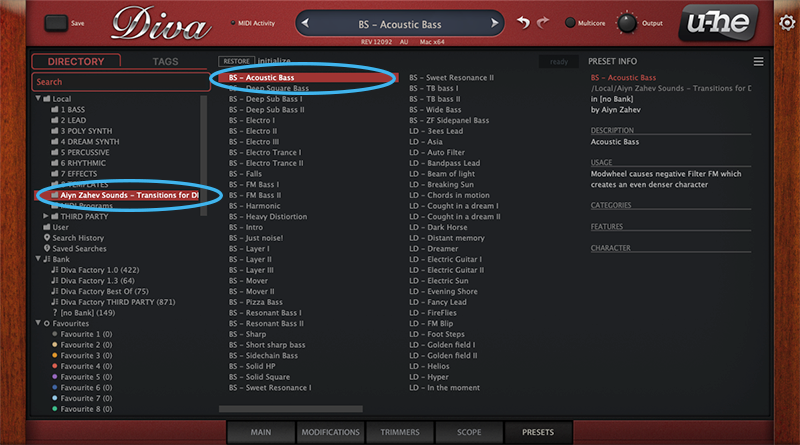
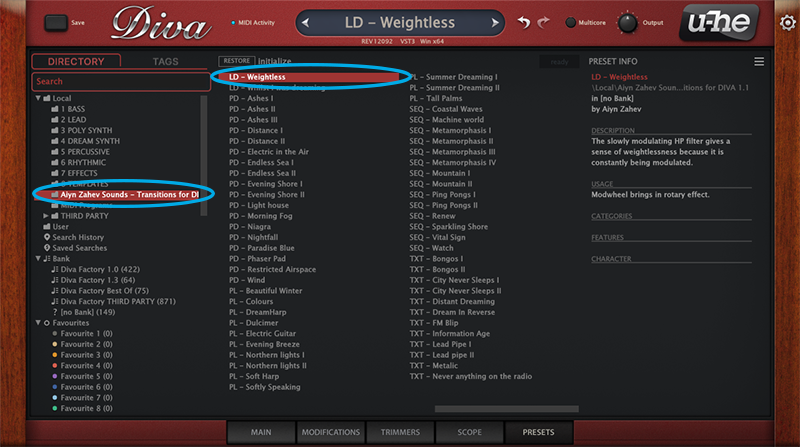
7. The preset pack is now installed > Select the preset pack folder from the left-hand menu > Select your desired patch.

Your presets are now installed and ready to use.

Windows

1. Download the preset pack from within your Plugin Boutique User Account > double-click the .zip file to extract the contents.

2. Locate the extracted folder that contains the .h2p files > Right-click the folder and click 'Copy'.

3. Open your DAW > Launch DIVA > Click the 'PRESETS' tab.

4. Navigate to 'Local' > Right-click the folder > Click 'Open in explorer'.

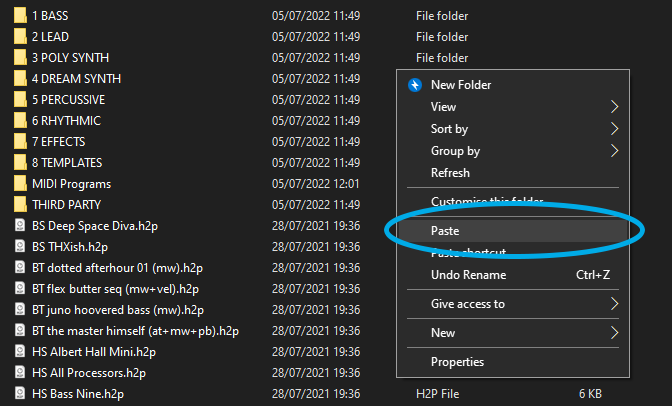
5. The presets folder will be automatically opened > Right-click and select 'Paste'.

6. Navigate back to DIVA > Right-click 'Local' > Select 'Refresh'.

7. The preset pack is now installed > Select the preset pack folder from the left-hand menu > Select your desired patch.

Your presets are now installed and ready to use.

Bundle & Save

Diva Expansions Bundle
$12.00
$39.00 (69% off)
u-he Diva + Expansions Bundle
$188.99

Plugin Boutique Rewards

Discover the most rewarding loyalty programme among all plugin retailers.

  • Free Loopmasters Samplepacks
  • Discounts on products and courses
  • Extra Virtual Cash claimed immediately at checkout
Find out more

Follow us:

X (Twitter) Facebook YouTube Instagram
Logo Logo

Plugin Boutique Limited, Part of the Beatport Group LLC.

Copyright © 2011-2025 Plugin Boutique. All rights reserved