


 Log In
Free gifts available with your purchase
Product information
Plugin Boutique presents Diva Expansion Pack: Explorations.
Diva Expansion Pack: Explorations contains 64 expertly crafted presets to allow you to create explorative and otherworldly textures.
This pack will help you build to generate unmissable soundscapes from hybrid pads, amazing leads, unmissable effects, earth-moving basses, bright keys, unique arpeggios, bold synth leads and much more.
Features
- 11 Pads
- 8 Leads
- 8 FX
- 5 Chord Sounds
- 9 Basses
- 8 Arpeggiator Sounds
- 3 Sequences
- 3 Played Loops
- 9 Synth Sounds
System Requirements
- u-he Diva (latest version) is required.
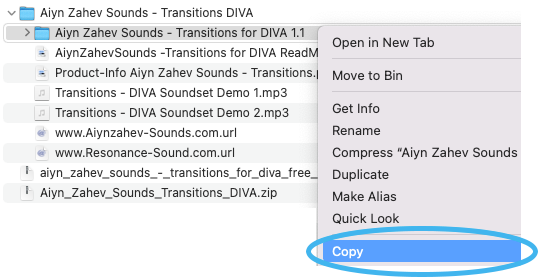
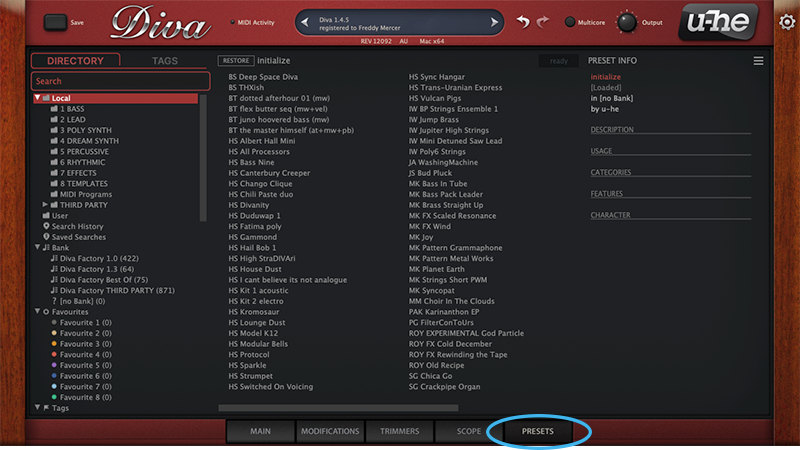
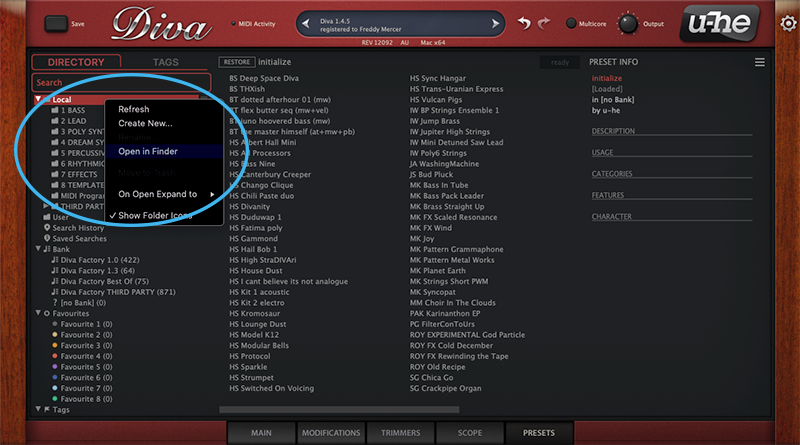
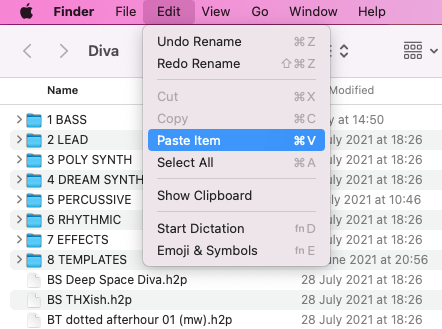
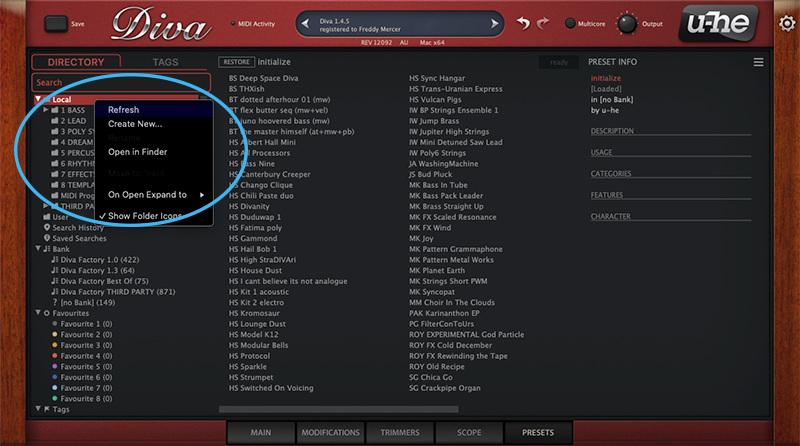
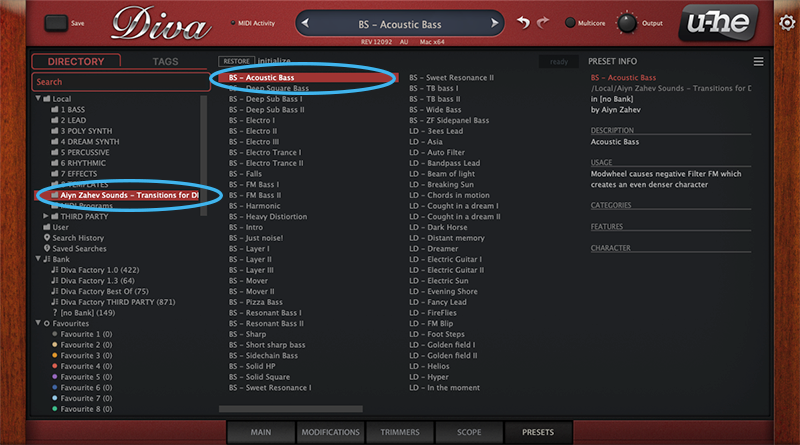
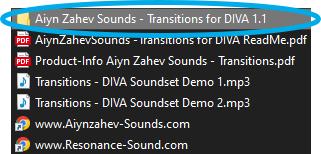
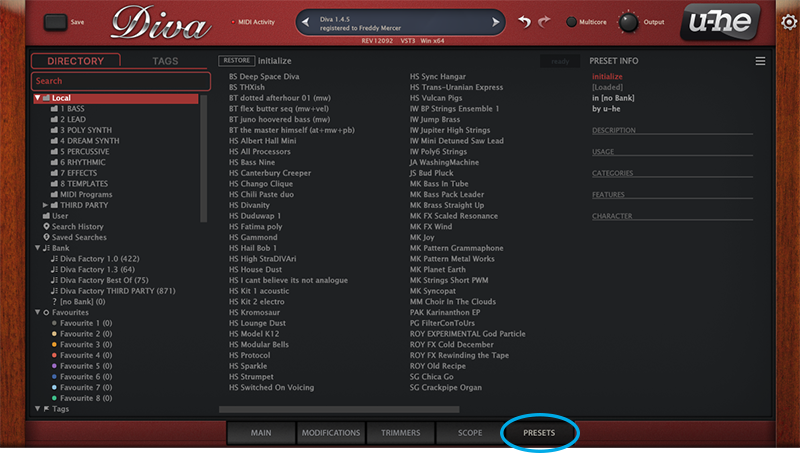
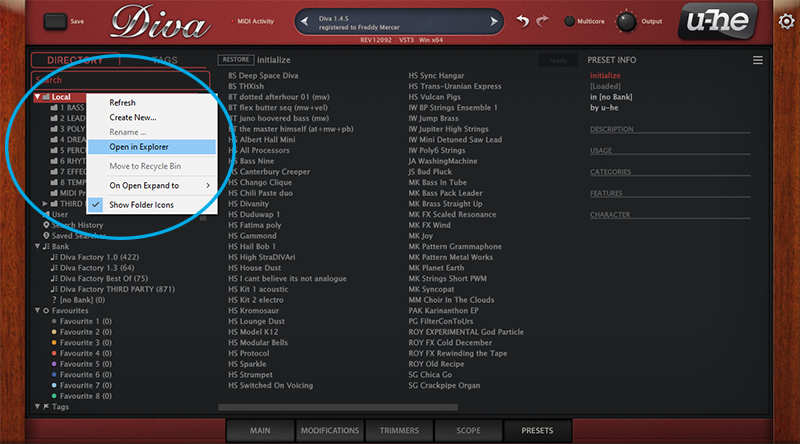
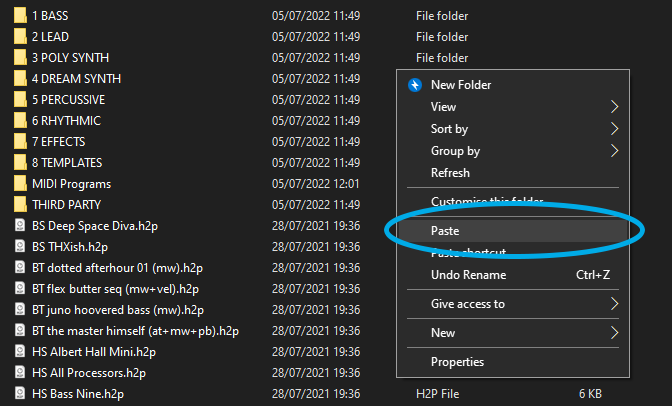
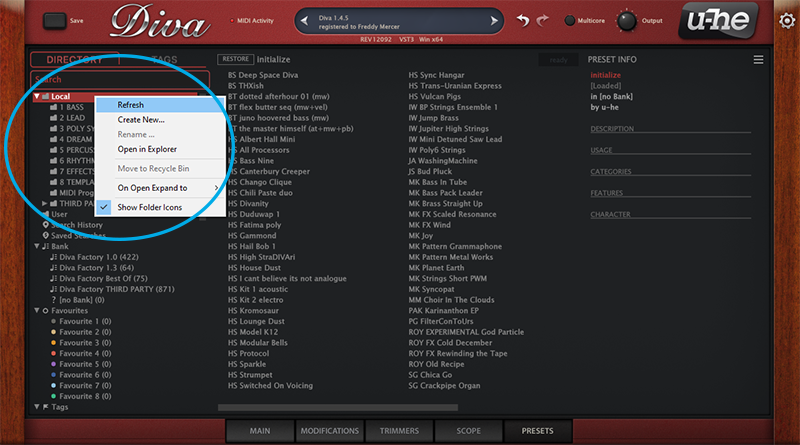
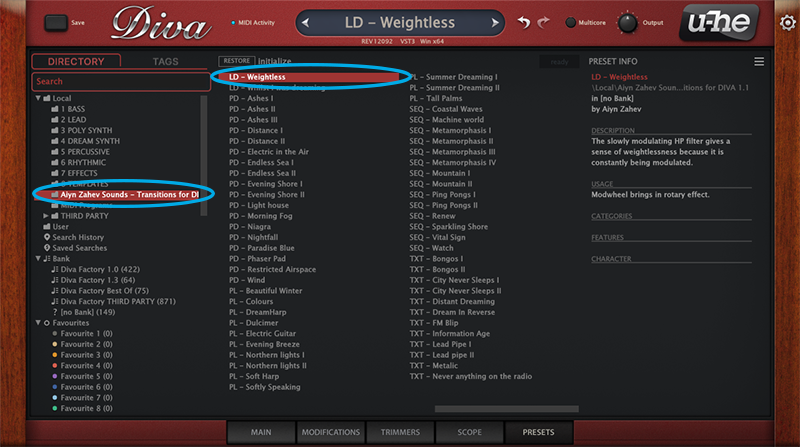
Installation Instructions


Customer Reviews
(5)
Reviews Summary
This AI-generated summary is based on an analysis of verified customer reviews. It identifies recurring themes, strengths, and potential considerations mentioned by users.
While it aims to provide a helpful overview, it may not capture every perspective or detail. We encourage you to read individual reviews to make an informed decision.
While it aims to provide a helpful overview, it may not capture every perspective or detail. We encourage you to read individual reviews to make an informed decision.
Customers generally praise this expansion pack for the Diva synthesizer, highlighting its great-sounding presets and easy installation, although one reviewer noted there are better options available.
Bundle & Save
Diva Expansions Bundle
$39.00
$12.00
(69% off)
u-he Diva + Expansions Bundle
$188.99


