/ Synth Presets / Serum Expansion Pack: Slap House
Plugin Boutique Presets

Serum Expansion Pack: Slap House

4.6 (208 Reviews)
$5.00 $19.00

73% off until Dec 08

Main Image
Main Image
Serum Expansion Pack: Slap House - Square
Serum Expansion Pack: Slap House
Buy Now
Product information

Please note: These presets are compatible with Serum v1 and v2

Introducing Serum Expansion Pack: Slap House, a complete selection of patches for creating Slap House with Serum.

This pack of 64 presets is all you need to create your next Slap House smash! Combining infectious house rhythms with energetic basslines, Slap House is destroying dance floors the world over and this collection of expertly crafted patches puts the sound right at your fingertips.

This Serum expansion harnesses the infamous lead sounds favoured by scene heavyweights like Alok, Dynoro and Lucky Luke. With a selection of the finest pluck sounds this side of Brazil, you'll soon get those mind-blowingly catchy melodics slapping. Finishing off the pack is a huge range of thick and punchy bass patches that will have those sub-woofers pumping and those feet stomping! Slap House for Serum is truly all killer no filler!

Features

  • 64 presets for Xfer Records Serum
  • 28 Basses
  • 15 Plucks
  • 21 Leads

System Requirements

  • The latest version of Xfer Records Serum
Installation Instructions

Please note: Cinematic Serum is used as an example as the installation process is identical for all expansions.

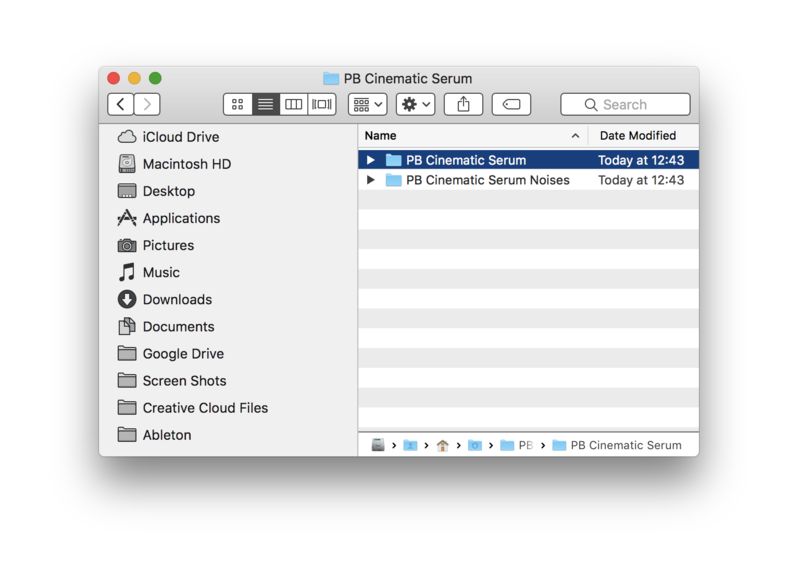
1. Download the .zip folder from within your User Account, and double-click it to reveal its contents.

2. Save the main folder to a computer location of choice, e.g documents or to an external hard drive.

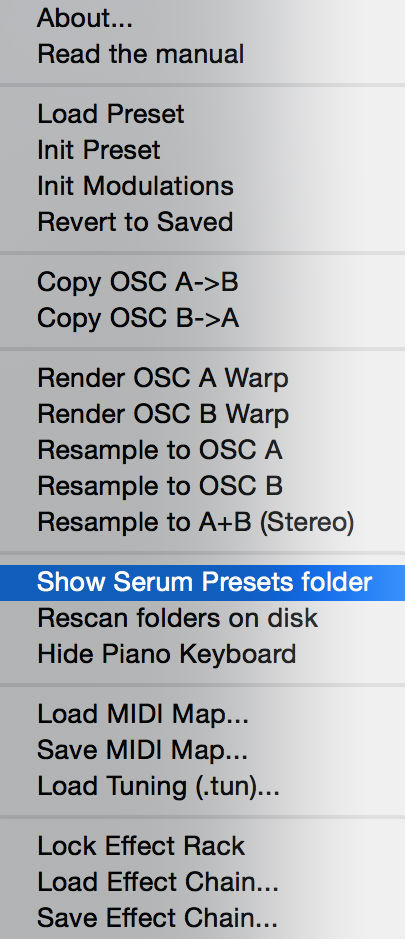
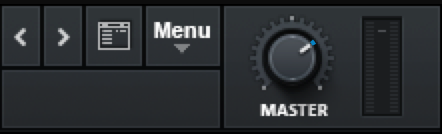
3. Open Serum within your DAW > you need to begin by loading the patches into the ‘Serum Presets’ folder which can be located by clicking ‘Menu’ tab.

Note: The 'Menu' tab is located at the top-right corner of Serum's user interface.

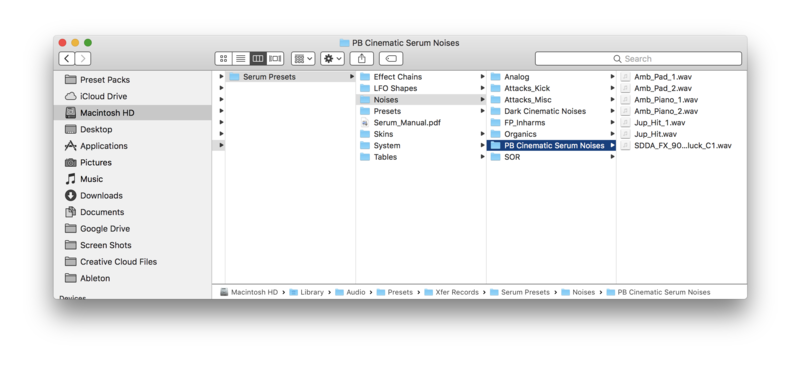
4. Click the ‘Show Serum Presets folder’ option > this will open the location of Serum’s entire available content within the 'Serum Preset' folder directory.

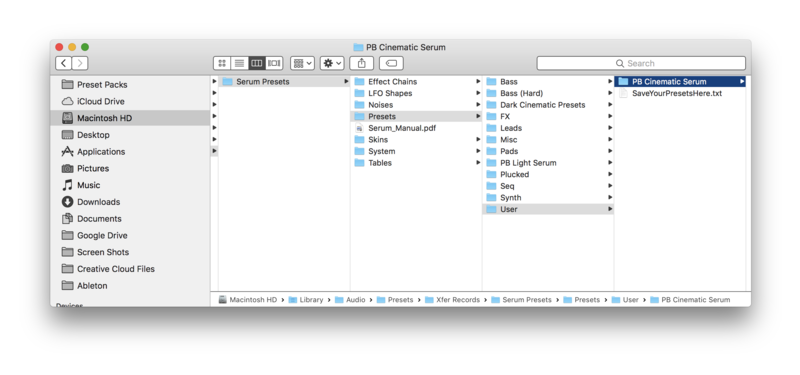
5. Locate the ‘Presets’ folder, then the ‘User’ folder contained within it > Copy and paste the folder titled 'PB Cinematic Serum' into the 'User' folder.

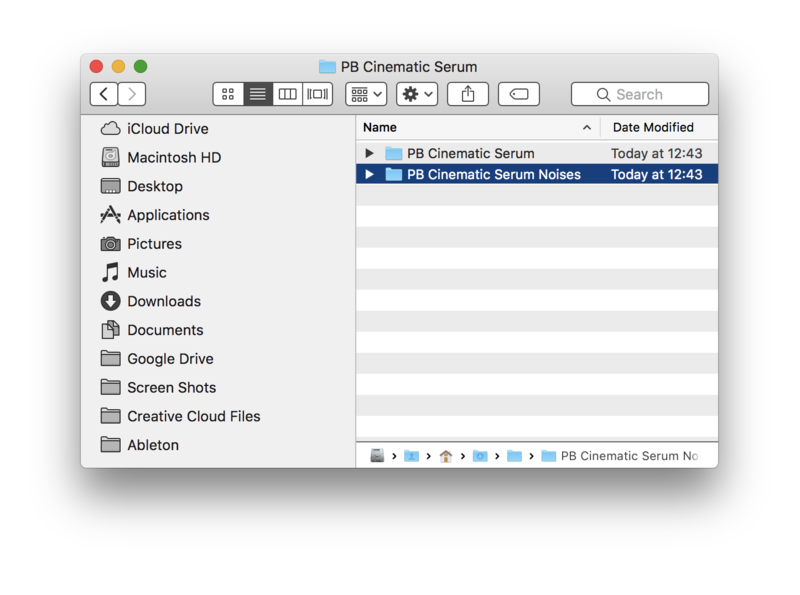
6. Locate the 'Noise' folder > Copy and paste the folder titled 'PB Cinematic Serum Noises' into the 'Noises' folder.

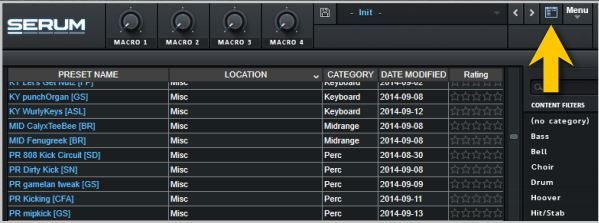
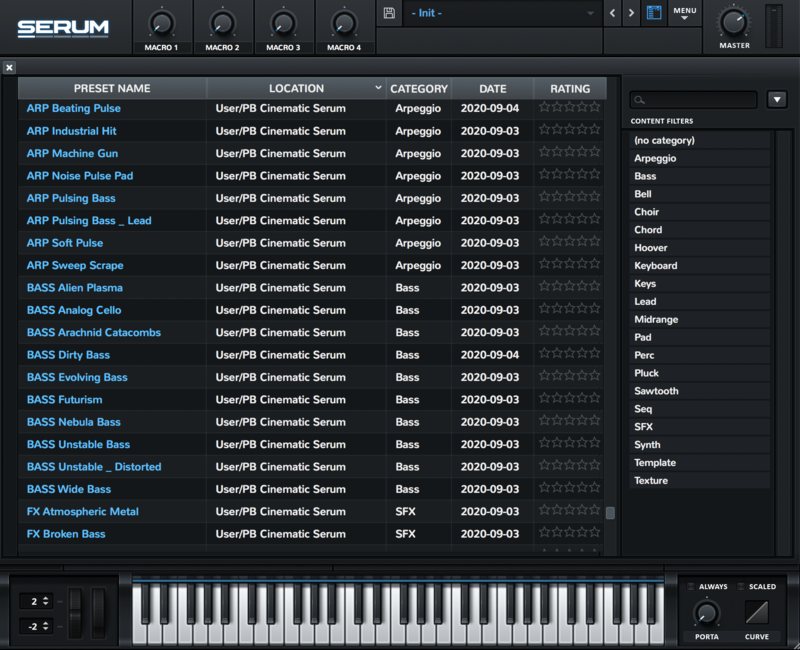
7. Close and reopen Serum before clicking the ‘Browser’ folder icon/tab (as highlighted by the yellow arrow below) on the left-side of the ‘Menu’ tab, and you will then see your presets in the list (as shown below). Double-click your preferred preset to load it into Serum.

The Presets are now Ready for Use Within Serum!

Bundle & Save

Plugin Boutique Serum Presets Bundle
$29.00
$99.00 (70% off)

Plugin Boutique Rewards

Discover the most rewarding loyalty programme among all plugin retailers.

  • Free Loopmasters Samplepacks
  • Discounts on products and courses
  • Extra Virtual Cash claimed immediately at checkout
Find out more

Follow us:

X (Twitter) Facebook YouTube Instagram
Logo Logo

Plugin Boutique Limited, Part of the Beatport Group LLC.

Copyright © 2011-2025 Plugin Boutique. All rights reserved