


 Log In
.jpg)
Free gifts available with your purchase

Next-Generation Flagship Synthesizer
The (Re)birth Of A Legend
Rethought, rewired, and reincarnated – MASSIVE X is the successor to an iconic synthesizer that helped spawn entire genres. Get everything you need to create any sound imaginable. Quickly patch complex routings to bring your ideas to life – no matter how far-out they might seem – and take things further than you thought you could with expressive, playable modulation. Think it up, dial it in, and define what the future sounds like.
- Immaculate sound and complete sonic freedom for advanced sound design.
- Create with a new level of dynamic, shifting sound, with truly flexible routing and extensive modulation.
- Based on the DNA of MASSIVE, built for a new decade and designed to evolve.
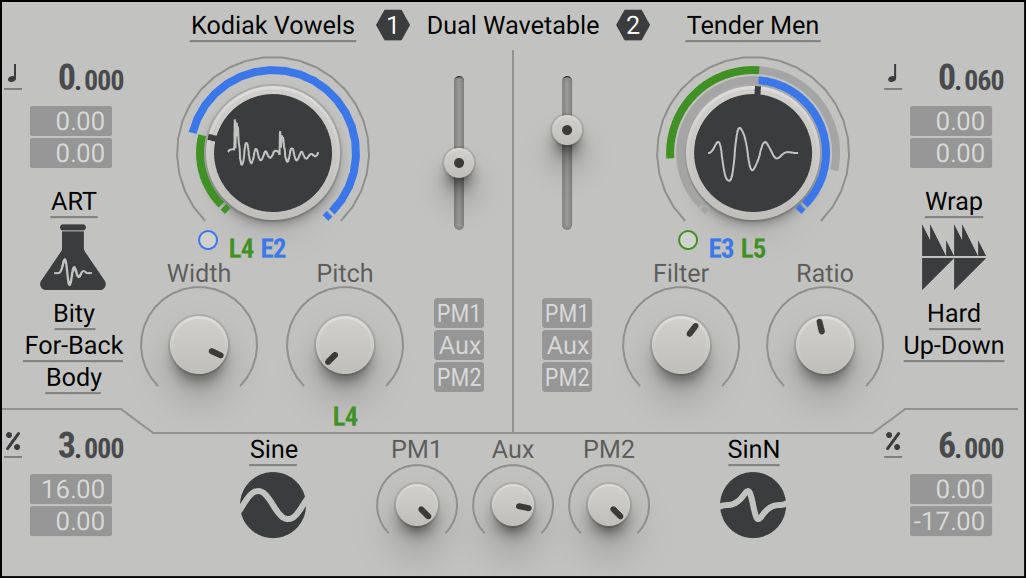
The Oscillators
At the heart of MASSIVE X you’ll find the completely new oscillator section – capable of producing more variation than some entire synths, right at the source. Choose from over 170 wavetables and 10 different modes of reading them – from the aggressive Gorilla family, to a wavetable-bending mode, Hardsync, Formant, and many more – each with their own unique sub-modes and additional controls. Dial in two phase-modulation oscillators to inject extra movement into the main oscillators.
MASSIVE X will grow, adapt, and evolve with regular free updates – both inspired by, and to inspire, the cultures it helps to create.
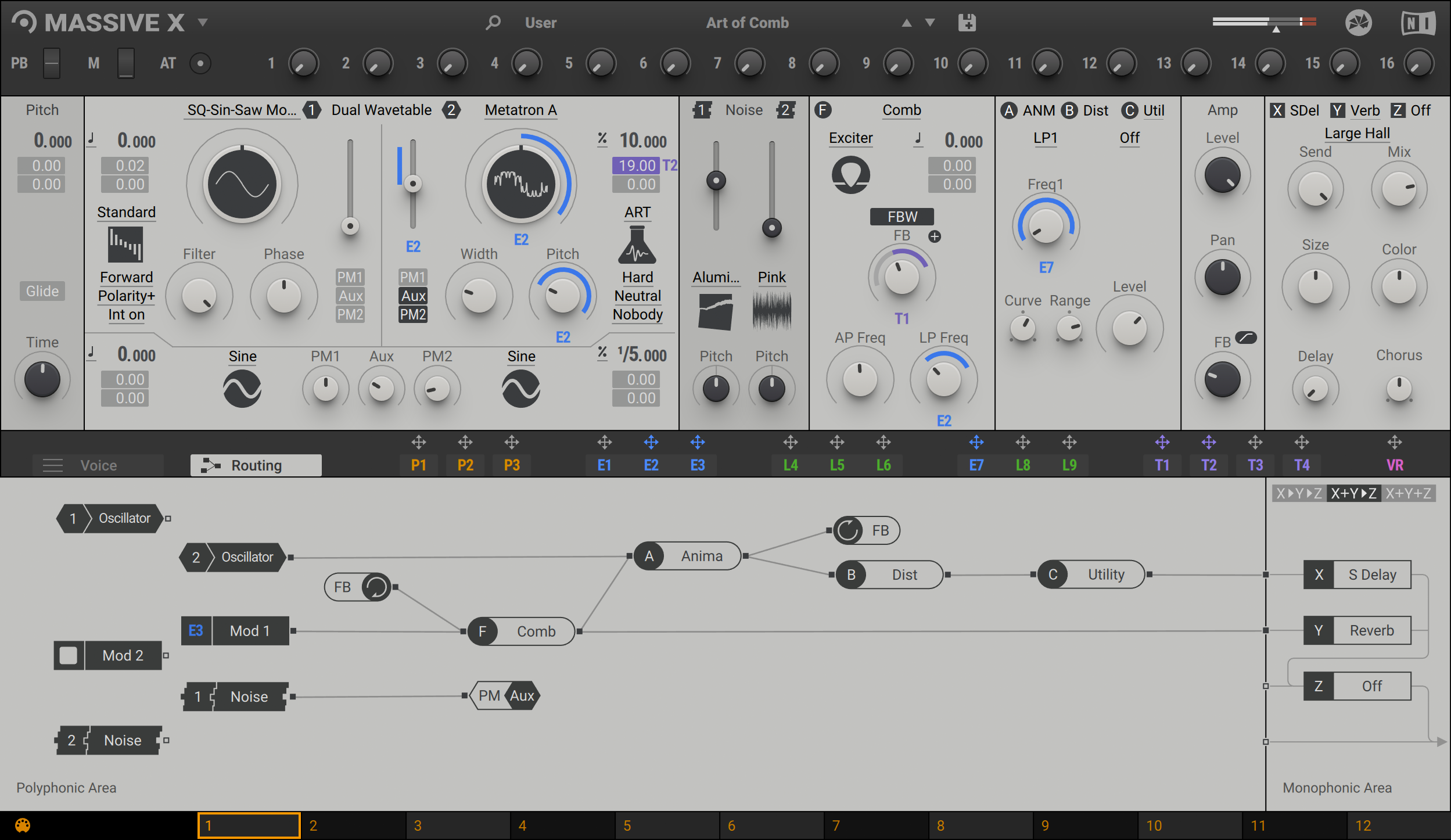
Routing Reimagined
Connect any output to any input, and see what happens. The intuitive routing setup lets you essentially rewire parts of MASSIVE X, meaning you can bypass, feedback, and send audio any way you like. It’s also possible to route modulators as audio sources to excite elements such as the comb filter.
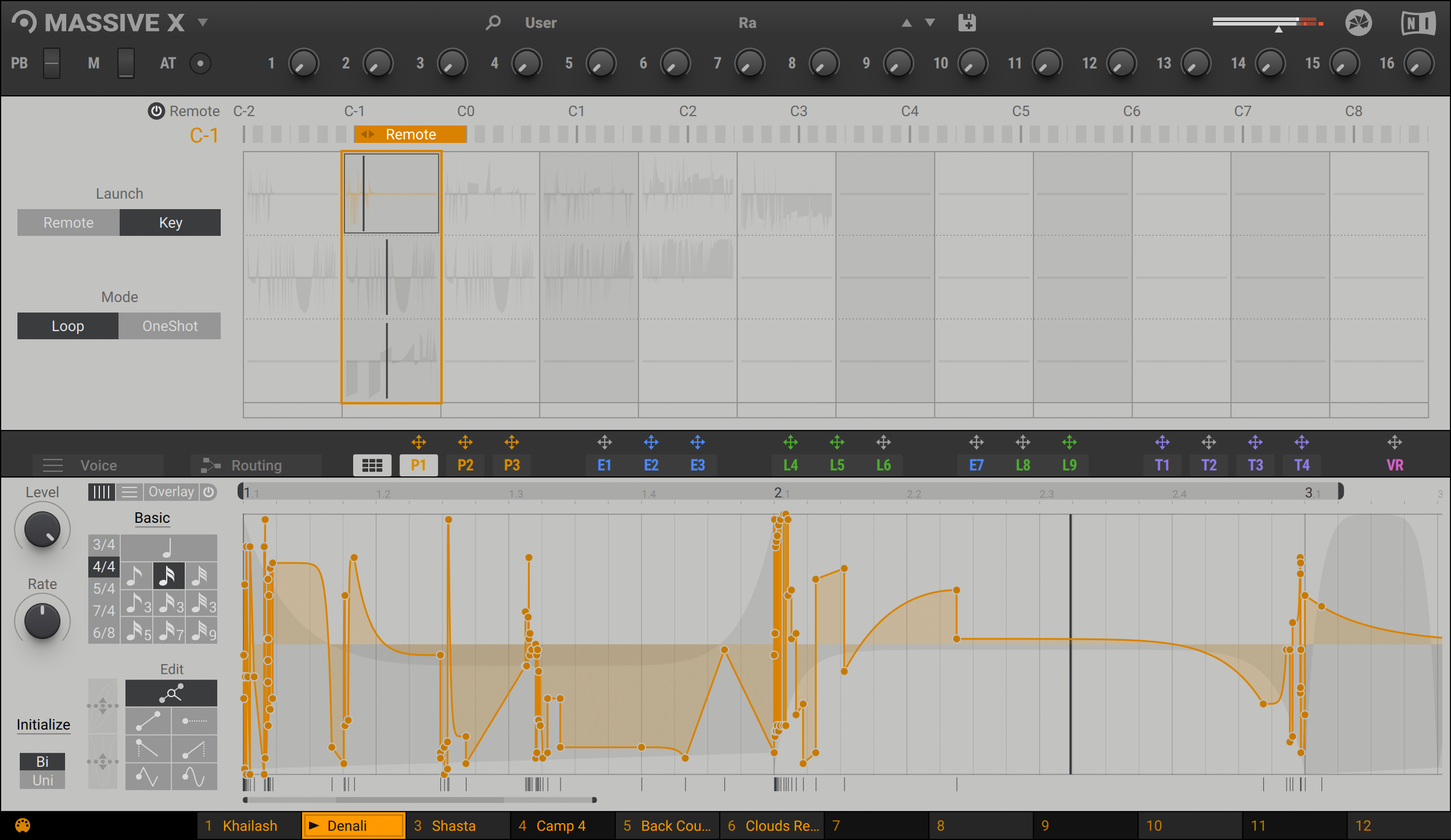
Performers: Made To Modulate
Draw precise patterns of modulation in the Performer section, and assign them to parameters for complex, evolving patches, or for controlled changes to your sound. You can then use the Remote Octave control to trigger them on your keyboard, meaning you get truly playable modulation and huge expressive variety within a single patch.
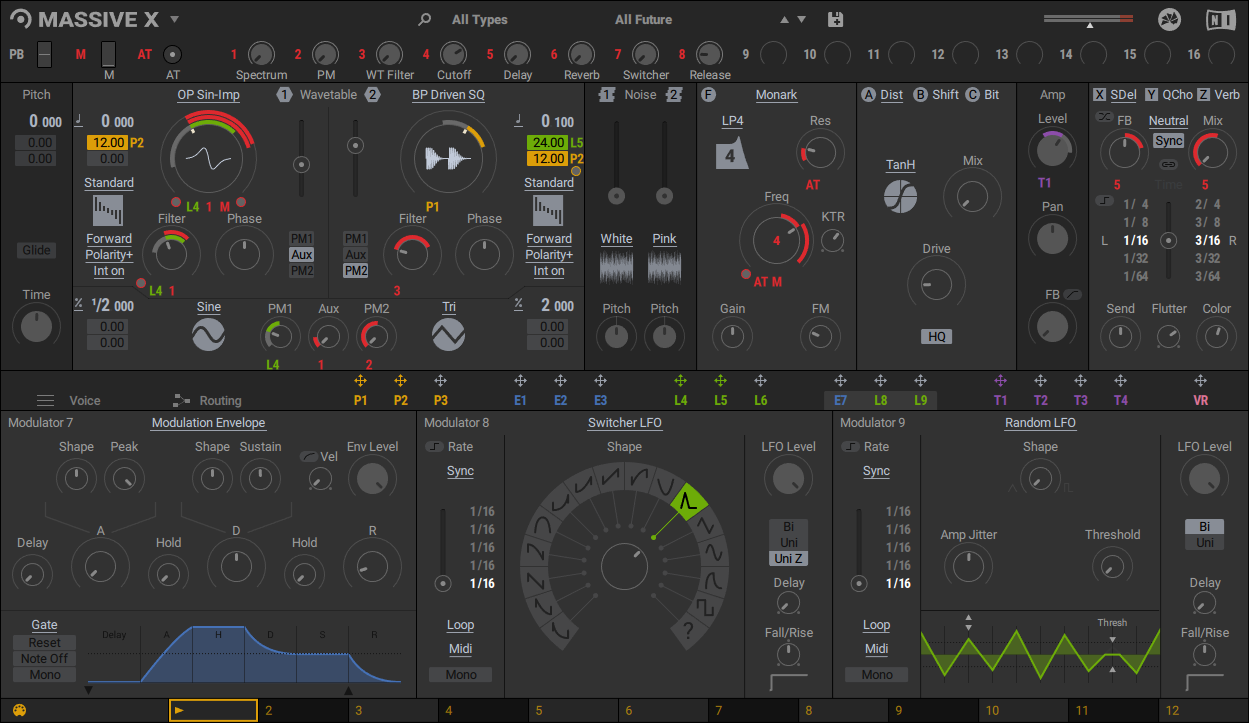
More Than Skin-Deep
Whether you’re a daytime sound designer or all-night deep diver, switch to a skin that suits your workflow. Keep a little extra CPU power under the hood with stripped-back flat modes, and resize MASSIVE X to fit your studio.
Packed With Presets
MASSIVE X comes loaded with presets – from sequenced soundscapes, to leads, pads, and the big bass growlers you’d expect. Use them as they are, to kick off your own patches, or to experiment and learn more about how the synth works. We’ll keep adding more with regular free library updates.
The Gorilla Gang
Worthy of special mention is our band of Gorilla oscillator sub-modes – King, Kang, and Kong. Feed them wavetables and they’ll deliver some of the fattest, and most aggressive tones you’ve ever heard.
Get Hands-On With Macros
Instantly control the parts of MASSIVE X you need to with 16 assignable macro controls. These also enable you to control the synth’s parameters easily in your DAW. Assign pitch bend, modwheel, and aftertouch to modulate any parameter for extra playability.
MASSIVE X Expansions
MASSIVE X Expansions are cutting-edge, curated preset packs from expert sound designers with a meticulous approach to sculpting sounds and squeezing the best out of our flagship synth. Expansions contain 150 presets for a certain genre, mood, or utility, so you have killer sounds when you need them fast.
Features
- NEW Global Multiband Compressor - Comprehensive dynamic control to bring your synth tones over the top with maximum harmonic detail
- NEW Fully Automatable UI - Control every MASSIVE X parameter from your DAW for captivating sonic evolutions
- Oscillators - 2 main oscillators with 170+ wavetables, 2 sub and noise oscillators, and 2 additional phase oscillators for limitless creative possibilities
- Filters - 9 Multimode filter types for warping frequencies to your heart’s content
- Routing - Flexible drag-and-drop operation for shaping your signature synth sounds
- Performer - Precise modulation patterns and keyboard-triggered sequencer control for dynamic, expressive performance
- Effects - Three master stereo effects with dedicated routing options and effect algorithms for tonal control
- Customizable UI - Changeable skins, CPU-light UI modes, and resizability for more flow, less work
- Presets - Extensive library of high-quality sounds designed to inspire, with regular free updates
- Gorilla Sub-modes - Thick, seismic low end tones to hit the audience where it “hertz”
- Macro controls - 16 assignable macros with seamless DAW integration for effortless, responsive playability
- Expansions - Curated MASSIVE X Expansions with 150 genre-specific presets to jumpstart your projects
- NKS Supported - Seamless integration with NKS-equipped MIDI hardware for real-time, hands-on control
System Requirements
Windows (64-bit only)
- Intel Core i5 or equivalent AMD CPU, 4 GB RAM
- Stand-alone, VST, VST3, AAX
- Windows 10 or 11
macOS (64-bit only)
- Intel Core i5 or equivalent AMD CPU, 4 GB RAM
- Apple Silicon (native mode or using Rosetta 2)
- Stand-alone, VST, VST3, AU, AAX
- macOS 12, 13 or 14 (latest update)
- Mac M1 compatible
Note: An Internet connection and a graphics card that supports OpenGL 2.1 or higher are required to download and activate this product. Once installed and activated, the product can be used offline.


