


 Log In
.jpg)
Free gifts available with your purchase

Modular DSP Lab
True Sonic Playground
REAKTOR 6 is the ultimate creative toolkit for deep sound exploration, featuring cutting-edge DSP and high-fidelity sound.
- Build custom synths, samplers, effects, and sound design tools
- Experiment with rack-style modular patching using Blocks
- Discover 70+ included instruments plus thousands of sounds in the User Library
For Sound Makers
Looking to take full control of your sounds, or create something never heard before? REAKTOR is the beating heart that gives life to synths like Native’s RAZOR and MONARK, as well as third-party releases from Twisted Tools, Tim Exile, Blinksonic and many more. It’s a sandbox for sound creation – a limitless platform for experimenting and diving into new sound directions. Simply put, REAKTOR lets you build instruments to replicate the sounds in your head – in a way that existing instruments can’t.
Unrivalled Sound Quality
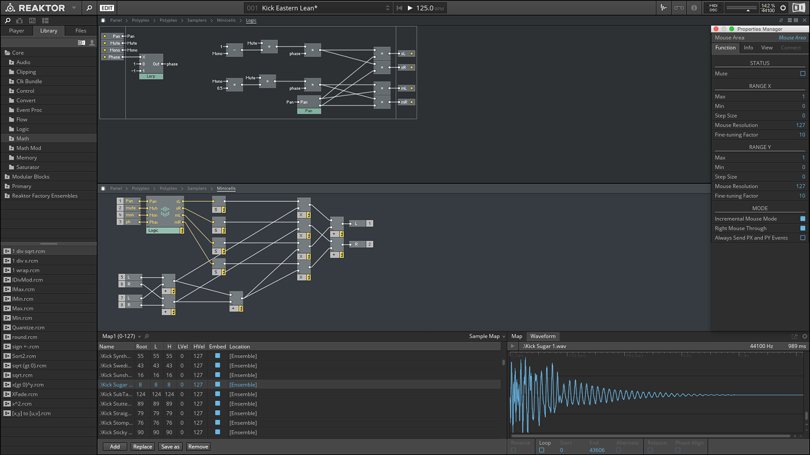
REAKTOR’s trademark sound quality is unmistakable. From anti-aliased oscillators and ZDF (zero delay feedback) filters to granular synthesis engines, a team of leading developers build every component in REAKTOR from the core level up using the most elegant algorithms. Their relentless pursuit of DSP excellence keeps this sonic toolkit at the head of its class. And everything inside is organized for immediate use in REAKTOR’s macro libraries for fast, creative building sessions.
Reaktor Blocks
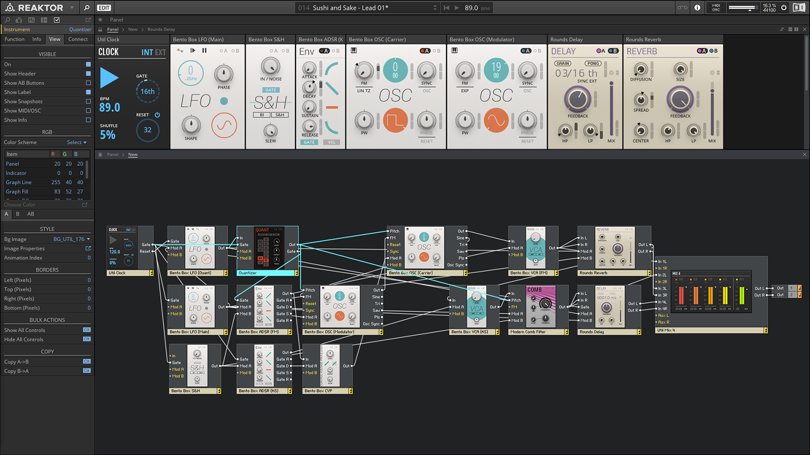
REAKTOR also provides a platform for modular synthesis in the form of Blocks – a range of sound generating and sound shaping modules. You can patch them together to create new and unique modular synthesizers, effects chains, complex sequencers, and more. REAKTOR includes BLOCKS BASE and BLOCKS PRIMES to kick start your modular journey, and the Blocks ecosystem is expandable with releases from builders like Unfiltered Audio, Toy Box, Genki instruments, ACL, and Holonic Systems.
Get Connected
REAKTOR offers extensive options for connecting to other devices. MIDI, OSC, and CV/Gate connectivity lets you connect hardware modular systems, standalone hardware, other software instruments, and mobile devices. Ableton Link support lets you sync timing easily across instruments and devices, and makes collaborating with others a breeze.
Hardware Control
Control REAKTOR directly from a KOMPLETE KONTROL keyboard or MASCHINE. With the REAKTOR API, you can design fully-integrated performance setups. Create your own touch strip integration, custom displays, parameter mappings, light guide configurations, and more. REAKTOR enables hybrid software/hardware instruments that are a true evolution in instrument design.
Features
- Modular DSP-lab to build custom synths, samplers, effects, and sound design tools
- Rack-style modular patching, plus macro libraries for fast, creative building sessions
- Myriad sound-generating and sound-shaping modules in the highest possible DSP quality can be connected and modulated, ranging from anti-aliased oscillators and zero delay feedback filters to granular synthesis engines
- Comes with more than 70 instruments and thousands of sounds in the user library
- Core algorithms have been used for creating Native Instruments RAZOR and MONARK and numerous plugins from third-party manufacturers
System Requirements
Windows (64-bit only)
- Intel Core i5 or equivalent AMD CPU, 4 GB RAM
- Stand-alone, VST, VST3, AAX
- Windows 10 or 11
macOS (64-bit only)
- Intel Core i5 or equivalent AMD CPU, 4 GB RAM
- Stand-alone, VST, VST3, AU, AAX
- macOS 11, 12 or 13
- Mac M1 compatible
Note: An Internet connection and a graphics card that supports OpenGL 2.1 or higher are required to download and activate this product. Once installed and activated, the product can be used offline.


