Buy Pigments 7, get a free gift with purchase:

Harness every shade of synthesis
Pigments 7 is a powerful end-to-end software synthesizer for contemporary producers, combining 6 cutting-edge synthesis engines with a colour-coded interface, effortless drag-and-drop modulation, premium FX, and generative sequencing.

Limitless sound design
Explore an infinite spectrum of sound with Pigments’ multiengine architecture and deep modulation options. From lush pads and evolving textures to razor-edged basses and punchy leads, a vast preset library and macro controls make complex sounds immediately playable and easy to customize.
Visual, intuitive workflow
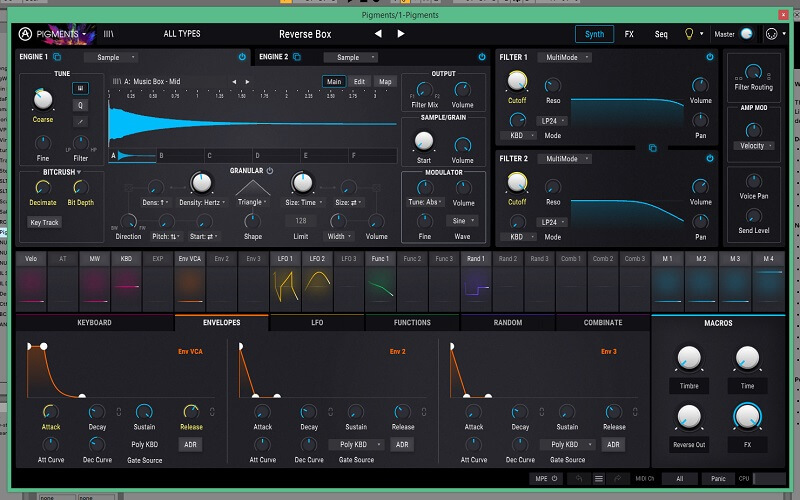
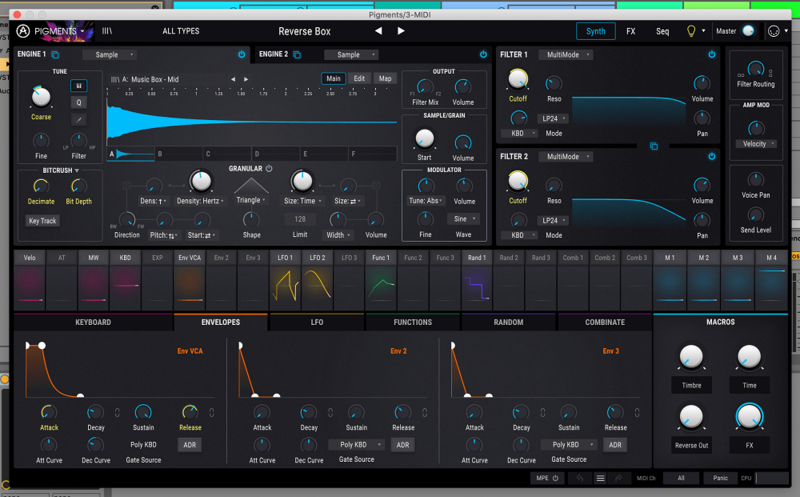
Pigments 7 harnesses a redesigned Play View and dynamic visual feedback so you can see sound in motion. Waveforms, envelopes, filters, and modulation all animate in real time, helping you refine patches quickly, understand what’s happening in the signal path, and stay focused on the music.
On the pulse of modern music
From hip hop, trap, bass and EDM to house, electro, lo-fi, electronica, cinematic scoring and more, Pigments 7’s sounds, sequencing tools, and performance-ready macros are tailored for today’s producers. Whether you’re sketching ideas or finishing mixes, it slots seamlessly into any DAW workflow.
Make it your own
Personalize Pigments to your setup with easy audio routing, custom appearance, play modes, preset playlists, and external sound sources. Design from scratch, reshape factory content, or build complete performance setups that respond exactly the way you want.

What’s new in Pigments 7
REDESIGNED PLAY VIEW
Experience a unique, inspiring and clear identity that harnesses Pigments’ visual sound design strengths. Immediately preview sound characteristics before playback and visualize timbre evolution.
NEW CREATIVE FILTERS
Explore the brand new aggressive Filter Rage to dial in powerful rumbling textures via feedback loop distortion, experiment with the Filter Ripple for intense phase shifts, and utilize the Reverb Filter to add fat, unique timbre modifications perfect for bass design.
NEW CORRODER FX MODULE
Push your sound further with Corroder, a modulation-driven erosion effect. From FM-tinged edges and filtered grain to wide, driven distortion, it delivers controlled grit while preserving the character of your dry signal.
MODULATION & CPU IMPROVEMENT
Modulation ranges are now displayed visually for easier editing, while optimized processing delivers extra headroom for complex modulation, layered engines, and heavy FX chains.
ENHANCED PUNCH & PRESENCE
Pigments 7 sharpens its default behaviour with smoother, S-shaped amplitude envelopes that reduce clicks and deliver cleaner, harder-hitting sounds—especially in bass-heavy and club-focused production.
NEW CREATIVE CONTENT
162 new factory presets, 50 wavetables, 30 samples, and 29 noises, plus in-app, use-case tutorials that walk you through sound designing granular pads, basses, and more.

Features
- Two engines in parallel
- Modal physical-modeling engine
- Virtual Analog triple-osc engine
- Complex Wavetable engine
- Sample and Granular engine
- Harmonic Oscillator additive engine
- Includes Engine Cross-modulation
- Utility Engine
- 5-shape Virtual Analog Sub Oscillator
- 2 Noise Engines
- External audio input
- Dual filters
- 16 modern filter types and 59 filter modes
- Classic filter types from V Collection instruments
- Continuous series/parallel routing
- Powerful FX section
- 2 Insert effect buses, 1 Send/Return effect bus, 3 FX slots per bus
- Modulable parameters
- 20 algorithms including Shimmer Reverb, MultiBand Compressor, Distortion, Vocoder, and more
- Advanced modulation system
- Color-coded workflow
- Drag-and-drop assignation, hover quick-edit adjustment
- Modulation side-chain
- Envelopes, Morphing LFOs, Function generators, Random generators, Combinators and more
- 4 dynamic, assignable Macro controls
- Generative Sequencer and Arpeggiator
- Create complex, evolving and polymetric sequences/arps
- Advanced random sequence generator
- Sequencer lock & browser
- Visual interface
- 4k resizeable interface
- Interactive animated interface
- Audio-reactive Play View optimized for expressive performance and preset browsing
- Dark or Light themes
- Extensive library of more than 1700 presets
Included Software
- Arturia Pigments
- Arturia Software Control Center
Mac
- macOS 11+ or later (64-bit only) (M1 Mac Supported)
- 4 GB RAM
- 4 cores CPU, 3.4 GHz (4.0 GHz Turbo-boost) or M1 CPU
- 3 GB free hard disk space
- OpenGL 2.0 compatible GPU
- Works in Standalone, VST, AAX, Audio Unit, NKS (64-bit DAWs only).
Windows
- Win 10+ (64-bit only)
- 4 GB RAM
- 4 cores CPU, 3.4 GHz (4.0 GHz Turbo-boost)
- 3 GB free hard disk space
- OpenGL 2.0 compatible GPU
- Works in Standalone, VST, AAX, Audio Unit, NKS (64-bit DAWs only).
Protection
- All Arturia software is protected by the Arturia Software Center.
Registration
1. Go to the Arturia login page. You will be prompted to create an account or log in (if you already have an Arturia account, please log in and skip to Step 4 of the registration process).
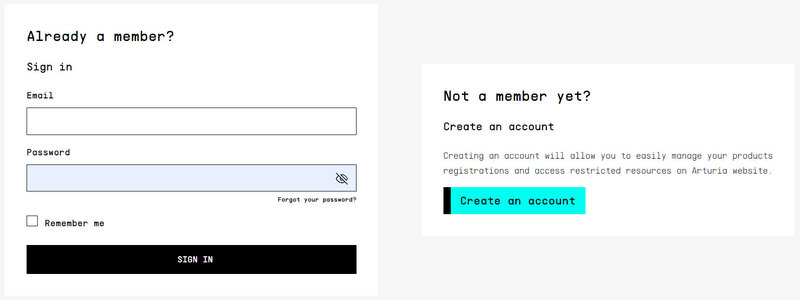
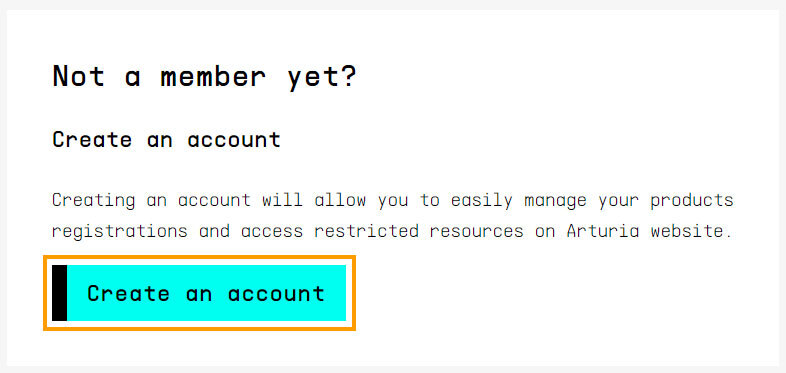
2. Click 'Create an account'.
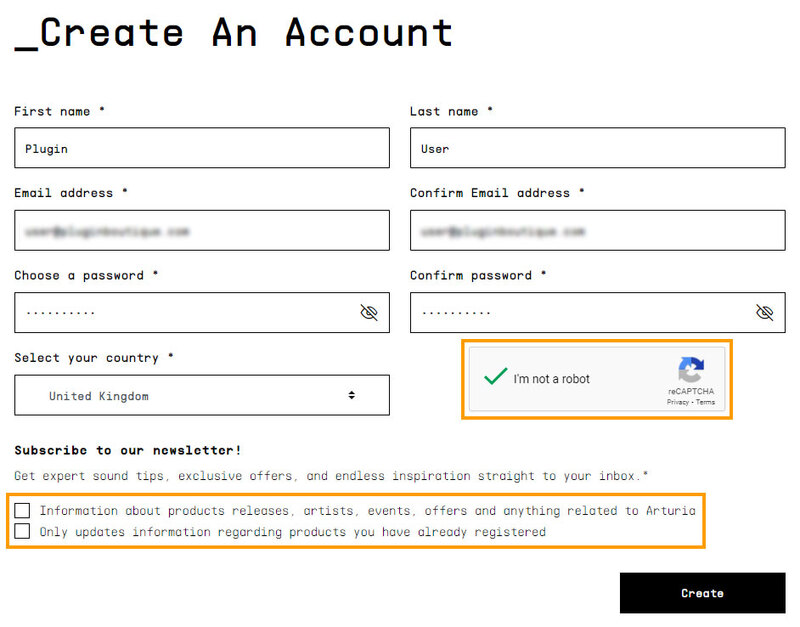
3. Enter your details and click 'I'm not a robot'. Choose your marketing preferences and then click 'Create'.
4. You should have received an email to activate your account. Click the link that has been sent to you and login into your account by entering your personal details.
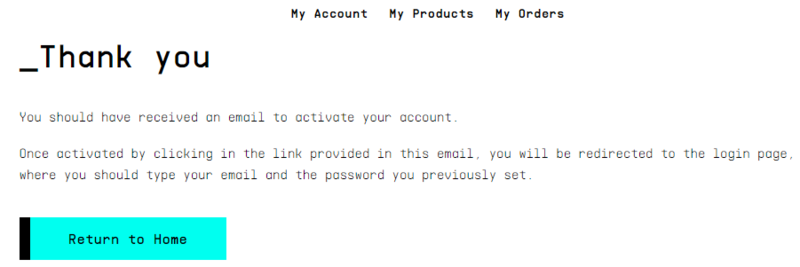
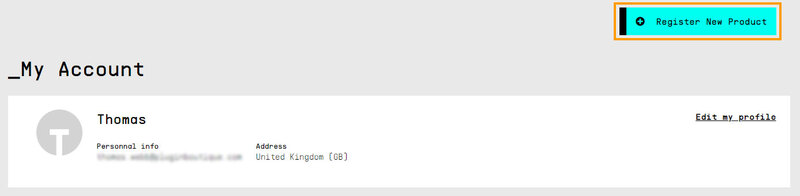
5. You will be redirected to your Arturia account area, where you can click the 'Register New Product' option.
6. Enter the Serial Number from your Plugin Boutique account (the 16-digit code that consists of 16 numbers), e.g. 1234-5678-9012-0000 and then enter your Unlock Code (the 8-digit code that consists of letters and numbers), e.g. C5GM00N9 > Click 'Register'.
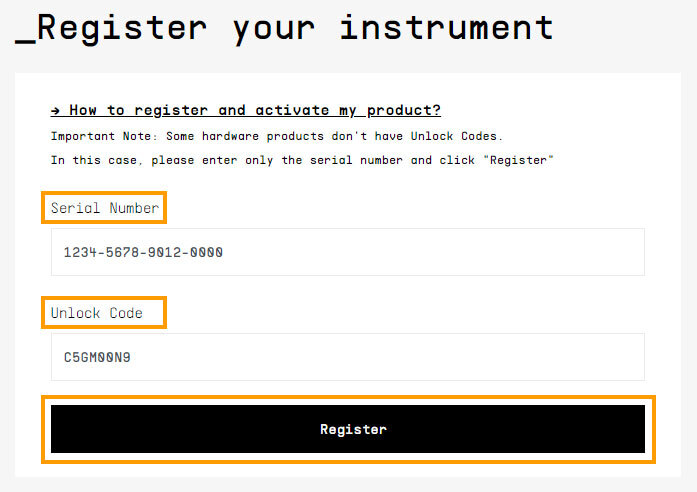
Please note: Your Arturia codes will either be separated by a comma, e.g. 1234-5678-9012-0000,C5GM00N9 or by the letters 'Uc:', e.g. 1234-5678-9012-0000 Uc:C5GM00N9.
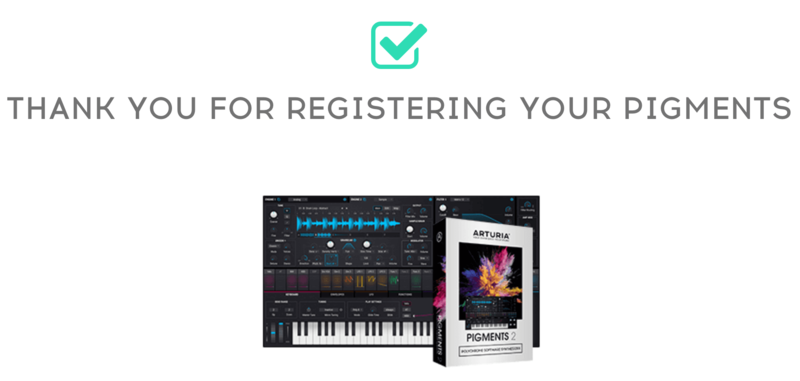
Your product is now registered!
Mac Installation
Note: Pigments is used as an example.
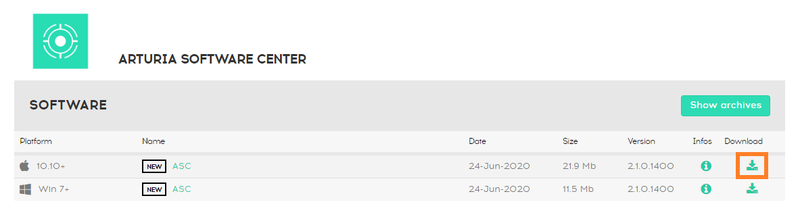
1. Go to https://www.arturia.com/support/downloads&manuals > Click the download icon to download the installer for the Arturia Software Center.
2. Open the installer for the Arturia Software Center > then click 'Continue'.

3. Click 'Continue'.

4. Read the software licence agreement > then click 'Continue'.

5. If you are happy with the terms of the software licence agreement click 'Agree'.

6. Click 'Install'.

7. Enter your login credentials and click 'Install Software' (or tap your fingerprint) to install the Arturia Software Center.

8. The Arturia Software Center is now installed > click 'Close'.

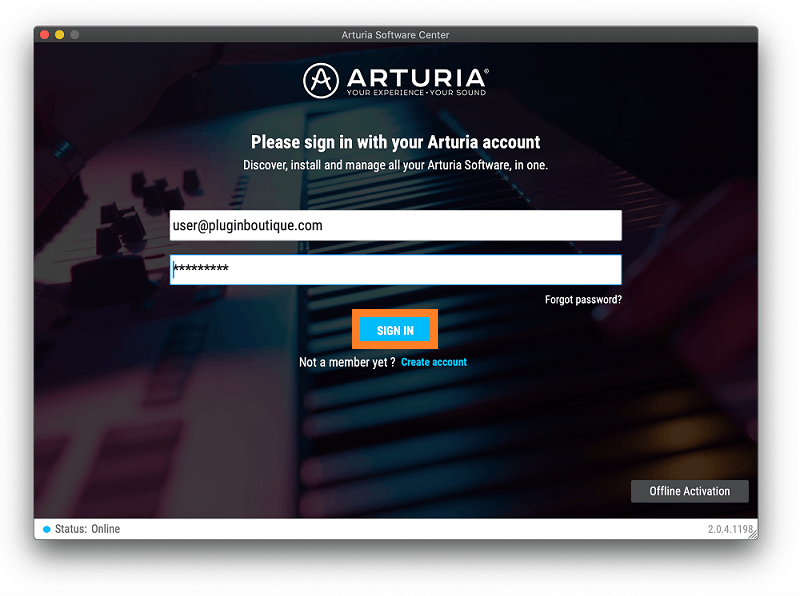
9. Open the Arturia Software Center and log into your Arturia account.
10. Your purchase will now be in your account > click 'Activate' to authorise the product on your system.

11. Click 'Install' to download and install the software onto your computer system.

Your software is now activated and ready to use in your DAW.
Windows Installation
Note: Pigments is used as an example.
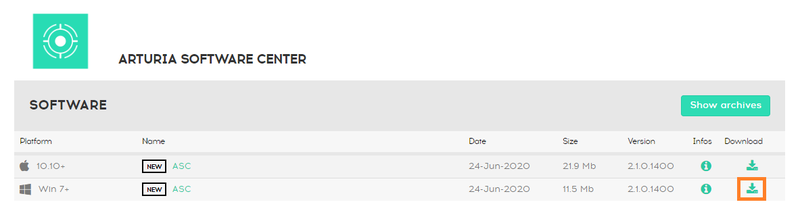
1. Go to https://www.arturia.com/support/downloads&manuals > Click the download icon to download the installer for the Arturia Software Center.
2. Open the installer for the Arturia Software Center > then click 'Yes'.
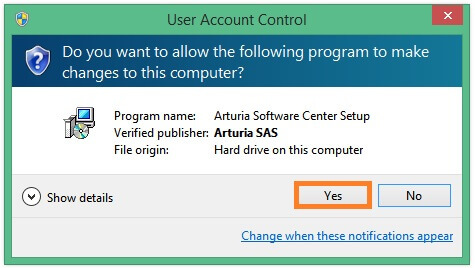
3. Click 'Next'.
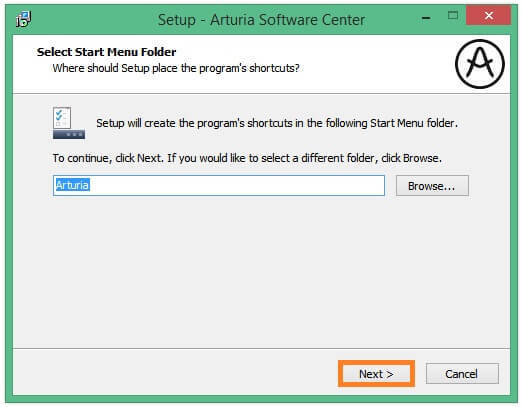
4. Click 'Next'.
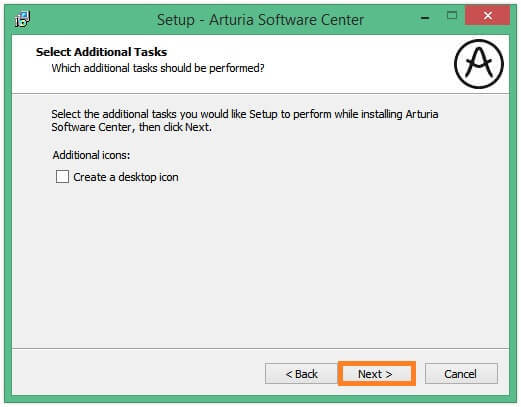
5. Click 'Install'.
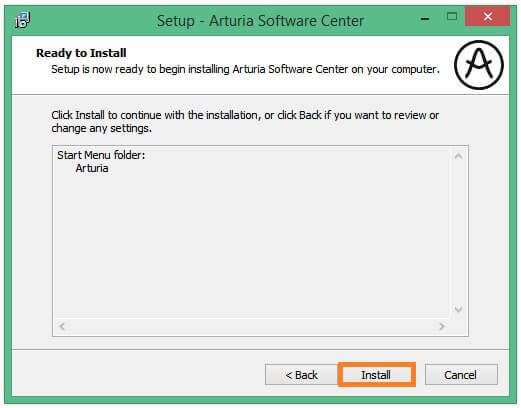
6. Click 'Finish'.
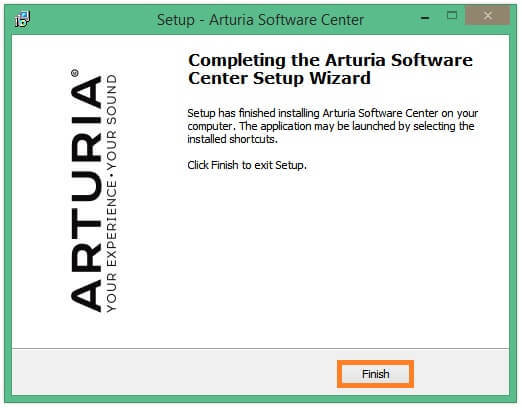
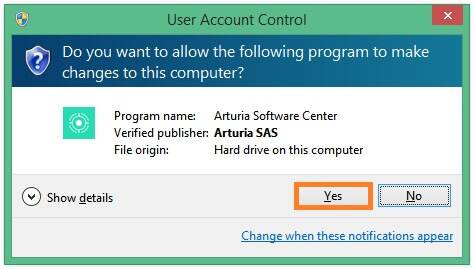
7. Open the Arturia Software Center > click 'Yes'.
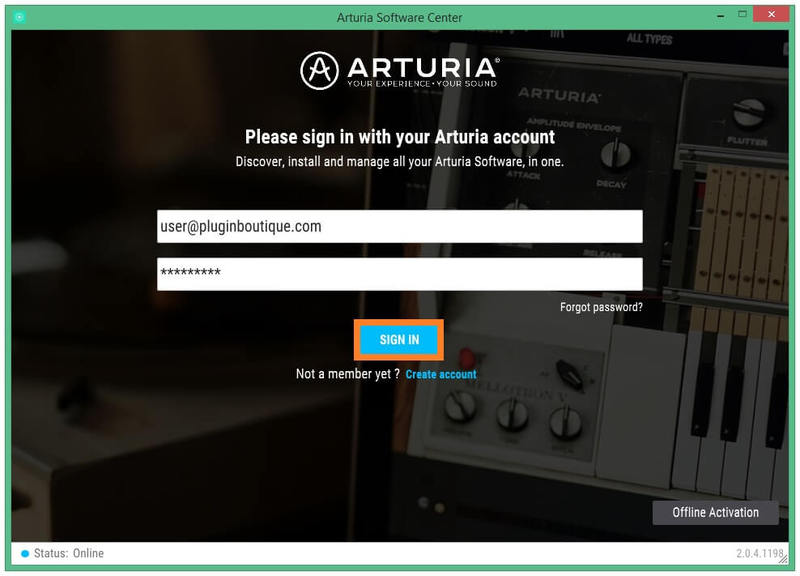
8. Sign in to your Arturia account.
9. Click 'Next'.
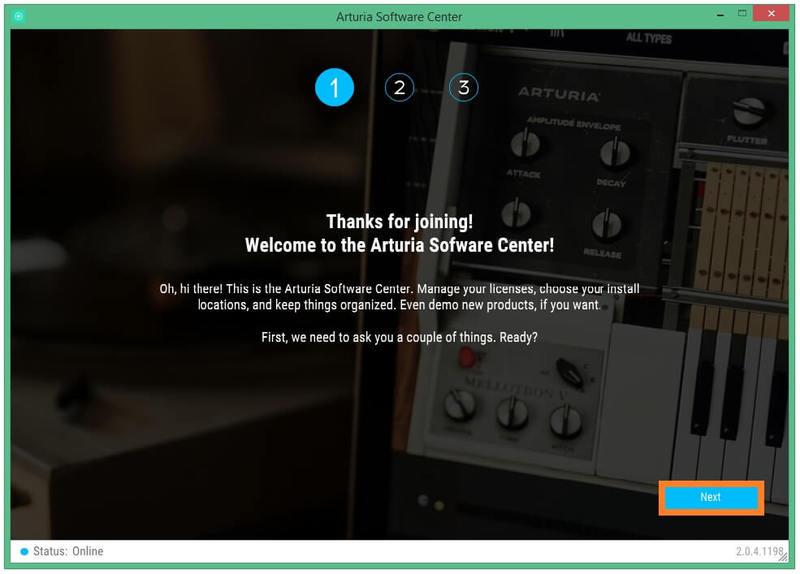
10. Click 'Next' or install the software to your preferred custom VST folder(s).
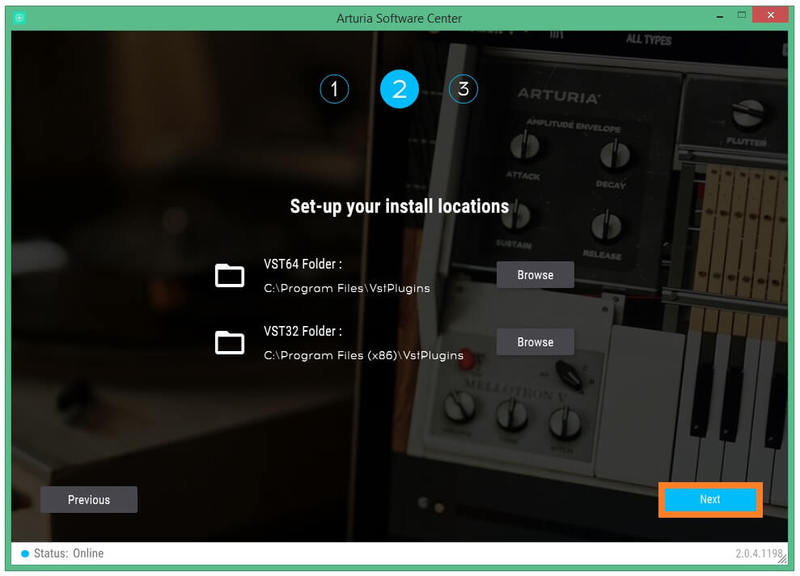
11. If you are asked about sharing your anonymous data with Arturia's team, click 'Yes, I agree' or 'No, thanks' to proceed.
12. The software will now be in your Arturia account > click 'Activate' to authorise the product on your computer system.
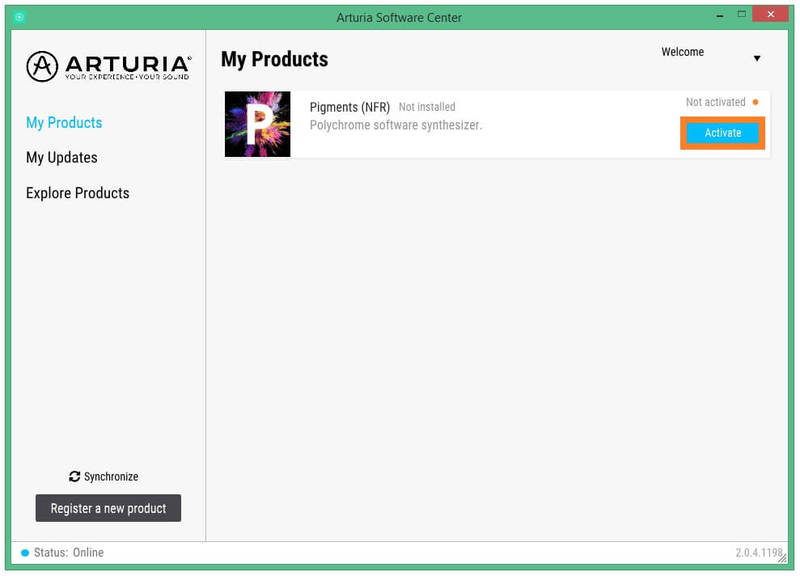
13. Click 'Install'.
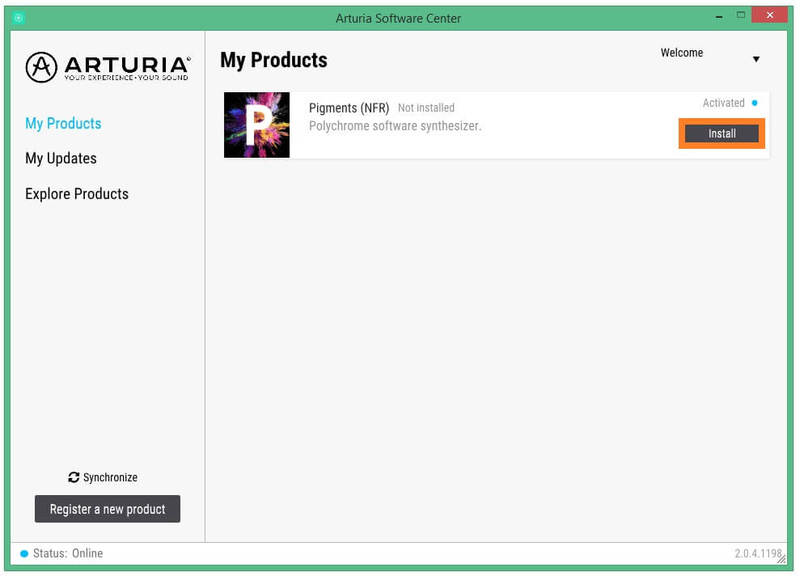
14. Your software will now download and install.
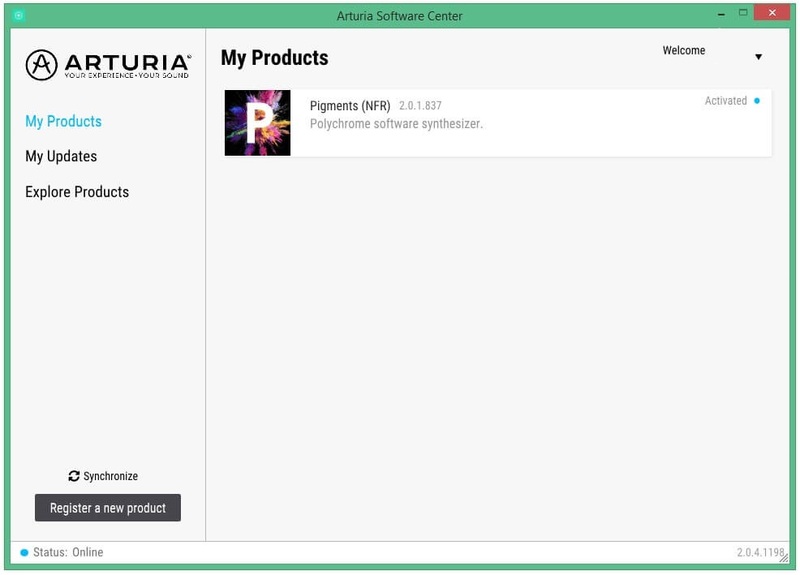
Your software is now activated and ready to use in your DAW.