


 Log In

Free gifts available with your purchase

Advanced Sequence Synthesizer
- Design and sequence up to 16 different synth sounds
- Analog and digital engines deliver a huge sonic palette
- Unique key switch setup for on-the-fly re-sequencing
Paradigm Shift
A REAKTOR-based synth that combines digital and analog synth sounds with complex, sequenced sound shifting capabilities. A near-limitless array of new sound and texture.
Round We Go
ROUNDS is a groundbreaking instrument, blurring the lines between cutting-edge sound design and advanced sequencing techniques. Play melodies, chords, and arpeggios while sequencing and morphing your sound palette in real time. An inspiring performance machine of undeniable power and the evolution of software synthesis.
Start Your Engines
ROUNDS comes with one analog and one digital synth engine. Both give you every essential parameter in a stripped-down, no-fuss layout. Design up to eight sounds per engine – each with its own independent parameter settings – then sequence them with the Voice Programmer.
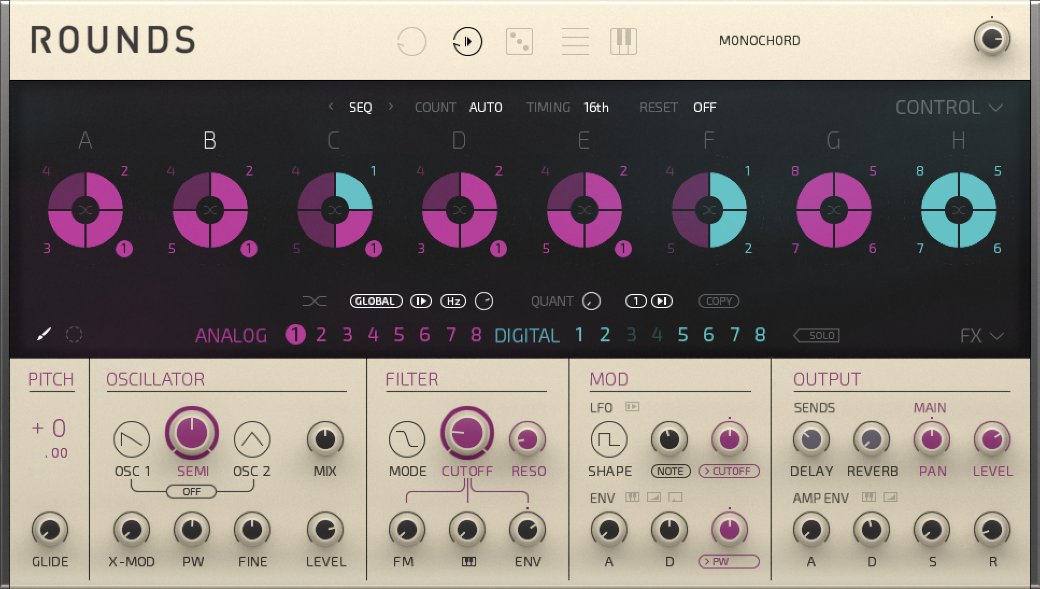
Analog Engine
The analog engine is inspired by a classic, two-oscillator synth. The sound is warm and harmonically-rich – the revered analog sound courtesy of NI’s synth expertise.
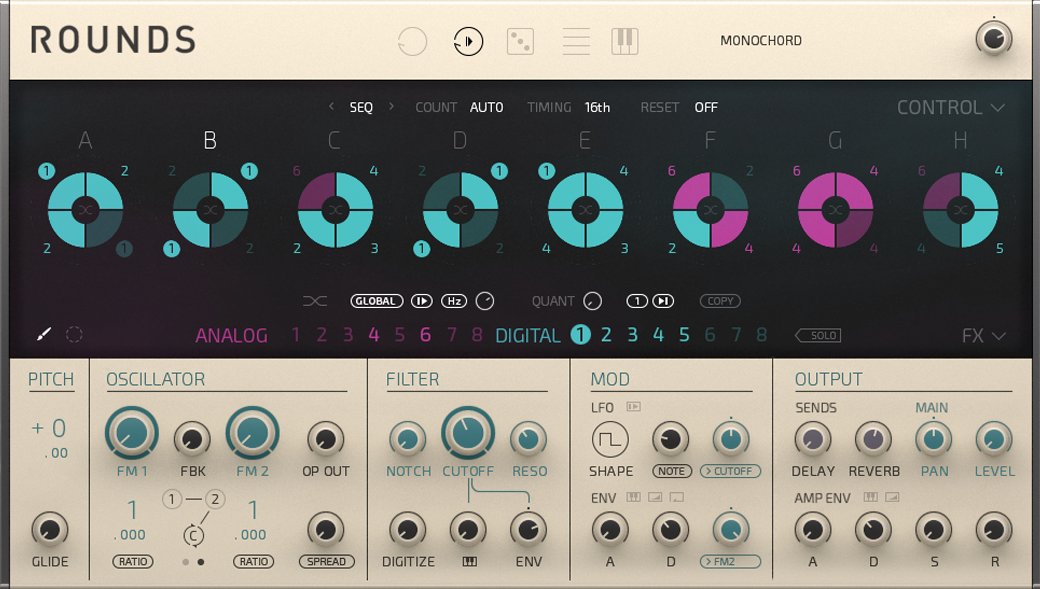
Digital Engine
The digital side of ROUNDS is an FM engine with three oscillators and a 2-pole filter. Get a range of sounds from sparkling and clean to metallic and dissonant – all with superior note definition.
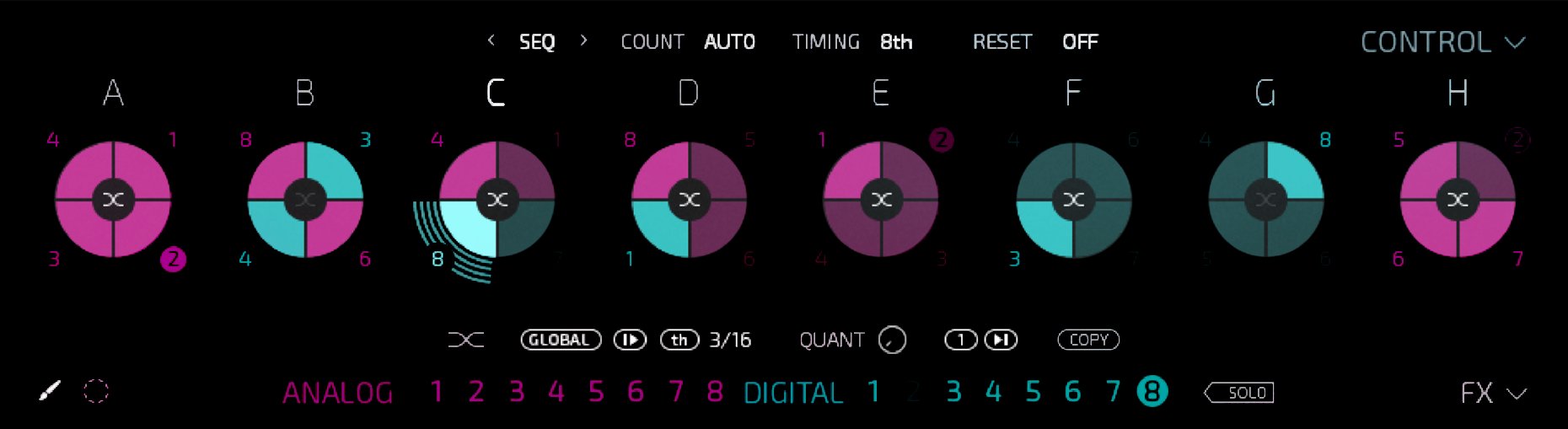
The Voice Programmer
The Voice Programmer gives ROUNDS its magic. It contains eight blocks with four cells each. Each cell hosts one sound. Set these 32 sound slots in motion to create your own rhythmic sound sequence. Five different voicing modes determine the sound distribution on different cells. An additional modifier lets you adjust each voicing mode even further.
Performance Features
Perform stunning, on-the-fly sequence shifts in real time. The Remote Octave feature maps on/off assignments for blocks to the white keys on your keyboard. Cells get mapped to black keys and you can turn them on and off in any combination and in real time. Assign up to eight macros and tweak parameters from your hardware. You can also the Multi-Edit view to easily edit one parameter across all sounds at once.
Effects
ROUNDS has high-quality delay and reverb effects on board. Choose from classic or grain delays, and use the dedicated LFO to create flanging and chorus effects. The reverb is a new algorithm exclusive to ROUNDS. And because the effects are integrated in the synthesizer, you can sequence each effect per sound for bursts of rhythmic echo and space.
System Requirements
Windows (64-bit only)
- Intel Core i5 or equivalent CPU, 4 GB RAM
- Stand-alone, VST, AAX
- Windows 10 or 11
macOS (64-bit only)
- i5, 4 GB RAM
- Stand-alone, VST, AU, AAX
- macOS 11+
Important Note: The Free Reaktor 6 Player is required to use this product. An Internet connection and a graphics card that supports OpenGL 2.1 or higher are required to download and activate this product. Once installed and activated, the product can be used offline.


