Log In

Free gifts available with your purchase
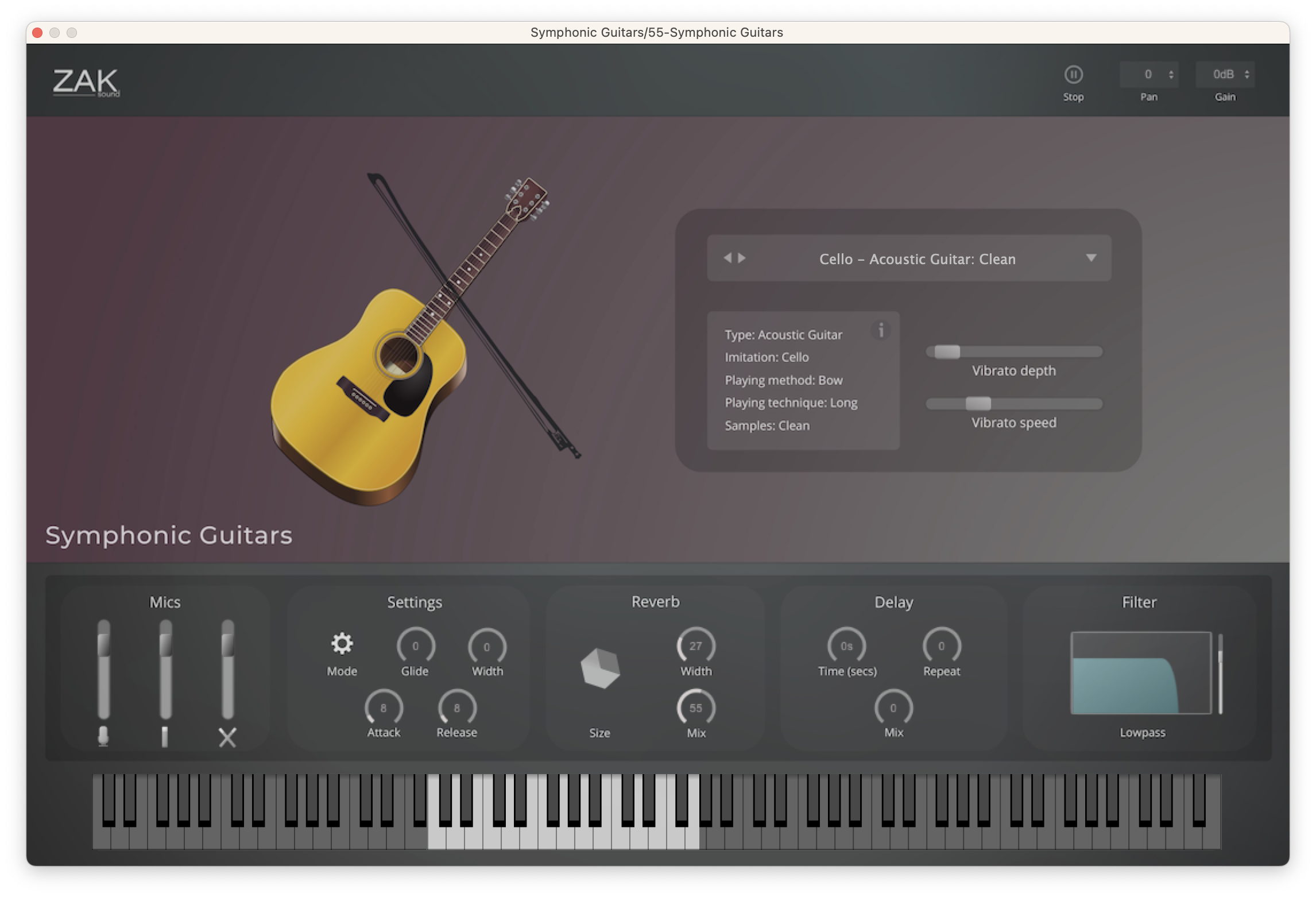
Symphonic Guitars is a plugin that features orchestral sounds created solely using guitars. Sounds of violin, viola, cello, flute, and horn recreated with different guitar techniques.
The Idea Behind Symphonic Guitars
ZAK Sound love guitars, and also love orchestral instruments. So, a few months ago, they had an idea: what if they made an orchestral sound plugin based on guitars? The intention wasn’t to replicate an orchestral plugin, of course. The goal was to create an original plugin of inspirational and cinematic sounds created with guitars.
The idea of using the guitar to obtain these types of sounds isn’t new. Many artists have used the violin bow technique on the guitar, such as Jimmy Page from Led Zeppelin. But their goal was to record acoustic and electric guitars with different techniques to make them sound orchestral and inspirational and then turn them into a multi-instrument plugin.
What Is Symphonic Guitars?
Symphonic Guitars is a plugin of orchestral sounds created only using guitars. It contains 50 instruments in total, including variations with effects.
The orchestral instruments that ZAK Sound managed to recreate on the guitar were the cello, the viola, the violin, the flute, and the horn. Depending on the instrument, they were able to create long notes, staccato (short notes), and pizzicato sounds.
- Cellos (9 presets)
- Flute (4 presets)
- Horn (4 presets)
- Pizzicato (7 presets)
- Special (5 presets)
- Staccato (8 presets)
- Viola (5 presets)
- Violin (8 presets)
How It Was Made
In a nutshell, violin bows and electronic bows were used to create most of the sounds. Depending on where the bow is positioned, a different instrument can be created.
For this reason, they used different playing techniques for each instrument. For example, to get the violin sound, they used the violin bow on the first two strings of the guitar. On the other hand, to obtain the sound of the cello, they used the sixth string, which sounds thicker.
ZAK also experimented with other techniques, like pulling the strings and muting at the same time, to get a sound similar to the pizzicato of the violin or cello. There are also versions with effects to create usable sounds for different styles.
All of this was recorded with four microphones: two XY small-diaphragm condensers, one large-diaphragm, and one dynamic.
System Requirements
Windows
- Compatible with Windows 8 / 10 / 11 (64 bit only)
- VST3
- 8GB RAM (Recommended)
- 1.35GB of free space
macOS
- Compatible with macOS 10.11 to 12 (native Apple Silicon support)
- VST3/AU
- 8GB RAM (Recommended)
- 1.35GB of free space