Log In

Free gifts available with your purchase
Modern Bass. Mix-ready Bass. Monoment Bass.
- Super-high-quality bass synth with stereo source sounds from top-end boutique hardware.
- Blend noise with two different sources at once for a textured and highly complex sound.
- Professional presets from Madison Mars, Vandalism, Sample Tools by Cr2, WA production, Black Octopus, and Function Loops.
- Modular Ready: works as a native instrument plug-in and as modules in Modular, Softube's Eurorack platform.
In the modern day, music production leans more heavily on bass than ever before. Although track counts can number a hundred or more, often the core of a song is built around little more than a beat, a vocal, and a rich, living bass sound.
So, an instrument dedicated to just that – tailored to producing huge, solid bass tones with complex, organic overtones, focused effects, and as much bass as you want when you build your own version in Modular for a mix-ready low end – is more than just useful. It’s foundational. Monoment Bass lays the groundwork for top-quality tracks every time.
Stereo Soundscapes
All of the source material in Monoment Bass was recorded in stereo from high-end rare and boutique synths, giving huge, wide, and mood-defining sounds.
Task-specific Effects
Including a purpose-built multi-band compressor, and a spatialization tool for fine-tuning your stereo image, Monoment Bass has great-sounding effects, but more importantly, the right effects for the job.
Professional Presets
Amazing out-of-the-box sounds designed by Madison Mars, Vandalism, Sample Tools by Cr2, WA production, Black Octopus, and Function Loops, for finely tuned futureproof sounds from moment one.
Use it in Modular
Monoment Bass includes Source, Filter, and FX modules for Softube Modular so you can build your own bass synth with as many sources as you want.
Modern Music, Modern Instrument
Working with sound designer and rare-synth-collector Tobias Menguser, we set out on this project to tackle the vital problem of amazing-sounding, weighty bass parts in modern music. In so many modern styles, from pop and hip hop to club dance genres and electro music, the bass occupies more and more of the spectrum and does more and more of the heavy lifting in production terms. So we’ve provided a carefully selected and expertly curated collection of top-end sounds, paired them with easy-to-use and awesome-sounding synth architecture, and high quality analog effects for modern, mix-ready bass in seconds.
Get Complex Quickly
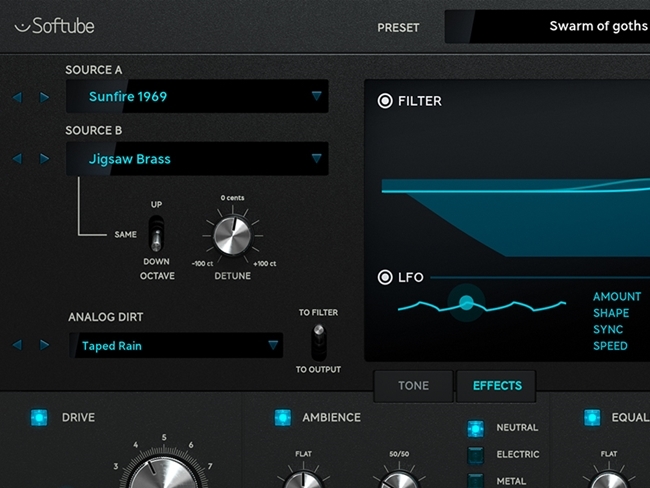
Monoment Bass includes a two-layer source section, with all-stereo sources offering rich and evolving sounds. Nothing is static, and all the sources were recorded in triplicate, so there are three different samples per key for additional naturalism and life. The resulting sounds leap out of the speakers and grab hold of your track. Right out of the box and with minimal tweaking, this instrument has authority, weight, heft, power, character. The filter, LFO, and amp are all geared to musicians – you don’t need a degree in synth-geekery to use Monoment Bass – and the effects are designed step-by-step for just this crucial task.
Noise, Dirt, Magic
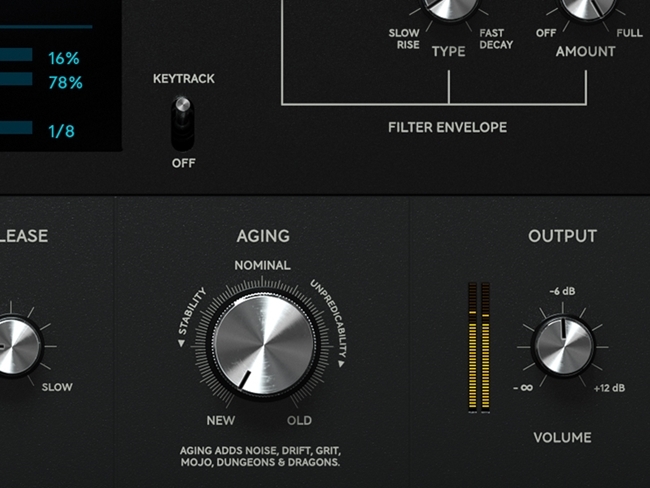
Using the aging knob, you can introduce a host of analog-ish imperfections to your bass sound. And a third noise source is available at all times, with multiple organic noise options, to add crunch to the attack or grit to the body of your sound. Add analog distortion, ambience, and tone-shaping in the effects section, and you’ll be surprised by the range of colorful living sounds your track can hold. Monoment, by virtue of its high input quality and carefully selected sculpting options, becomes more than a part of your mix. It’s the very core and heart of your mix.
The Modular Modules
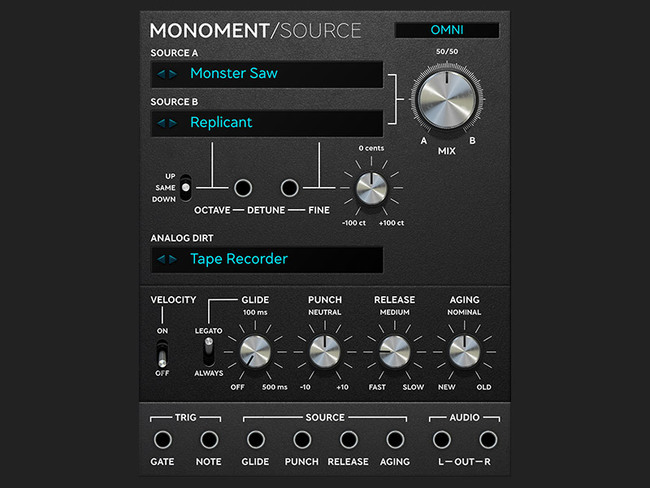
Monoment Source
Monoment Source is the source engine from Monoment Bass as a stand-alone module. It has a built-in amplitude envelope, waveform mixing, dirt level, and aging. It can be played monophonically within modular over midi or monophonically via the gate and note jacks. The glide, punch, release, and aging parameters have external CV control via jacks.
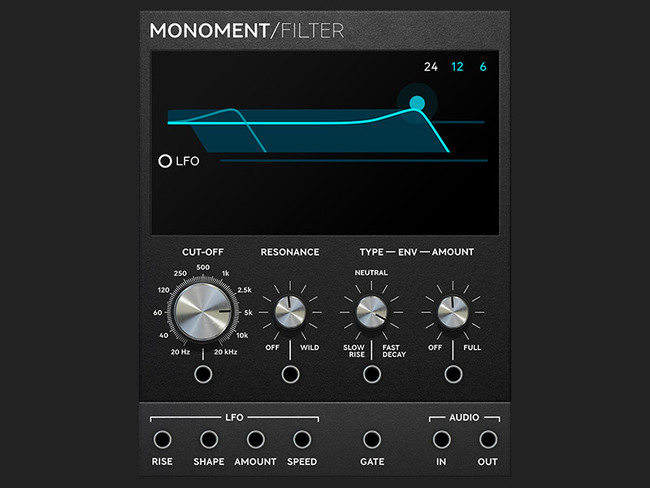
Monoment Filter
Monoment Filter is the filter section from Monoment Bass as a stand-alone module. It has a built-in filter envelope and LFO. The envelope is triggered through the external gate jack. The slew, range, amount, and swing sequencer functions have external CV control. The LFO can be automatically locked to the DAW tempo or set to free running mode.
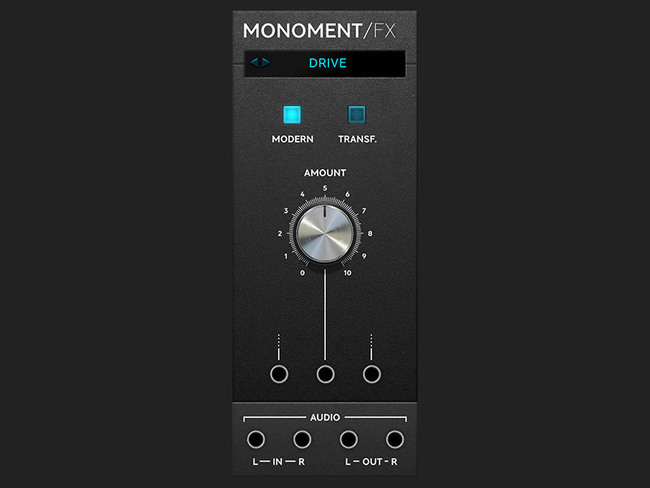
Monoment FX
Monoment FX is the effects engine for Monoment Bass as a stand-alone module. It has four modes, drive, EQ, multi comp, and spatialization, that can be run one at a time. Up to three parameters in each mode have external CV control.
In short
- Super-high-quality bass synth with stereo source sounds from top-end boutique hardware
- Top-notch synth architecture that’s both versatile and easy to use
- Blend noise with two different sources at once for a textured and highly complex sound
- Professional presets from Madison Mars, Vandalism, Sample Tools by Cr2, WA production, Black Octopus, and Function Loops
- A heavy focus on modern bass sounds makes this the perfect addition to the forward-thinking studio
- Fills a soundstage with domineering weight and power, yet easy to mix thanks to dedicated effects
System Requirements
- macOS Big Sur 11, Monterey 12, Ventura 13
- Windows 10 (64-bit), Windows 11
- Softube account
- iLok account
- Computer with AU, VST, VST3, and/or AAX-compatible DAW host software
- Internet access (for downloading installers and managing licenses)
Supported CPU Families
- Apple macOS computers with Intel Core i3/i5/i7 or Apple silicon (M1 or newer) CPU. Apple silicon is supported natively.
- Windows computers with quad-core Intel Core i3/i5/i7 or AMD quad-core processors with SSE 4.2 support.
- Other Intel processors (Celeron, Pentium, and Xeon) are compatible if they support SSE 4.2 instructions.
Supported Host Software (DAW)
Any 64-bit VST, VST3, AU, or AAX (Pro Tools 11.0.2 or higher) compatible host application should work. However, due to plug-in host differences between DAWs—and our rigorous standards—Softube only officially test their plug-ins and instruments in the most recent versions of Pro Tools, Logic Pro, Cubase, Ableton Live, Studio One, and Reaper. Softube plug-ins are not tested regularly in non-listed systems. They will likely work if the system requirements are met. However, the manufacturer cannot guarantee a solution for issues in unsupported systems.
Softube strongly recommend using VST3, as some of their plug-ins have features that are not present in the older VST format. Supported sample rates: 44.1, 48, 88.2, 96, 176.4, and 192 kHz, in both mono and stereo. The most recent maintenance release of your DAW application is recommended. AAX DSP is not currently in active development. TDM/VENUE/RTAS are no longer supported. See Legacy Installers.
Important Note: Make sure that you always use the latest iLok License Manager. It is not included in the Softube installer but can be downloaded from www.ilok.com
Awards


Madison Mars
"It’s very cool for the subs and those dirty bass sounds! I think it’s perfect for the low end and mid range bass jobs."