Buy TAL-BassLine-101, get a free gift with purchase:
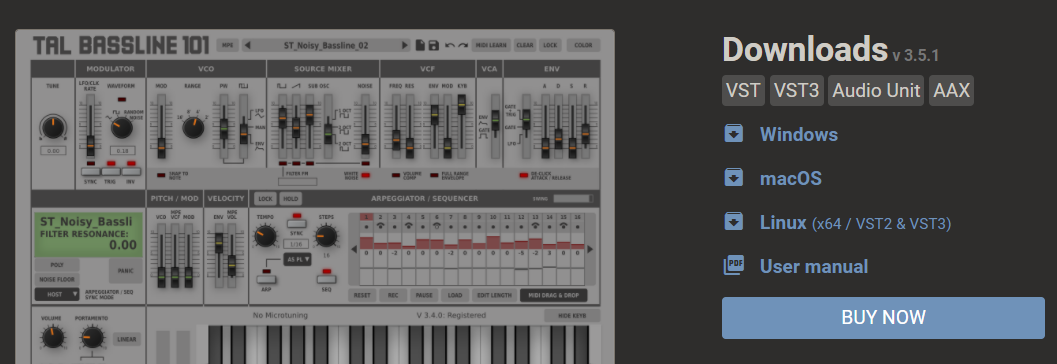
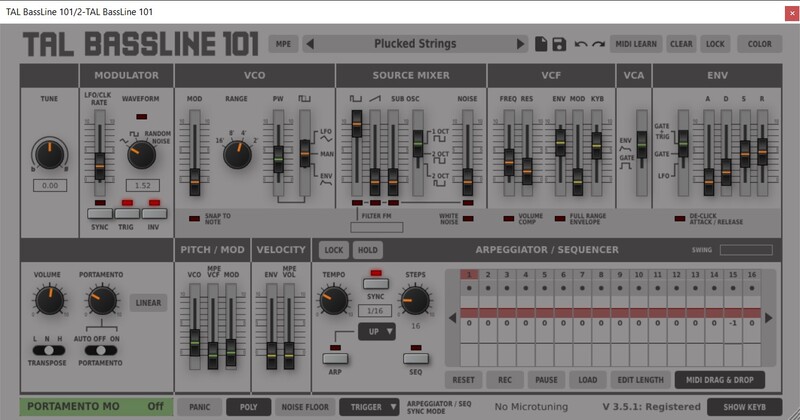
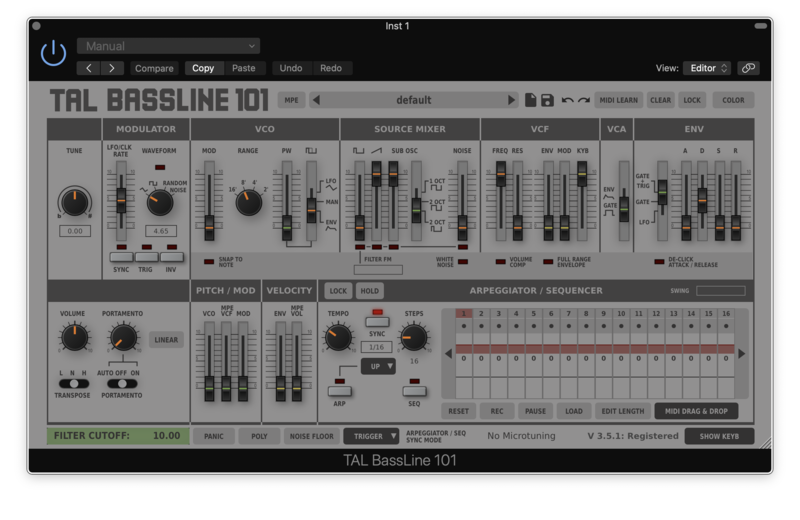
TAL-BassLine-101 is a monophonic bass synthesizer with a classic analogue sound. The GUI is intuitive and easy to use. It produces the raw sound you know from analogue devices without any effects.
BassLine has a very smooth and authentic analogue sounding 24dB zero feedback delay resonance low pass filter. Especially designed and calibrated for extreme settings. It sounds even smooth with a lot resonance and a high oscillator pitch.
Details as envelope transitions between overlapping notes are carefully modeled. The oscillators do not use any samples. BassLine generates all wave-forms in real time.
Features
- Self resonating zero feedback delay filter (24dB LP).
- Calibrated and tuned after our hardware device.
- Midi learn / automation for all controls.
- Alias free oscillators for an authentic sound also @ 44'100Hz sampling rate.
- Arpeggiator with different sync modes (host, midi clock, not on).
- Original (RC) and linear portamento mode.
- Built in arpeggiator with some additional modes.
- Powerful step sequencer with up to 96 steps and recording option.
- 6 voice poly mode.
- Sequencer MIDI export with drag and drop.
- Sequencer / arpeggiator MIDI out for VSTi version.
- De-Clicker mode for slower envelopes :/
- More than 300 presets.
- All sample rates supported.
- Resizeable GUI
- MTS, MPE supported
- Supports MIDI Mapping
System Requirements
Mac
- Mac OS X 10.9 or higher (64-bit only)
- Universal Binary 2 with native Apple M1 support.
- VST, VST3, Audio Unit, AAX, CLAP
Windows
- Windows 7 or higher (64-bit only)
- VST, VST3, AAX, CLAP
Please Note: AAX Format requires Pro Tools 10.3.6 or higher.
Awards
Registration
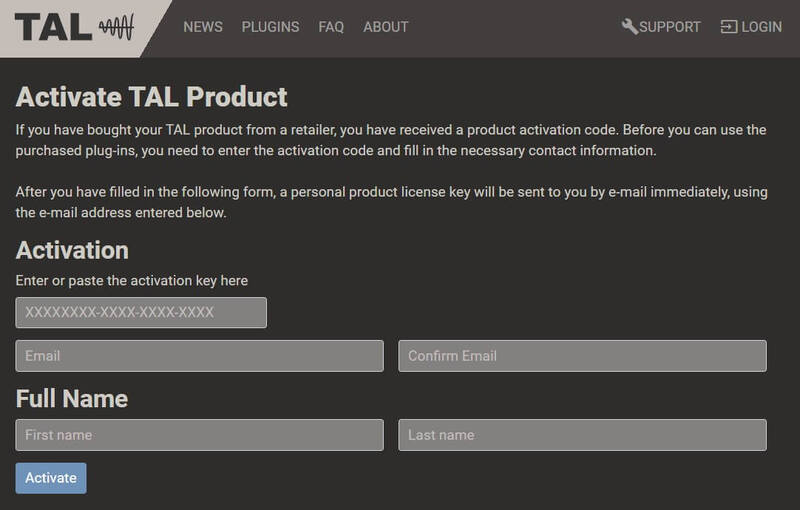
1. Click 'Download' in your Plugin Boutique account or go to https://tal-software.com/activate.
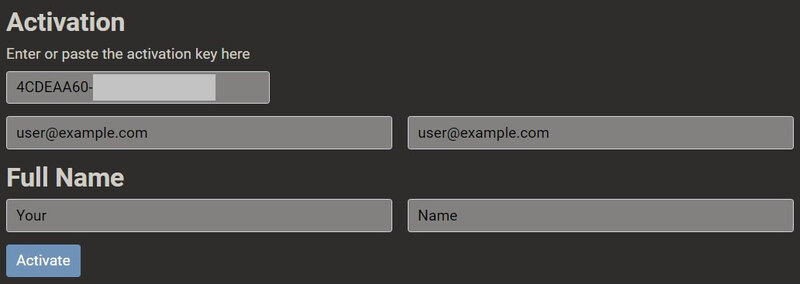
2. Enter the serial number/activation key and other details on the activation page > Click Activate.
3. Your activation code has now been registered.
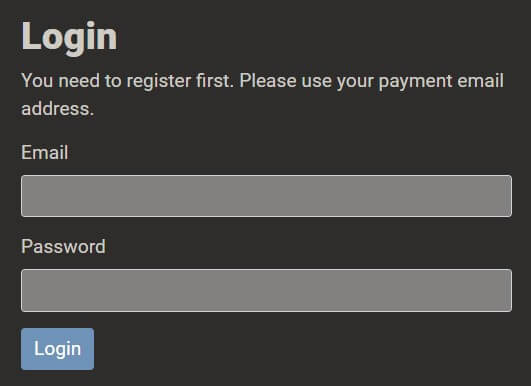
4. Copy the password that was sent to you via email > Go to https://tal-software.com/login.
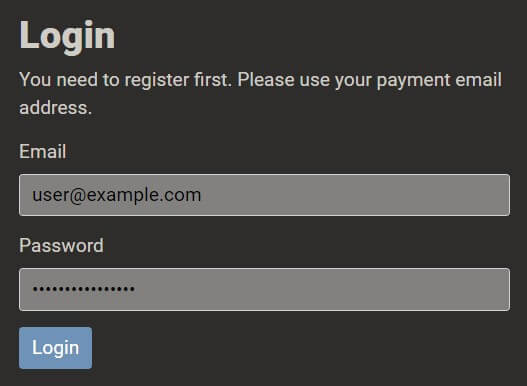
5. Enter your email address > Paste the password you were given > Click 'Login'.
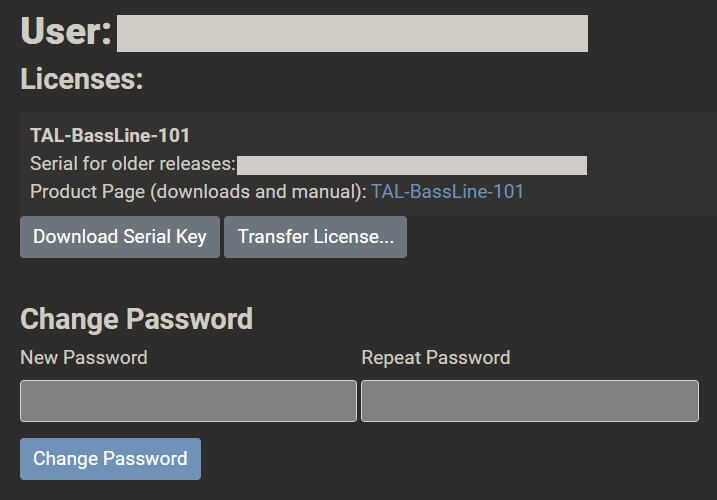
6. Click 'Download Serial Key'. You can change your TAL account password here.
Windows Installation
1. Click the blue hyperlink after 'Product Page (downloads and manual):' > Download the installer.
2. Open the zip folder you've just downloaded > Run the appropriate installer for your setup and if you're unable to use VST3/AAX in your DAW, please move the .dll file to your VST folder and rescan your plugins in your DAW/restart your computer.
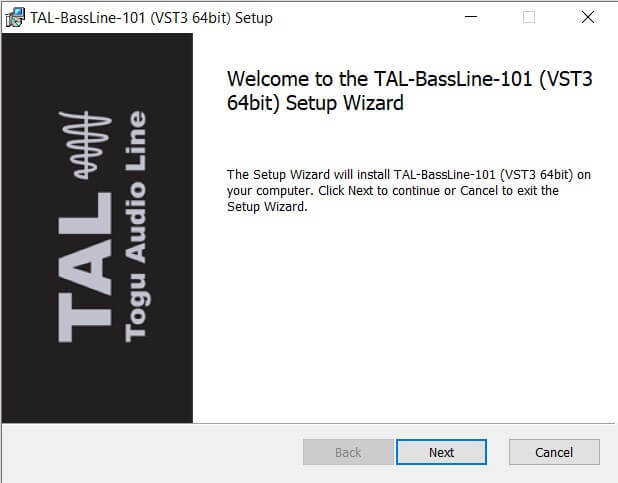
3. Click 'Next' to start the installation.
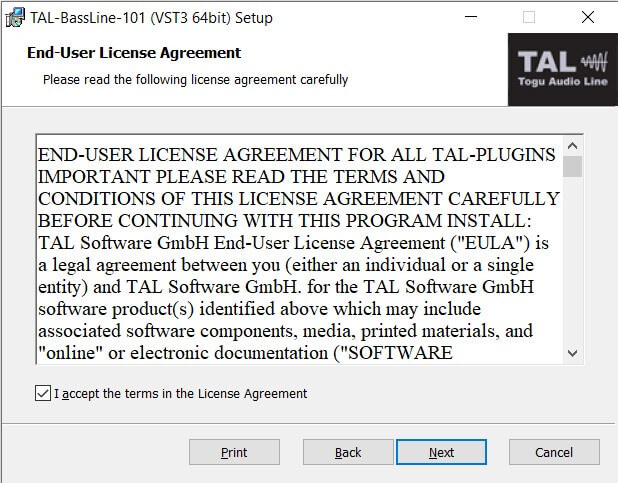
4. Read the End User License Agreement > Click 'Next'.
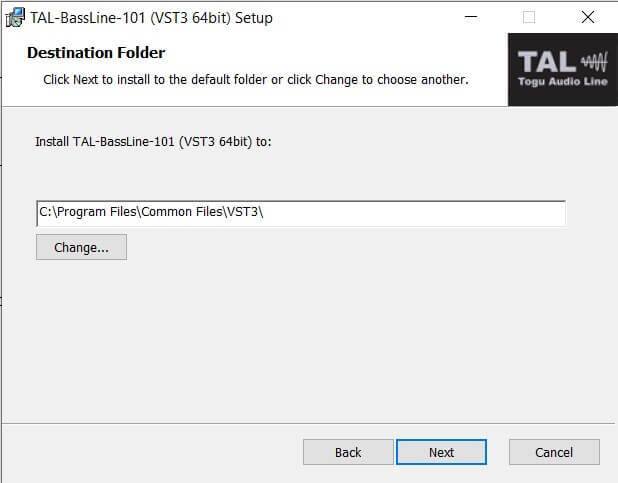
5. Click 'Next'.
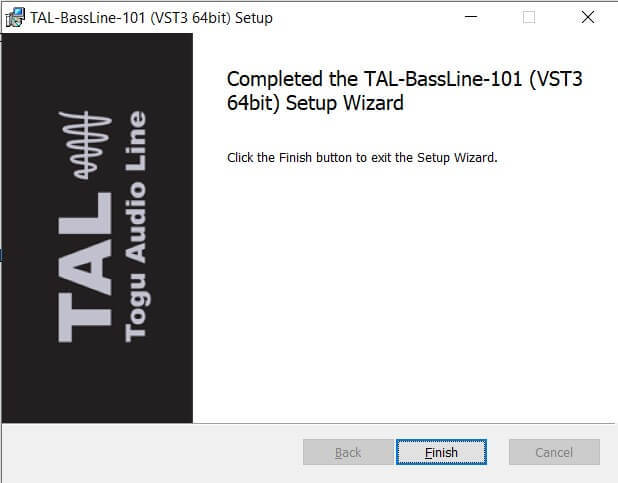
6. Click 'Finish' to complete the software installation.
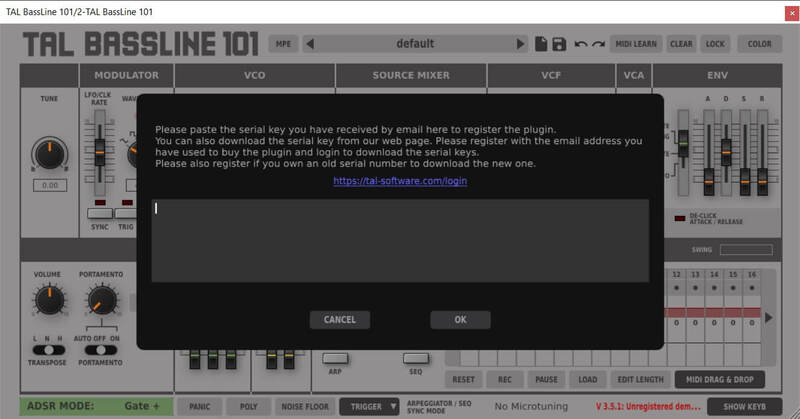
7. Your software is now installed > Open your DAW and load your new software > Copy and paste the serial key from the .txt file you downloaded earlier (available in the TAL User Area) > Click 'OK'.
Your software is now activated and ready to use in your DAW.
macOS Installation
1. Click the blue hyperlink after 'Product Page (downloads and manual):' > Download the installer.
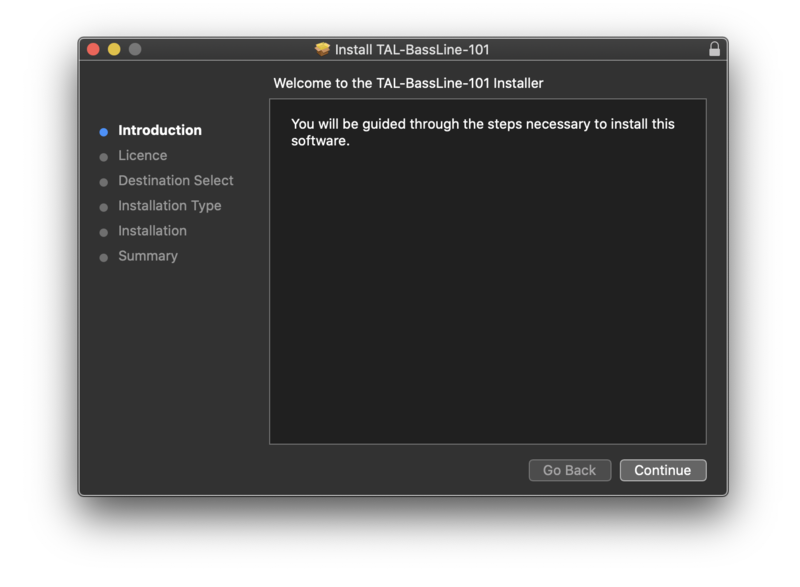
2. Open the .pkg folder you've just downloaded > Click 'Continue'.

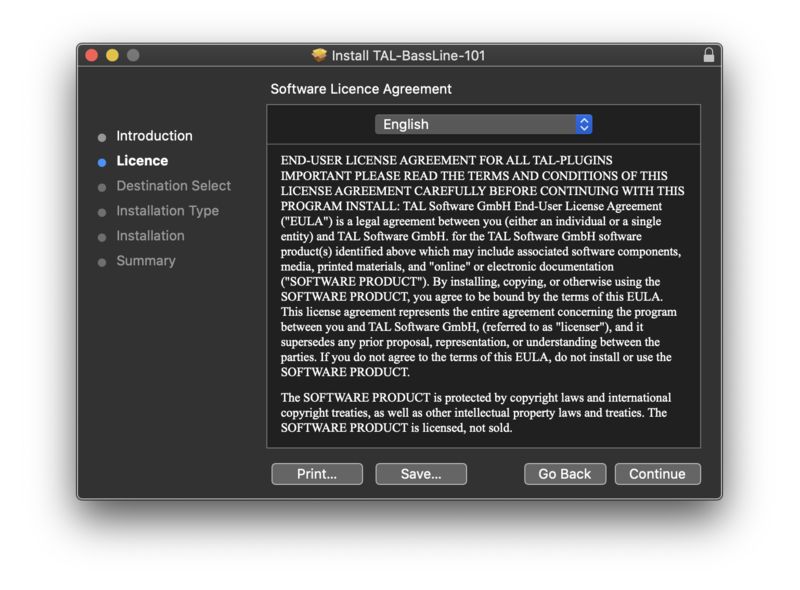
3. Click 'Continue'.

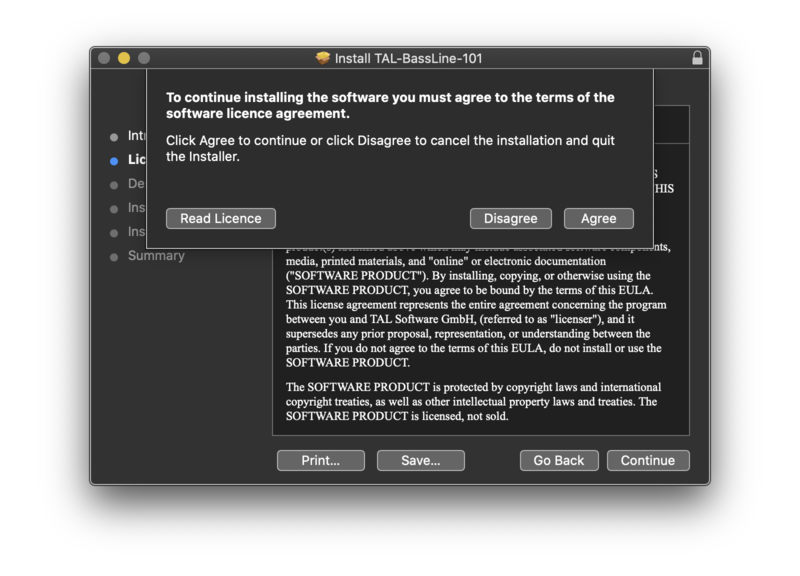
4. Click 'Agree'.

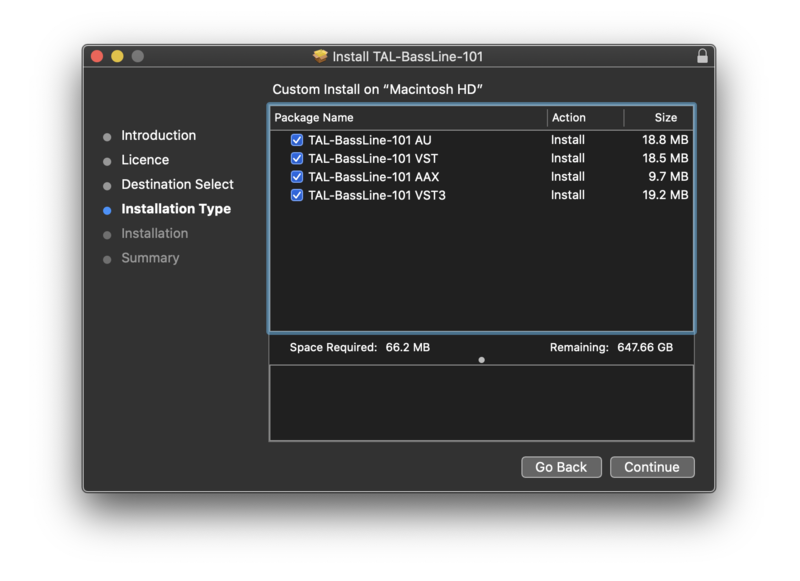
5. Click 'Continue'.

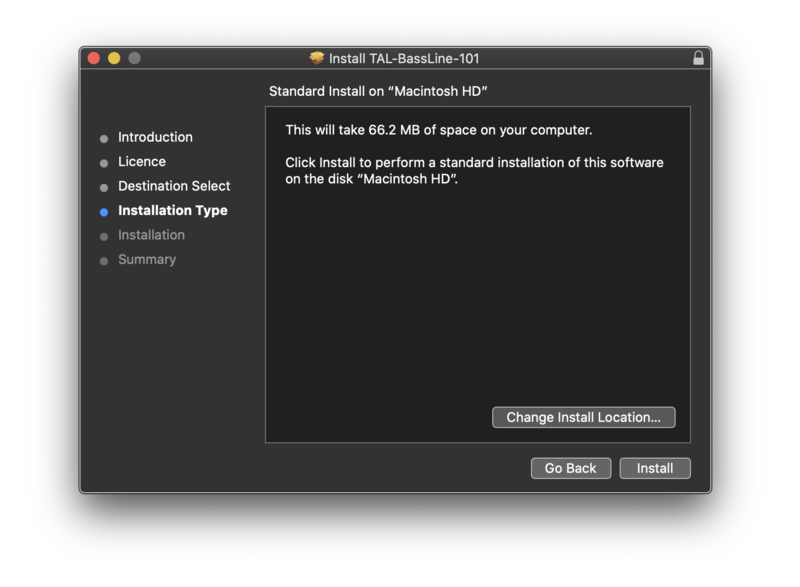
6. Click 'Install'.

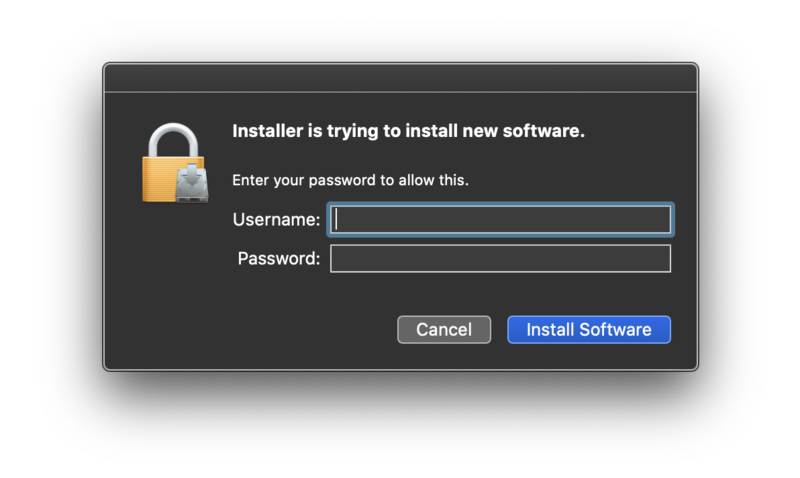
7. Enter your computer Username and Password > Click 'Install Software'.

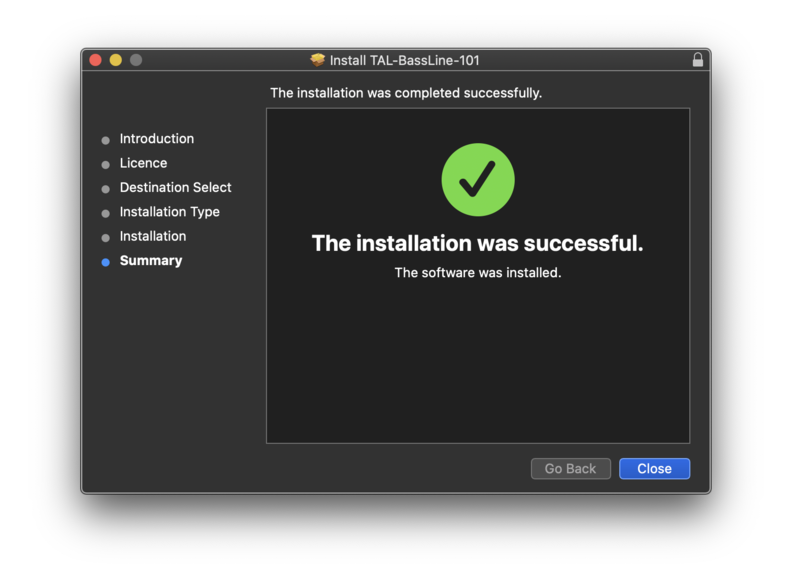
8. Click 'Close'.

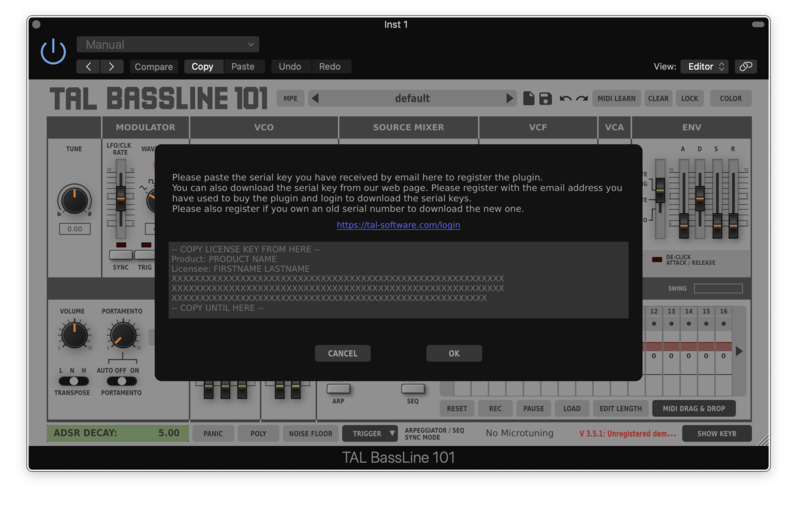
7. Your software is now installed > Open your DAW and load your new software > Copy and paste the serial key from the .txt file you downloaded earlier (available in the TAL User Area) > Click 'OK'.
Your software is now activated and ready to use in your DAW.