


 Log In

Free gifts available with your purchase

Transformative Sample-Tracking Synthesizer
Extend sound creation beyond traditional synthesis, and transform samples into anything you can imagine. Intriguing and playful, Form offers a refreshing approach to sound creation that delivers beautifully organic and powerful results.
Start creating something new – just drag and drop a sample into the FORM interface. Using a sample as the primary oscillator for the synth engine, FORM lets you craft complex new sounds rapidly. Scrub the sample to discover new worlds within its waveform, then select the section you want to manipulate.
Breathe life into samples and enhance the sense of realism by generating movement from even the most static starting points. Choose the direction and behaviour of sample playback, and set playback rates according to sample length, frequency, or BPM. For in-depth manipulation, carve up and modify the amplitude curve, applying presets or using the Curve Editor to redraw segments.
Form Oscillator
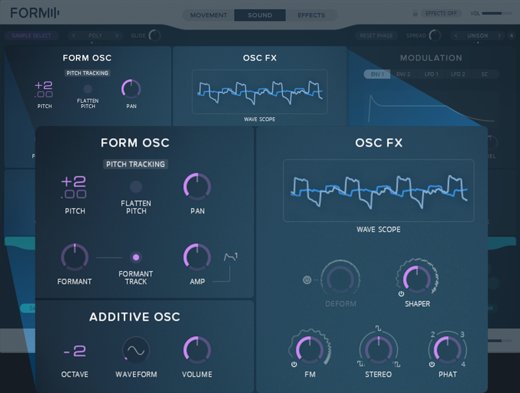
Use the Sound section to sculpt your sound at its source. Control pitch and formants independently from playback speed. Use an additive oscillator to enhance harmonic content. Further sculpt the sound in the OSC FX section, where you can deform the wave, add frequency modulation (FM), and more.
Modulation and Filter
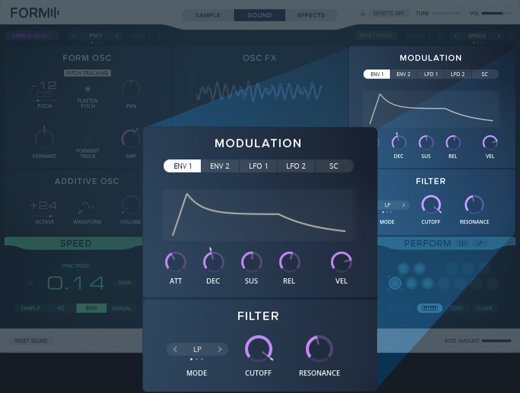
Tap into a flexible, easy-to-use, and powerful modulation framework that encourages experimentation. Just click a parameter, select a modulation source, and assign. Comprehensive modulation controls allow both pinpoint control and playful experimentation.
Performance
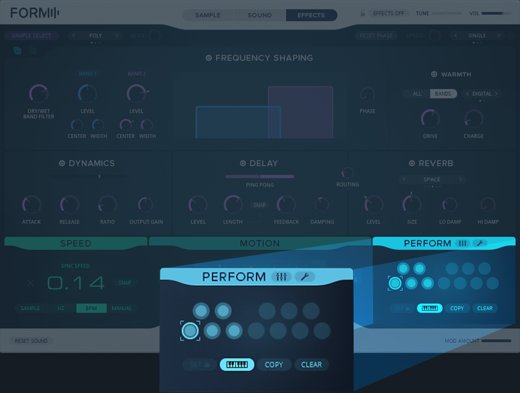
Save multiple snapshots of sound parameters in Performance slots, which you can apply to any sample. Quickly explore variations on your sound when you load a new sample. Choose Multi mode to simultaneously play multiple snapshots across instrument voices, creating evolving, shifting sounds.
Polish With Effects
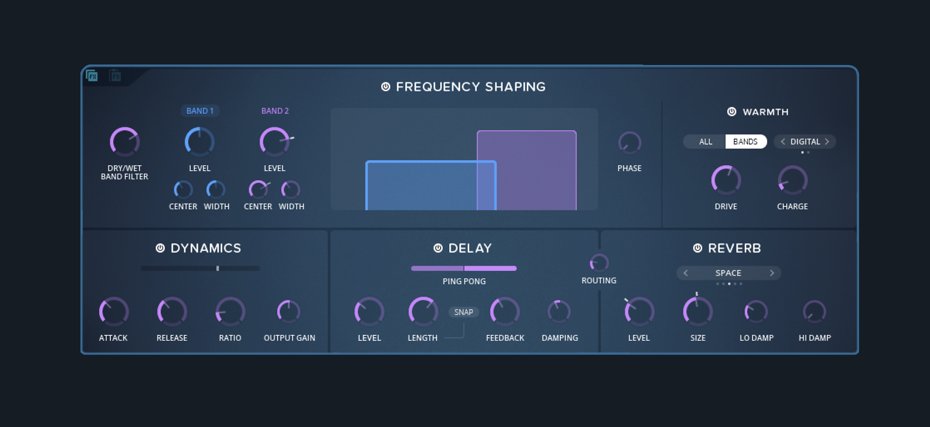
Enhance the colour of your sound and add polish in the effects section. Use frequency shaping to slice your sound into two frequency bands and then control them independently. Warm up the sound with digital or analogue saturation. Give it some punch with dynamics. Then place your unique creation in a 3D space with delay and reverb. Modulate any effects to create complex, shifting textures.
Ready To Play
Form has 400+ wide-ranging presets. They span sonic staples like bass, keys, leads, and pads, and avant-garde SFX, soundscapes, and sequences, showcasing FORM’s singular audio identity. Each is crafted to slot right into your productions, as the missing piece in the sonic puzzle or an inspirational track-starter, and most have triggerable variations, for expressive play.
Designed For Komplete Kontrol
Form is designed for seamless integration with Komplete Kontrol S-Series keyboards. Load FORM from the hardware – everything is pre-mapped and ready to go. The Form performance presets are automatically assigned to keys and highlighted clearly. The keyboard’s Light Guide even shows the detected pitch of a new sample.
System Requirements
Windows (64-bit only)
- Intel Core i5 or equivalent CPU, 4 GB RAM
- Stand-alone, VST, AAX
- Windows 10
macOS (64-bit only)
- i5, 4 GB RAM
- Stand-alone, VST, AU, AAX
- macOS 10.14, 10.15, or 11
Important Note: The Free Reaktor 6 Player is required to use this product. An Internet connection and a graphics card that supports OpenGL 2.1 or higher are required to download and activate this product. Once installed and activated, the product can be used offline.


