


 Log In
.jpg)
Free gifts available with your purchase

Creative Kick and Bass
Low end forms the foundation of almost all electronic music, so getting great kick and bass from the start makes all the difference. TRK-01 marries classic mixing techniques with innovative sound design, sequencing, and modulation, so you’re always inspired to write solid and exciting kick-bass combinations. Get your new tracks rolling quicker and sounding bigger than ever before – start with TRK-01.
Kick
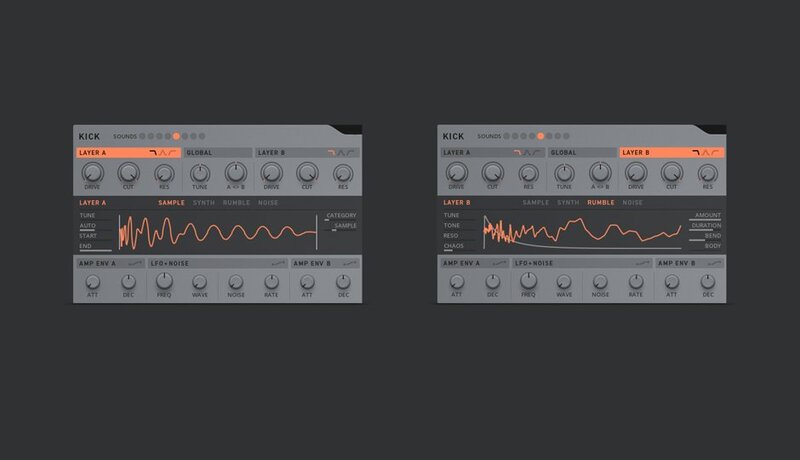
The Kick module is built for versatility, ease-of-use, and expressive fun, and relies on a powerful combination of two sound layers: sampled or synth-based. Each layer has drive and a multimode filter (ideal for blending the low end of an 808-style kick with the transient crack of an acoustic sample, for example). The combined kick is further shaped using effects, envelopes, and sequenced modulation, and can be tuned automatically to a master tune setting, avoiding bass frequency clashes.
Bass
The Bass module offers total expressive freedom with a choice of five synth engines, allowing anything from epic super saws to underground sine subs. An innovative Ducker module lets you quickly apply creative sidechain-style effects or surgical mix cuts to the level, EQ, FX sends, and insert effects parameters. Like the Kick module, Bass features a number of modulators, and all parameters can be controlled by the step sequencer.

Sequencer
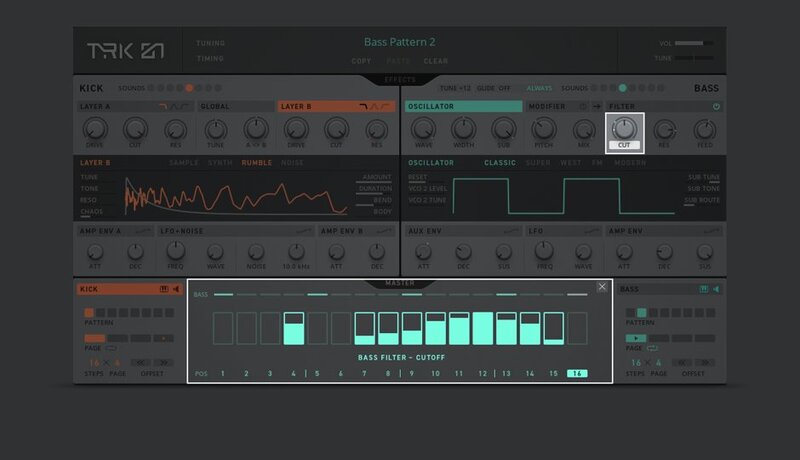
Independent step-sequencers for Kick and Bass each offer extensive sequencing and modulation controls – far more than traditional step-sequencers. Every step allows a number of controls, such as note-on, velocity, pitch, length (for bass), and gate. But the real fun starts with the step-modulation controls. Parameter Focus lets you draw in sequence modulation for any Kick or Bass parameter (filter sweeps, for example). Step Locks then allow any number of fixed parameter values for a given sequencer step: Simply click the Lock button for that step then draw in as many settings as you like – just for that step.
Effects
TRK-01 offers a range of tailored processing types and sound-shaping techniques, starting with a user-selectable insert effect for both Kick and Bass modules.
Delay and Reverb sends provide key controls in a simple interface, with additional features for huge creative potential. Both feature their own dedicated stereo output for external mixing.

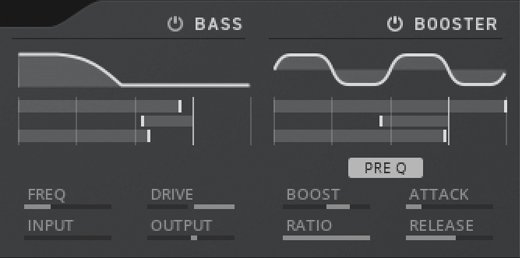
Finally, two master inserts – a harmonic bass enhancer, followed by a saturation-capable compressor/limiter module – allow creative enhancement and performance-ready weight.
NKS/Komplete Kontrol
TRK-01 integrates seamlessly with Komplete Kontrol and Maschine for even more expressive sound-design and enhanced playability. The layout of key TRK-01 controls mirrors the hardware layout, with intelligent pre-mapping of additional controls. Light Guide keyboard mapping enables intuitive hardware control of powerful performance features such as hot-swapping of sequencer patterns and complete module set-ups for both Kick and Bass. Meanwhile, enhanced browsing, complete with instant patch audio previews, makes finding the perfect starting point even easier.

System Requirements
Windows (64-bit only)
- Intel Core i5 or equivalent CPU, 4 GB RAM
- Stand-alone, VST, AAX
- Windows 10
macOS (64-bit only)
- i5, 4 GB RAM
- Stand-alone, VST, AU, AAX
- macOS 10.14, 10.15, or 11
Note: Free Reaktor 6 Player (free download) or Reaktor 6 is required to use this product. An Internet connection and a graphics card that supports OpenGL 2.1 or higher are required to download and activate this product. Once installed and activated, the product can be used offline.


