


 Log In

Free gifts available with your purchase
The Twelve Horn Ensemble patches from CineBrass PRO
CineBrass Twelve Horn Ensemble is an improved version of the classic Twelve Horn patches from the CineBrass PRO library. These patches feature the groundbreaking Cinesamples Adaptive Legato Engine from CineStrings SOLO, adding fluidity and unparalleled realism to your melodic lines.
CineBrass Twelve Horn Ensemble was recorded at the legendary MGM Scoring Stage at Sony Pictures Studios in Los Angeles.
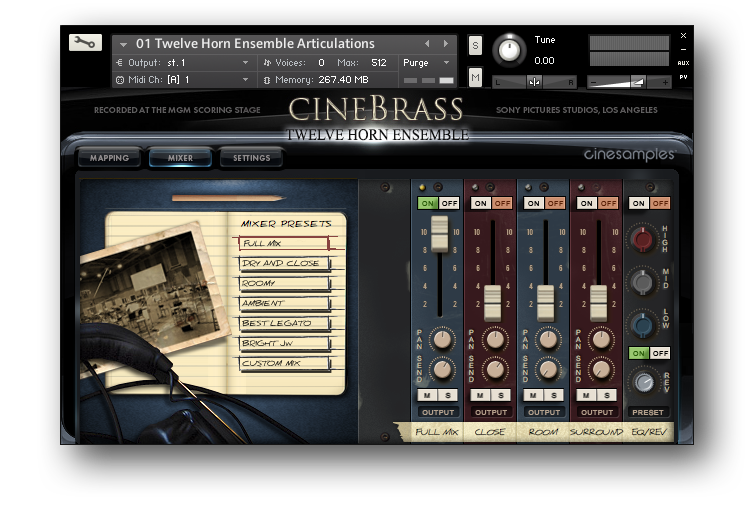
CINESAMPLES' ADAPTIVE LEGATO ENGINE
Cinesamples applied its Adaptive Legato Engine from CineStrings SOLO, Tina Guo Acoustic Cello Legato, CineWinds CORE & PRO, and Viola da Gamba to CineBrass Twelve Horn Ensemble. It allows you to tailor the legato response to your own playing style, and is designed to respond musically to your performance. The engine detects your playing speed and intelligently adjusts the interval speed to match. This means you can play slow, expressive lines and fast runs in a single performance, without touching the speed dial. Additionally, the intensity parameter responds to velocity.

In the Settings Tab, the VOLUME RANGE controls how much the volume is affected by CC1. So those who use CC1 and CC11 together can keep the slider all the way down, and those who only use the mod wheel can turn it up.
Using the VEL / ATTACK function, the attack of each note responds to your velocity. Lower velocities will generate a slower attack.
QUANTIZE MODE: In any True Legato instrument, there will be some lag when playing note-to-note transitions. This is usually compensated for by moving all notes slightly to the left in the sequencer, or by using a track pre-delay. The problem with most legato libraries is that the timings of each note are inconsistent; the first note in a phrase will sound immediately, while subsequent notes will be delayed. The Quantize Mode tackles this problem by calculating the legato lag time, and applying the same delay to non-legato samples. This means you can quantize a performance, shift the MIDI to the left, and the timings of each note will be consistent.
NEW MAPPING TAB
CineBrass Twelve Horn Ensemble includes a brand new mapping area styled after CineStrings SOLO that allows for greater flexibility in customizing composer workflows.

ACCENT OVERLAY
The Accent Overlay control layers an additional staccato articulation over the attack of sustains. Turning on ACCENTED LEGATO adds this layer to the legato transitions.
Compatible with the Free Kontakt Player
CineBrass Twelve Horn Ensemble does not require you to purchase any additional sample playback software, and is licensed to work with Native Instrument’s free Kontakt Player. Explore the latest version of Kontakt here. All you need is a sequencer like
Logic, Cubase, Digital Performer, LIVE, or Pro Tools, and you’ll be up and running.
System Requirements
- All versions of Kontakt v6.5.2 and above
- Native 64-bit support for stand-alone and plug-in versions on both Mac & PC
- Compatible with all major DAWs and with music notation software, using the Kontakt Engine
- Minimum System Requirements
- PC: Vista® / Windows 7® (32/64 Bit), Intel®Core Duo 2GHZ or AMD Athlon 64, 4 GB RAM
- Mac: OS X 10.11 or higher, Intel® Core Duo 2 GHz, 4 GB RAM
- To load the main articulations patch with the full mix position it is recommended to have at least 350 MB of FREE RAM available.
- Minimum of 2 GB of free Hard drive Space (4 GB required during installation)
- Any Compliant ASIO™ or Core Audio™ compliant device
This instrument requires the FREE or FULL version of Kontakt 6.5.2+























