Buy Drums of War 1, get a free gift with purchase:
Deep Cinematic Percussion
Drums of War is an iconic cinematic percussion library heard on countless blockbuster films, video games, and TV soundtracks, now redesigned and re-encoded for the free Kontakt Player and NKS!
Features
- Pristine 24/48k Recordings at the legendary Manhattan Center Studios
- Unprocessed natural cinematic sonic quality
- Fully-captured natural reverberation
- Extensive 5 Dynamic Layer Patches each using Level based Round Robin programming
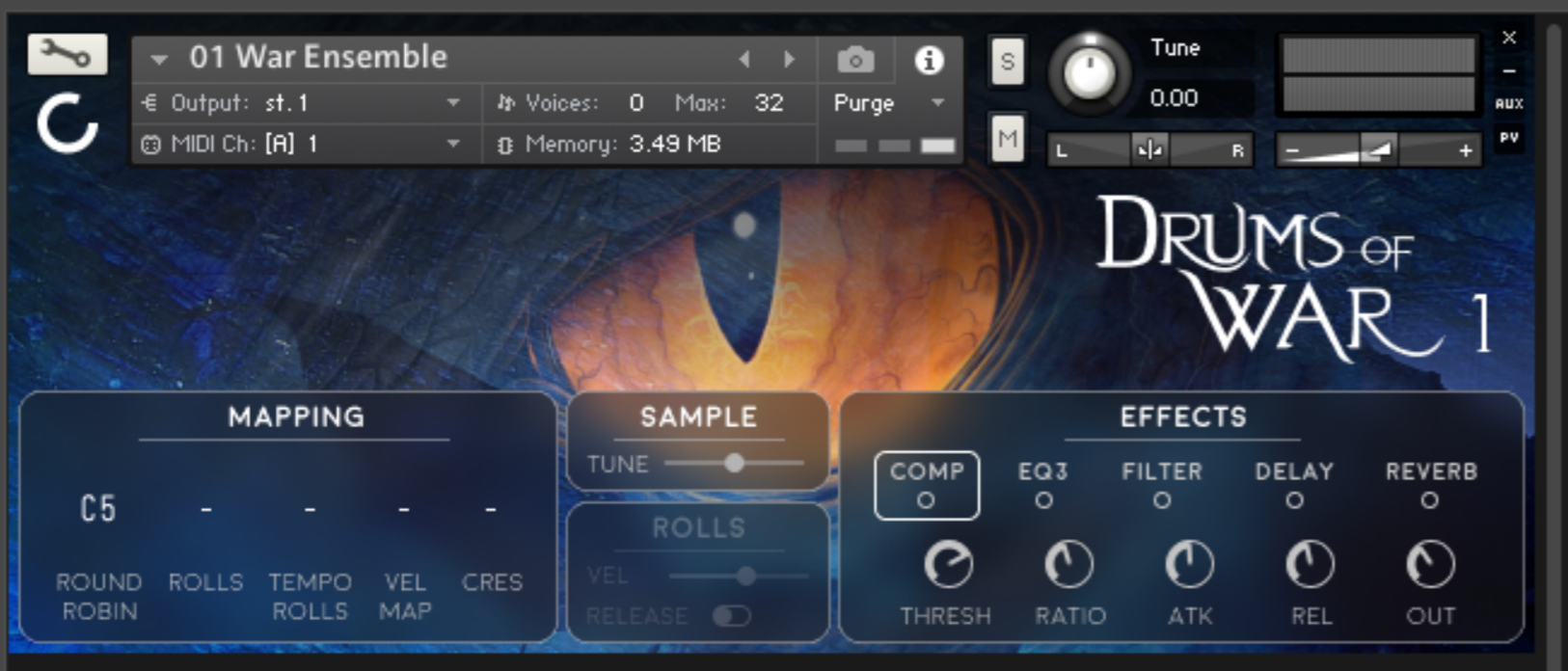
- Quick EQ GUI using pre-selected frequencies for quick and accurate equalization*
- Alternate Takes Included (Up to RR X13)
- What's new in the latest update?
- Beautiful new interface
- New enhanced Kontakt 6 engine FX
- Kontakt Player/NKS Encoding
- Native Access direct installation
- Easy availability in the Libraries sidebar of Kontakt
System Requirements
- Works with the free Kontakt Player 6.6.1+
- NKS encoded for the Komplete Kontrol plugin
- Installed directly through Native Access
- 340 MB disk space required*
This instrument requires the FREE or FULL version of Kontakt 6.6.1+

Important note: Sonuscore Time Textures is used as an example as the process is identical for this product.
Mac
1. Download the .dmg installer file from your Plugin Boutique account.
2. Double-click the .dmg file to install Native Access.
3. Open Native Access > Create a new Native ID if you do not have one already. If you do, skip ahead to step 5.

4. You will then receive an email with a confirmation link > Open the email and click 'CONFIRM EMAIL'.
5. Log in to Native Access with your Native ID.

6. Click 'Add a serial'

7. Enter your Serial Number found in your Plugin Boutique account > Click 'ADD SERIAL'.

8. Click the 'Not installed' tab > Locate Time Textures > Click 'INSTALL'.

9. Time Textures is now installed on your system.

10. Open Kontakt in your DAW > You should see Time Textures on the left sidebar > Click the drop-down bar and drag the .nki file into the middle of the window.

Your software is now ready to use in your DAW!

Windows
1. Download the .zip installer file from your Plugin Boutique account.
2. Double-click the extracted .exe file to begin the installation process > click ‘Run’.
3. Read the welcome message > click 'Next'.

4. Click 'Next' to begin the installation.

5. Native Access has now been installed > Click 'Finish'.

6. Open Native Access > Create a new Native ID if you do not have one already. If you do, skip ahead to step 8.

7. You will then receive an email with a confirmation link > Open the email and click 'CONFIRM EMAIL'.
8. Log in to Native Access with your Native ID.

9. Click 'Add a serial'.

10. Enter your Serial Number found in your Plugin Boutique account > Click 'ADD SERIAL'.

11. Click the 'Not installed' tab > Locate Time Textures > Click 'INSTALL'.

12. Your new Kontakt Instrument is now installed on your system.

13. Open Kontakt in your DAW > You should see Time Textures on the left sidebar > Click the drop-down bar and drag the .nki file into the middle of the window.

Your software is now ready to use in your DAW!