/ Kontakt Instrument / Drums of War 3
Cinesamples

Drums of War 3

$149.00
Drums of War 3
Drums of War 3
Drums Of War 3 - Walkthrough gallery thumbnail
Drums Of War 3 Trailer gallery thumbnail
Drums of War 3 GUI
Buy Now
Product information

Score-ready percussion for the modern Producer
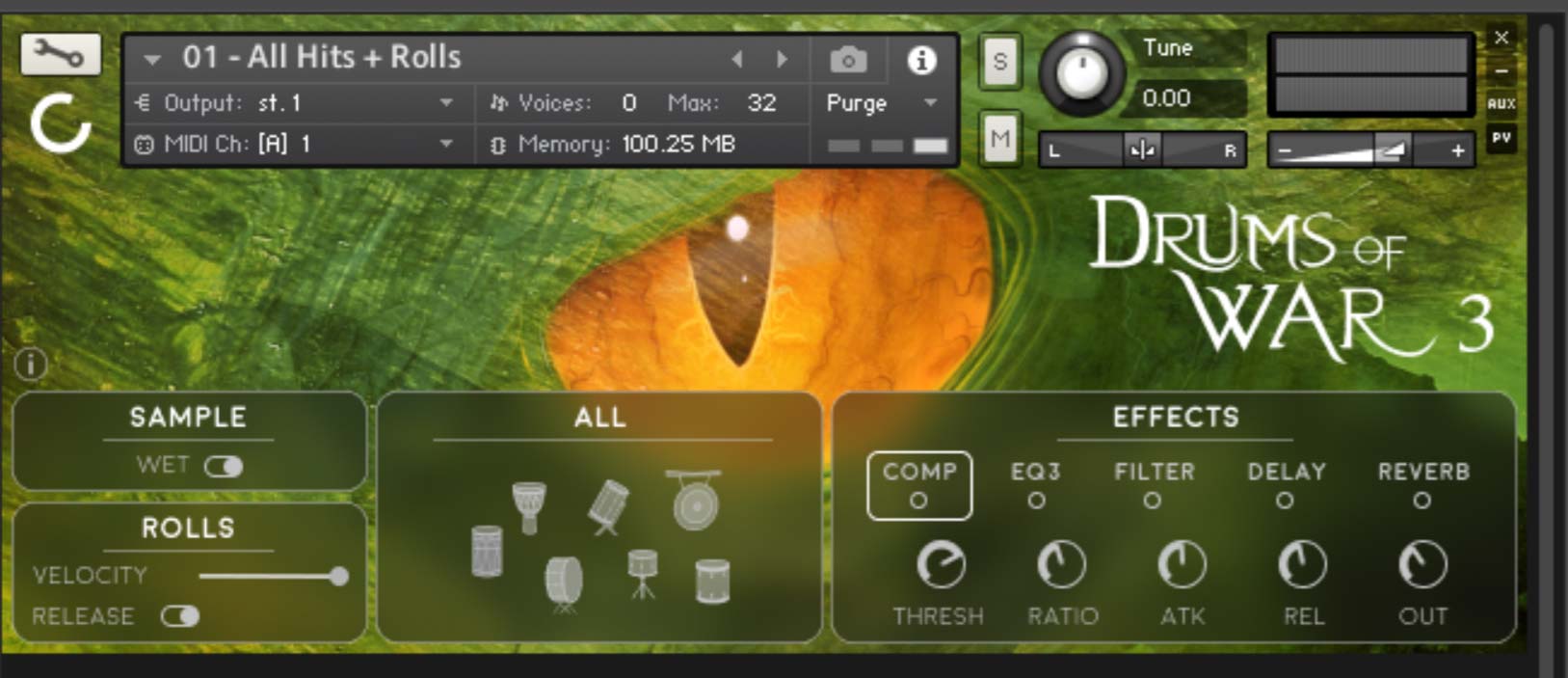
A collection of beautifully recorded and processed percussion instruments for the modern producer. A new era of cinematic percussion has arrived that demands depth, clarity and punch. Drums of War 3 is here to fill that demand. Designed to be both articulate and massive, Drums of War 3 was recorded and mixed to maintain clarity and bring the score-ready sound you have come to expect from the Cinesamples team. With top quality sound, and a convenient layout to optimize both performance and detailed programming, Drums of War 3 is a must have for the modern producer of Action, Suspense, Thriller, Sci-Fi and Fantasy genres.

Included Instruments

  • 01 - All Hits + Rolls
  • 02 - Group
  • 03 - Snare Group
  • 04 - Snare All
  • 05 - Djun All
  • 06 - Tom All
  • 07 - Tom Doubles
  • 08 - Bass Drum
  • 09 - Surdo
  • 10 - Gong
  • 11 - Djembe
  • 12 - Bumba
  • 13 - Snare Center
  • 14 - Snare Left
  • 15 - Snare Right
  • 16 - Tom High
  • 17 - Tom Mid High
  • 18 - Tom Mid Low
  • 19 - Tom Low
  • 20 - Tom Lowest
  • 21 - Djun High
  • 22 - Djun Mid
  • 23 - Djun Low
     

System Requirements

  • 2GB of original sample content (3.75GB uncompressed WAV)
  • 23 instrument patches
  • Works with the free Kontakt Player 6.7.1+ and Komplete Kontrol plugin.
  • 4GB hard drive space required*
  • Registered and installed through Native Access

This instrument requires the FREE or FULL version of Kontakt 6.7.1+

Installation Instructions

Important note: Sonuscore Time Textures is used as an example as the process is identical for this product.

Mac

1. Download the .dmg installer file from your Plugin Boutique account.

2. Double-click the .dmg file to install Native Access.

3. Open Native Access > Create a new Native ID if you do not have one already. If you do, skip ahead to step 5.

4. You will then receive an email with a confirmation link > Open the email and click 'CONFIRM EMAIL'.

5. Log in to Native Access with your Native ID.

6. Click 'Add a serial'

7. Enter your Serial Number found in your Plugin Boutique account > Click 'ADD SERIAL'.

8. Click the 'Not installed' tab > Locate Time Textures > Click 'INSTALL'.

9. Time Textures is now installed on your system.

10. Open Kontakt in your DAW > You should see Time Textures on the left sidebar > Click the drop-down bar and drag the .nki file into the middle of the window.

Your software is now ready to use in your DAW!

Windows

1. Download the .zip installer file from your Plugin Boutique account.

2. Double-click the extracted .exe file to begin the installation process > click ‘Run’.

3. Read the welcome message > click 'Next'.

4. Click 'Next' to begin the installation.

5. Native Access has now been installed > Click 'Finish'.

6. Open Native Access > Create a new Native ID if you do not have one already. If you do, skip ahead to step 8.

7. You will then receive an email with a confirmation link > Open the email and click 'CONFIRM EMAIL'.

8. Log in to Native Access with your Native ID.

9. Click 'Add a serial'.

10. Enter your Serial Number found in your Plugin Boutique account > Click 'ADD SERIAL'.

11. Click the 'Not installed' tab > Locate Time Textures > Click 'INSTALL'.

12. Your new Kontakt Instrument is now installed on your system.

13. Open Kontakt in your DAW > You should see Time Textures on the left sidebar > Click the drop-down bar and drag the .nki file into the middle of the window.

Your software is now ready to use in your DAW!

Plugin Boutique Rewards

Discover the most rewarding loyalty programme among all plugin retailers.

  • Free Loopmasters Samplepacks
  • Discounts on products and courses
  • Extra Virtual Cash claimed immediately at checkout
Find out more

Follow us:

X (Twitter) Facebook YouTube Instagram
Logo Logo

Plugin Boutique Limited, Part of the Beatport Group LLC.

Copyright © 2011-2025 Plugin Boutique. All rights reserved



















