/ Kontakt Instrument / Pulse Box
Wavelet Audio

Pulse Box

4.6 (39 Reviews)
FREE
Pulse Box
Pulse Box
Pulse Box - Free Cinematic Vibrant Pulses gallery thumbnail
Pulse Box - UI 1
Pulse Box - UI 2
Product information

Introducing Wavelet Audio's new free sample library Pulse Box for creating cinematic pulses. Designed for the free Kontakt player, this library contains 30 unique pulses, each with three unique and different dynamic levels. This means that you can adjust each pulse in live to play with different volume and dynamics using mod wheel and/or velocity modulation, depending on the needs of your project. Whether you're working on a movie trailer, a video game, or just want to add powerful pulses to your music, this library gives you all the tools you need to achieve that professional, cinematic sound.

This library comes with two options: you can use it with Kontakt Player to sync the pulses perfectly to your tempo (BPM) without losing any quality, or you can use the WAV files directly.

Features

  • 30 Unique Pulses
  • Three different dynamic levels
  • .WAV format, 48kHz (96kHz) / 24bit.
  • 597 MB of hard drive space.
  • Includes Kontakt Engine and separate WAV samples.
  • Designed for Free Kontakt Player.
  • Primarily, designed for trailer and cinematic music. But, at the same time, it can be used in any genre or any mix.

System Requirements

  • Works with Free Kontakt Player
  • NI Kontakt 6.0.2+
  • 3.01 GB of hard drive space (5.2 GB of original sample material)
  • Compatible with hardware by Native Instruments

​ 

Installation Instructions

Important Notes:

  • You must have a Native Instruments account and Native Access installed on your computer in order to activate this software. You can create an account and download the application at the Native Instruments website.
  • You must have Kontakt Player 6.0.2 or higher installed on your computer in order to use this library. You can download the Kontakt Player from within the Native Access application.

Mac

Installation

1. Download the Kontakt library from within your Plugin Boutique User Account.

2. Double-click the zip folder to extract the files > Move the library folder to a location of your choice.

Activation

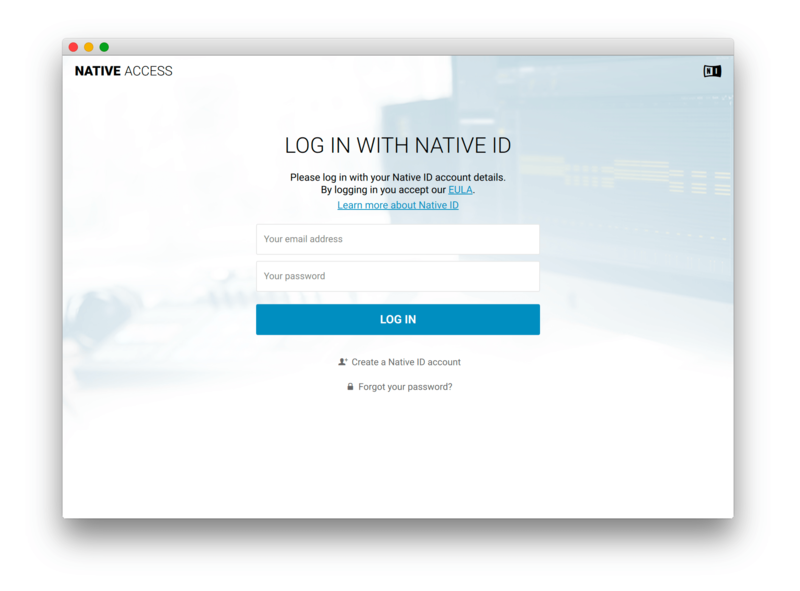
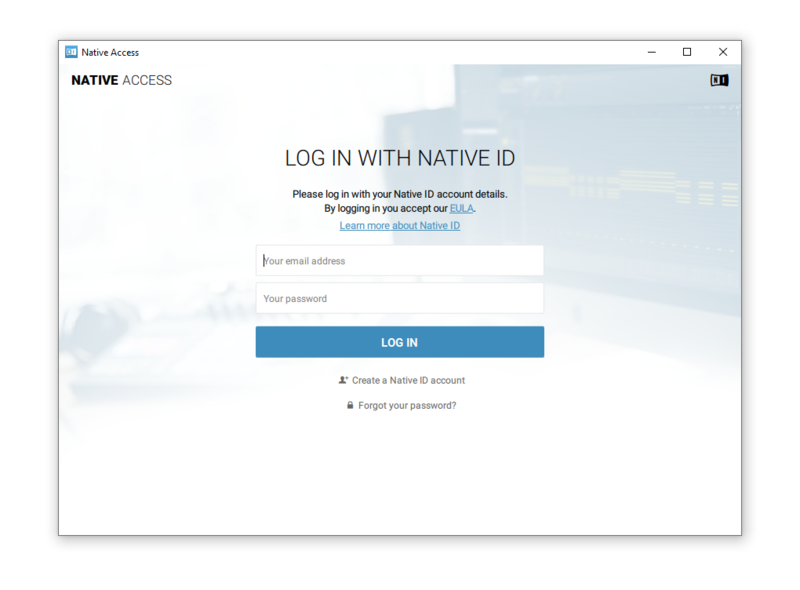
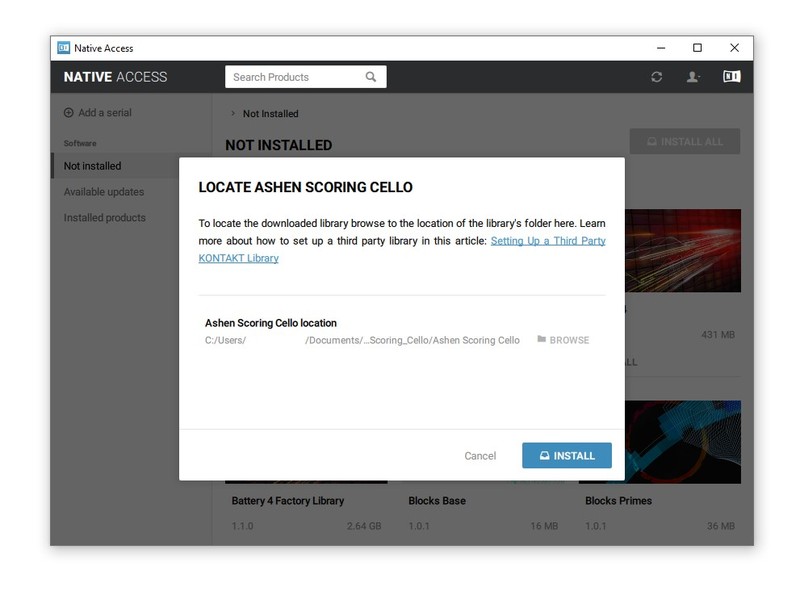
1. Open Native Access and enter your Native Instruments-registered email address and password > Click 'LOG IN'.

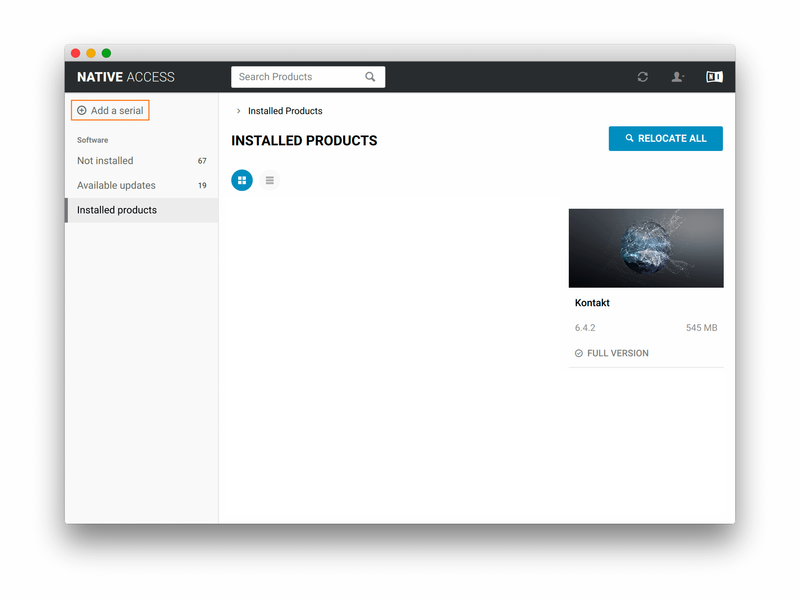
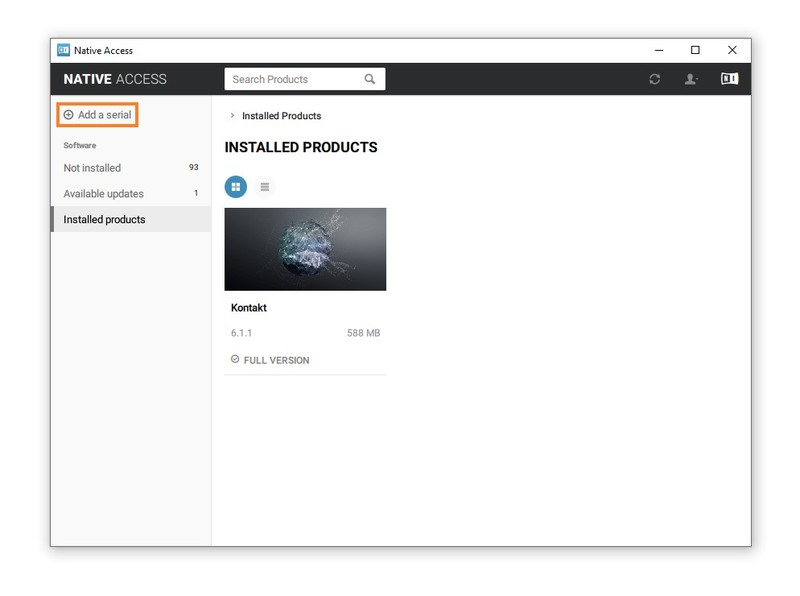
2. Click 'Add a serial' in the top left corner of the application window.

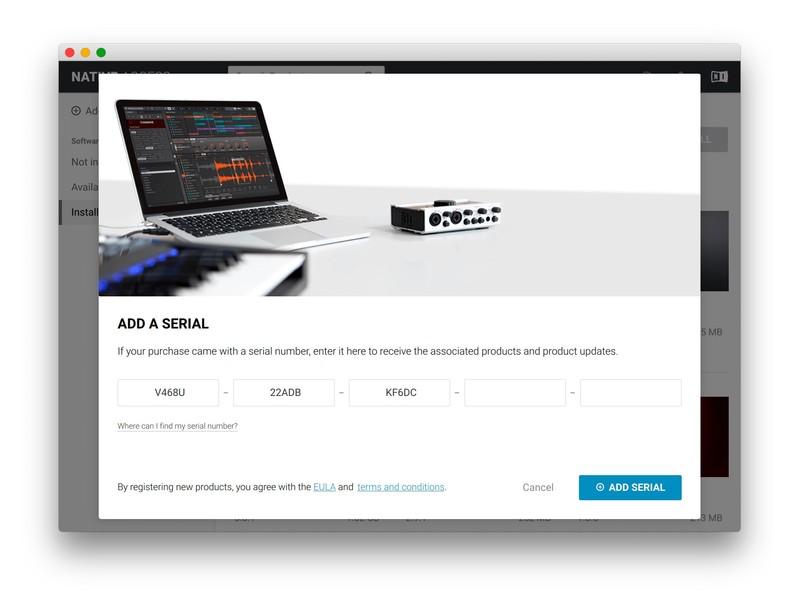
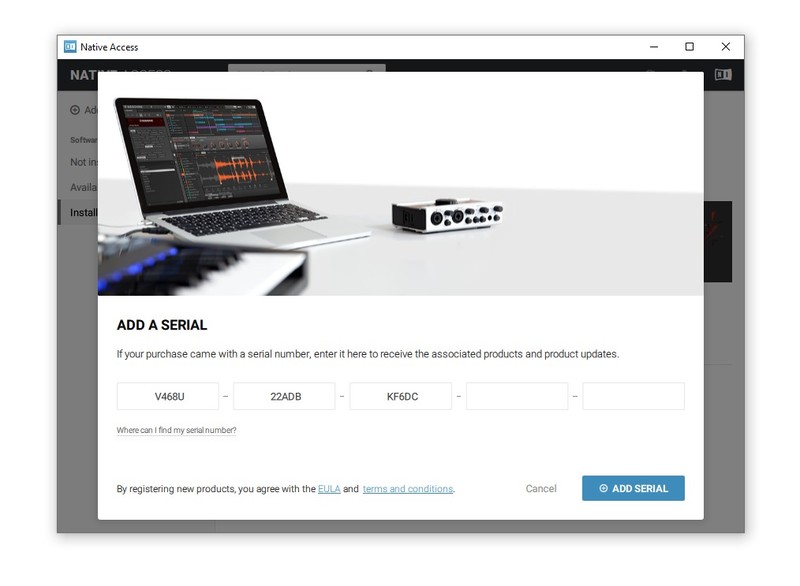
3. Enter the serial number found within your Plugin Boutique User Account. > Click 'ADD SERIAL'.

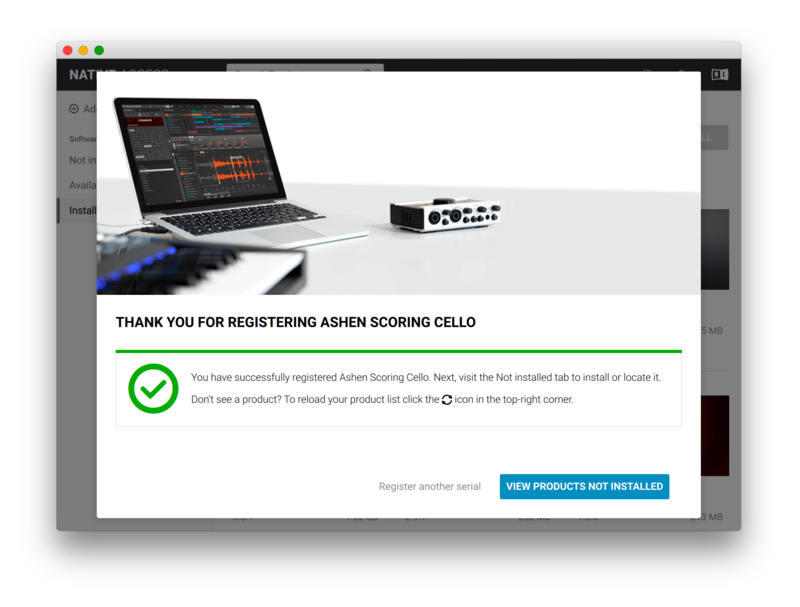
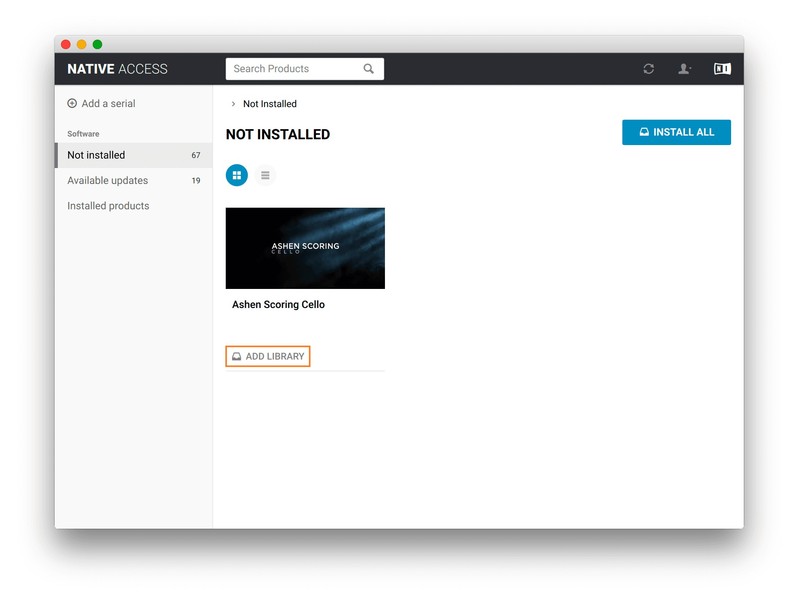
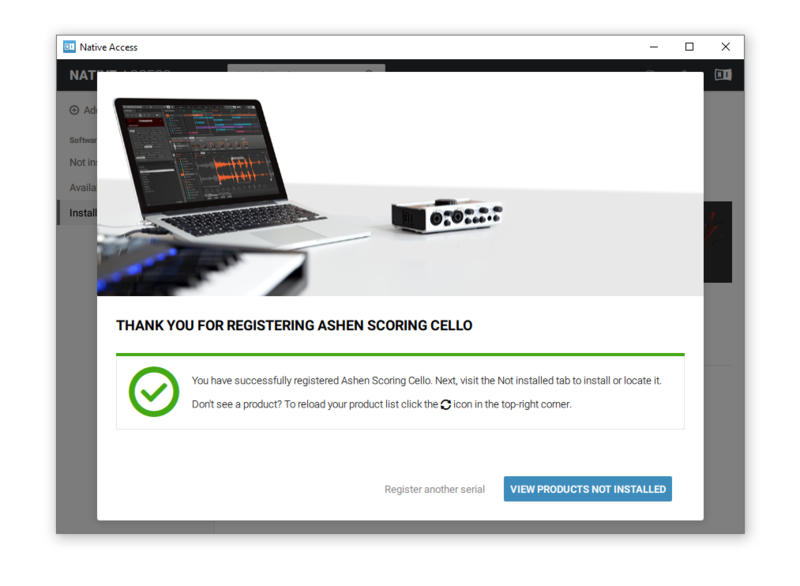
4. Click 'VIEW PRODUCTS NOT INSTALLED'.

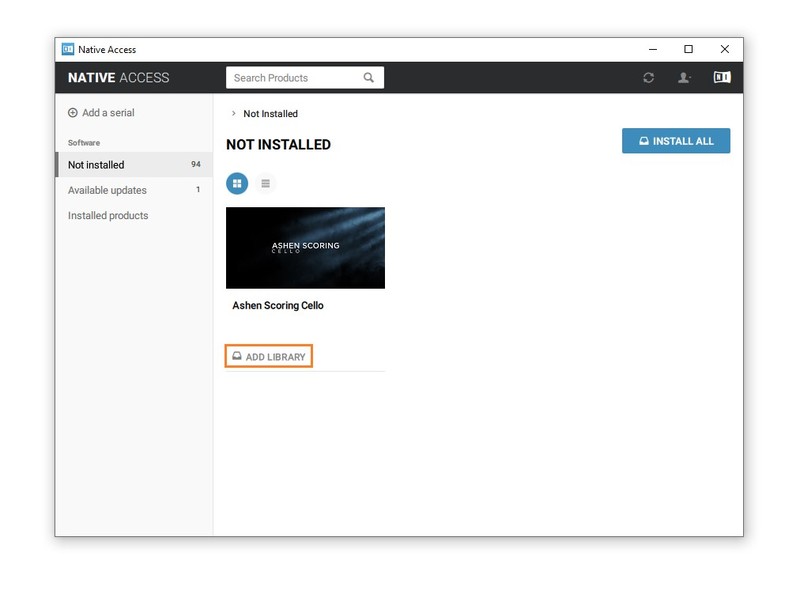
5. Navigate to your library > Click 'ADD LIBRARY'.

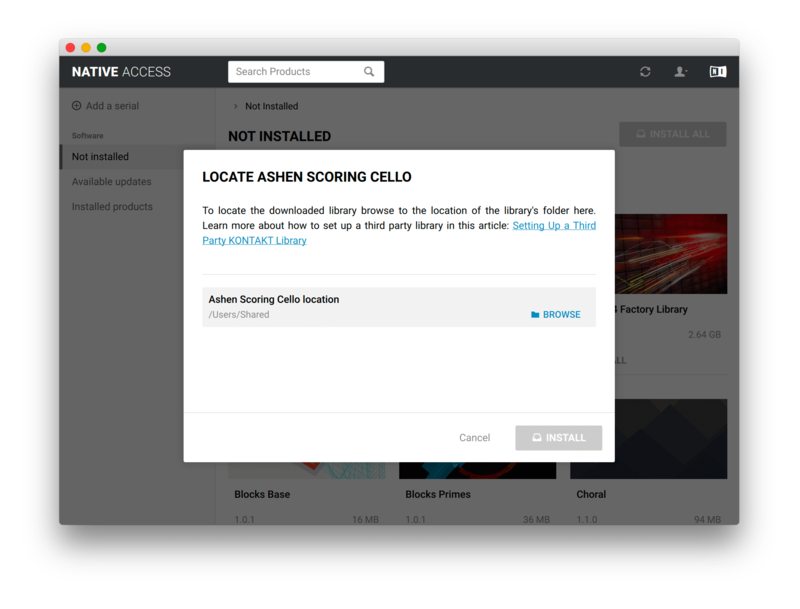
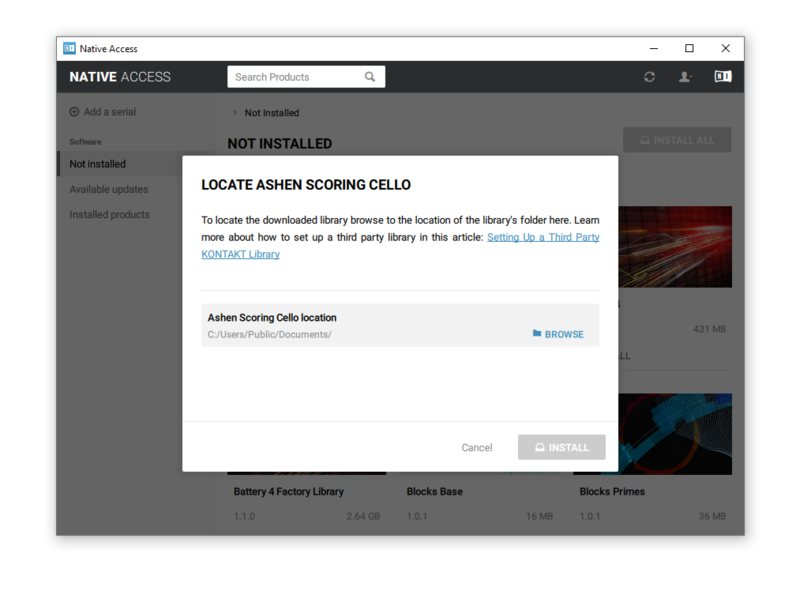
6. Click 'BROWSE'.

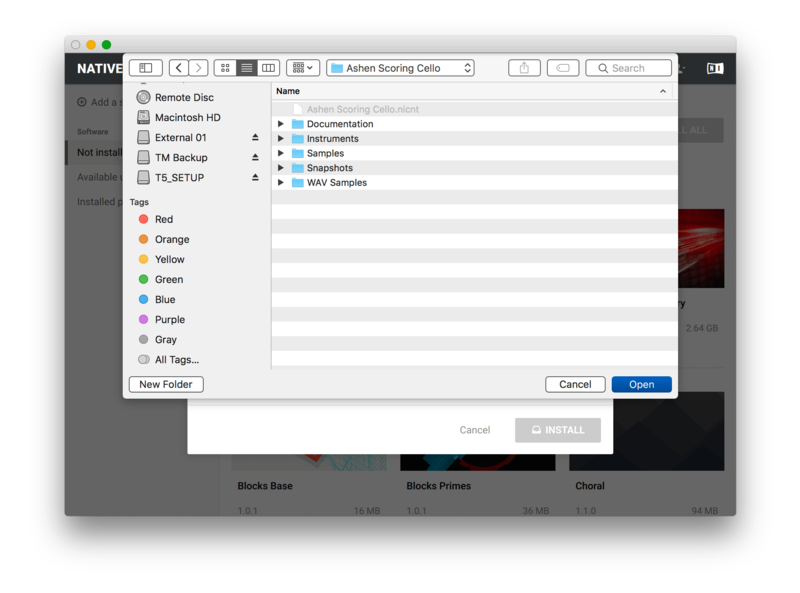
7. Navigate to the library folder you installed in step 2 of the installation process > Click 'Open'.

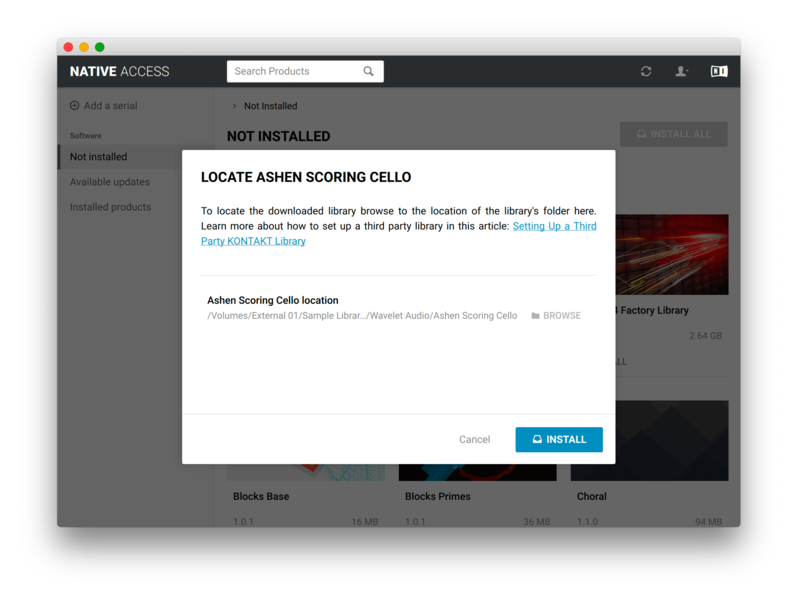
8. Click 'INSTALL'.

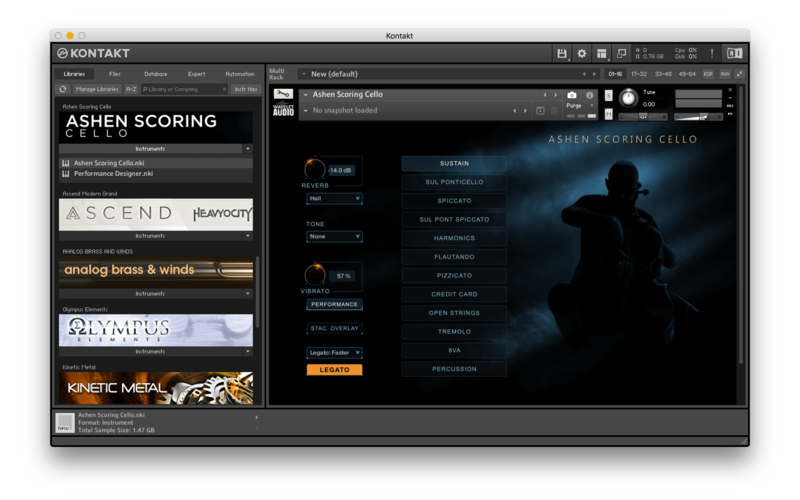
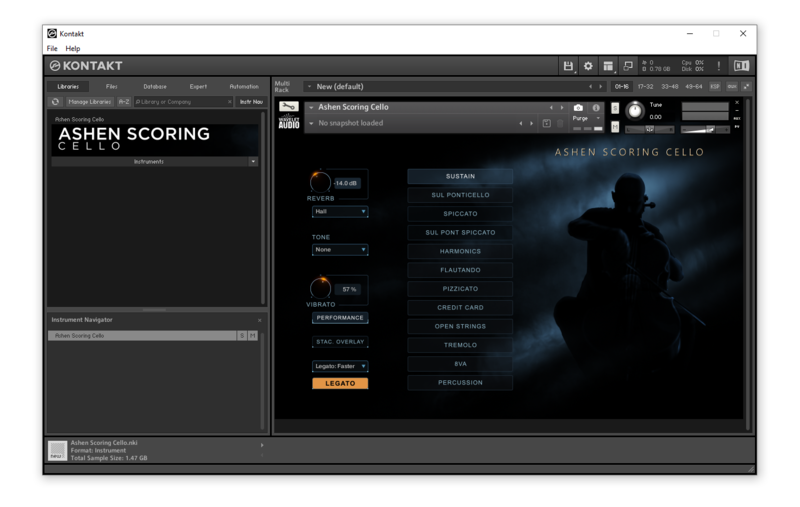
9. Open Kontakt and go to the 'Libraries' tab.

Your Library is now activated and ready to use in standalone or within your DAW.

Windows

Installation

1. Download the Kontakt library from within your Plugin Boutique User Account.

2. Double-click the zip folder to extract the files > Move the library folder to a location of your choice.

Activation

1. Open Native Access and enter your Native Instruments-registered email address and password > Click 'LOG IN'.

2. Click 'Add a serial' in the top left corner of the application window.

3. Enter the serial number found within your Plugin Boutique User Account. > Click 'ADD SERIAL'.

4. Click 'VIEW PRODUCTS NOT INSTALLED'.

5. Navigate to your library > Click 'ADD LIBRARY'.

6. Click 'BROWSE'.

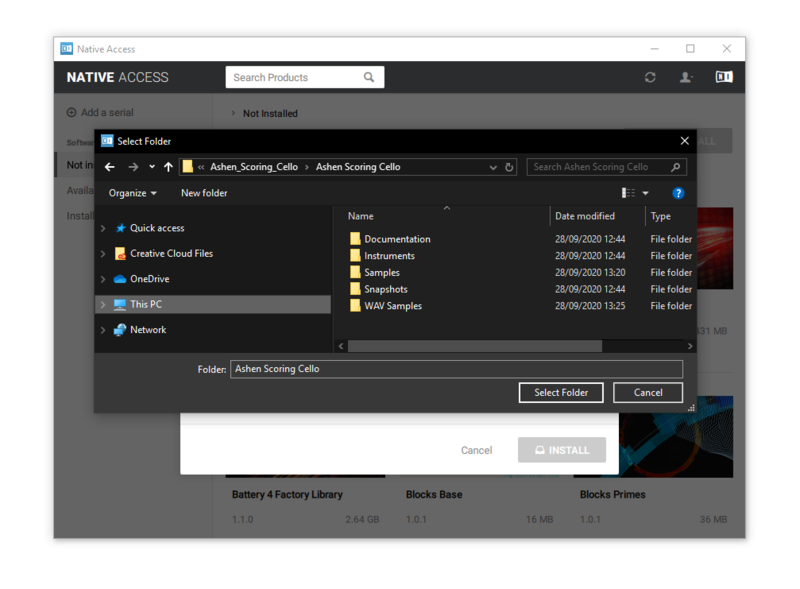
7. Navigate to the content folder you installed in step 2 of the installation process > Click 'Select Folder'.

8. Click 'INSTALL'.

9. Open Kontakt and go to the 'Libraries' tab.

Your Library is now activated and ready to use in standalone or within your DAW.

Plugin Boutique Rewards

Discover the most rewarding loyalty programme among all plugin retailers.

  • Free Loopmasters Samplepacks
  • Discounts on products and courses
  • Extra Virtual Cash claimed immediately at checkout
Find out more

Follow us:

X (Twitter) Facebook YouTube Instagram
Logo Logo

Plugin Boutique Limited, Part of the Beatport Group LLC.

Copyright © 2011-2025 Plugin Boutique. All rights reserved