Log In

Free gifts available with your purchase
The First Expansion Instrument for Nørdic Cello
Cello Waves is the first expansion instrument for Nørdic Cello featuring major and minor arpeggiando cello loops and sophisticated exotic chordal arpeggios, all tempo synced and time-stretchable.
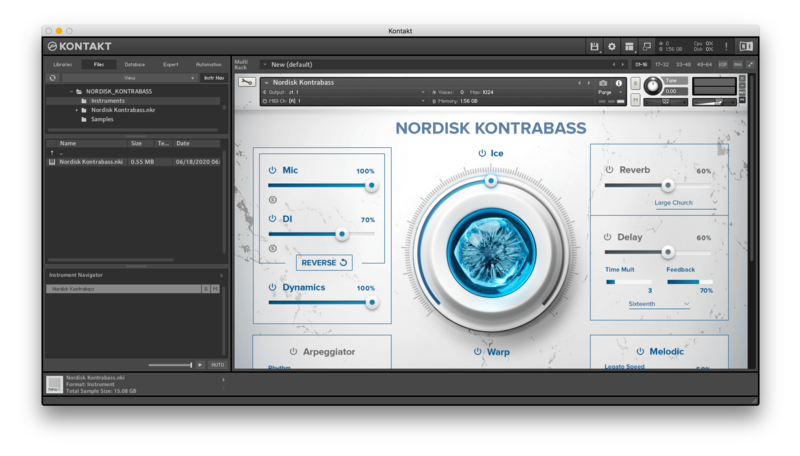
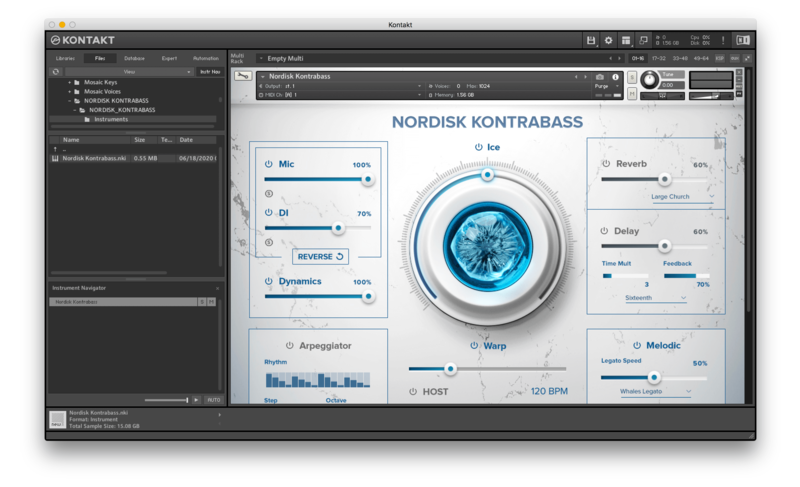
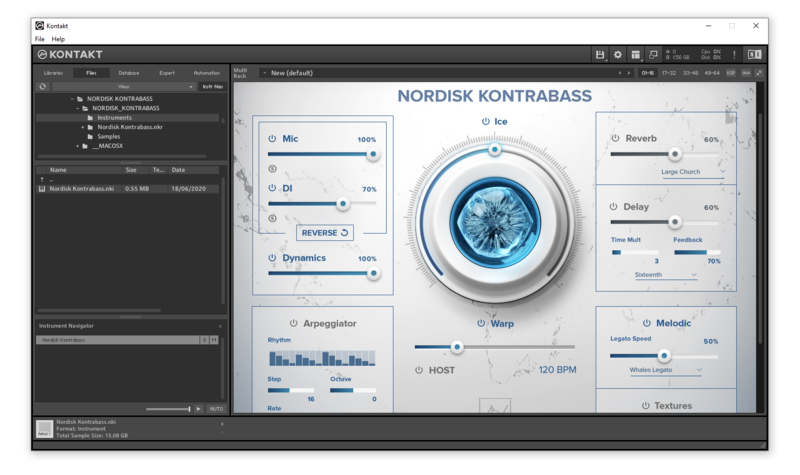
Cello Waves comes with almost all of the incredible features of the new Nørdic engine, with tons of FX, controls and tools to shape your sound.
Additionally, thanks to the new WARPED control in conjunction with the ICE knob you can turn the instrument into a powerful sound design machine in just a few clicks.
Mic / Source Options
- Natural (acoustic sound of the cello)
- Warped (Sound Design Layer)
Built-in Effects And Controllers
- ICE: it blends multiple sound design samples for big, cinematic results
- HOST: it syncs your loops to DAW-tempo
- Time Warp: it allows you to slow down/speed up tempo, both in HOST mode and not.
- Arpeggiator (5 arpeggiation modes, up to 32 steps and 4 octaves)
- Reverse Effect
- Dynamics Control
- 82 Convolution Reverbs/IR Effects
- Top class Delay algorithm
- 6 additional FX (EQ, Compression, Saturation, Chorus, Phaser, Leslie) with 3 controls each
- 4 FX Macros
- ADSR Envelope Controls
Listen To The Music Of Cello Waves
Cello Waves contains 4 NKIs:
- CINEMATIC MAJOR AND MINOR
Major and minor arpeggiando loops in all keys, all tempo synced.
WARPED slider adds a beautiful granular pitched layer while the ICE knob adds a majestic and unique grainy effect.
- FILM NOIR
Elegant and mysterious chordal arpeggios to add a touch of dissonance and suspense to your score. WARPED slider adds a beautiful granular pitched layer while the ICE knob adds a majestic and unique grainy effect.
- SOPHISTICATED ARPEGGIOS
Same harmonic material as FILM NOIR but with different sound design options. WARPED adds a rhtyhmical, pulsing counterpoint and the ICE knob adds tons of cinematic reverb with subtle added harmonics.
- MAJOR AND MINOR WAVES
Major and minor arpeggiando loops in all keys, all tempo synced. All in this NKI was inspired by the movement of waves. These versions of the arpeggios are more in a rubato-ish style with slight shifts in tempo but longer loop portions and overall added musicality. WARPED adds intriguing echoing particles that works as an interesting counterpoint to the main arpeggios. ICE makes the sound big, mesmerizing by adding reverb-washing waves.
Have Audio highly recommend to use this NKI, with both WARPED and ICE at high levels and the TIME WARP down to 20 to 40% to create amazing drones and soundscapes.
System Requirements
- Uncompressed Size: 1,89 GB
- 963 samples in ncw. format
- Requires full version of KONTAKT 6.6.1+ (not compatible with Free Kontakt Player).
Please note: this product will not work in Kontakt Player