/ Kontakt Instrument / Celtic Instruments
Big Fish Audio

Celtic Instruments

4.7 (3 Reviews)
$149.95
Celtic Instruments
Celtic Instruments
Celtic Instruments - GUI 1
Celtic Instruments - GUI 2
Buy Now
Product information

Authentic bagpipes, fiddle, harp, bodhran, and more

Big Fish Audio’s Celtic Instruments for Kontakt Player offers a richly detailed and immersive experience, bringing the enchanting spirit of Celtic music directly to your projects. This expertly crafted library transports you to the misty landscapes of Scotland and Ireland with its collection of high-quality instruments, including the powerful Great Highland Pipes, intricate Uilleann Pipes, versatile Scottish Small Pipes, and other bagpipe-style instruments.

In addition to those iconic sounds, Celtic Instruments includes authentic Pennywhistle, Bodhran (Irish Drum), Fiddle patches, and more, all meticulously recorded for a genuine performance. The latest version enhances the library with new effects, refined samples, and full NKS compatibility, all presented through a user-friendly GUI. This streamlined interface ensures that all essential controls are easily accessible, allowing you to effortlessly infuse your compositions with the captivating essence of Celtic tradition.

Komplete Kontrol & Maschine Integration

Celtic Instruments has been designed for seamless integration with Komplete Kontrol and Maschine, offering you a unique hands-on experience. Easily manipulate the interface using the controls of all NKS compatible hardware.

Included Instruments

  • Accordion 
  • Bodhran
  • Celtic Harp
  • Celtic Percussion 
  • Fiddle
  • Great Highland Pipes 
  • Guitar (in D) 
  • Harmonica
  • Low Whistle
  • North Umbrian Small Pipes 
  • Pennywhistle
  • Scottish Small Pipes 
  • Uilleann Pipes

System Requirements

  • The library requires approximately 1.2GB once installed
  • Kontakt 7 Player or Kontakt 7 (Version 7.10.1)
  • 4GB RAM or more

Mac

  • OS 12 or higher
  • 64 bit only
  • Intel Core i5 or later
  • Or Apple Silicone Macs

Windows

  • Windows 10 or higher
  • 64 bit only
  • Intel Core i5 or equivalent CPU

Installation Instructions

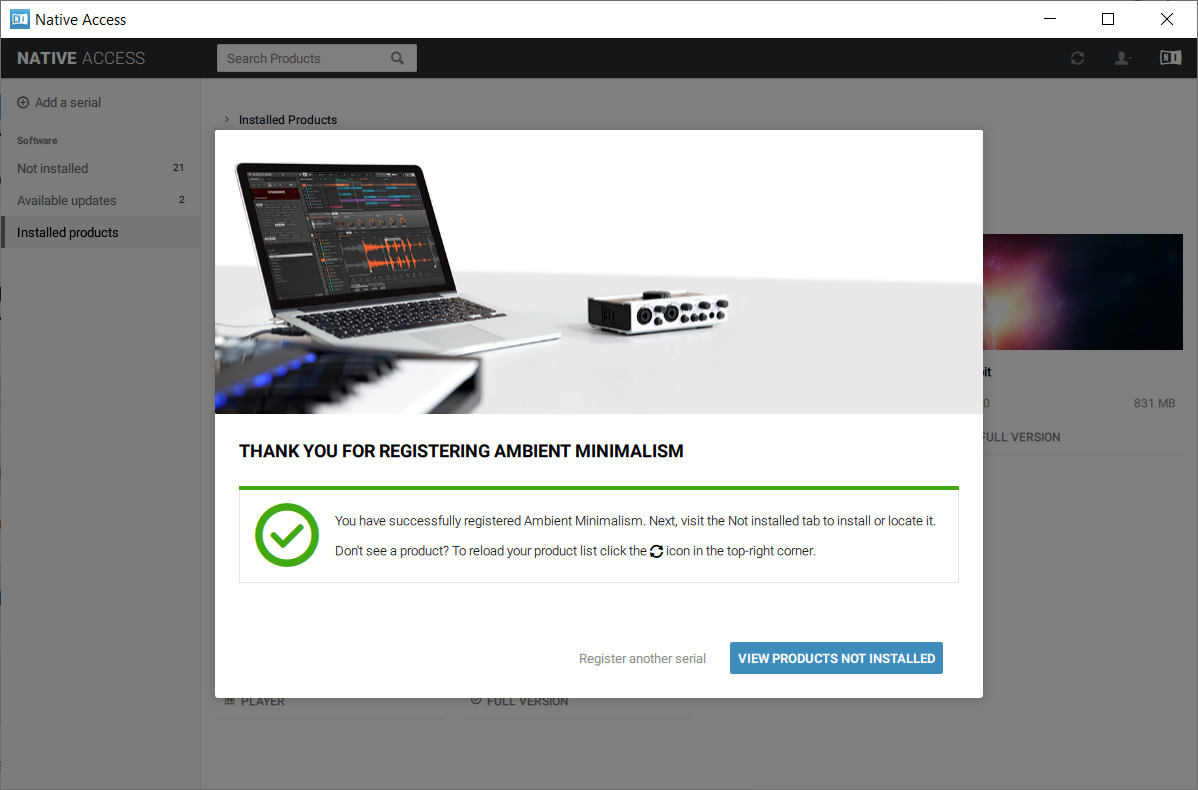
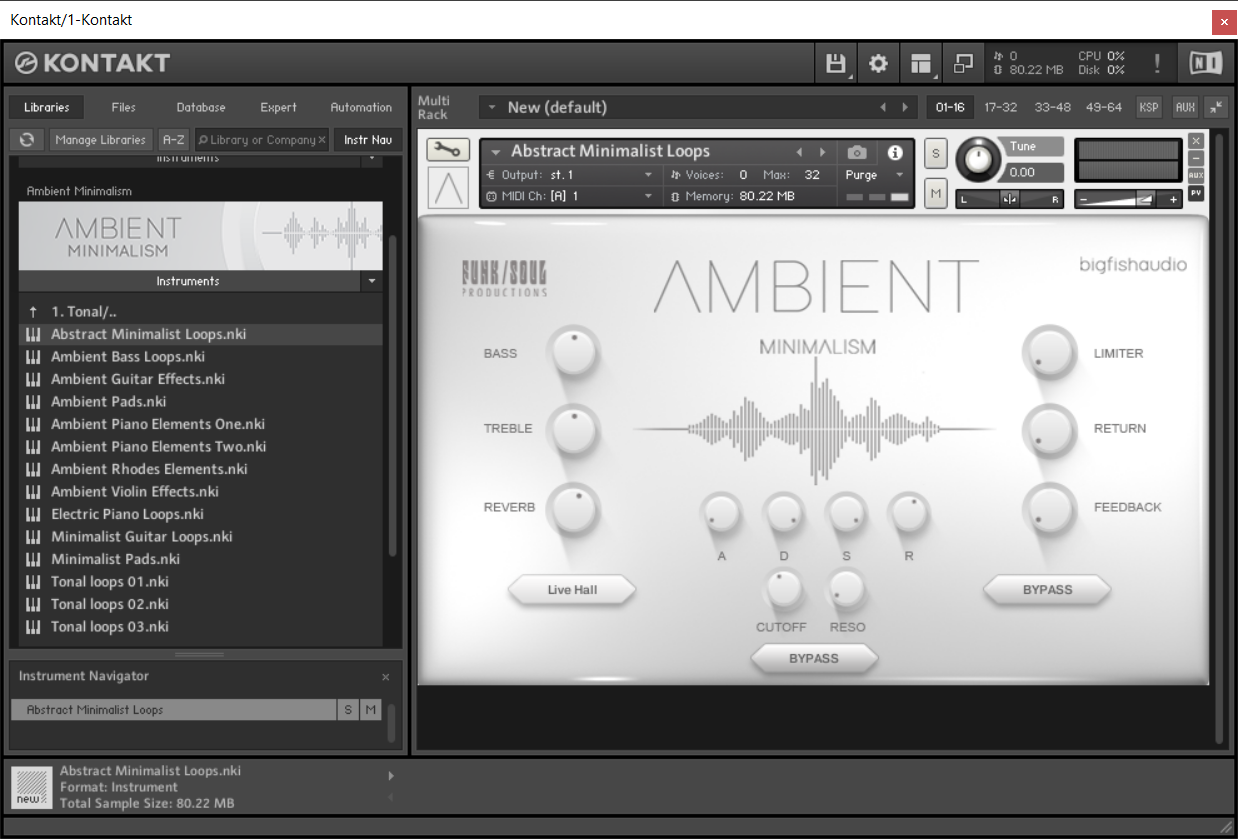
Note: Ambient Minimalism is used as the example.

Redemption 

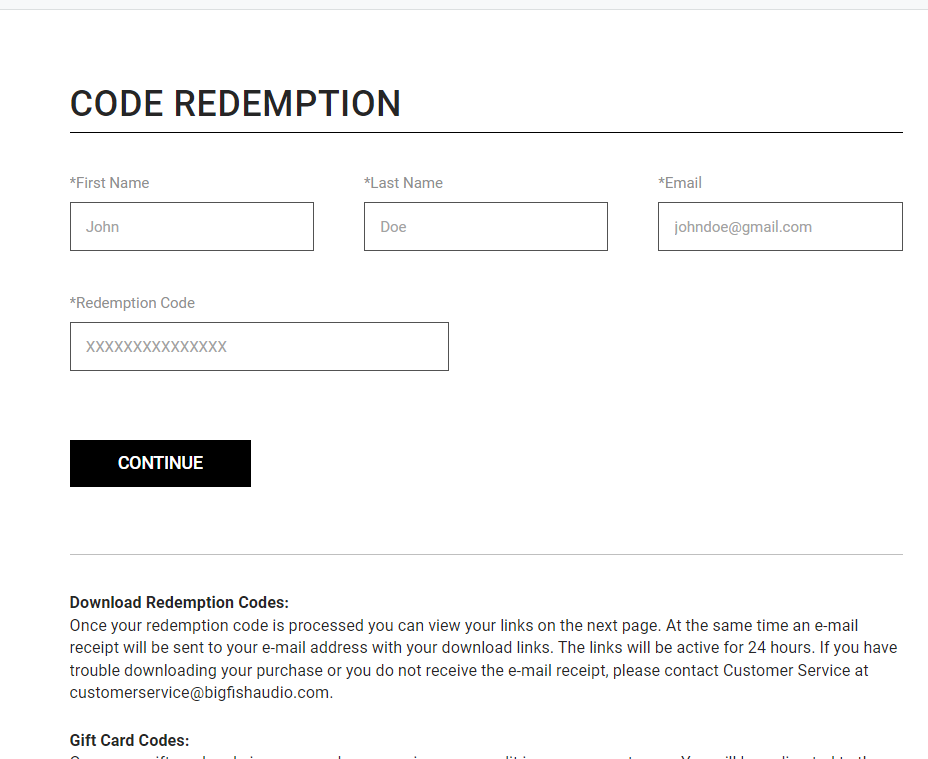
1.  Go to https://www.bigfishaudio.com/redemption.html > Enter your Name, Email Address, and Redemption Code, found in the Serial Number section of your Plugin Boutique User Account > Click 'CONTINUE'.

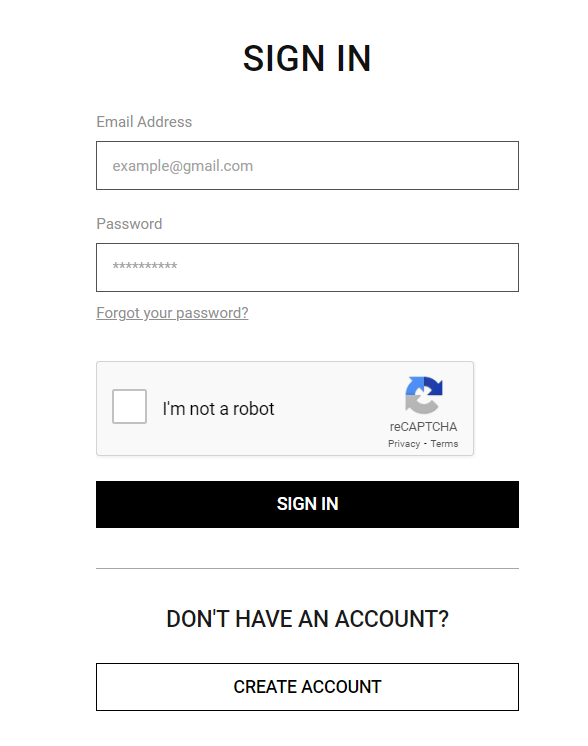
2. Sign into your existing Big Fish Audio account, or if you don't have one, click "CREATE ACCOUNT" and fill in your details to create an account. 

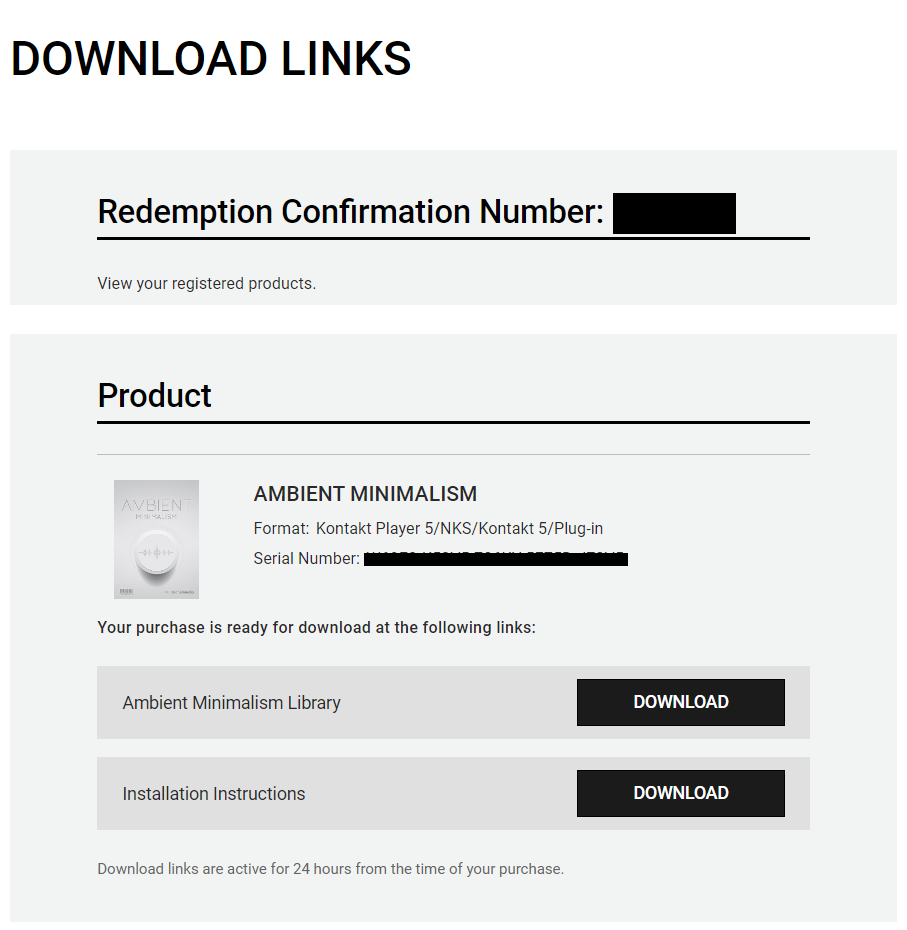
3. Your product is now redeemed. Please make note of the serial provided here > Click "DOWNLOAD" to download the plugin.

4. Unzip the downloaded installer.

Mac

Installation / Activation

1. Download and install the FREE Kontakt Player from the Native Instruments website.

2. Download and install the FREE Native Access application.

3. Open Native Access and enter your Native Instruments-registered email address and password > Click 'LOG IN'.

4. Click 'Add a serial' in the top left corner of the application window.

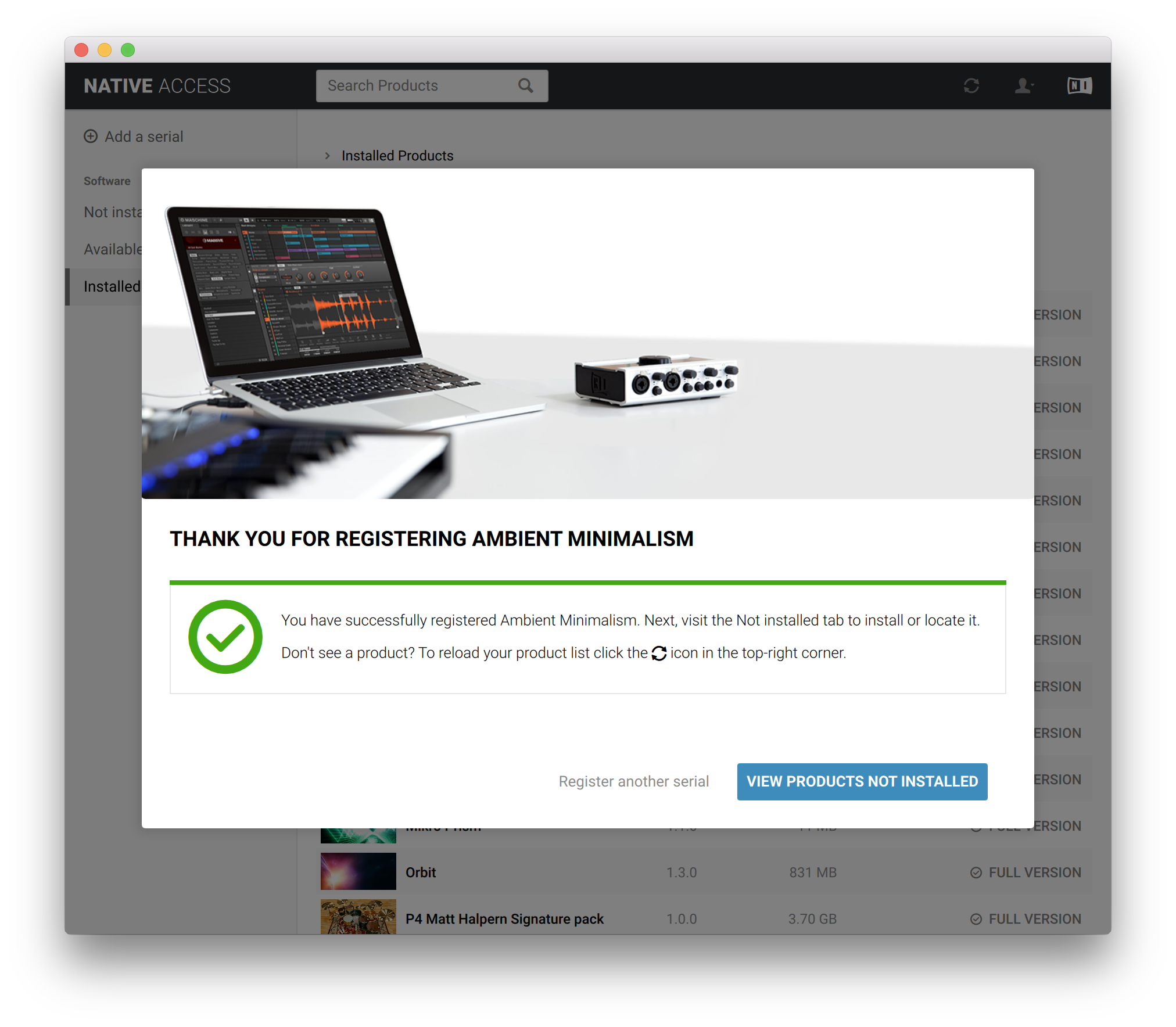
5. Enter the Serial Number found in your email > Click 'Add Serial'.

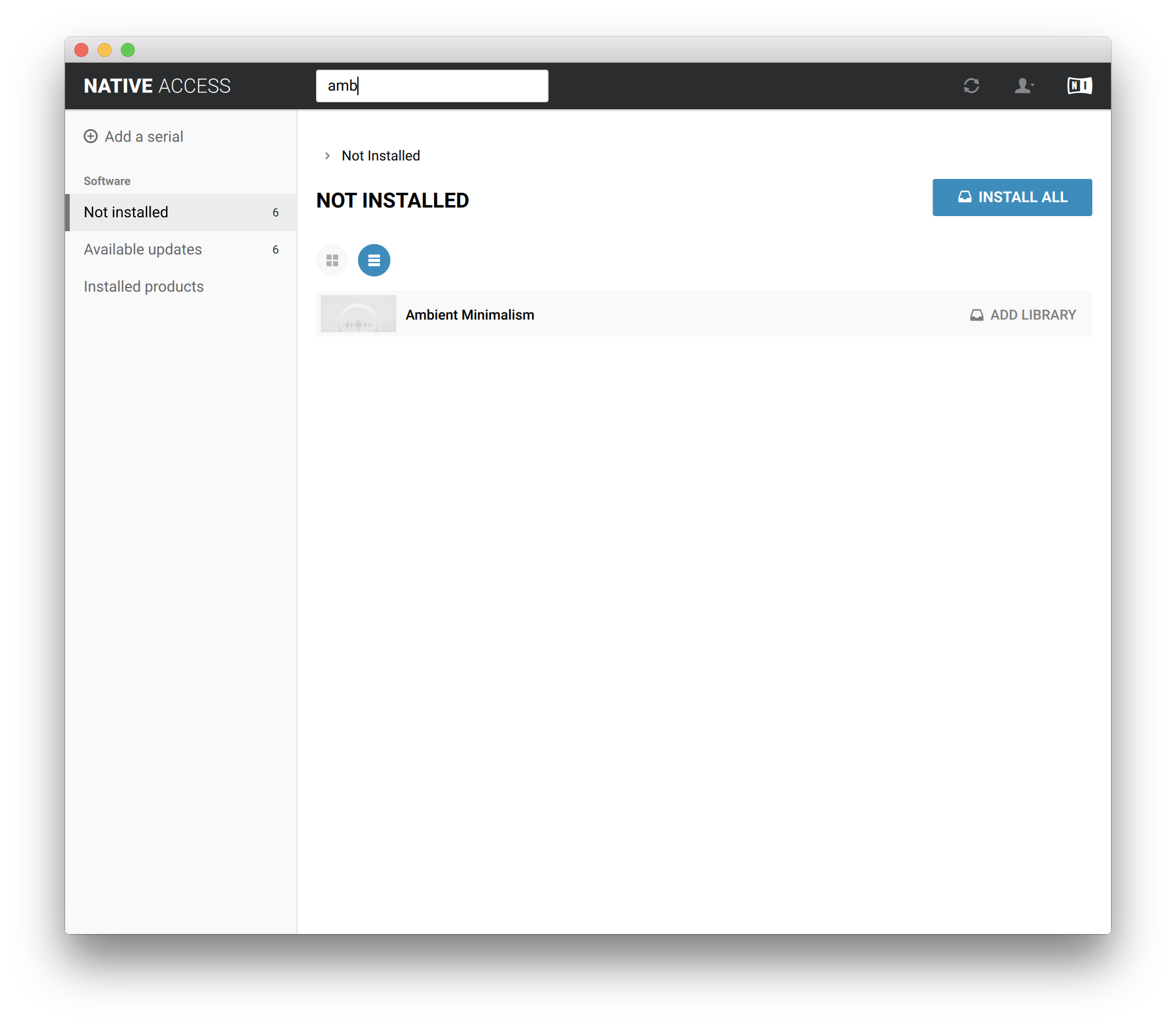
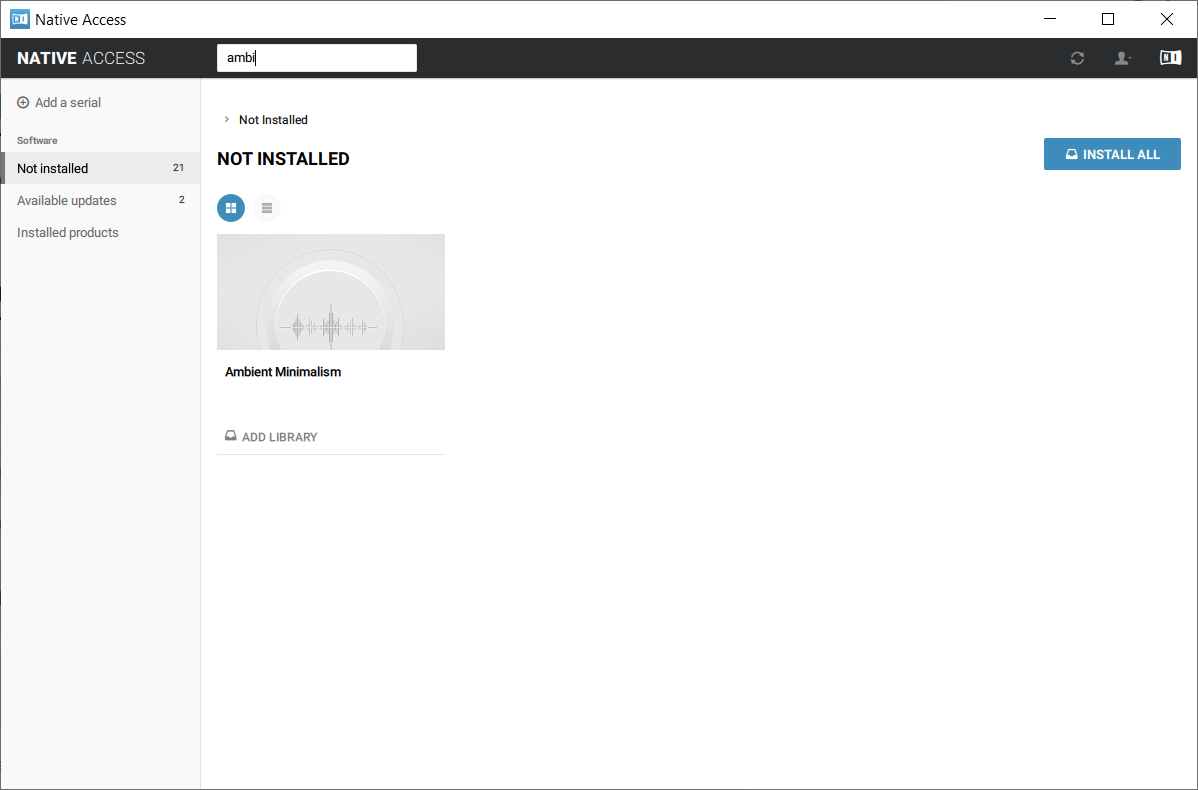
6. Click 'View products not installed'.

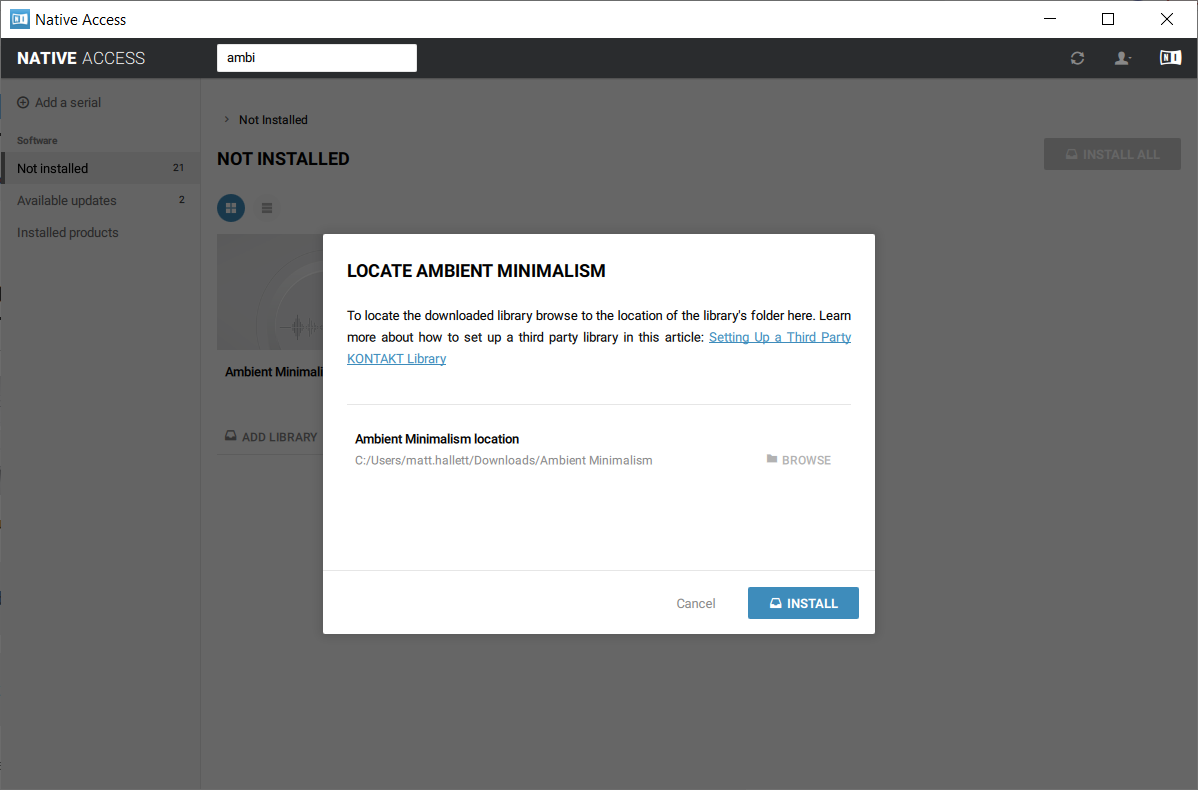
7. Navigate to Ambient Minimalism >  Click 'ADD LIBRARY'.

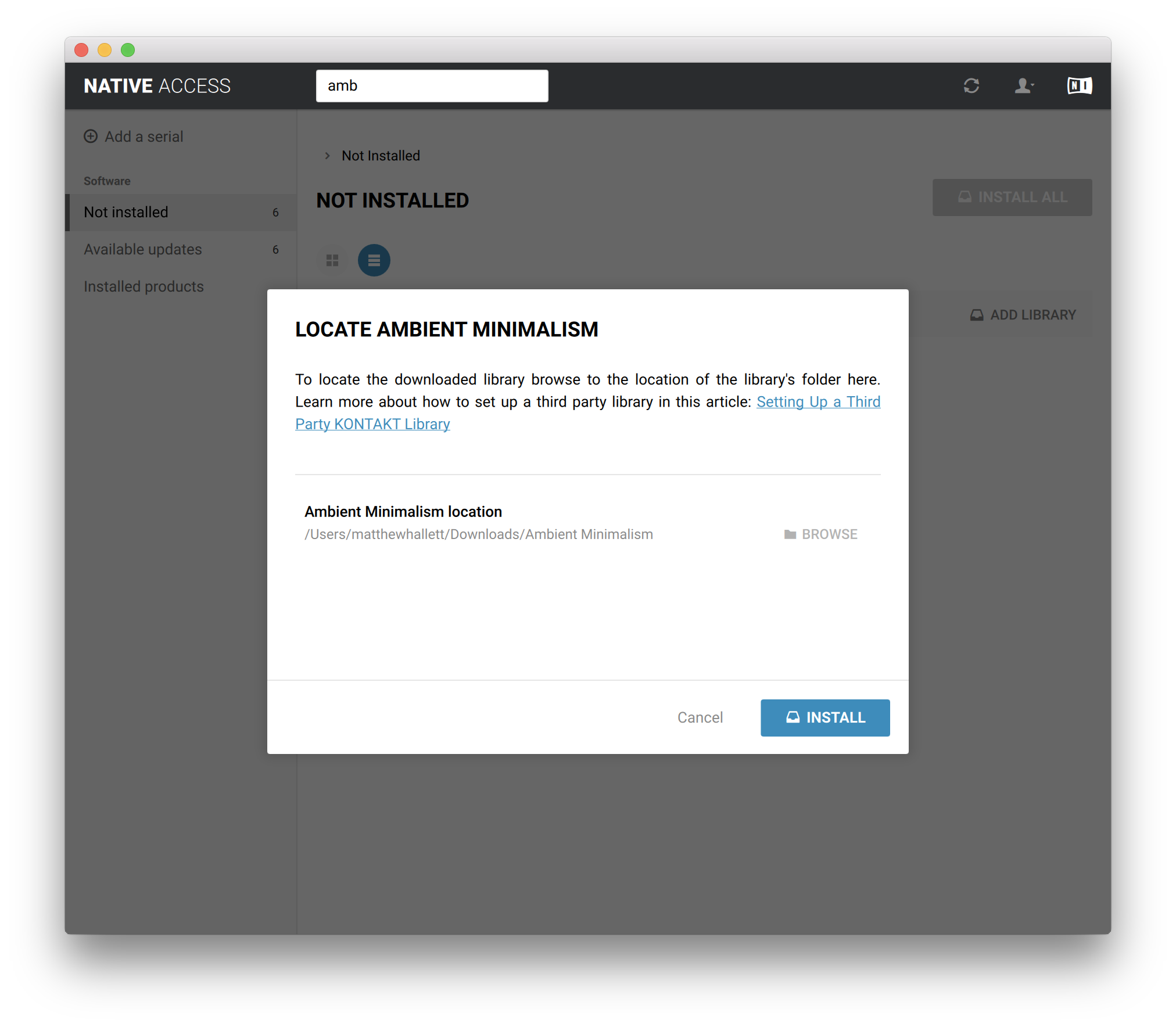
8. Click 'BROWSE' > Navigate to where you downloaded and unzipped Ambient Minimalism too > Once selected, click 'INSTALL'.

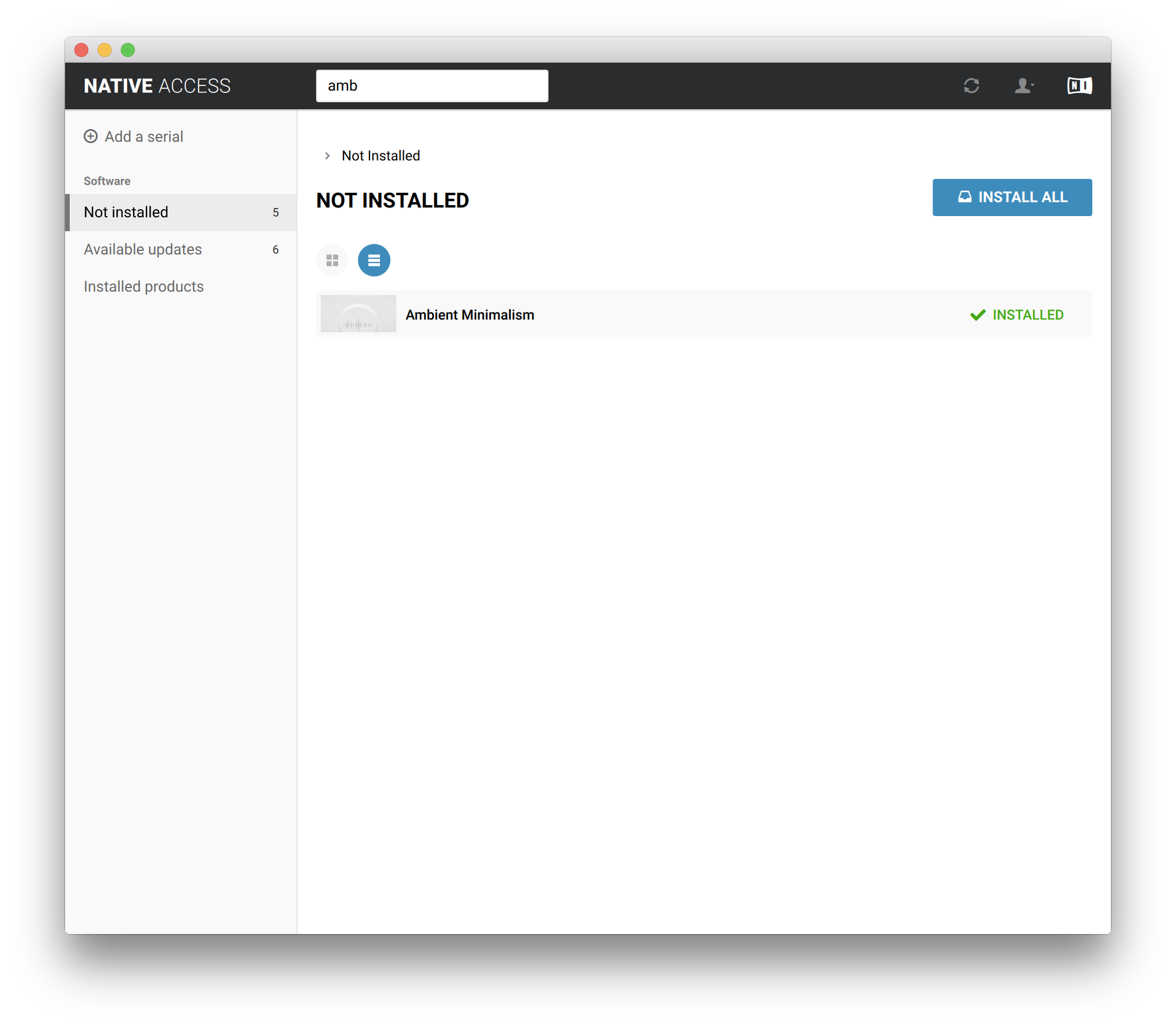
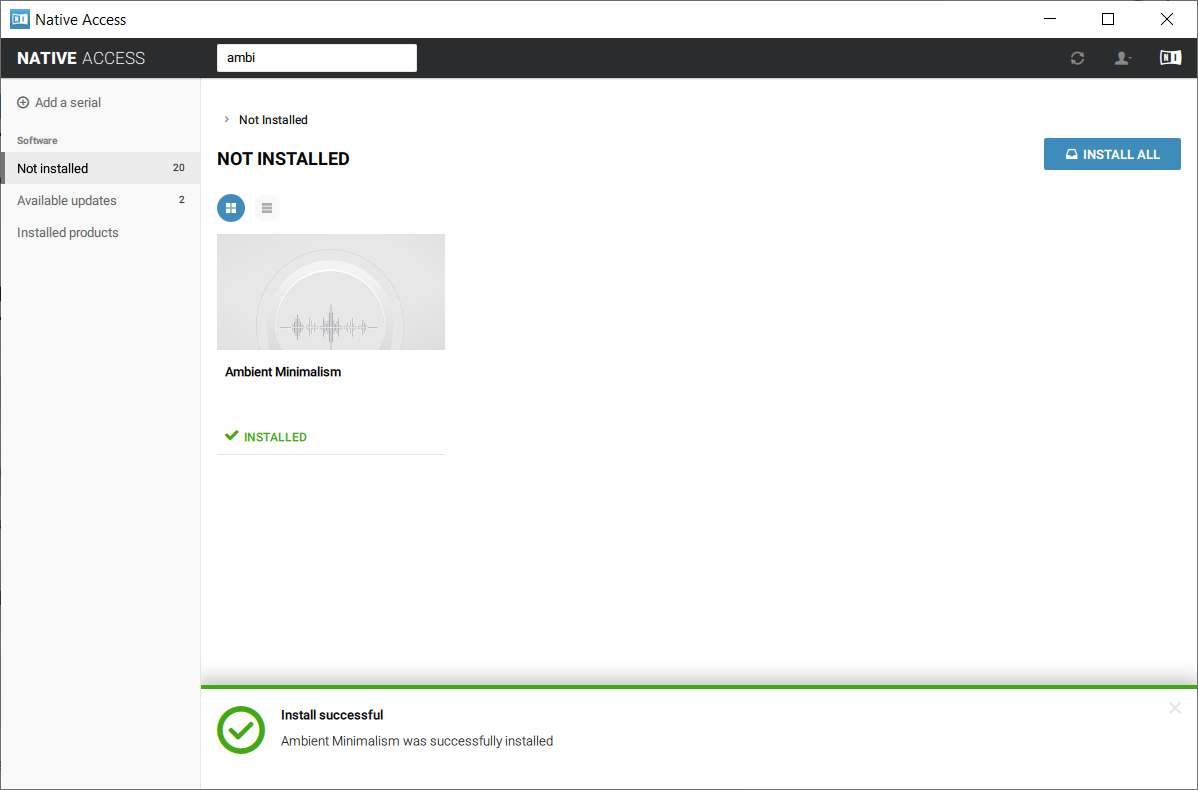
9. Ambient Minimalism is now installed.

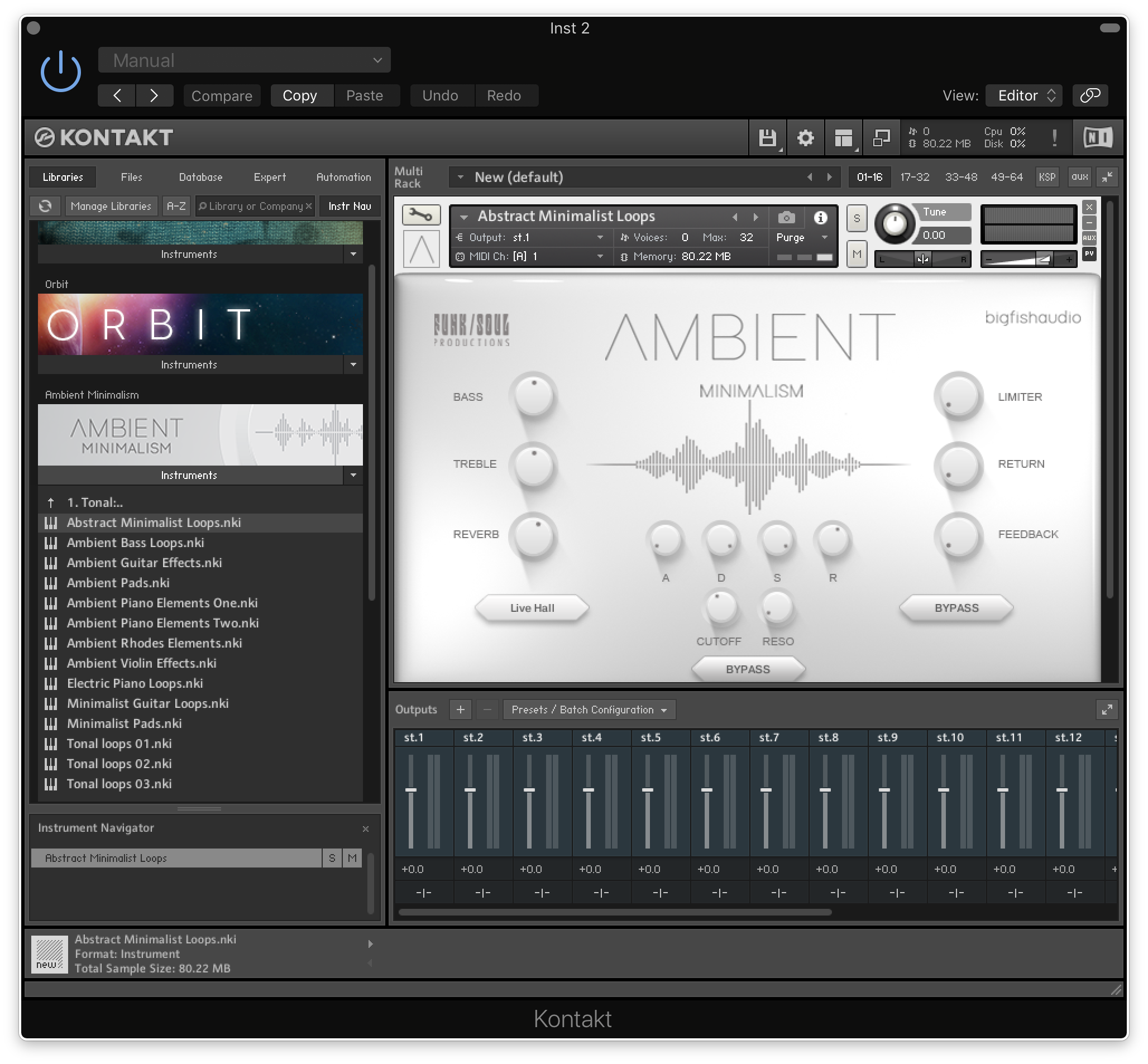
10. Open Kontakt and go to the 'Libraries' tab.

Your Library is now activated and ready to use in standalone or within your DAW.

PC

Installation / Activation

1. Download and install the FREE Kontakt Player from the Native Instruments website.

2. Download and install the FREE Native Access application.

3. Open Native Access and enter your Native Instruments-registered email address and password > Click 'LOG IN'.

4. Click 'Add a serial' in the top left corner of the application window.

5. Enter the previously acquired Serial Code from Big Fish Audio > Click 'Add Serial'.

6. Click 'View products not installed'.

7. Navigate to Ambient Minimalism >  Click 'ADD LIBRARY'.

8. Click 'BROWSE' > Navigate to where you downloaded and unzipped Ambient Minimalism too > Once selected, click 'INSTALL'.

9. Ambient Minimalism is now installed.

10. Open Kontakt and go to the 'Libraries' tab.

Your Library is now activated and ready to use in standalone or within your DAW.

Plugin Boutique Rewards

Discover the most rewarding loyalty programme among all plugin retailers.

  • Free Loopmasters Samplepacks
  • Discounts on products and courses
  • Extra Virtual Cash claimed immediately at checkout
Find out more

Follow us:

X (Twitter) Facebook YouTube Instagram
Logo Logo

Plugin Boutique Limited, Part of the Beatport Group LLC.

Copyright © 2011-2025 Plugin Boutique. All rights reserved