/ Kontakt Instrument / Nørdic Bass Clarinet
Have Audio

Nørdic Bass Clarinet

4.5 (2 Reviews)
$53.70 $179.00

70% off until Dec 07

Nørdic Bass Clarinet
Trailer gallery thumbnail
Walkthrough gallery thumbnail
Nørdic Bass Clarinet - UI 1
Nørdic Bass Clarinet - UI 2
Buy Now
Product information

Deep-sampled and superbly delivered by virtuoso and creative clarinettist Achille Succi, Nørdic Bass Clarinet is a new Kontakt instrument that offers total playability, hyper realism, endless inspiration and unlimited creative freedom for film composers, performers and music producers.

Tons of articulations, from classic true legato, staccato, slap, low frullati up to evolving playable articulations and never-before-sampled techniques and cinematic textures.

The Nørdic engine comes with an arpeggiator, top class reverb and delay algorithms, time warp, an enhanced Drag&Drop feature to import and manipulate your own samples & loops, ADSR Envelope controls on imported samples, Reverse button, 6 additional FX to choose between EQ / COMPRESSION / SATURATION / CHORUS / PHASER / LESLIE, with 3 controls for each FX and 4 main FX Macros to assign whatever you want.

FX and Controls

  • 2 sound sources:
  • Mic / Warped: You can solo/blend together the acoustic sound of the instrument with a sound-designed layer
  • Ice: it blends multiple samples for big, cinematic results
  • Time Warp: it time-stretches all time-based articulations and textures to adjust tempo, performs musical accelerando/ritardando and generate creative drones and special effects.
  • Arpeggiator: (5 modes: Up / Down / Up-Down / Down-Up / Random); up to 32 steps, and 4 octaves
  • Reverse FX
  • Dynamics control for sustained articulations
  • 82 convolution reverbs
  • Top-class Delay algorithm
  • 6 additional FX with 3 controls each. Choose between EQ / Compression / Saturation / Chorus / Phaser / Leslie and tweak them the way you want. 
  • 4 FX Macros
  • Sample Drag & Drop: import up to 48 samples or loops.
  • Envelope controls on imported samples
  • When importing a loop the engine auto-detect the tempo and sync it to DAW by pressing HOST
  • HOST syncs imported loops to DAW
     

System Requirements

  • Uncompressed Size: 22 GB
  • 22199 samples in ncw. format 
  • Requires full version of KONTAKT 6.6.1+ (not compatible with Free Kontakt Player).

Please note: this product will not work in Kontakt Player

Installation Instructions

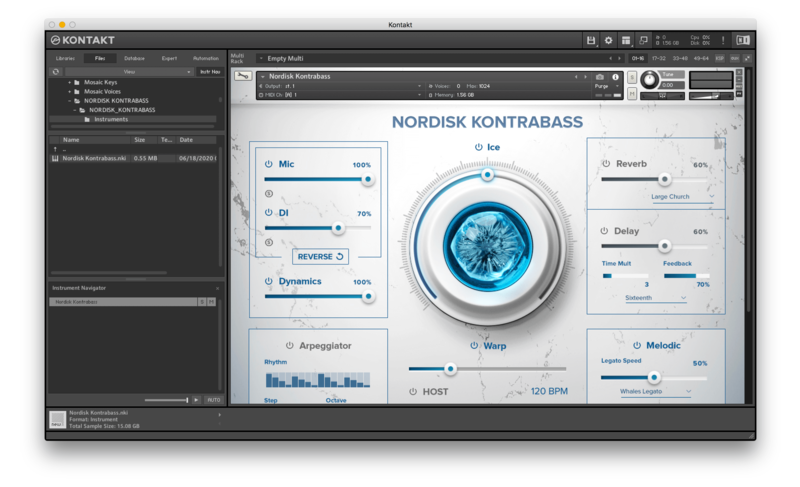
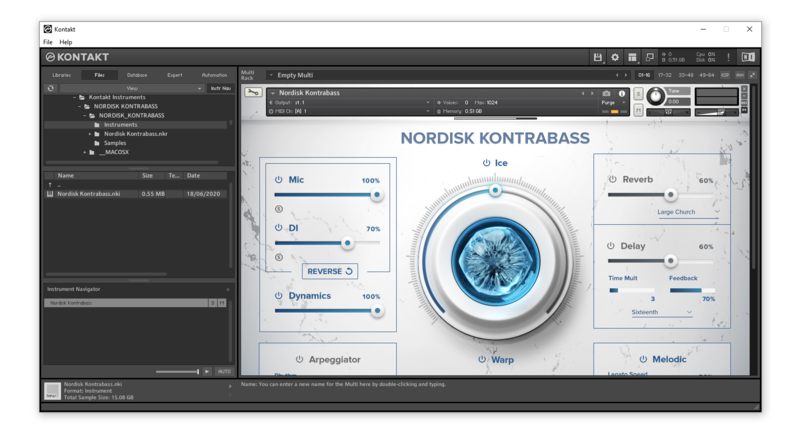
Please note: Nordisk Kontrabass is used as an example as the installation process is the same for all Have products.

Mac

Installation

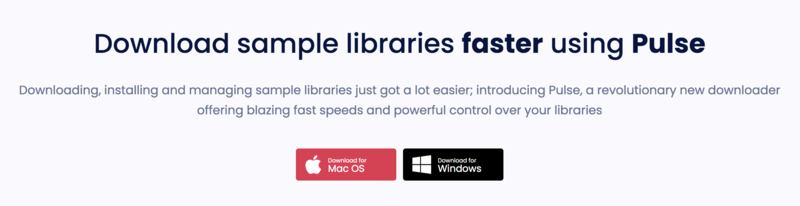
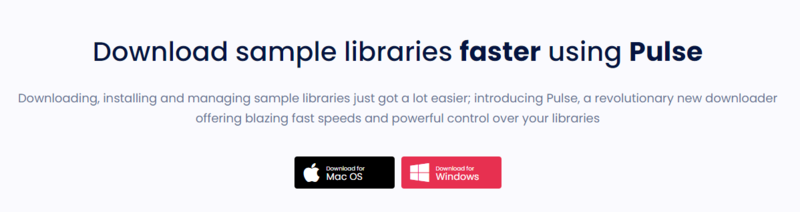
1. Go to https://pulsedownloader.com/ > Click 'Download for Mac OS' to download the Pulse application installer.

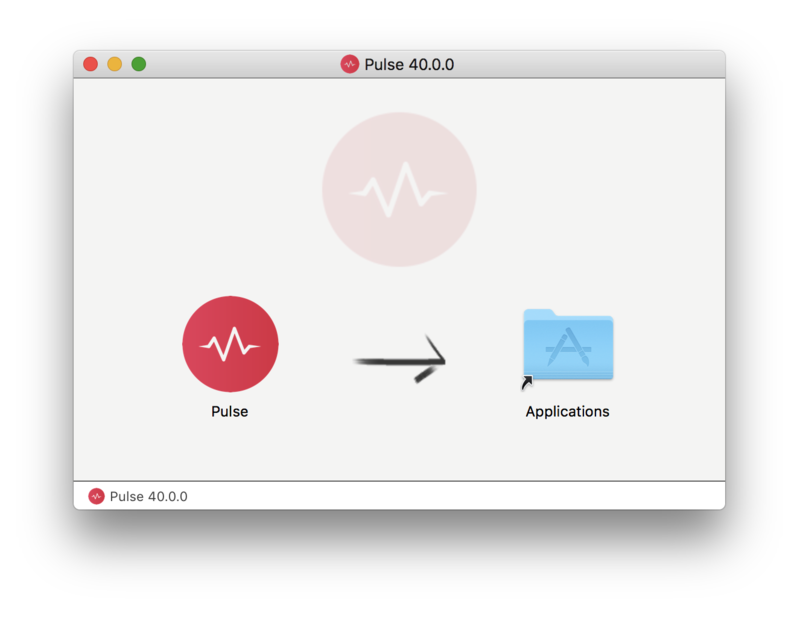
2. Open the .dmg file > Click and drag the application icon into the applications folder.

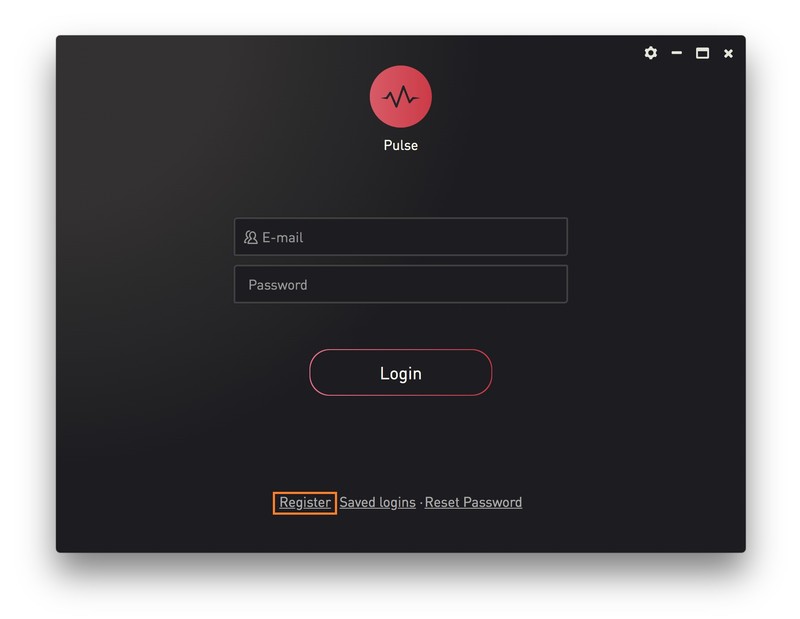
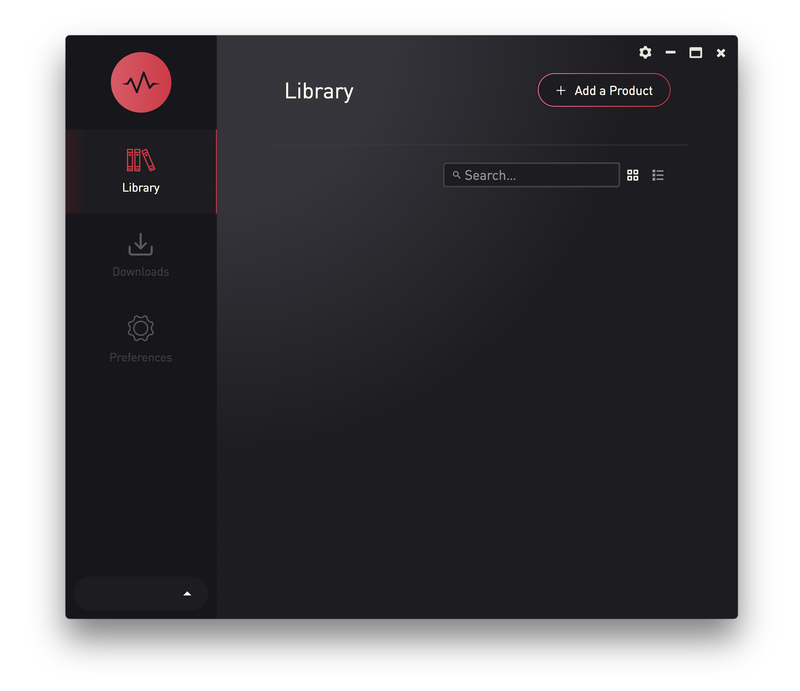
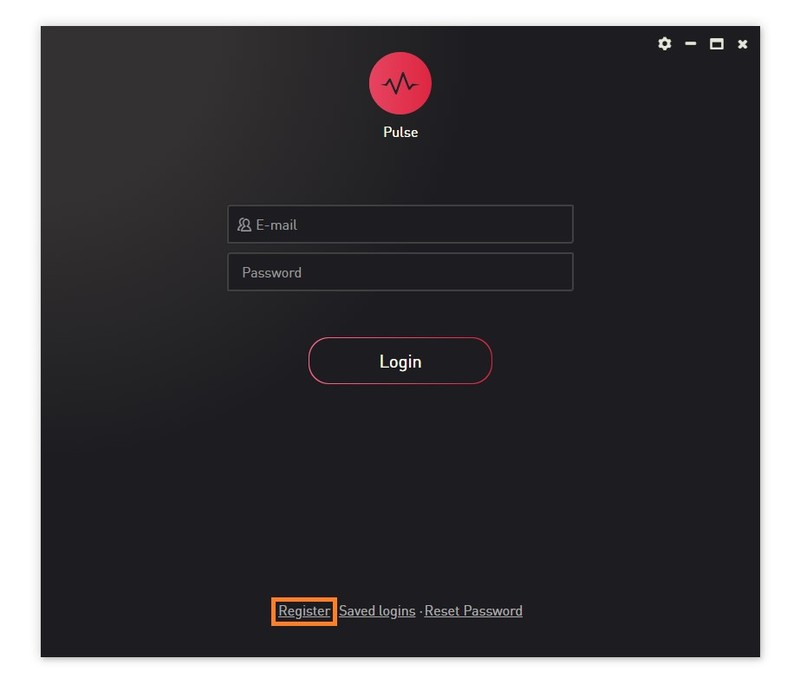
3. Open the Pulse application > Click 'Register'

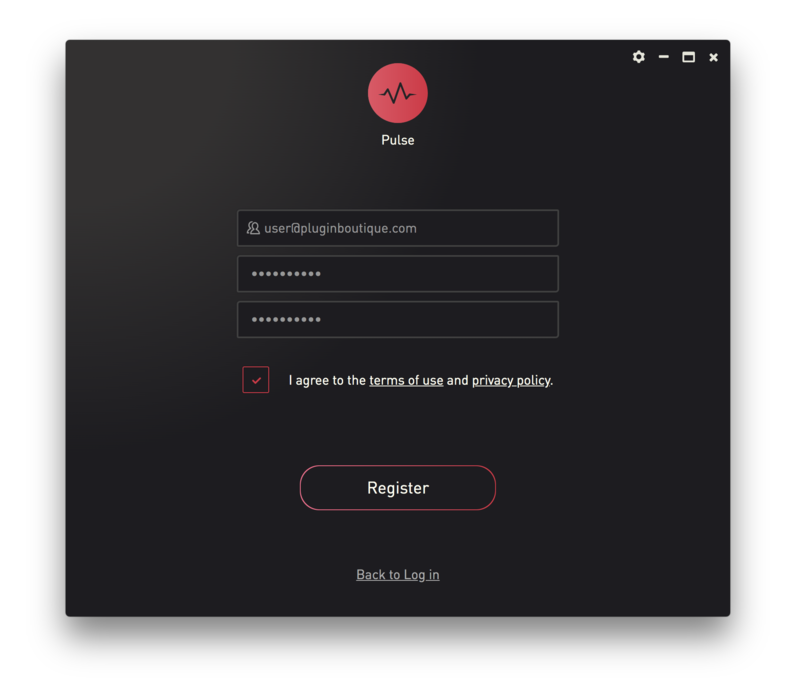
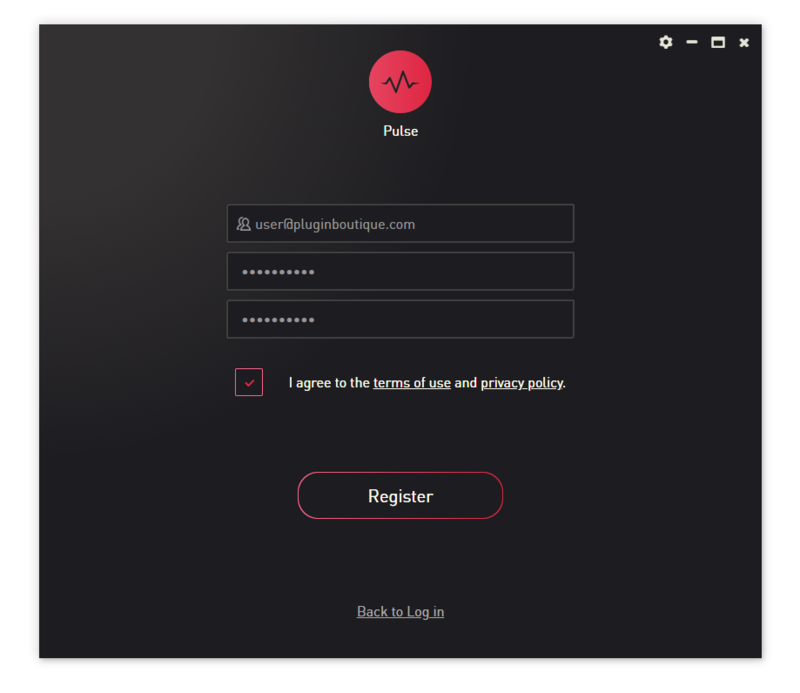
4. Enter your Email Address and Password > Check the box that states 'I agree to the terms of use and privacy policy' > Click 'Register'.

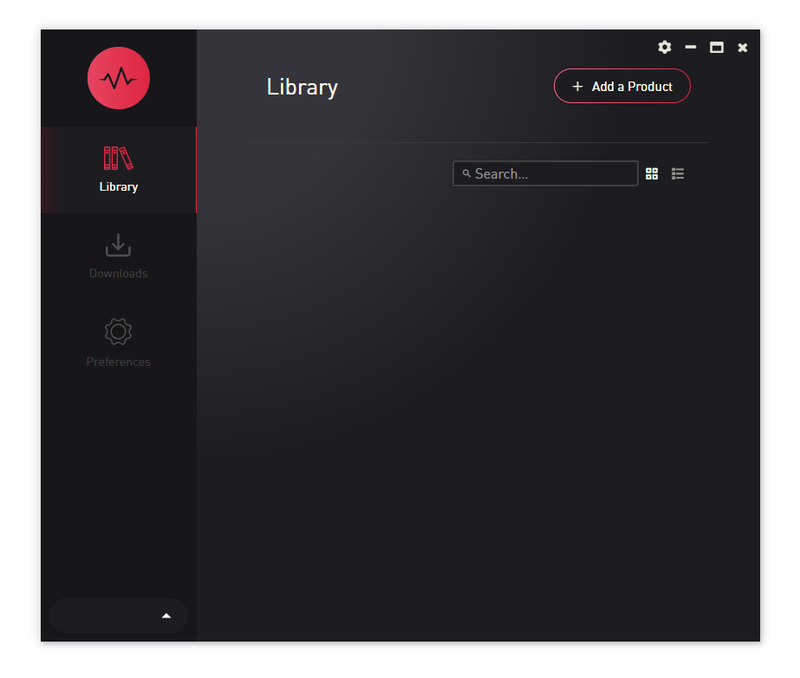
5. Click 'Add a Product'.

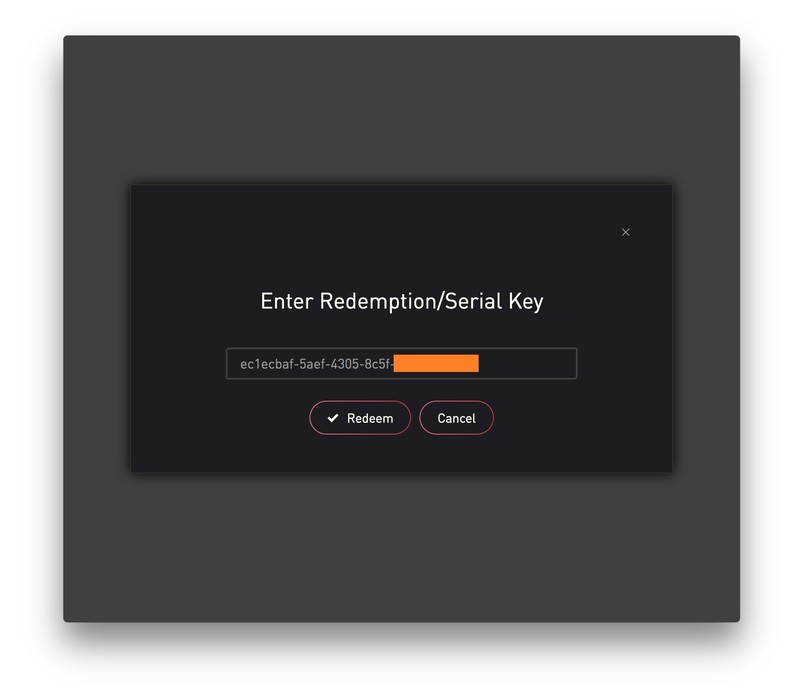
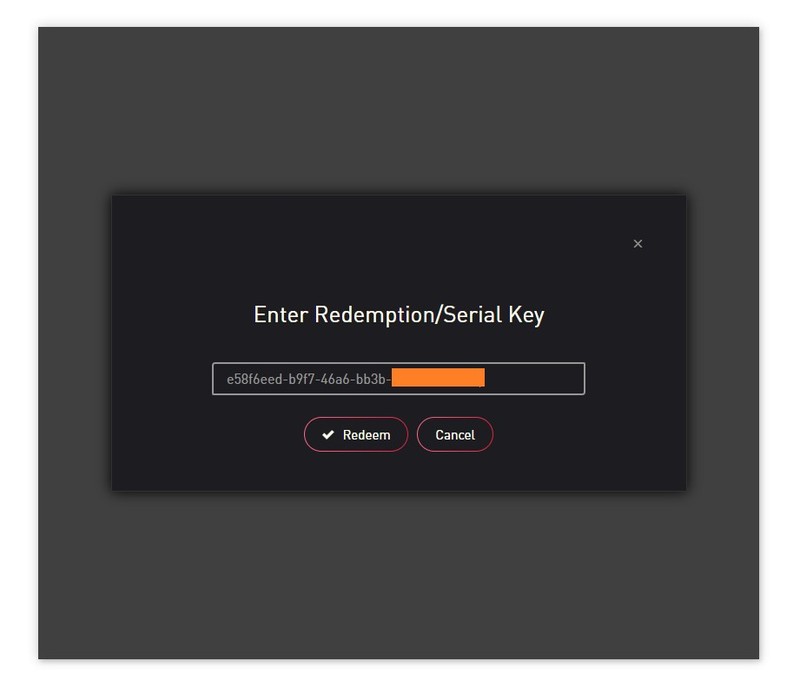
6. Enter your 32-digit serial key, found within the serial number section of your Plugin Boutique User Account > Click 'Redeem'.

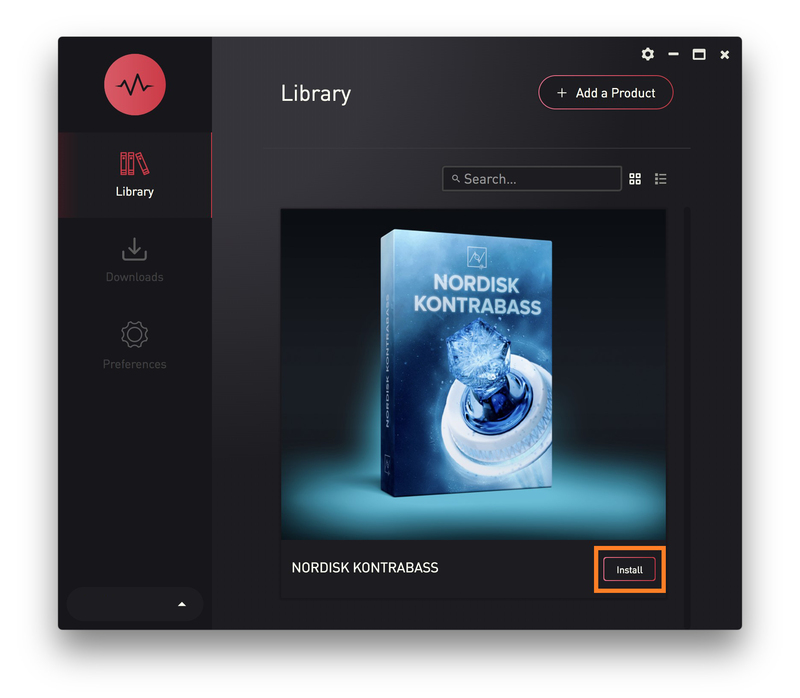
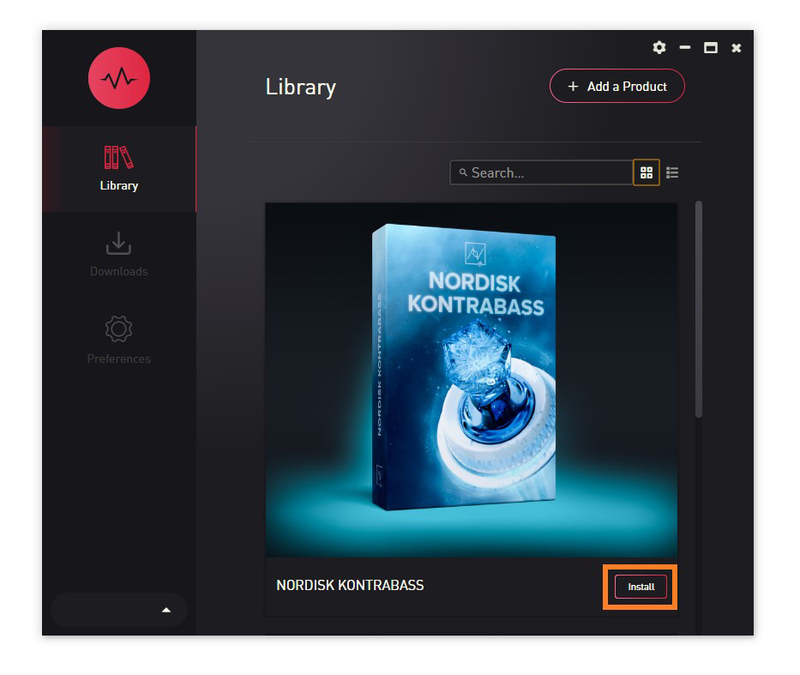
7. Click 'Install'.

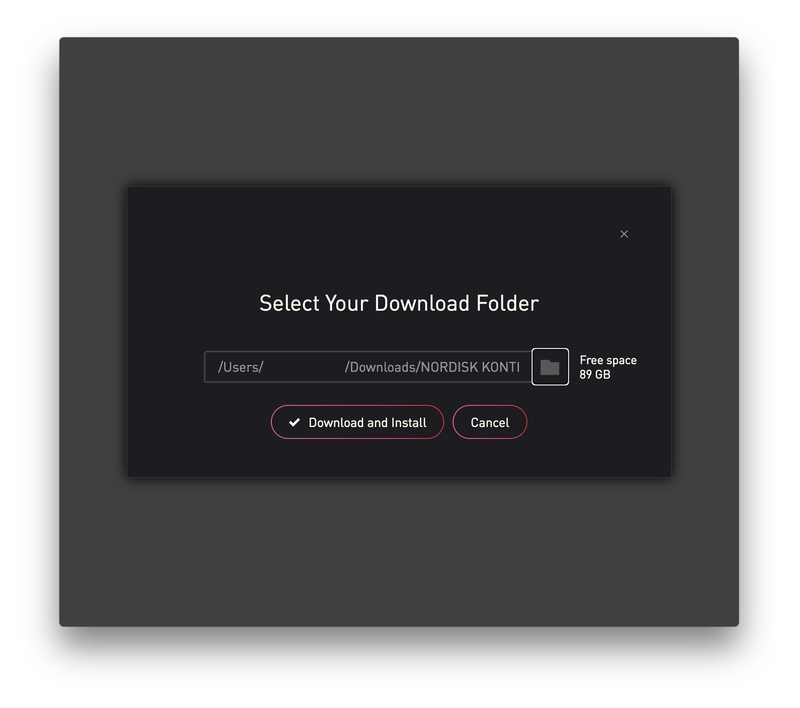
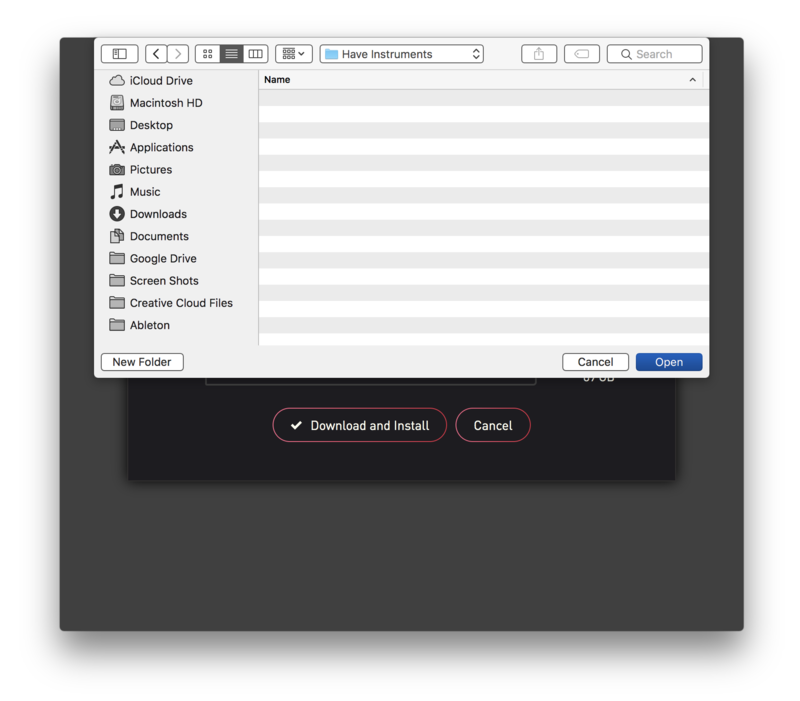
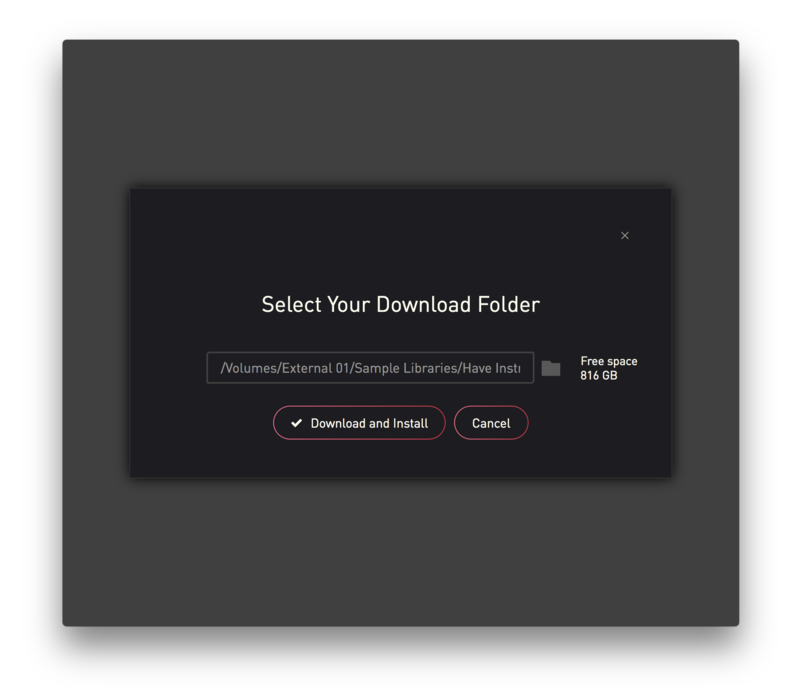
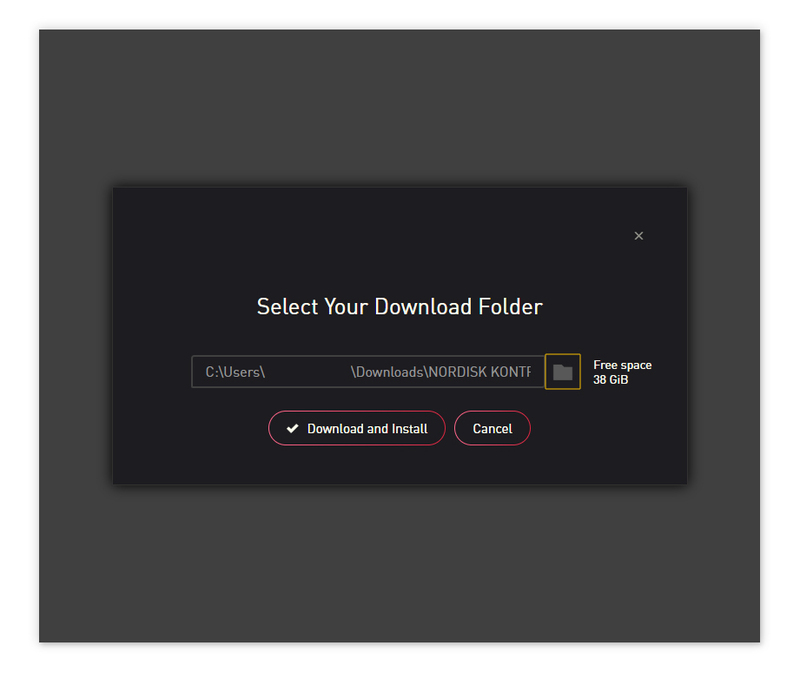
8. Click the folder icon to select the installation location for your library.

9. Choose your installation location > Click 'Open'.

10. Click 'Download and Install'.

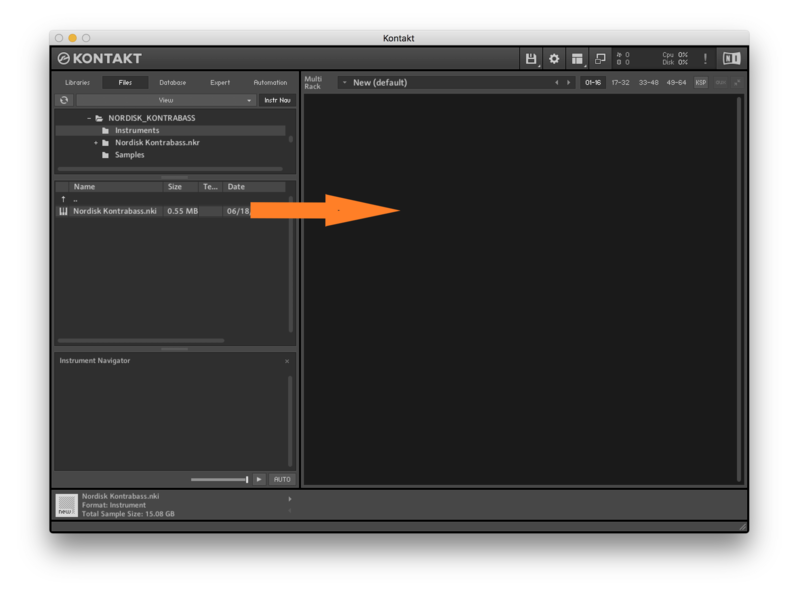
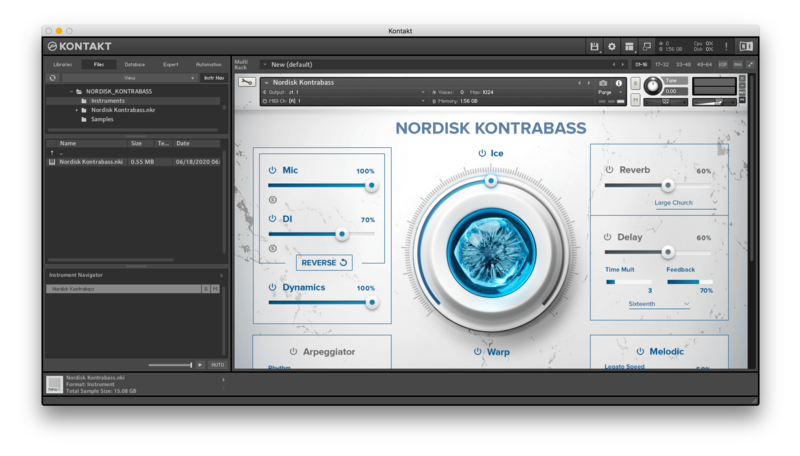
11. Open Kontakt > Select the 'Files' tab and navigate to your installed Kontakt library > Click and drag the .nki file into the empty window.

Your Kontakt Instrument is now installed and ready to use.

Batch Re-save Instructions

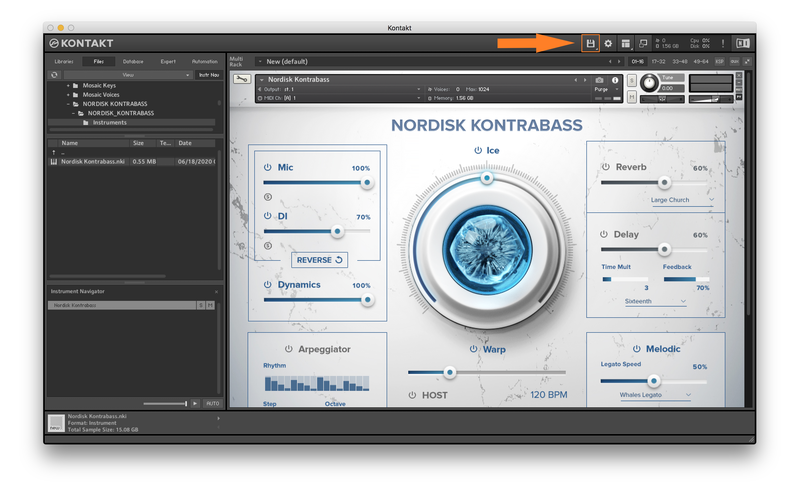
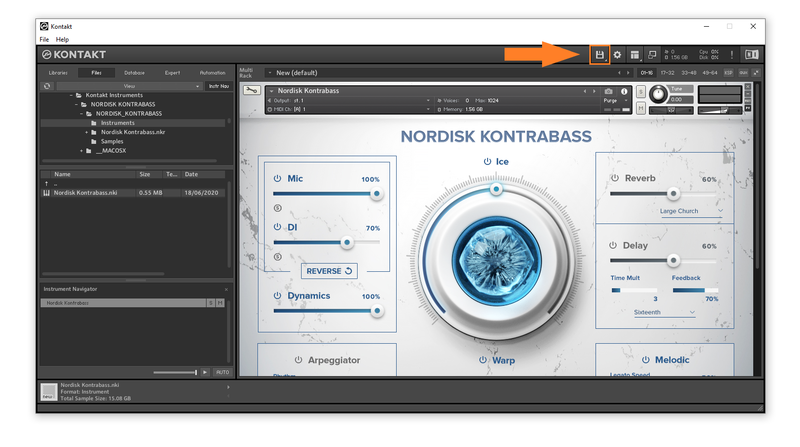
1. Within Kontakt, click the floppy disk icon.

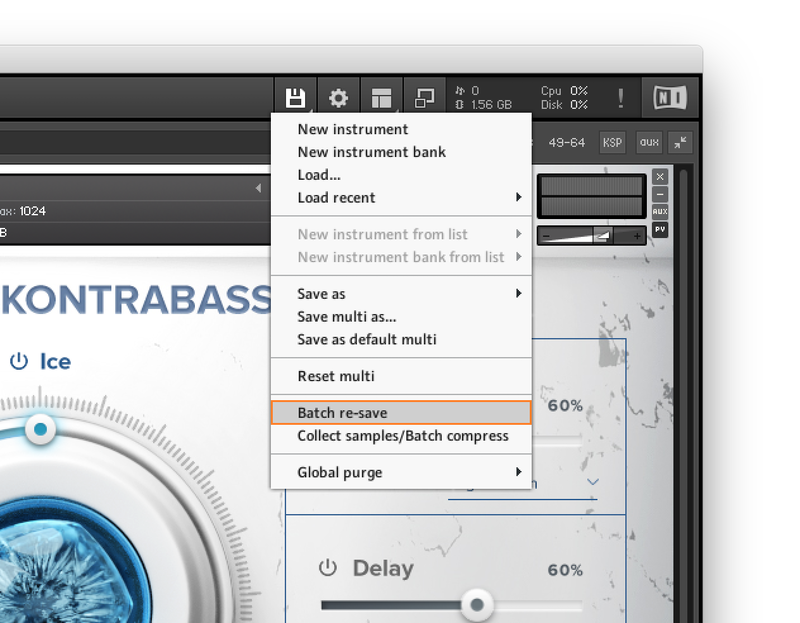
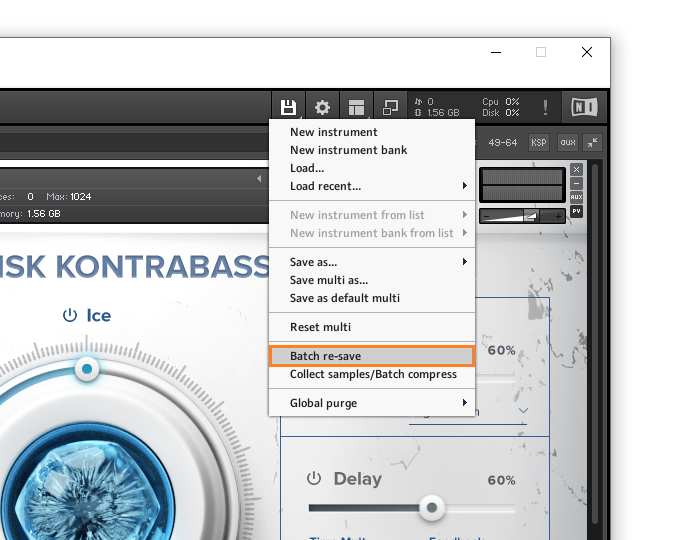
2. From the drop-down menu, click 'Batch re-save'.

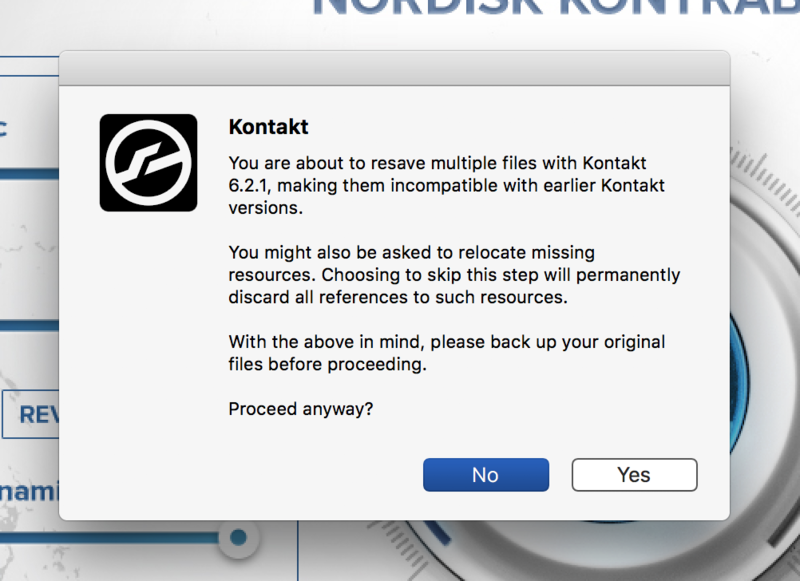
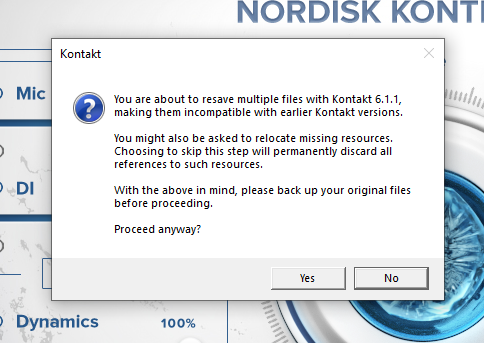
3. Click 'Yes'.

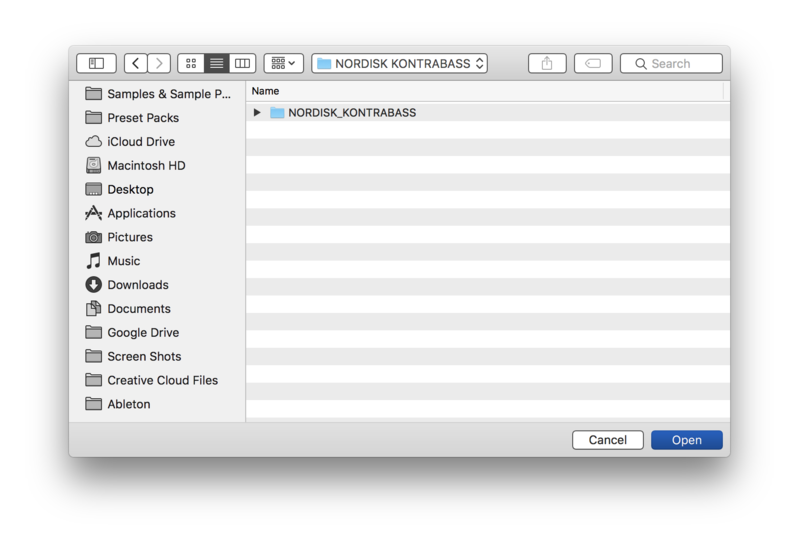
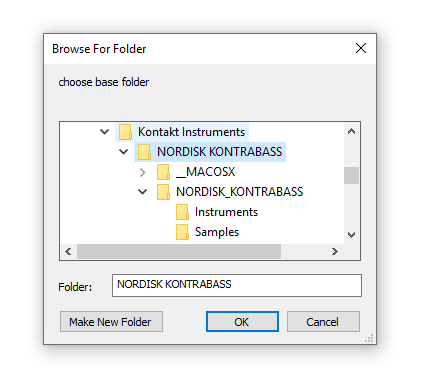
4. Navigate to the installation location for your Kontakt library > Click 'Open'.

Batch re-save is now complete and you can expect to see quicker loading times for your Kontakt Instrument.

Windows

Installation

1. Go to https://pulsedownloader.com/ > Click 'Download for Windows' to download the Pulse application installer.

2. Open the .exe file to install the Pulse application > Open Pulse and click 'Register'.

3. Enter your Email Address and Password > Check the box that states 'I agree to the terms of use and privacy policy' > Click 'Register'.

4. Click 'Add a Product'.

5. Enter your 32-digit serial key, found within the serial number section of your Plugin Boutique User Account > Click 'Redeem'.

6. Click 'Install'.

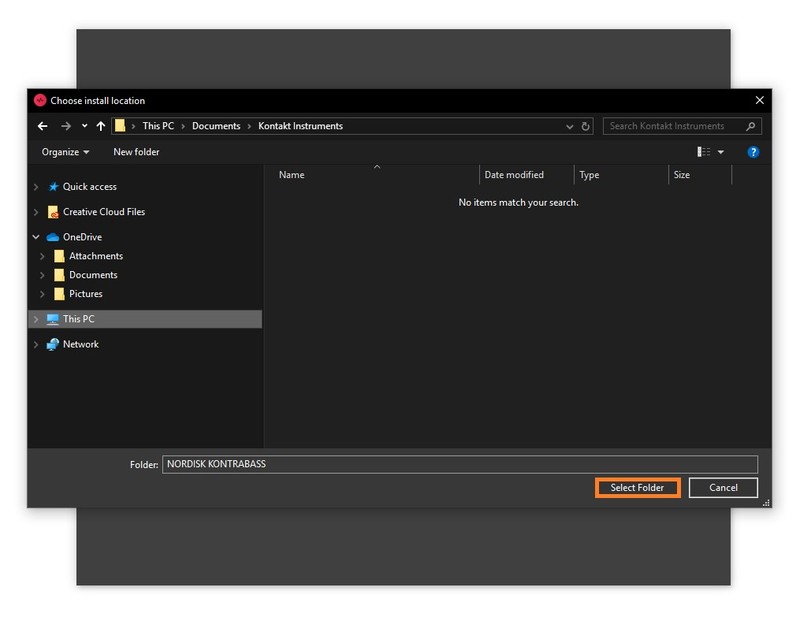
7. Click the folder icon to select the installation location for your library.

8. Choose your installation location > Click 'Select Folder'.

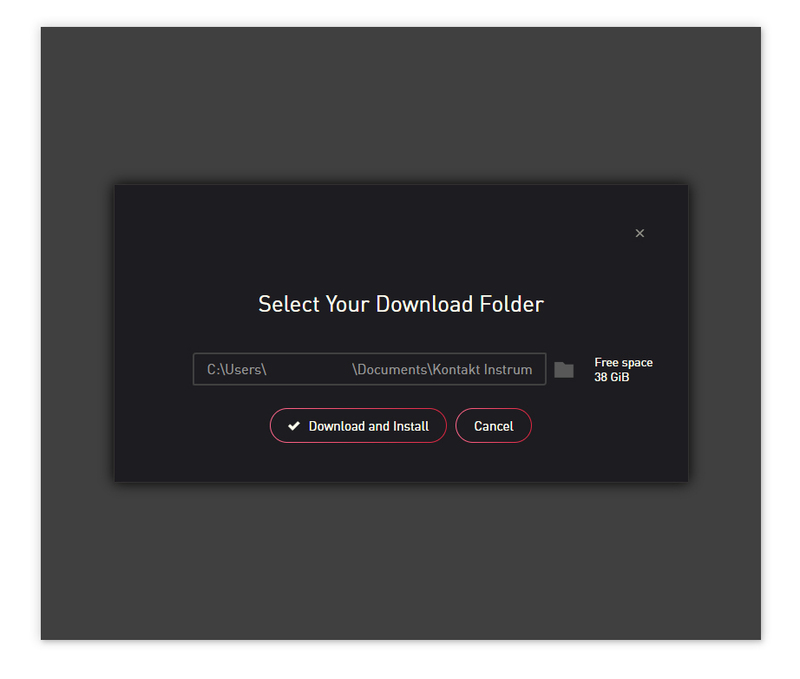
9. Click 'Download and Install'.

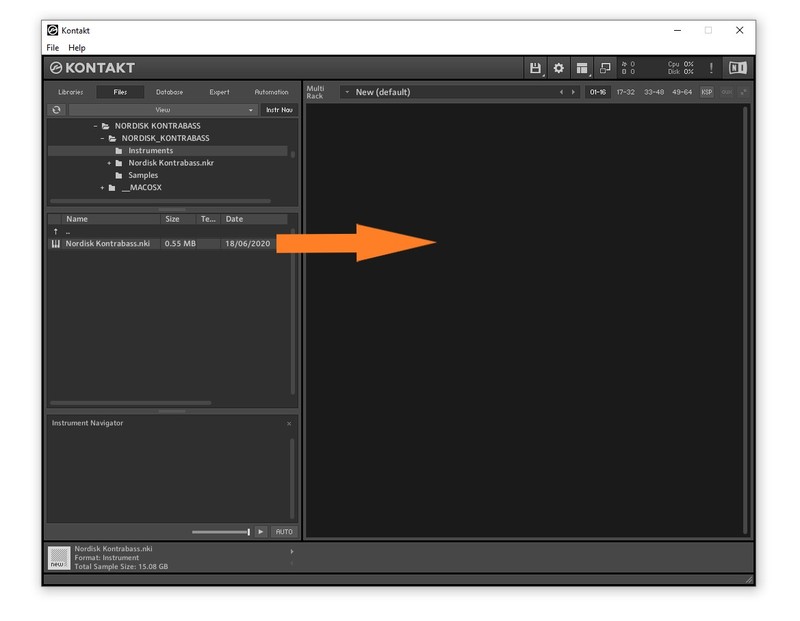
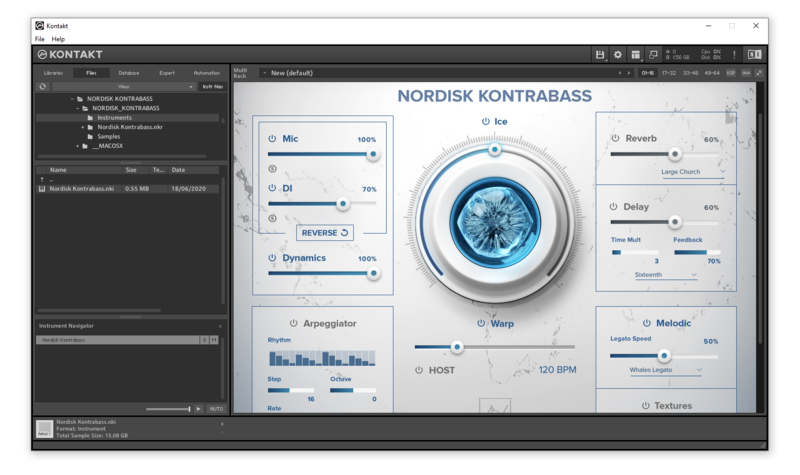
10. Open Kontakt > Select the 'Files' tab and navigate to your installed Kontakt library > Click and drag the .nki file into the empty window.

Your Kontakt Instrument is now installed and ready to use.

Batch Re-save Instructions

1. Within Kontakt, click the floppy disk icon.

2. From the drop-down menu, click 'Batch re-save'.

3. Click 'Yes'.

4. Navigate to the installation location for your Kontakt library > Click 'Ok'.

Batch re-save is now complete and you can expect to see quicker loading times for your Kontakt Instrument.

Plugin Boutique Rewards

Discover the most rewarding loyalty programme among all plugin retailers.

  • Free Loopmasters Samplepacks
  • Discounts on products and courses
  • Extra Virtual Cash claimed immediately at checkout
Find out more

Follow us:

X (Twitter) Facebook YouTube Instagram
Logo Logo

Plugin Boutique Limited, Part of the Beatport Group LLC.

Copyright © 2011-2025 Plugin Boutique. All rights reserved