Log In

Free gifts available with your purchase
Portable Reed Organ
Important Note: This is a software instrument designed for the full version of the NI Kontakt engine, and is not a physical product!
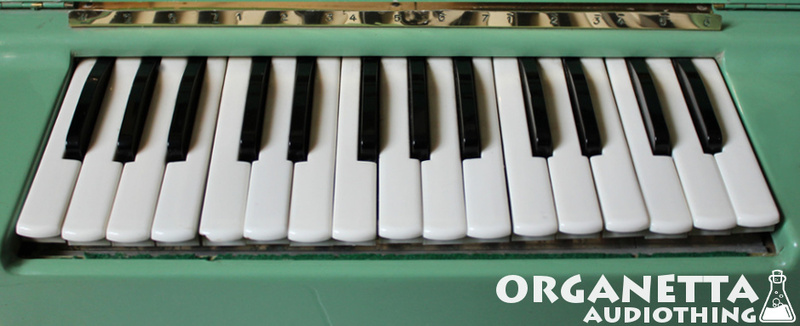
The Organetta is a small portable reed organ made in the late 50s by the German company Hohner*. The sound is generated by an electric fan that blows air into a set of brass reeds hence the sound is reminiscent of something in between a melodica and an accordion.We sampled this little green friend with two mics: a large diaphragm condenser mic and a piezo attached to the chassis. The fan noise has been removed from the samples but you can choose to add it to the mix or play it alone by pressing the green keys. To add more realism we captured 6 round robin of the key down and up noises.
Features
- 6 Kontakt Instruments (.nki)
- 144 Samples (44.1kHz / 24Bit)
- Size: 618 MB
- Two Mics (condenser and piezo)
- 17 sec long notes samples
- 30+ sec long fan samples
- Two intensity layers
- Formats: Kontakt and WAV
System Requirements
- The full version of Kontakt 4.2.4 or higher is required to run this instrument
Important note: The full version of Kontakt 4.2.4 or higher is required to run this software.